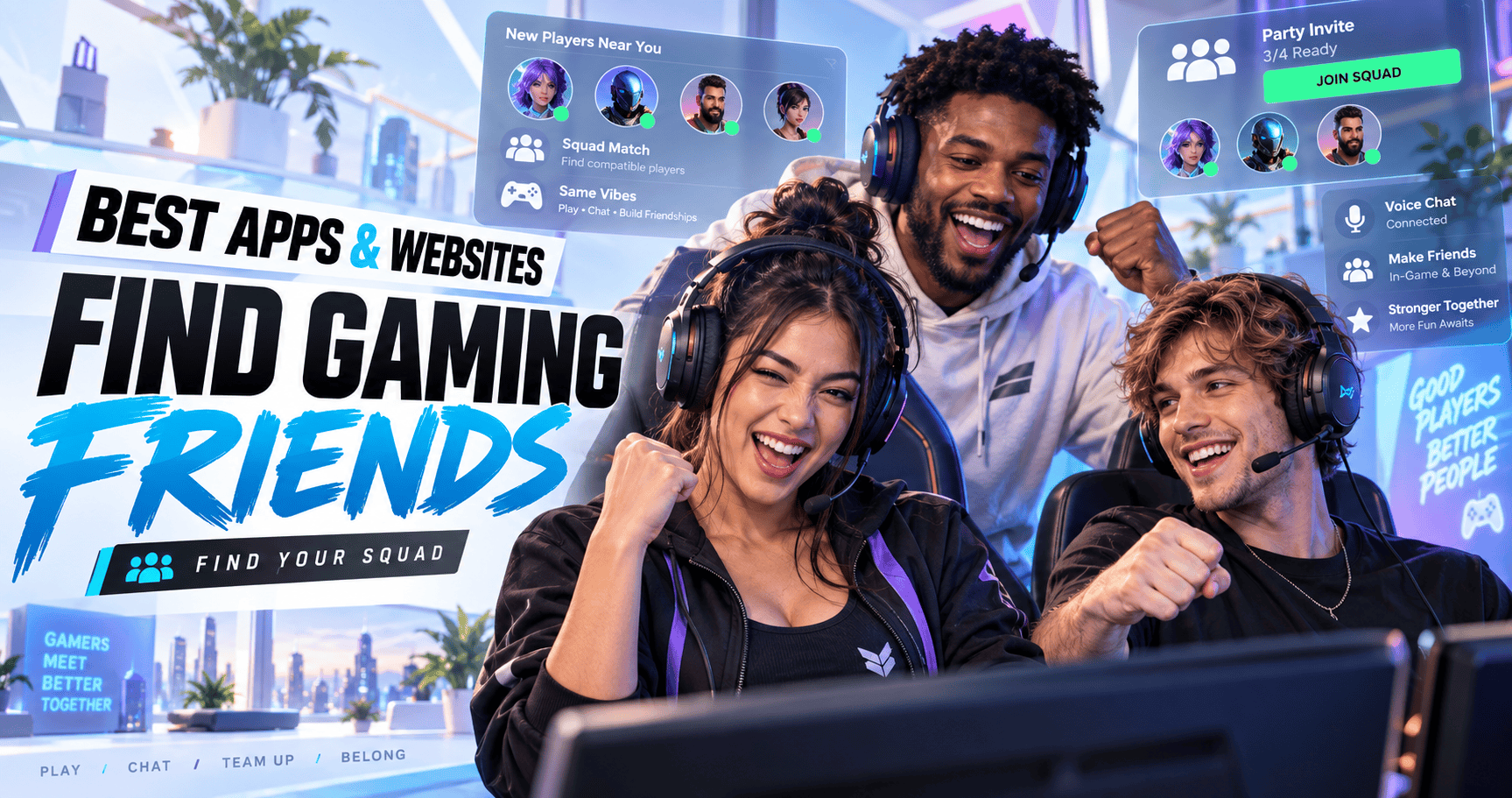
1. Best Apps and Websites for Finding Gaming Friends: Quick Answer
The best place to find gaming friends depends on what you want.
Discord is excellent for large communities and voice chat. GamerLink focuses on quick LFG posts, while GameTree and Noobly put more emphasis on compatibility and longer-term social connections.
Reddit, Steam Communities and Xbox Looking for Group can also work well, particularly when you already know which game or platform you want to use.
🏆 Best Overall: Discord
Discord is the strongest all-round option for most gamers.
You can join:
- Official game servers
- Community-run servers
- LFG channels
- Regional groups
- Competitive communities
- Clan and guild servers
- Creator communities
- Voice channels
Its biggest advantage is scale. Almost every popular multiplayer game has several Discord communities, plus at least one server whose purpose nobody can clearly explain anymore.
Best for: Large communities, voice chat and regular gaming groups.
🎯 Best Dedicated LFG App: GamerLink
GamerLink is designed specifically for finding gaming friends and teammates.
Players can search around particular games, platforms and multiplayer activities rather than joining a general social network and hoping to encounter somebody useful.
Best for: Quick LFG posts and game-specific teammate searches.
🌳 Best for Compatibility Matching: GameTree
GameTree focuses on connecting players through gaming interests, personality and preferred playstyles.
It may suit players who care about more than filling one empty squad position. Finding someone who plays the same game is useful. Finding someone who also shares your schedule, communication style and tolerance for losing is considerably better.
Best for: Players looking for compatible and potentially longer-term gaming friends.
😄 Best for Social Gaming Friends: Noobly
Noobly is designed around social gaming connections rather than dating.
Profiles can help gamers explain what they play, when they are available and what kind of people they want to meet.
Best for: Casual gamers and players seeking regular social connections.
📊 Best for Gamer Profiles and Matching: PLINK
PLINK combines gamer profiles, matching tools, chat and player information.
It can be useful for players who want more detail before deciding whether someone might suit their games or playstyle.
Best for: Profile-based teammate discovery and competitive players.
💬 Best Community Website: Reddit
Reddit contains thousands of game-specific communities, recruitment threads and LFG posts.
It is particularly useful for:
- Niche games
- MMO guilds
- Clan recruitment
- Regional communities
- Long-form recruitment posts
- Finding groups with specific requirements
Best for: Game-specific communities and detailed recruitment posts.
🖥️ Best for PC Players: Steam Communities
Steam Community hubs connect players around games they already own.
Activity varies considerably, but popular multiplayer games may have active discussions, groups, recruitment posts and community events.
Best for: PC gamers and Steam-based communities.
🎮 Best Built-In Console Tool: Xbox Looking for Group
Xbox Looking for Group lets players create or join game-specific multiplayer posts without relying entirely on an external service.
Users can describe the activity, set expectations and choose players before forming a party.
Best for: Xbox players seeking immediate teammates.
⚡ Quick Recommendation
Choose based on your main goal:
🎧 Large communities and voice chat → Discord
🎯 Fast LFG matching → GamerLink
🌳 Compatibility-based matching → GameTree
😄 Social gaming friendships → Noobly
📊 Detailed gamer profiles → PLINK
💬 Niche communities → Reddit
🖥️ PC gaming groups → Steam Communities
🎮 Built-in console LFG → Xbox Looking for Group
The biggest platform is not automatically the best one. The best platform is the one containing active players who match your game, schedule and playstyle.
2. How We Compared Gaming Friend Apps and Websites
Gaming-friend platforms solve several different problems.
Some help you fill an empty squad position immediately. Others are designed to match personalities, build communities or help players form longer-term friendships.
Comparing them only by user numbers would miss what actually makes a platform useful.
🎮 Game and Platform Support
A useful app should support the games and systems you actually use.
Consider:
- PC
- Xbox
- PlayStation
- Nintendo Switch
- Mobile gaming
- Cross-platform games
- Older or niche titles
- Tabletop and role-playing games
A platform can look impressive until you discover that almost everyone on it plays a completely different game.
👥 Active Player Community
Large registration numbers do not always mean active players.
Look for:
- Recent LFG posts
- Regular replies
- Active voice channels
- Current discussions
- Scheduled events
- Responsive moderators
- Groups in your region
- Players online during your normal hours
An app with fewer users may still work better if its community is active in your game.
🎯 Matching and Filtering Tools
Useful filters can save time.
Depending on the platform, you may be able to filter by:
- Game
- Platform
- Region
- Language
- Rank
- Skill level
- Age range
- Playstyle
- Casual or competitive preference
- Voice-chat preference
- Availability
The more specific the search, the easier it becomes to avoid pairing a relaxed weekend player with someone treating every unranked match like an international final.
💬 Communication Features
Finding another player is only the first step.
Strong communication features may include:
- Direct messages
- Group chats
- Voice channels
- Video calls
- Friend lists
- Party creation
- Notifications
- Event scheduling
- Profile comments
- Blocking and reporting
Discord performs particularly well here because players can move from an LFG channel into voice chat without switching platforms.
🛡️ Safety and Moderation
Useful safety tools include:
- Blocking
- Reporting
- Community rules
- Active moderators
- Privacy settings
- Message controls
- Age-related settings
- Content moderation
- Account verification
No platform can guarantee that every user will be friendly. Moderation tools still make it easier to avoid, block or report people who behave badly.
💰 Free and Premium Features
Most gaming-friend platforms provide free access, but some offer paid features such as:
- Advanced filters
- Profile boosts
- Additional matches
- Premium badges
- Ad removal
- Expanded statistics
- Priority visibility
Before subscribing, check whether the free version already provides everything you need.
Paying for advanced matching is unlikely to help if the app has almost no active players in your game or region.
🤝 Immediate Teammates vs Long-Term Friends
This is one of the most important differences.
An LFG tool is designed to answer:
Who can play this game with me right now?
A friendship-focused app tries to answer:
Who might I enjoy playing with regularly?
Both are useful, but they are not the same result.
📋 Our Main Comparison Criteria
| Factor | What We Looked For |
|---|---|
| Game Support | Range of games and platforms |
| Activity | Recent posts, replies and active groups |
| Matching | Filters for playstyle, region and skill |
| Communication | Text, voice and group features |
| Community | Potential for repeat connections |
| Safety | Blocking, reporting and moderation |
| Accessibility | Ease of joining and creating posts |
| Cost | Value of free and premium features |
3. Gaming Friend Apps Compared at a Glance
No single app wins every category.
Discord offers enormous community variety, but finding the right server can take work. Dedicated apps provide more structured matching, while platform tools may be quicker when you only need teammates for one game.
| Platform | Best For | Format | Main Strength | Main Limitation |
|---|---|---|---|---|
| Discord | Overall gaming communities | App and website | Huge range of servers and voice channels | Community quality varies |
| GamerLink | Fast LFG matching | Mobile app | Game and platform-focused discovery | Activity varies by game |
| GameTree | Compatibility matching | App and website | Matches around interests and playstyle | Smaller pool than Discord |
| Noobly | Social gaming friends | Mobile app | Friendship-focused discovery | Some games have fewer active users |
| PLINK | Gamer profiles and matching | Mobile app | Profiles, matching and player information | Some features may require payment |
| Game-specific communities | App and website | Large range of niche communities | Slower than live LFG tools | |
| Steam Communities | PC gaming groups | Desktop and website | Connected to games in your Steam library | Activity varies considerably |
| Xbox LFG | Xbox teammates | Console and app | Built into the Xbox ecosystem | Mainly useful for Xbox players |
| Official Game Communities | One particular game | Varies | Highly relevant player pool | Limited to that game |
| StackedGame | Organised gaming sessions | Marketplace | Defined, bookable gaming experiences | Paid rather than open social discovery |
⚡ Which Options Are Fastest?
For finding players quickly, start with:
- Discord LFG channels
- GamerLink
- Xbox Looking for Group
- In-game party finders
- Active game-specific communities
These platforms are designed around players who are ready to join an activity.
🤝 Which Options Are Better for Friendship?
For longer-term connections, consider:
- GameTree
- Noobly
- Smaller Discord communities
- Reddit recruitment groups
- Regular Steam groups
Friendship-focused platforms provide more room to explain your interests and personality.
A busy LFG feed can find you a teammate in minutes. It may also find you someone who leaves immediately after one defeat and is never seen again outside your recent-player list.
🎯 Start With One or Two Platforms
Do not create ten profiles at once.
Choose:
- One large community platform
- One focused matching or LFG app
For example:
🎧 Discord + GamerLink – Fast groups and active communities
🌳 Discord + GameTree – Large communities and compatibility matching
💬 Reddit + Steam – Niche discussions and PC groups
🎮 Xbox LFG + Discord – Built-in discovery and ongoing communication
Use each platform consistently for a few weeks before deciding whether it works for you.
If every app contains the same empty profile saying “new here,” the problem may be distribution rather than platform quality.
4. Discord: Best Overall for Gaming Communities
Discord is one of the most flexible places to find gaming friends.
It combines text chat, voice channels, private messages, community servers and role-based groups. Players can join a large public server, find people through an LFG channel and move directly into voice chat.
For a complete walkthrough, see how to find people to play games with on Discord.
🔍 Where to Find Gaming Discord Servers
Useful places include:
- Official game websites
- Developer social pages
- Game subreddits
- Creator communities
- Esports organisations
- Guild and clan pages
- Community server directories
- Recommendations from other players
Official servers are useful for game announcements and large player pools. Smaller community servers may provide better conversations and make it easier to recognise regular members.
🎯 Use the Correct Channels
Large servers often separate discussions into channels such as:
- Casual LFG
- Ranked LFG
- Competitive teams
- Beginner groups
- Regional players
- Clan recruitment
- Voice-chat groups
- Content collaboration
- General discussion
Posting in the correct channel increases the chance of finding compatible players.
Dropping “anyone play?” into a channel containing 300 active conversations is less an LFG strategy and more a message in a bottle.
✍️ Write a Useful Discord LFG Post
Include:
- Game
- Platform
- Region
- Mode
- Rank or skill level
- Player count
- Playstyle
- Voice-chat preference
- Start time
Example:
Looking for two players for casual Fortnite Zero Build on PC and crossplay. Australia region, starting around 7:30 pm AWST. Microphone preferred. Relaxed games, no rage if we lose.
That post gives players enough information to decide whether the session suits them.
🎧 Move to Voice Chat Carefully
Voice chat can quickly reveal whether a group communicates well.
Before joining, check:
- Whether microphones are required
- Whether the channel is moderated
- Whether players are respectful
- Whether the group matches your age preference
- Whether background noise is manageable
- Whether recording is allowed
You can leave if the group feels uncomfortable. Joining a voice channel is not a legally binding commitment to endure somebody shouting into a distorted microphone for three hours.
🏷️ Use Roles and Tags
Many Discord servers allow members to select roles based on:
- Platform
- Region
- Game
- Rank
- Preferred modes
- Competitive level
- Pronouns
- Age group
- Notification preferences
These roles help other players find you and prevent irrelevant LFG notifications.
✅ Discord Is Best For
Discord works particularly well for:
- Large gaming communities
- Voice chat
- Finding regular groups
- Competitive teams
- Clan and guild recruitment
- Creator communities
- Community events
- Game-specific discussion
⚠️ Discord’s Main Limitations
The biggest problem is inconsistency.
One server may be friendly, organised and actively moderated. Another may contain 80,000 members, six active users and a general channel moving too quickly for any conversation to survive.
You may need to test several servers before finding one that feels right.
💡 Discord Success Strategy
Use this process:
- Join two or three relevant servers
- Complete any verification steps
- Select useful roles
- Read the community rules
- Respond to several LFG posts
- Create your own detailed post
- Add players you enjoy gaming with
- Arrange another session
The final two steps matter most. Discord helps create the introduction, but repeated sessions create the friendship.
5. GamerLink: Best Dedicated LFG App
GamerLink is designed specifically for finding gaming friends and teammates.
Unlike broad social platforms, the GamerLink app centres its experience around games, platforms and LFG activity.
This makes it useful for players who want to find someone to play with without first joining a server containing thousands of unrelated conversations.
🎮 How GamerLink Works
Players create a profile around their gaming interests and use LFG tools to find other people.
Depending on the current app features, users may be able to:
- Select games
- Choose gaming platforms
- Create LFG posts
- Find active players
- View profiles
- Send messages
- Build a friends list
- Join game-specific communities
The experience is more structured than posting in a general forum.
🎯 Create a Specific LFG Post
A useful GamerLink post should explain:
- What game you are playing
- Which platform you use
- Your region
- Your skill level
- The activity
- Your preferred playstyle
- Whether voice chat is required
- When you want to play
Example:
Looking for one teammate for ranked Rocket League. PlayStation with crossplay enabled. Oceania region, Diamond rank. Usually online after 7 pm AWST. Competitive but relaxed, microphone optional.
Specific posts attract more suitable players and reduce the number of conversations that end with “wrong platform, sorry.”
🏆 Best Uses for GamerLink
GamerLink may work well for:
- Finding teammates quickly
- Building a multiplayer group
- Cross-platform games
- Casual LFG posts
- Ranked teams
- Co-op activities
- Players who prefer mobile apps
- Finding gamers outside existing communities
👍 GamerLink Strengths
Its main advantages include:
🎯 Gaming-focused discovery – The app is built around finding players
🎮 Game selection – Profiles and posts can focus on specific titles
🖥️ Platform details – Players can identify where they play
💬 Direct communication – Potential teammates can discuss the activity
🌍 Cross-platform use – Useful for games supporting multiple systems
The app removes some of the noise found in large general communities.
👎 GamerLink Limitations
Results can depend on:
- Game popularity
- Region
- Time zone
- Platform
- Post timing
- Player responsiveness
- Profile quality
A popular competitive game may generate quick responses. A niche game played at 3 am in a small region may require considerably more patience.
🤝 Turn a Match Into a Regular Group
After a good session:
- Send a brief thank-you
- Add the player in-game
- Keep them on your GamerLink friends list
- Suggest another specific activity
- Arrange a rough time
- Introduce them to other compatible players
Do not rely on the app to maintain the friendship for you.
The app finds the person. You still need to show up, communicate and resist blaming them for every defeat.
⚡ GamerLink Is Best If You Want
- A dedicated gaming LFG app
- Quick game-specific searches
- Cross-platform teammate discovery
- Less community noise than Discord
- Players ready to join an activity
Discord may be better for large ongoing communities. GamerLink may be faster when your immediate question is simply:
Who wants to play this game with me?
6. GameTree: Best for Compatible Gaming Friends
GameTree approaches gaming friendship as more than finding somebody who owns the same game.
It focuses on matching players through gaming interests, preferred playstyles and personality. That can make it useful for people who want regular friends rather than one temporary teammate for tonight’s matches.
🌳 How GameTree Works
Players create profiles describing their games, interests and gaming preferences.
GameTree can then help users discover people based on factors such as:
- Favourite games
- Gaming platforms
- Preferred genres
- Casual or competitive play
- Personality
- Shared interests
- Communication preferences
- Multiplayer goals
It also provides LFG tools for players who want to organise a specific session.
🧠 Why Compatibility Matters
Two people can love the same game and still be terrible teammates for each other.
One player may want:
- Serious ranked practice
- Detailed team communication
- A fixed weekly schedule
- Discussions about strategy
- Progress towards a particular rank
The other may want:
- Relaxed casual matches
- Background conversation
- No fixed schedule
- Experimental strategies
- To choose characters entirely because their outfits look good
Neither player is wrong. They simply want different experiences.
Compatibility matching can help uncover those differences before both players spend an evening quietly regretting the introduction.
🎯 Build a Useful GameTree Profile
A strong profile should explain:
- Your main games
- Your gaming platforms
- Your region or time zone
- When you normally play
- Your skill level
- Your preferred modes
- Whether you use voice chat
- Your casual or competitive preference
- What type of gaming connection you want
Mention other interests where relevant. Gaming friendships often last because players enjoy talking between matches, not only because they share one multiplayer title.
🤖 Using LFG and Discord Features
GameTree includes LFG tools and Discord integration that can help players form groups around particular activities.
You may use these tools to:
- Create a gaming session
- Find active groups
- Match with compatible players
- Move into voice chat
- Build a regular squad
- Stay connected after a match
This combination can bridge the gap between personality-based matching and immediate gameplay.
✅ GameTree Is Best For
GameTree may suit:
- Players seeking regular gaming friends
- Gamers who value personality compatibility
- People active across several platforms
- Casual players
- Players with specific interests
- Gamers who dislike completely random LFG groups
⚠️ GameTree’s Main Limitations
Compatibility features cannot create active players where none exist.
Results may vary depending on:
- Game
- Region
- Platform
- Time zone
- Profile completeness
- Community activity
A carefully matched profile is useful, but both players still need to respond and arrange a game. Even machine learning cannot make someone answer a message they have ignored for eleven days.
⚡ GameTree Success Strategy
- Complete your profile
- Add several games
- Be clear about your playstyle
- Include normal gaming hours
- Review compatibility rather than profile photos alone
- Send a message linked to a shared game
- Arrange a short first session
- Follow up if the session goes well
The first message should be simple:
Hey, we both play Helldivers 2 and seem to have similar schedules. Would you be interested in a few relaxed missions this weekend?
That gives the other person a clear reason to respond.
7. Noobly: Best for Social Gaming Connections
Noobly is designed to help gamers find friends, teammates and regular gaming partners.
Its focus is social gaming rather than dating, making it suitable for people who want to meet others through shared games without creating the wrong expectations.
😄 Who Is Noobly Best For?
Noobly may appeal to:
- Casual gamers
- Social players
- People seeking regular gaming friends
- Players who enjoy conversation
- Gamers exploring new titles
- Co-op players
- People who dislike high-pressure LFG groups
The platform can be useful if your goal is less “assemble the strongest possible ranked squad” and more “find someone enjoyable who is actually online when I am.”
🎮 Create a Profile That Explains How You Play
Listing games is useful, but it does not show what playing with you is like.
Include details such as:
- Platform
- Region
- Time zone
- Main games
- Favourite genres
- Typical gaming hours
- Preferred game modes
- Casual or competitive style
- Voice-chat preference
- Whether beginners are welcome
- Whether you want a regular group
A profile might say:
PC and Xbox player in Australia. Usually online from 7 pm to 10 pm AWST. I enjoy relaxed co-op, survival games and occasional competitive matches. Voice chat preferred, but no rage if the plan collapses immediately.
That profile gives potential friends something useful to respond to.
💬 Start With the Shared Game
A strong first message should refer to something in the person’s profile.
Try:
I saw that you play Sea of Thieves and are also in the Australia region. Are you looking for casual voyages or something more competitive?
Avoid messages such as:
Hi.
The word is friendly, but it gives the other person the conversational workload of moving a piano upstairs.
🤝 Look Beyond the First Match
A social gaming app is most useful when one introduction becomes several sessions.
After playing:
- Thank the person
- Mention something you enjoyed
- Suggest another game
- Arrange a rough time
- Add them on the gaming platform
- Keep the conversation relaxed
Friendship develops through repeated positive interactions. It rarely arrives fully assembled after one matchmaking screen.
✅ Noobly Strengths
😄 Social focus – Built around gaming friendships
🎮 Game-based discovery – Find people through shared games
💬 Direct messaging – Discuss compatibility before playing
🌍 Broad reach – Potential to meet gamers from different regions
🤝 Longer-term potential – More social than a single LFG post
⚠️ Noobly Limitations
Activity can differ between games, platforms and regions.
You may also encounter:
- Incomplete profiles
- Users who no longer respond
- Players with different schedules
- People seeking different types of connections
- Smaller communities around niche games
A detailed profile and specific first message improve your chances, but patience may still be required.
8. PLINK: Best for Gamer Profiles and Matching
PLINK combines teammate discovery with gamer profiles, social features and game-related information.
It may suit players who want to learn more about potential teammates before joining a game.
📊 What Can Gamer Profiles Tell You?
Depending on the game and available features, profiles may help you compare:
- Preferred games
- Platform
- Region
- Language
- Player activity
- Skill indicators
- Gaming interests
- Teammate preferences
- Recent connections
Statistics can be useful for competitive players, but they only show part of the picture.
A brilliant match history cannot reveal whether somebody communicates well, supports teammates or responds to every mistake with a five-minute speech about matchmaking.
🎯 Who Is PLINK Best For?
PLINK may work well for:
- Competitive players
- Gamers active across several titles
- Players who like detailed profiles
- People who prefer app-based matching
- Gamers comparing potential teammates
- Players interested in game statistics
It can also provide a more gaming-focused experience than broad community platforms.
💬 Use Profiles to Start Better Conversations
Instead of sending a generic message, refer to the player’s games or activity.
For example:
I saw that you play ranked Apex Legends and usually use support characters. I play controller and recon. Are you looking for another regular teammate?
That message shows why you contacted them and what you might contribute.
💰 Check Free and Premium Features
Before starting a subscription or trial, check:
- Which features are free
- Current subscription price
- Billing period
- Trial conditions
- Automatic renewal
- Cancellation process
- Matching limits
- Profile visibility
- Whether your games have active players
Premium features may provide more filters or visibility, but they cannot guarantee compatible teammates.
Use the free experience first where possible. Confirm that the platform is active for your games and region before paying for additional features.
✅ PLINK Strengths
- Gaming-focused profiles
- Teammate matching
- Player information
- Multi-game discovery
- Social communication
- Useful context for competitive players
⚠️ PLINK Limitations
Potential limitations include:
- Premium features
- Different activity levels between games
- Profile statistics that do not show personality
- Matches outside your preferred schedule
- Players focused on one temporary session
Treat the profile as an introduction, not a complete compatibility test.
⚡ Profile-to-Session Process
📊 Review Profile → 💬 Send Specific Message → 🎮 Play One Session → 🤝 Decide Whether to Reconnect
A short first session is often more informative than another hour comparing profiles.
9. Reddit: Best for Game-Specific Communities
Reddit is not a dedicated gaming-friend app, but its enormous range of communities makes it useful for finding teammates, clans and guilds.
Many games have their own subreddit, and some communities provide dedicated LFG threads or recruitment spaces.
🔍 Find the Right Subreddit
Useful searches include:
- “[game] LFG”
- “[game] find friends”
- “[game] clan recruitment”
- “[game] guild recruitment”
- “[game] Australia”
- “[platform] gaming friends”
- “[game mode] teammates”
You may find:
- Official or community game subreddits
- Dedicated LFG subreddits
- Regional gaming communities
- Platform-specific communities
- Guild and clan recruitment groups
- Beginner-friendly groups
- Competitive team posts
Check the rules before posting. Some communities restrict recruitment to weekly threads or separate subreddits.
✍️ Write a Detailed Recruitment Post
Reddit supports longer posts than most LFG apps, so use the space well.
Include:
- Game and platform
- Region and time zone
- Normal playing hours
- Skill level or rank
- Preferred activities
- Voice-chat preference
- Casual or competitive style
- Age preference where appropriate
- Type of group wanted
Example:
PC co-op players wanted – Australia
I’m looking for a few regular players for Deep Rock Galactic and similar co-op games. I normally play between 7 pm and 10 pm AWST during the week. Relaxed atmosphere, microphone preferred and beginners are welcome. Mostly interested in having fun and building a regular group rather than rushing every mission.
The headline helps regional players notice the post, while the details filter out incompatible responses.
📅 Check Weekly LFG Threads
Some subreddits create recurring posts for:
- Friend requests
- Clan recruitment
- Team searches
- Beginner questions
- Community events
- Ranked groups
- Guild recruitment
Recurring threads may receive more attention than individual posts because players already know where to look.
💬 Review a User’s Activity Carefully
A Reddit account can provide context about how somebody communicates.
You might check whether they:
- Participate constructively
- Post in relevant gaming communities
- Treat other users respectfully
- Repeatedly start arguments
- Appear to be a genuine player
- Share suspicious links
Do not treat this as an investigation into their entire life. You are deciding whether to play a game together, not approving a mortgage.
✅ Reddit Is Best For
Reddit works particularly well for:
- Niche games
- MMO guilds
- Clan recruitment
- Regional groups
- Older games
- Detailed introductions
- Players seeking established communities
⚠️ Reddit’s Main Limitations
Reddit is usually slower than live LFG platforms.
A post may receive replies:
- Within minutes
- Several hours later
- The next day
- Three weeks later from someone who apparently just discovered the search function
It works best when you are building a group rather than filling a squad immediately.
⚡ Reddit Success Strategy
- Find the most relevant community
- Read its posting rules
- Search recent recruitment posts
- Respond to compatible players
- Create a detailed post if needed
- Move into game or voice chat carefully
- Follow up after a successful session
10. Steam Communities: Best for PC Gaming Groups
Steam provides built-in communities around games already available on the platform.
Game hubs, discussion boards and Steam groups can help PC players find co-op partners, achievement hunters, clans and community servers.
🖥️ Use the Game’s Community Hub
Each Steam game can have a community hub containing:
- Discussions
- Guides
- Screenshots
- Announcements
- Workshop content
- Group recruitment
- Multiplayer questions
- Community events
Look for discussion categories related to multiplayer, recruitment or LFG.
If no dedicated category exists, search for recent posts containing terms such as:
- Looking for group
- Co-op partner
- Need teammates
- New player
- Clan recruitment
- Achievement hunting
- Australian players
- Casual group
👥 Join Active Steam Groups
Steam groups may organise:
- Regular gaming nights
- Community servers
- Tournaments
- Achievement sessions
- Co-op campaigns
- Modded games
- Clan activities
- Voice-chat groups
Before joining, check:
- Recent announcements
- Group activity
- Member discussions
- Scheduled events
- Moderator presence
- External Discord links
- Server status
Member count alone can be misleading.
A group with 50 active players may be more useful than one with 50,000 members and a last announcement celebrating the launch of a game’s beta.
🎯 Steam Communities Are Best For
Steam can work well for:
- PC gamers
- Games with active community hubs
- Older multiplayer games
- Modded games
- Community-server players
- Achievement hunters
- Long co-op campaigns
- Persistent clans or groups
Because the community is connected directly to the game, members already share at least one relevant interest.
✍️ Create a Useful Steam LFG Post
Include:
- Game mode
- Region
- Time zone
- Normal playing hours
- Skill or experience level
- Voice-chat preference
- Session goal
- Friend code or contact method where appropriate
Example:
Looking for one or two players for a new co-op campaign. Australia region, usually available after 7 pm AWST. First playthrough, so no spoilers or speedrunning. Voice chat optional.
This immediately tells experienced speedrunners that the group may not be their spiritual home.
🌐 Follow External Community Links Carefully
Steam groups often link to:
- Discord servers
- Community websites
- Game servers
- Tournament pages
- Mod downloads
Check that links come from trusted moderators or official group pages. Avoid downloading unfamiliar files or entering login details on suspicious websites.
✅ Steam Strengths
🎮 Game-specific communities – Players already own or follow the title
🖥️ PC integration – Profiles, libraries and friend requests connect naturally
👥 Groups – Useful for clans and recurring activities
📅 Events – Communities can schedule organised play
🛠️ Modded gaming – Strong support around Workshop and community servers
⚠️ Steam’s Main Limitations
Community activity differs dramatically between games.
Popular or community-driven games may have active discussions every day. Other hubs may contain mostly technical questions, outdated recruitment posts and somebody asking whether the servers still exist.
Check post dates before replying.
⚡ Steam Community Process
🎮 Open Game Hub → 🔍 Search Recent LFG Posts → 👥 Check Group Activity → 💬 Contact Players → 🤝 Arrange a Session
Steam works best when you already know which PC game you want to play and are willing to search its community properly.
11. Xbox Looking for Group: Best Built-In Console Option
Xbox Looking for Group helps players find teammates without needing to begin on a separate social app.
LFG posts are connected to particular games, making it easier to find people interested in the same activity. You can describe what you want to do, set expectations and choose players before forming a party.
🎮 How Xbox Looking for Group Works
Players can create or browse posts for supported games.
A post may include:
- Game and activity
- Number of players needed
- Start time
- Experience level
- Microphone preference
- Competitive or casual style
- Player requirements
- Descriptive tags
Other players can express interest, and the host can review them before creating the group.
The exact menus and available features may change between Xbox devices and app updates, but the basic purpose remains the same: find players for a specific game and activity.
🏷️ Use Clear Tags
Tags help potential teammates understand the group quickly.
Useful tags might include:
- Beginner-friendly
- Casual
- Competitive
- Microphone required
- No microphone required
- Adults only
- No toxicity
- Achievement hunting
- New players welcome
- Experienced players
- Ranked
- Co-op campaign
Choose tags that affect the experience rather than adding every available option.
A post marked “casual, competitive, beginner-friendly, experts only, speedrun, take your time” may create more questions than answers.
✍️ Write a Specific Xbox LFG Post
A useful post could say:
Looking for two players for a relaxed Halo Infinite session. Starting at 8 pm AWST. Microphone preferred, beginners welcome and no rage if matches go badly.
For an achievement session:
Need three players for the co-op achievement in [mission]. Starting in 30 minutes. Please know the objective and allow enough time for several attempts.
Specific descriptions help players decide whether the session suits them.
🏆 Best Uses for Xbox LFG
Xbox Looking for Group can work well for:
- Immediate multiplayer groups
- Co-op missions
- Ranked matches
- Achievement hunting
- Raids
- Custom games
- Competitive teams
- Players using Xbox and supported PC games
It is particularly convenient when you already know what you want to play and simply need more people.
💬 Use Party Chat to Check Compatibility
Once the group forms, party chat provides a quick compatibility test.
Pay attention to:
- Communication quality
- Background noise
- Respectful behaviour
- Whether players understand the activity
- Whether everyone shares the same expectations
- Whether the group is ready to start
If someone becomes abusive or ignores the group requirements, the host can remove them and look for another player.
🤝 Turn a Successful Group Into a Regular Squad
After a good session:
- Add compatible players
- Send a short thank-you
- Mention another activity
- Suggest a future time
- Create a regular party
- Move ongoing communication to an agreed channel
Xbox LFG is excellent for creating an initial group. Building a lasting squad still requires somebody to send the second invitation.
⚠️ Xbox LFG’s Main Limitations
The tool is strongest inside the Xbox ecosystem.
It may be less useful when:
- You mainly play on another platform
- The game has a small Xbox community
- You want friendship matching rather than one activity
- You play during quiet regional hours
- You need detailed personality filters
It is built for finding players, not producing a psychological compatibility report before a co-op mission.
⚡ Xbox LFG Success Process
🎮 Choose Game → ✍️ Create Specific Post → 👥 Review Players → 🎧 Form Party → 🤝 Add Good Teammates
12. PlayStation, Nintendo and Built-In Game Communities
Not every platform provides the same level of public player discovery.
Some tools are excellent for communicating with people you already know but less effective for finding complete strangers. In those cases, Discord, Reddit or a dedicated LFG app may provide the introduction.
🎮 Finding Players on PlayStation
PlayStation players can use social and communication features such as:
- Game Base
- Parties
- Friend requests
- Recent-player lists
- Shared groups
- Game invitations
- Voice chat
- Discord integration where supported
These features work well for organising sessions with existing friends or reconnecting with people from recent matches.
For broader discovery, PlayStation players may need:
- Game-specific Discord servers
- Subreddits
- Dedicated LFG apps
- Official game forums
- In-game clan tools
- Cross-platform communities
🕹️ Finding Players on Nintendo Switch
Nintendo Switch social features vary by game.
Players may use:
- Friend codes
- In-game friend systems
- Nintendo Switch Online features
- Game-specific communities
- Discord servers
- Reddit groups
- External LFG apps
Many Nintendo games rely heavily on friend codes or their own multiplayer systems. This can make external communities especially useful when you want to find new people rather than invite existing friends.
🌐 Use In-Game Community Tools
Before installing another app, check what the game already provides.
Built-in tools may include:
- Party finders
- Guild finders
- Clan recruitment
- Global chat
- Community servers
- Recent-player lists
- Friend recommendations
- Custom-game browsers
- Matchmaking groups
- Recruitment boards
MMOs often provide guild systems. Competitive games may support clans or teams. Co-op games may offer public lobbies and recent-player lists.
🧙 Guild and Clan Finders
Guild and clan systems can help players find established communities.
Check:
- Group activity
- Member count
- Region
- Language
- Playing schedule
- Competitive expectations
- New-player support
- Voice-chat requirements
- Community rules
A large guild is not automatically an active guild.
Look for recent events, members online and current conversations. Otherwise, you may have joined a beautiful digital building occupied entirely by inactive accounts.
👥 Recent-Player Lists
Recent-player tools can turn a good random match into a repeat connection.
After an enjoyable game:
- Open the recent-player list
- Find the player’s profile
- Send a short friend request
- Mention the match
- Suggest playing again
A simple message works:
Good games earlier. I enjoyed playing with you. Feel free to invite me if you want to team up again.
📊 Platform Discovery Comparison
| Platform | Useful Built-In Options | When External Tools Help |
|---|---|---|
| Xbox | Looking for Group, parties and recent players | Long-term compatibility matching |
| PlayStation | Game Base, parties and recent players | Public LFG discovery |
| Nintendo Switch | Friend codes and game-specific features | Finding entirely new players |
| PC | Steam, game launchers and community servers | Cross-game friendships |
| Mobile | In-game clans and friend systems | Wider community discovery |
⚠️ Features Vary by Game and Region
Platform interfaces and social features change over time.
Check the current support pages for your device and game before relying on a particular feature. The best option may also differ between regions, especially for smaller games or communities.
13. Official Game Communities and Forums
Official game communities can provide a highly relevant group of potential teammates.
Everyone is already interested in the same game, and many members understand its current modes, updates and multiplayer systems. This saves you from explaining why you are looking for a raid group in a general gaming community where everybody is currently discussing farming simulators.
🔍 Where to Find Official Communities
Look through:
- The game’s official website
- Developer social profiles
- Publisher community pages
- Official Discord servers
- Game forums
- Launcher announcements
- In-game community links
- Esports pages
- Support documentation
- Verified subreddit links
Use links published by the developer or publisher where possible. This reduces the risk of joining an impersonation server or suspicious website.
🎮 What Official Communities Can Offer
Official communities may contain:
- LFG channels
- Clan recruitment
- Guild listings
- Beginner help
- Competitive discussions
- Regional channels
- Community events
- Update discussions
- Creator groups
- Technical support
They can be especially useful after a major update, expansion or seasonal event when many players are returning to the game.
🌍 Look for Regional Channels
Large global communities often separate players by:
- Region
- Language
- Server
- Platform
- Time zone
- Game mode
- Competitive rank
Regional channels increase the likelihood of finding someone who plays at a suitable time and connects to the same servers.
A perfect teammate who starts playing at 4 am your time is still somewhat inconvenient.
🧑🎓 Find Beginner-Friendly Spaces
New players should look for:
- Beginner channels
- Teaching groups
- New-player guilds
- Mentoring communities
- Casual LFG posts
- Learning raids
- Question channels
Avoid pretending to have more experience than you do.
A clear beginner post often attracts helpful players, while joining an advanced group without understanding the activity may produce a memorable evening for all the wrong reasons.
🏆 Find Competitive Communities
Competitive players can search for:
- Ranked LFG channels
- Team recruitment
- Scrim groups
- Tournament communities
- Role-specific recruitment
- Coaching groups
- Strategy discussions
- Esports organisations
Include your rank, region, role and availability when responding to competitive recruitment posts.
✅ Official Communities Are Best For
They are particularly useful if you:
- Mainly play one game
- Want current information
- Need game-specific teammates
- Want to join a clan or guild
- Participate in seasonal activities
- Need beginner help
- Want competitive groups
⚠️ Main Limitations
Official communities can become extremely large.
Potential problems include:
- Fast-moving chats
- Repetitive LFG posts
- Limited moderator attention
- Players from incompatible regions
- Difficulties becoming recognised
- Conversations focused on updates rather than friendships
Smaller community-run groups may offer stronger personal connections even when the official server has more members.
⚡ Official Community Strategy
- Join through a verified link
- Read the rules
- Select platform and region roles
- Find the correct LFG channel
- Reply to compatible posts
- Join several sessions
- Add players you enjoy
- Build a smaller regular group
14. StackedGame Gaming Sessions: Best for Organised Bookable Play
Open LFG platforms are useful, but they can be unpredictable.
You may write a detailed post and receive no replies. You may find three players, then discover that two cannot join and the third has decided to play something else.
A gaming marketplace offers a different approach.
Instead of publicly searching for anyone available, you can browse Gaming Sessions on StackedGame and choose a defined experience offered by an available host.
🎮 How Bookable Gaming Sessions Differ
A gaming-session listing can explain:
- Supported game
- Platform
- Session type
- Duration
- Player count
- Activity
- Host experience
- Availability
- What is included
- Price
This creates clearer expectations before the session begins.
😄 Casual and Social Sessions
These sessions focus on relaxed gameplay, friendly company and low-pressure interaction.
They may suit players who:
- Dislike playing alone
- Want reliable company
- Prefer welcoming teammates
- Are learning a new game
- Want relaxed conversation
- Avoid toxic random lobbies
🎥 Content and Collab Sessions
Creators can book players for:
- Challenge videos
- Livestreams
- Gameplay recordings
- Custom scenes
- Group reactions
- Co-op content
- Social clips
The listing can explain recording expectations and what the collaborator will contribute.
🛡️ Get Carried Sessions
A skilled host helps the buyer complete difficult activities or achieve stronger results.
This might include:
- Missions
- Raids
- Boss encounters
- Ranked matches
- Progression activities
- Difficult co-op content
The buyer participates while receiving stronger support.
🏆 Competitive Sessions
Competitive sessions provide more organised gameplay.
Players might book:
- Skilled teammates
- Ranked sessions
- Team practice
- Clear communication
- Role-based groups
- Competitive preparation
💰 Free Discovery vs Bookable Gaming Sessions
| Free Gaming Friend Platforms | Bookable Gaming Sessions |
|---|---|
| Search and message other players | Choose a defined session |
| Responses are not guaranteed | Availability is displayed |
| Players may cancel or disappear | Host has agreed to provide the service |
| Friendship may develop naturally | The initial experience is organised |
| Usually free | Normally paid |
| Best for open social discovery | Best for reliability and specific activities |
🎯 Who Should Consider a Bookable Session?
A gaming session may suit you if:
- LFG posts keep going unanswered
- You want a specific activity
- You value a scheduled start time
- You need a creator collaborator
- You want a skilled competitive teammate
- You prefer a clearly described experience
- You are tired of organising groups that never actually assemble
⚠️ A Booking Does Not Guarantee Friendship
A gaming session provides a structured introduction and agreed experience.
You may enjoy playing together and book again, but friendship should develop naturally. Paying for a session does not purchase somebody’s personal time outside the booking.
The main value is reliability, clarity and the activity being delivered as described.
15. Which Gaming Friend Platform Is Best for You?
The best platform depends on your game, system and preferred type of connection.
Do not choose an app because it appears first in a search result or has the loudest marketing. Choose it because its tools and active community match what you need.
🎧 Choose Discord If
You want:
- Large gaming communities
- Voice chat
- Official and community servers
- Regular groups
- Clan or guild recruitment
- Creator communities
- Game-specific channels
Discord is the strongest all-round option, but finding the right server matters more than joining the largest one.
🎯 Choose GamerLink If
You want:
- A dedicated LFG app
- Quick teammate searches
- Game and platform-based discovery
- Cross-platform connections
- Less unrelated community discussion
GamerLink suits players who want to move quickly from a post into a game.
🌳 Choose GameTree If
You want:
- Personality and interest matching
- Longer-term gaming friends
- Playstyle compatibility
- Cross-platform discovery
- A more detailed social profile
GameTree is useful when compatibility matters as much as the game itself.
😄 Choose Noobly If
You want:
- Social gaming connections
- Casual friends
- Regular gaming partners
- Friendship-focused profiles
- A relaxed discovery experience
Noobly may suit players who want conversation and ongoing connections rather than one temporary squad.
📊 Choose PLINK If
You want:
- Detailed gamer profiles
- Matching features
- Player information
- Competitive connections
- Multi-game discovery
Check which features are free before beginning a premium plan.
💬 Choose Reddit If
You want:
- Niche game communities
- Clan or guild recruitment
- Regional groups
- Detailed introduction posts
- Older gaming communities
- Established groups
Reddit works better for building a group than finding players within the next five minutes.
🖥️ Choose Steam Communities If
You want:
- PC gaming groups
- Communities linked to games you own
- Achievement sessions
- Modded multiplayer
- Community servers
- Long co-op campaigns
Check recent activity before joining a group.
🎮 Choose Xbox Looking for Group If
You want:
- Immediate Xbox teammates
- Built-in LFG tools
- Achievement groups
- Co-op players
- Ranked teammates
- Game-specific sessions
It is convenient and quick, particularly when you do not want another social profile.
🌐 Choose Official Game Communities If
You want:
- Players focused on one game
- Current multiplayer activity
- Game-specific clans or guilds
- Beginner groups
- Seasonal events
- Competitive recruitment
Official communities provide relevance but may be too large or fast-moving for meaningful conversation.
🛒 Choose StackedGame If
You want:
- A scheduled gaming session
- Clear activity details
- A specific session type
- Greater reliability
- A bookable teammate or host
- Organised creator collaboration
- Skilled competitive support
This is a paid alternative to open social discovery.
⚡ Final Platform Decision Guide
| Your Main Goal | Best Starting Option |
|---|---|
| Join a large gaming community | Discord |
| Find teammates quickly | GamerLink |
| Match through personality and playstyle | GameTree |
| Find social gaming friends | Noobly |
| Compare detailed gamer profiles | PLINK |
| Join a niche game community | |
| Find PC gaming groups | Steam Communities |
| Find Xbox players immediately | Xbox Looking for Group |
| Find players for one specific game | Official game community |
| Book a defined gaming experience | StackedGame |
🎯 Start Small
Choose one main platform and one backup.
For example:
🎧 Discord + GamerLink – Large communities and fast LFG
🌳 GameTree + Discord – Compatibility and voice chat
💬 Reddit + Steam – Niche groups and PC communities
🎮 Xbox LFG + Discord – Quick console groups and ongoing communication
🛒 StackedGame + Discord – Organised sessions and wider communities
Using two platforms consistently will usually produce better results than maintaining eight half-finished profiles and forgetting which app sent the notification.
21. Common Mistakes When Using Gaming Friend Apps
Gaming-friend apps can introduce you to thousands of potential teammates.
Unfortunately, creating eight empty profiles and writing “anyone play?” on each of them is not a complete friendship strategy.
Avoid these common mistakes if you want better replies and more compatible matches.
❌ Joining Too Many Platforms
Using more platforms does not automatically create better results.
Every profile requires:
- Current game information
- Accurate availability
- Replies to messages
- LFG posts
- Notifications
- Follow-ups
Choose one main platform and one backup.
For example:
🎧 Discord + GamerLink – Communities and fast LFG
🌳 GameTree + Discord – Compatibility and voice chat
💬 Reddit + Steam – Niche groups and PC communities
🎮 Xbox LFG + Discord – Immediate teammates and ongoing groups
Use those platforms properly before adding more.
❌ Creating an Empty Profile
A blank profile gives other players no reason to respond.
Include:
- Games
- Platform
- Region
- Time zone
- Availability
- Playstyle
- Communication preferences
- Type of connection wanted
You do not need to write an autobiography. You need enough detail for another gamer to recognise a potential match.
❌ Posting Vague LFG Messages
Posts such as these rarely perform well:
Anyone online?
Need players.
Add me.
They do not explain the game, platform, region or activity.
A useful post might say:
Looking for two players for casual Fortnite Zero Build. PC with crossplay, Australia region, starting at 8 pm AWST. Microphone preferred and beginners welcome.
Specific information attracts compatible replies.
❌ Ignoring Time Zones
A player can match your game, platform and personality but still be unavailable whenever you are online.
Include:
- Region
- Time zone
- Normal playing hours
- Weekend availability
Avoid relying only on “morning” or “evening.” Those terms become adventurous when used in global communities.
❌ Focusing Only on Rank
Rank matters for some competitive activities, but it does not reveal:
- Communication quality
- Reliability
- Personality
- Teamwork
- Patience
- Preferred schedule
- Attitude towards mistakes
A slightly lower-ranked player who communicates well may be a much better teammate than a highly skilled player who blames the group after every loss.
❌ Expecting Instant Friendship
Most gaming friendships develop gradually.
The usual progression looks like:
🎮 First Match → 💬 Follow-Up → 📅 Second Session → 👥 Regular Group → 🤝 Friendship
Do not treat one good match as proof that someone should immediately become available every evening.
Give the connection room to develop.
❌ Sending Generic First Messages
“Hi” gives the other person almost nothing to work with.
Mention a shared game or interest:
I saw that you play Monster Hunter and are also in the Australia region. Are you looking for another regular co-op player?
That creates a clear reason to reply.
❌ Staying in Inactive Communities
Large member counts can be misleading.
Look for:
- Recent posts
- Active voice channels
- Regular events
- Current LFG messages
- Moderator activity
- Replies to new members
If nobody has posted since a game’s original announcement trailer, the group may no longer be thriving.
❌ Staying in Toxic Groups
Do not remain in a community simply because it is active.
Leave if the group regularly allows:
- Harassment
- Discrimination
- Threats
- Excessive rage
- Unwanted recording
- Pressure for personal information
- Suspicious links
- Ignored reports
A quieter but welcoming community is usually more valuable than a huge server that treats basic respect as optional downloadable content.
❌ Never Following Up
If you enjoyed playing with someone, say so.
A short message can turn a random match into another session:
Good games tonight. I’d be keen to play again sometime.
Without a follow-up, both players may wait for the other person to send an invitation until the connection disappears into the recent-player list.
⚡ Mistake-to-Fix Guide
| Mistake | Better Approach |
|---|---|
| Joining too many platforms | Use one main platform and one backup |
| Empty profile | Add games, schedule and playstyle |
| Vague LFG post | Include game, platform, region and activity |
| Ignoring time zones | State normal hours and time zone |
| Focusing only on rank | Compare communication and goals |
| Expecting instant friendship | Build connection through repeat sessions |
| Generic messages | Mention a shared game or interest |
| Staying in toxic groups | Leave, block and report |
| Never following up | Suggest another specific session |
22. Frequently Asked Questions
What Is the Best App for Finding Gaming Friends?
Discord is the strongest overall option because it contains a huge range of gaming communities, LFG channels and voice-chat groups.
Dedicated apps such as GamerLink, GameTree and Noobly may provide a more focused experience. The best choice depends on your games, platform, region and preferred type of connection.
What Is the Best App for Finding Teammates Quickly?
GamerLink, Discord and Xbox Looking for Group are useful for immediate LFG searches.
In-game party finders may be even faster when the game has an active built-in community.
What Is the Best App for Finding Long-Term Gaming Friends?
GameTree and Noobly focus more heavily on compatibility and social connections.
Smaller Discord communities can also produce lasting friendships because members recognise each other and play together regularly.
Are Gaming Friend Apps Free?
Most platforms provide free access.
Some may offer paid features such as:
- Advanced filters
- Profile boosts
- Additional matches
- Premium badges
- Ad removal
- Expanded player information
Check current prices and trial conditions before subscribing.
Is Discord Good for Finding Gaming Friends?
Yes. Discord is particularly useful for finding game-specific communities, joining voice chat and building regular groups.
Its biggest limitation is inconsistency. Community quality, activity and moderation vary between servers.
Is GamerLink Better Than Discord?
Neither is automatically better.
GamerLink provides a more focused LFG experience. Discord offers larger communities, voice channels and ongoing group communication.
Some players will benefit from using both.
How Can I Find Gaming Friends in My Time Zone?
Include your region, time zone and normal playing hours in your profile and LFG posts.
Search for:
- Regional Discord servers
- Country-specific subreddits
- Local gaming groups
- LFG posts using your server region
- Players active during your normal hours
How Can Adults Find Gaming Friends?
Look for:
- Adults-only Discord communities
- Age-specific Reddit groups
- Mature guilds
- Casual evening groups
- Parent gaming communities
- Profiles that mention suitable age ranges
Be clear about the type of group and atmosphere you want.
Can I Find Gaming Friends Without Using Voice Chat?
Yes.
Mention that you prefer:
- Text chat
- In-game pings
- Platform messages
- Voice chat only after becoming comfortable
- No microphone
Choose games and activities where constant voice communication is not required.
How Do I Find Gaming Friends for a Niche Game?
Try:
- The game’s official community
- Steam discussions
- Game-specific subreddits
- Official Discord servers
- Community-run servers
- Guild or clan directories
- Developer forums
Smaller games may require more patience, but their communities can be closer and easier to recognise.
Why Do My LFG Posts Get No Replies?
Possible reasons include:
- Missing game information
- No platform listed
- No region or time zone
- Posting during quiet hours
- Too many requirements
- An inactive community
- Unclear communication preferences
- A game with a small player pool
Rewrite the post with specific details and try a more active platform or time.
How Long Does It Take to Make Gaming Friends?
There is no fixed timeline.
You may immediately connect with somebody, or you may need several groups before finding compatible players. Lasting friendships usually develop through repeated sessions rather than one conversation.
Are Gaming Friend Apps Safe?
They can be used safely, but no public platform can guarantee the behaviour of every member.
Protect personal information, use account security, avoid suspicious links and block or report users who ignore boundaries.
Should I Use My Real Name?
You normally do not need to use your full legal name.
A gaming username is usually enough for LFG posts and early conversations. Share personal information gradually and only when you feel comfortable.
Can Gaming Friends Become Real-Life Friends?
Yes. Many long-term friendships begin through games.
If you eventually meet offline, use normal safety precautions:
- Meet in public
- Tell someone where you are going
- Arrange independent transport
- Avoid sharing your home address immediately
- Younger players should involve a parent or guardian
23. Final Thoughts – Finding the Right Gaming Friends
Finding gaming friends becomes easier when you stop searching everywhere and start searching in the right place.
Discord provides large communities and voice chat. GamerLink offers focused LFG discovery. GameTree and Noobly can help with compatibility and social connections. Reddit, Steam and official game communities work well for specific titles, while Xbox Looking for Group provides a convenient built-in console option.
The best starting point depends on your goal:
🎧 Want a large community? Start with Discord.
🎯 Want teammates quickly? Try GamerLink or Xbox LFG.
🌳 Want compatible gaming friends? Try GameTree.
😄 Want social connections? Try Noobly.
💬 Want a niche community? Search Reddit or official forums.
🖥️ Want PC gaming groups? Check Steam Communities.
🛒 Want an organised experience? Browse bookable gaming sessions.
Then use a simple three-step plan:
- Choose one suitable platform
- Create a clear profile or LFG post
- Follow up after enjoyable matches
The app creates the introduction. Friendship develops when both players communicate, show up and choose to play together again.
You will probably meet a few people who disappear after one match, somebody whose microphone appears to be located inside a wind tunnel and at least one player who says “five minutes” before arriving 40 minutes later.
Keep looking.
The right gaming friends can turn an ordinary multiplayer game into a regular squad, a welcoming community and years of memorable sessions.