Ready to try online video game coaching for yourself? 🎮🎓
You don’t need to make it complicated.
Find the right coach, know what you want to improve, get your setup ready and turn up prepared to learn.
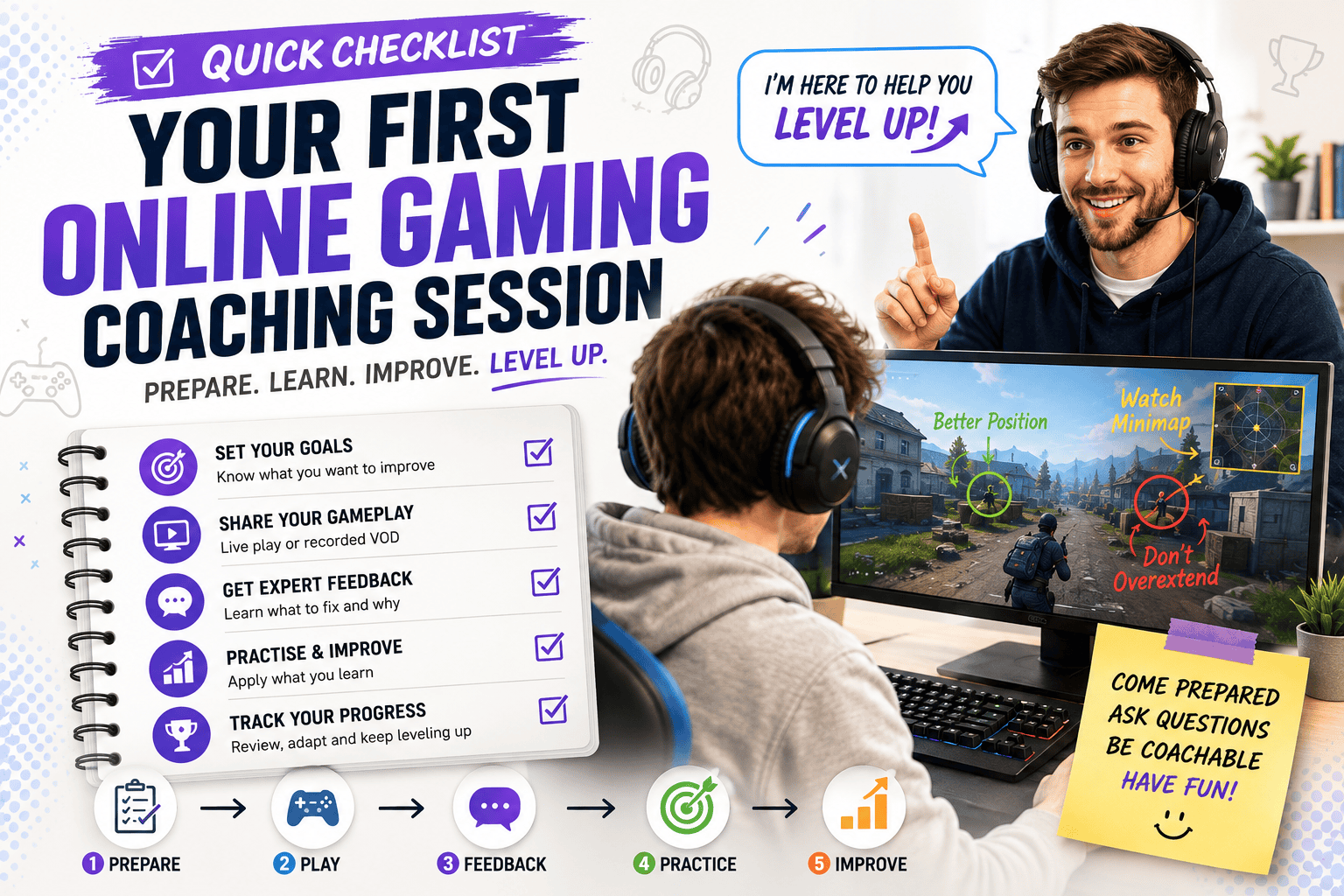
Here’s a quick checklist you can use before, during and after your first session.
🎯 Before You Choose a Coach
✅ Choose the game you want coaching for – ideally, the easy part.
✅ Decide what you want to improve – aim, positioning, game sense, rotations, mechanics, rank progression or something else.
✅ Know your current skill level – rank, experience or competitive level gives the coach useful context.
✅ Look for relevant experience – find someone who understands your game, role, character or level.
✅ Check ratings and reviews – see what previous players say about the coach.
✅ Look beyond rank – being cracked at a game doesn’t automatically make someone good at explaining it.
Need more help comparing coaches? Our guide on how to choose a video game coach covers experience, specialisation, communication style, reviews, pricing and other factors worth checking before you book.
🎮 Choose Your Coaching Format
✅ Choose live coaching for real-time feedback – useful when you want help applying skills while actually playing.
✅ Choose VOD review for detailed analysis – ideal for breaking down positioning, decisions and repeated mistakes.
✅ Consider hybrid coaching – combine gameplay analysis with live practice if you want a bit of both.
✅ Check exactly what’s included – session time, VOD analysis, written notes and follow-up support can vary between coaches.
Not sure which format suits you? Our live gaming coaching vs VOD review comparison explains the differences, strengths and situations where each approach can work best.
📅 Book Your Session
✅ Choose a suitable date and time – preferably when you can concentrate without rushing.
✅ Check the time zone – your 7 PM and your coach’s 7 PM may have absolutely nothing in common.
✅ Check the session length – make sure you know how much coaching time you’re booking.
✅ Review the price – compare what’s included rather than simply choosing the cheapest option.
✅ Check cancellation and rescheduling rules – useful if life decides to schedule something at exactly the wrong time.
📝 Tell Your Coach About Yourself
Give your coach enough information to understand where you’re starting.
You could provide:
🎮 Game: Valorant
🏆 Current Rank: Gold 3
📈 Goal: Reach Platinum
🎯 Role: Controller
🤔 Main Problem: Positioning during fights
📹 Coaching Type: Live coaching + VOD review
Short.
Useful.
Nobody needs your complete competitive gaming memoir.
This kind of personalised preparation is particularly useful for one-on-one video game coaching, where the session can be tailored directly to your gameplay, goals and current skill level.
📹 Prepare Your Gameplay
✅ Record gameplay if required
✅ Choose representative footage – show how you normally play.
✅ Avoid submitting only your best match – you’re looking for feedback, not submitting a highlight reel.
✅ Make sure the HUD is visible – the coach may need to see the minimap, abilities, resources and other information.
✅ Include game audio where useful – audio cues can be important to the analysis.
If you’re preparing recorded gameplay for analysis, our guide to VOD reviews in gaming explains what coaches look for, which gameplay to submit and how recorded reviews can help identify recurring mistakes.
🖥️ Check Your Gaming Setup
Before the session:
✅ Update your game
✅ Check your internet connection
✅ Test your headset
✅ Test your microphone
✅ Test screen sharing
✅ Install any required communication software
✅ Close unnecessary programs
Do this before the session starts.
Not:
Coach: “Ready?”
You: “Yep, just downloading a small update.”
Update: 63.4 GB
Wonderful.
🔐 Protect Your Privacy
✅ Close private windows before screen sharing
✅ Hide personal notifications
✅ Keep passwords private
✅ Never share authentication or recovery codes
For normal coaching, your coach generally needs to see you play.
They don’t need to access your account.
❓ Prepare a Few Questions
Think about what you’d like answered.
For example:
❓ Why do I keep losing these fights?
❓ Is my positioning too aggressive?
❓ When should I rotate?
❓ What should I practise first?
❓ What’s the biggest thing holding me back?
You don’t need twenty questions.
Two or three good ones are plenty.
🎓 During Your Coaching Session
✅ Play normally – don’t suddenly change your entire playstyle because someone is watching.
✅ Explain your thought process – tell the coach why you’re making important decisions.
✅ Ask questions – especially when you don’t understand the feedback.
✅ Be open to criticism – discovering mistakes is rather the point.
✅ Focus on the reasons – understand why a decision was good or bad.
✅ Take simple notes – capture the important lessons rather than transcribing everything.
🧠 Look for Actionable Feedback
Good coaching should help you move through:
👀 What Happened
↓
🧠 Why It Happened
↓
🟢 What You Could Do Instead
↓
🎯 What You Should Practise
If you’re only hearing:
“Improve your game sense.”
Ask for something more specific.
🎯 Finish With Clear Practice Goals
Before the session ends, try to identify your one to three biggest priorities.
For example:
1️⃣ Stay closer to cover during fights
2️⃣ Check teammate positions before engaging
3️⃣ Stop using defensive abilities too early
That’s enough.
You don’t need a seventeen-point performance improvement program after one session.
Your brain is still trying to play the game.
🎮 After Your Coaching Session
This is where the actual improvement begins.
✅ Review your notes
✅ Choose your biggest priority
✅ Turn feedback into a specific behaviour
✅ Practise it during normal matches
✅ Record more gameplay
✅ Review whether you’re improving
✅ Book another session when you actually need more feedback
Don’t immediately forget everything and return to autopilot.
Your coach has done their part.
Now you’ve got homework.
🔁 Use the Coaching Cycle
A simple approach is:
🎓 Get Coaching
↓
🎯 Identify Weaknesses
↓
🎮 Practise
↓
📹 Record Gameplay
↓
🔎 Review Progress
↓
📈 Improve
↓
🔁 Repeat
You don’t need coaching constantly.
A single useful session might give you enough to work on for several weeks.
🏆 Your First Gaming Coaching Session – Complete Checklist
Before you start, make sure you can tick these off:
✅ I know what I want to improve
✅ I’ve found a coach with relevant experience
✅ I’ve checked their reviews
✅ I’ve chosen the right coaching format
✅ I understand what’s included
✅ I’ve checked the price
✅ I’ve confirmed the date and time zone
✅ I’ve told the coach my goals
✅ I’ve prepared gameplay if required
✅ My game is updated
✅ My microphone works
✅ My screen sharing works
✅ I’ve prepared a few questions
✅ I know not to share my password
✅ I’m ready to receive feedback
✅ I’ll practise what I learn afterwards
If you’ve got most of those covered, you’re ready.
Want the complete process behind this checklist? Our guide to how online video game coaching works takes you step by step from choosing and booking a coach through to preparing for your session, receiving feedback and putting what you learn into practice.
🎯 The Bottom Line
Your first online gaming coaching session doesn’t require elaborate preparation.
The essentials are:
🎯 Know What You Want to Improve
👤 Find the Right Coach
🎮 Choose the Right Format
🖥️ Get Your Setup Ready
🧠 Be Open to Feedback
🎯 Leave With Clear Practice Goals
🔁 Actually Practise Them
That last one is rather important.
Because you can hire the greatest gaming coach on Earth…
but if you close the call, queue ranked and immediately do the exact thing they spent an hour telling you not to do?
Well.
Session two should be interesting. 🎮😄
🎮 Ready to Book Your First Coaching Session?
Explore video game coaching on StackedGame to find coaching options including one-on-one sessions, VOD reviews, coaching packages and more.