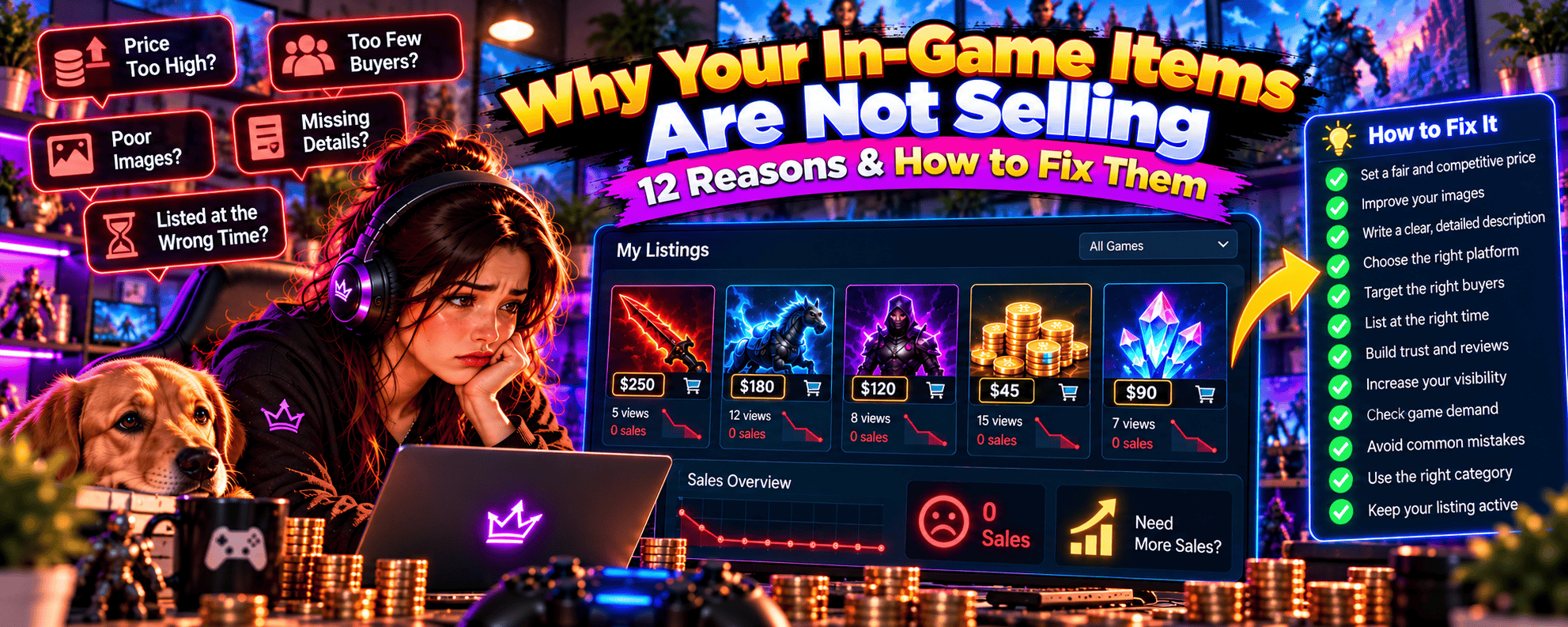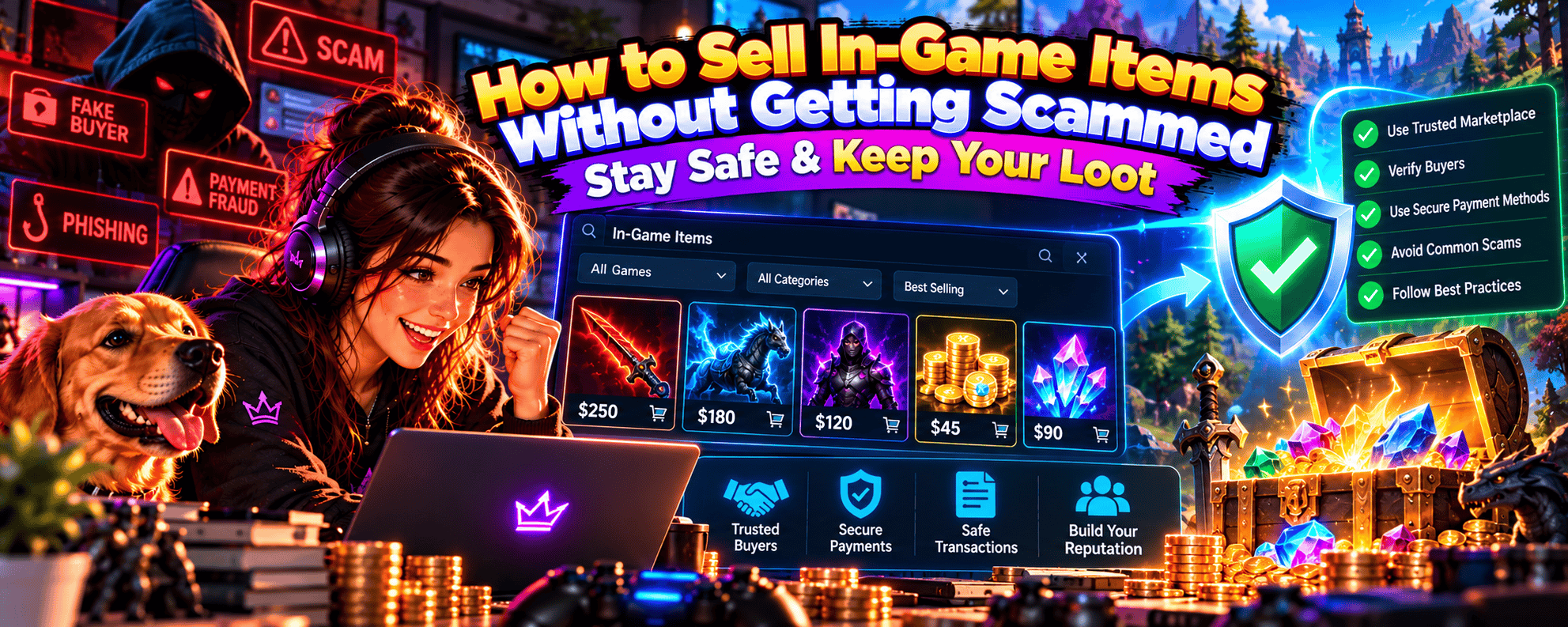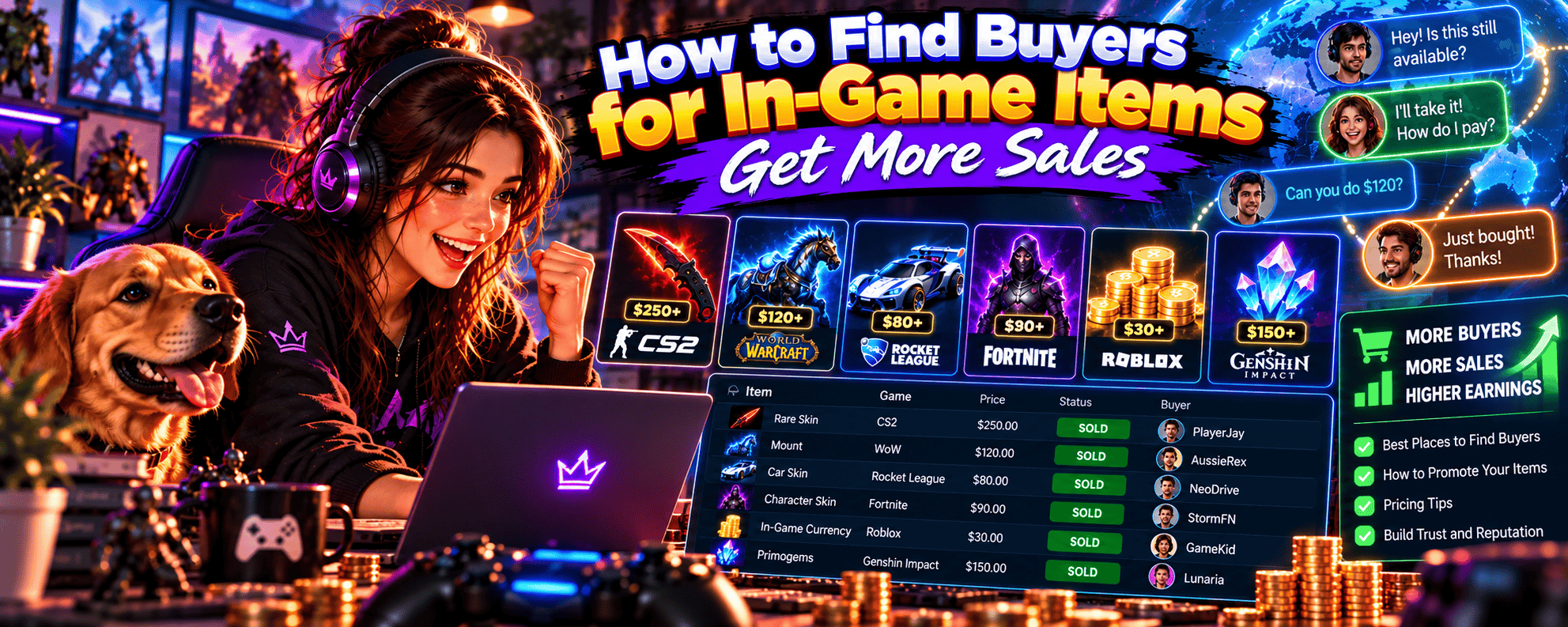
Got a rare weapon skin, valuable collectible or inventory full of gaming loot you’re ready to sell?
Awesome. But before you start dreaming about turning those virtual treasures into real money, there’s something important to get right.
Your item listing.
You could own an incredibly desirable cosmetic, price it competitively and list it on a popular marketplace. But if your title is confusing, your screenshots are poor or your description leaves buyers guessing, you could struggle to attract interest.
And let’s face it, nobody wants to spend hours researching an item’s value only to watch their listing collect digital dust.
The good news? Creating a great gaming item listing doesn’t require professional marketing skills.
You just need to understand what buyers are looking for, present your item clearly and make it easy for someone to feel confident about purchasing it.
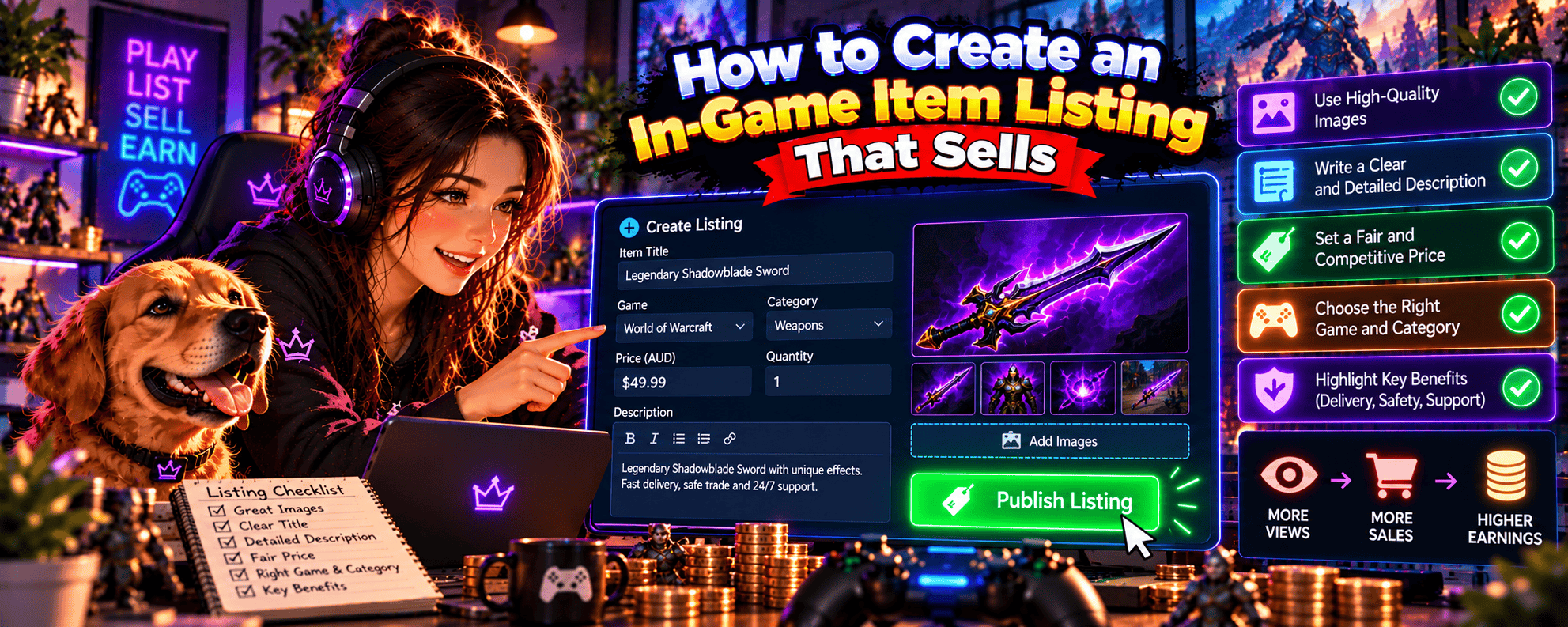
In this guide, we’ll explore how to create an in-game item listing that attracts buyers and improves your chances of making a sale.
You’ll learn how to write searchable listing titles, create descriptions that answer buyer questions, take screenshots that showcase your items and avoid mistakes that could cost you sales.
Whether you’re selling your first CS2 skin, a rare collectible or another eligible virtual item, let’s turn that inventory into something buyers actually want to click.
1. How to Create an In-Game Item Listing That Sells 🚀
A successful in-game item listing combines a clear title, accurate description, genuine screenshots, competitive pricing and transparent delivery information.
Think of your listing as your item’s shop window.
Buyers need to understand exactly what you’re selling, why it’s worth considering and what they’ll receive if they purchase it.
If that information is missing, even a valuable item can struggle to attract interest.
🎮 Why Does Your Item Listing Matter?
Gaming marketplaces can have hundreds or thousands of competing listings.
Buyers may be comparing several similar items before deciding which one to purchase.
Your listing needs to answer three important questions:
- What exactly am I buying?
- Why should I choose this item?
- Can I trust the information and transaction process?
A good listing answers these questions without forcing buyers to contact you for basic details.
💎 The Six Elements of a Great In-Game Item Listing
Most effective listings share six essential characteristics.
| Listing Element | Why It Matters |
|---|---|
| Clear Title | Helps buyers identify your item |
| Accurate Description | Explains exactly what’s included |
| Quality Screenshots | Shows the item’s appearance and attributes |
| Competitive Price | Helps attract interested buyers |
| Delivery Information | Sets realistic expectations |
| Trustworthy Presentation | Reduces uncertainty for buyers |
You don’t necessarily need a lengthy description or dozens of screenshots.
You need the right information, presented clearly.
🔍 1. Make Your Item Easy to Find
Buyers often search for specific items.
They might look for:
- A particular weapon skin.
- A specific cosmetic outfit.
- A rare collectible.
- An item with desirable attributes.
- Equipment for a particular game.
Your listing title and category should accurately reflect what you’re selling.
For example, a title such as “Rare Gaming Item for Sale” provides very little useful information.
A more specific title helps buyers identify the item immediately.
✍️ 2. Explain Exactly What Buyers Will Receive
Your description should remove uncertainty.
Depending on the item, explain:
- The game it belongs to.
- Its exact name.
- Its rarity or condition.
- Any special attributes.
- The quantity included.
- Relevant transfer restrictions.
- How delivery will work.
Avoid assuming buyers already understand every detail.
Even experienced gamers appreciate clear information.
📸 3. Show the Actual Item
Screenshots help buyers confirm an item’s appearance and characteristics.
For example, if you’re selling an eligible weapon skin, buyers may want to see its:
- Overall appearance.
- Wear condition.
- Pattern.
- Special visual features.
- Relevant item information.
Use genuine screenshots wherever possible.
Avoid misleading images or pictures showing attributes that aren’t included in the sale.
💰 4. Price Your Item Competitively
A great listing won’t necessarily overcome an unrealistic price.
Buyers may compare your item with several alternatives.
If comparable items are selling for $40, listing an ordinary version for $100 could discourage interest.
Research current market conditions before deciding what to charge.
📦 5. Explain the Delivery Process
Virtual items still need to reach buyers.
Depending on the game and marketplace, delivery might involve an approved trading system or another supported transfer method.
Your listing should explain the relevant process without promising delivery times you cannot reliably meet.
🔐 6. Build Buyer Confidence
Buyers want reassurance that they’re purchasing the item described.
You can improve confidence by:
- Providing accurate information.
- Using genuine screenshots.
- Avoiding exaggerated claims.
- Explaining relevant restrictions.
- Following marketplace procedures.
- Responding professionally to legitimate questions.
A trustworthy listing doesn’t need dramatic promises.
It needs clarity and consistency.
🏆 What Makes One Listing Better Than Another?
Imagine two sellers offering equivalent items.
Seller A
Title: “Amazing Rare Skin!!!”
Description: “Super rare. Best price. Buy now!”
Screenshots: One blurry image.
Seller B
Title: “CS2 AK-47 | Redline – Field-Tested”
Description: Includes the item’s condition, relevant attributes, accurate screenshots and supported delivery information.
Screenshots: Clear images showing the actual skin.
Which listing would you feel more confident purchasing from?
Seller B provides more useful information and makes comparison easier.
That doesn’t guarantee a sale, but it reduces unnecessary uncertainty.
🎯 Start With the Right Item
Before creating a listing, confirm that your item is eligible for the proposed transaction.
Some games permit in-game transfers but restrict or prohibit external real-money trading.
Always check the game’s rules and marketplace requirements.
For a broader overview of the selling process, see our How to Sell In-Game Items Online guide.
🎯 The Golden Rule of Creating an Item Listing
Make it as easy as possible for buyers to understand exactly what you’re selling and why your listing is worth considering.
A clear, accurate listing can do more for buyer confidence than a paragraph filled with capital letters and seventeen fire emojis.
Save the dramatic effects for your next boss fight.
2. How to Write an In-Game Item Listing Title That Attracts Buyers 🎯
Your listing title is often the first thing potential buyers notice.
It can influence whether someone clicks your item, scrolls past it or finds it through marketplace search.
And when buyers are comparing multiple listings, clarity matters.
The best in-game item listing titles include the exact item name and the most relevant characteristics buyers use when searching.
Let’s explore how to write titles that are both informative and appealing.
🔍 1. Start With the Exact Item Name
Your item’s official name should usually be the foundation of your title.
For example:
Weak Title: Rare CS2 Gun Skin
Better Title: AK-47 | Redline – Field-Tested
The second title tells buyers exactly which item is being offered.
It also includes a condition that may influence its value.
🎮 2. Include the Game Name When Useful
Some marketplaces display listings from multiple games.
In those environments, including the game name can help buyers identify your item.
For example:
CS2 – AK-47 | Redline – Field-Tested
However, if you’re listing within a game-specific category where the title already makes the game obvious, repeating it may be unnecessary.
Use the marketplace’s structure to guide your decision.
💎 3. Highlight Important Item Attributes
Certain characteristics can influence buyer interest.
Depending on the game, these might include:
- Rarity.
- Condition.
- Pattern.
- Item level.
- Special cosmetic effects.
- Limited-edition status.
- Relevant numerical attributes.
For example:
Basic Title: Rare Weapon Skin
Improved Title: CS2 AWP | Asiimov – Battle-Scarred
The improved title identifies the actual item and condition.
Only include attributes that genuinely apply to your item.
🏆 4. Put the Most Important Information First
Buyers often scan marketplace results quickly.
Some platforms also shorten titles in search results.
Place essential details near the beginning.
For example:
Less Effective: Amazing Limited Collectible Item Available Now – CS2 Weapon Skin
More Effective: CS2 AWP | Asiimov – Battle-Scarred
The second title is easier to scan and provides more useful information.
⚡ 5. Avoid Excessive Promotional Language
Titles such as these can look unprofessional:
- BEST ITEM EVER!!!
- SUPER RARE BUY NOW!!!
- CHEAPEST SKIN GUARANTEED!!!
- INSANE DEAL 100% LEGIT!!!
Even if your item is desirable, exaggerated claims can make buyers sceptical.
A clear title is usually more effective than trying to create excitement through capital letters and punctuation.
🔐 6. Don’t Make Unsupported Claims
Avoid descriptions such as:
- Guaranteed rarest item.
- Cheapest anywhere.
- One of a kind.
- Guaranteed investment.
- Price will double soon.
Unless you have reliable evidence, these claims can mislead buyers.
Focus on verifiable characteristics instead.
🛒 7. Consider How Buyers Search
Think about the words someone would enter when looking for your item.
For example, buyers searching for a CS2 skin might use:
- Weapon name.
- Skin name.
- Condition.
- Pattern.
- Special variation.
Use those details naturally in your title.
Avoid repeating the same keyword unnecessarily.
📊 Examples of Weak vs Strong Listing Titles
| Weak Title | Better Title |
|---|---|
| Rare CS2 Skin | CS2 AK-47 Redline – Field-Tested |
| Awesome Knife | CS2 Karambit – Doppler – Factory New |
| Cool Game Cosmetic | Exact Cosmetic Name – Game Name |
| Legendary Weapon | Exact Weapon Name – Rarity – Relevant Attributes |
| Limited Item!!! | Exact Item Name – Limited Edition, If Applicable |
Examples illustrate title structure. Only use item names and attributes that match the actual item being sold.
✍️ 8. Use a Simple Title Formula
A practical title structure is:
Game + Exact Item Name + Important Attribute
For example:
CS2 + AK-47 | Redline + Field-Tested
You might also use:
Exact Item Name + Rarity + Special Characteristic
The best format depends on the game and marketplace.
📏 9. How Long Should Your Listing Title Be?
There’s no universal ideal length.
A useful title should be long enough to identify the item accurately but short enough to scan easily.
Prioritise relevant information over unnecessary promotional wording.
Also check whether your marketplace has a character limit.
🎯 10. Should You Include the Price in Your Title?
Usually, the marketplace already displays the price separately.
Repeating it in the title can waste space and create inconsistencies if you later change your asking price.
For example:
Less Effective: CS2 Redline Skin Only $45 Buy Now
Better: CS2 AK-47 | Redline – Field-Tested
Let the marketplace’s price field communicate the asking price.
🏆 Listing Title Checklist
Before publishing, ask yourself:
- Does the title identify the exact item?
- Have I included important attributes?
- Is the game clear?
- Would a buyer recognise what I’m selling?
- Have I avoided exaggerated claims?
- Is the title easy to read?
- Does it comply with marketplace requirements?
If you can answer yes to these questions, you’re on the right track.
🎯 The Golden Rule of Listing Titles
Write titles for buyers searching for specific items, not for gamers scrolling through clickbait.
Your goal is to make the item instantly recognisable.
Because “ULTRA MEGA LEGENDARY SKIN!!!” might sound exciting, but it doesn’t tell anyone whether you’re selling a weapon skin, a character outfit or a particularly enthusiastic potato.
3. How to Write an In-Game Item Description That Converts ✍️
Your title gets attention.
Your description helps buyers decide whether to purchase.
A good item description explains exactly what’s included, highlights relevant characteristics and answers common questions before they become obstacles.
An effective in-game item description is accurate, easy to scan and focused on the information buyers need to make a confident purchasing decision.
You don’t need to write an essay.
You need to provide the right details.
🎮 1. Start With a Clear Item Overview
Open with a short explanation of what you’re selling.
For example:
“CS2 AK-47 | Redline weapon skin in Field-Tested condition. Listing includes the specific item shown in the screenshots, with its relevant attributes detailed below.”
This immediately tells buyers what they’re looking at.
Avoid vague introductions such as:
“Really awesome item that looks amazing and is super rare.”
That doesn’t provide much useful information.
💎 2. Include the Item’s Important Specifications
Depending on the game, buyers may want to know:
- Exact item name.
- Game.
- Item category.
- Rarity.
- Condition.
- Pattern.
- Relevant numerical attributes.
- Special cosmetic features.
- Quantity.
Present this information clearly.
For example:
Item: AK-47 | Redline Game: CS2 Condition: Field-Tested Quantity: 1 Special Attributes: Specify any relevant characteristics accurately.
This format makes the listing easier to scan.
🔍 3. Explain What Makes the Item Desirable
If your item has characteristics that buyers value, explain them.
For example:
- An appealing cosmetic design.
- A desirable wear classification.
- An unusual pattern.
- Limited availability.
- A collectible variation.
- Relevant gameplay attributes where applicable.
However, avoid inventing premiums or making unsupported rarity claims.
A special characteristic is only useful to buyers if it genuinely applies to the item.
Understanding what makes items desirable can help you write better descriptions. Our What Makes an In-Game Item Valuable? guide explains how rarity, demand, appearance and other factors influence buyer interest.
📸 4. Reference Your Screenshots
If your listing includes genuine screenshots, encourage buyers to review them.
For example:
“Please review the screenshots for the item’s appearance and visible characteristics.”
This helps buyers understand what they’ll receive.
However, screenshots shouldn’t replace important written details.
Some attributes may not be obvious from images alone.
📦 5. Explain Exactly What’s Included
Buyers should never have to guess what they’re purchasing.
For example:
Included: One eligible AK-47 | Redline skin with the attributes specified in the listing.
If the listing includes multiple items, explain the quantity and contents.
Avoid implying that additional accessories, cosmetics or account features are included when they aren’t.
🔐 6. Be Transparent About Restrictions
Some virtual items have:
- Temporary trading restrictions.
- Account requirements.
- Transfer limitations.
- Region-specific conditions.
- Marketplace-specific delivery rules.
If any restrictions apply, disclose them accurately.
Don’t promise immediate delivery if the item cannot currently be transferred.
⏳ 7. Explain Delivery Expectations
Buyers want to know how they’ll receive their purchase.
Describe the supported delivery process.
For example:
“Delivery will be completed through the applicable approved trading process, subject to any platform restrictions.”
If you can reliably provide an estimated timeframe, include it.
Avoid guaranteeing delivery times that depend on circumstances outside your control.
💰 8. Avoid Repeating the Price Unnecessarily
Most marketplaces display the asking price prominently.
Your description doesn’t need to repeat it multiple times.
Instead, focus on explaining the item’s characteristics and transaction details.
✍️ 9. Use Short Paragraphs and Clear Formatting
Long blocks of text can be difficult to read.
Break descriptions into manageable sections.
For example:
Item Details
Exact name, condition and relevant attributes.
What’s Included
The specific item and quantity.
Delivery
Supported transfer method and relevant restrictions.
Additional Information
Any other details buyers should know.
This structure helps buyers find important information quickly.
🏆 10. Example of a Good In-Game Item Description
Here’s a practical example for a hypothetical eligible CS2 skin listing.
Listing Title: CS2 AK-47 | Redline – Field-Tested
Description:
“Selling one CS2 AK-47 | Redline weapon skin in Field-Tested condition.
Item Details:
- Game: Counter-Strike 2
- Item: AK-47 | Redline
- Condition: Field-Tested
- Quantity: 1
- Additional Attributes: As accurately specified in the listing
What’s Included: One weapon skin matching the item details and screenshots provided.
Delivery: Transfer through the supported trading process, subject to applicable game and marketplace requirements.
Please review the screenshots and item details before purchasing.”
This is an illustrative description, not confirmation that a particular sale or delivery method is permitted.
Notice what’s missing?
No exaggerated promises.
No unsupported rarity claims.
No desperate attempts to convince buyers that they’re discovering the greatest deal in gaming history.
Just clear, useful information.
⚠️ 11. Common Description Mistakes
Avoid:
- Vague item information.
- Missing condition details.
- Unsupported rarity claims.
- Misleading descriptions.
- Unclear delivery terms.
- Inaccurate quantities.
- Excessive promotional language.
- Promises you cannot fulfil.
A short, accurate description is generally better than a long, misleading one.
🎯 The Golden Rule of Item Descriptions
Describe your item clearly enough that buyers understand exactly what they’ll receive without needing to ask basic questions.
A good description should make the buying decision easier.
Not leave someone wondering whether “Legendary Dragon Slayer Ultimate Edition” is an actual item or just something you invented after three energy drinks.
4. How to Take Screenshots That Make Your Items Stand Out 📸
You could write the perfect listing title and description.
But if your screenshots are blurry, misleading or missing important details, buyers may still hesitate.
Visual presentation matters, especially for cosmetic items.
After all, when someone is buying a weapon skin, character outfit or collectible, they often want to see exactly what it looks like.
The best in-game item screenshots clearly show the actual item, highlight relevant attributes and help buyers verify what they’re purchasing.
You don’t need expensive editing software or professional photography skills.
You just need clear, honest images.
🎮 1. Use Screenshots of the Actual Item
Where possible, capture screenshots directly from the game or its supported inventory interface.
This helps buyers assess the item you’re selling.
Avoid using promotional images that show a different version.
For example, if you’re selling a Field-Tested weapon skin, don’t use screenshots of a Factory New version without clearly explaining the difference.
🔍 2. Make the Item Easy to See
Your item should be the main focus.
Avoid screenshots cluttered with unrelated menus, notifications or other visual distractions.
For example:
Poor Screenshot: A full inventory screen where the item occupies a tiny corner.
Better Screenshot: A clear view of the selected item showing its appearance and relevant details.
The goal is to help buyers identify the item quickly.
📸 3. Capture Multiple Useful Angles
For items where appearance matters, multiple views can be helpful.
Depending on the game, consider showing:
- Front view.
- Side view.
- Back view.
- Close-up details.
- Relevant cosmetic effects.
- Item information panel.
Not every item needs several images.
Use enough screenshots to communicate the important details.
💎 4. Show Important Attributes
Some item characteristics may influence price.
For example:
- Wear classification.
- Pattern.
- Float value.
- Rarity.
- Special cosmetic effects.
- Item level.
- Relevant modifiers.
Where supported, capture screenshots showing these attributes.
However, make sure the images correspond to the actual item being sold.
🎨 5. Use Clear, High-Quality Images
Screenshots should be sharp enough for buyers to inspect.
Avoid:
- Blurry images.
- Excessive compression.
- Extremely small screenshots.
- Heavy filters.
- Unnecessary visual effects.
- Cropping that hides important details.
A clear screenshot is more useful than a heavily edited image designed to make the item look more impressive.
⚠️ 6. Don’t Alter the Item’s Appearance
Editing screenshots to exaggerate colour, condition or visual effects can mislead buyers.
For example, don’t:
- Change the item’s colour.
- Remove visible wear.
- Add cosmetic effects.
- Hide defects.
- Alter displayed attributes.
- Replace the actual item with a better-looking version.
Basic cropping may be appropriate, but it shouldn’t conceal relevant information.
🛒 7. Choose a Strong Main Image
Your primary screenshot is often the image buyers see in marketplace results.
Choose one that clearly shows the item.
For cosmetic items, this is usually an image displaying the item’s most recognisable appearance.
For items with important numerical attributes, a clear inventory view may be more useful.
📱 8. Make Screenshots Easy to View on Mobile
Many buyers browse marketplaces on mobile devices.
Small text and cluttered screenshots can be difficult to inspect.
Where possible:
- Keep the item prominent.
- Avoid unnecessary background clutter.
- Use readable inventory views.
- Check that important details remain visible at smaller sizes.
A screenshot that looks great on a large monitor may be difficult to understand on a phone.
🔐 9. Protect Your Account Information
Before uploading screenshots, check for sensitive information.
Avoid exposing:
- Login details.
- Authentication codes.
- Personal contact information.
- Private account information.
- Payment details.
- Recovery information.
Crop or obscure unrelated sensitive information without changing the item’s relevant characteristics.
🏆 10. How Many Screenshots Should You Include?
There’s no universal number.
For a simple item, one or two clear screenshots may be sufficient.
For a rare collectible with unusual attributes, several images may help buyers evaluate its characteristics.
The goal isn’t to upload as many images as possible.
It’s to provide enough visual evidence to support your description.
📊 Recommended Screenshot Types
| Screenshot | Purpose |
|---|---|
| Main Item Image | Shows the item’s overall appearance |
| Alternative Angle | Highlights additional visual details |
| Attribute Screen | Shows relevant item specifications |
| Close-Up | Highlights special characteristics |
| Inventory View | Helps identify the item in its supported interface |
Only include screenshot types relevant to the item you’re selling.
🎮 11. Example: Screenshots for a Weapon Skin Listing
Imagine you’re listing an eligible CS2 weapon skin.
You might include:
Screenshot 1: Clear overall view of the weapon skin.
Screenshot 2: Alternative angle showing its appearance.
Screenshot 3: Inventory information displaying relevant attributes.
Screenshot 4: Close-up of any special pattern or cosmetic characteristic.
These images can help buyers compare your item with other listings.
⚡ 12. Can Better Screenshots Help Your Item Sell Faster?
Clear screenshots may improve buyer confidence and help your listing stand out.
However, they don’t guarantee a sale.
Pricing, demand, item characteristics and marketplace activity still matter.
Think of screenshots as one part of your overall listing quality.
🎯 The Golden Rule of In-Game Item Screenshots
Show the real item clearly, accurately and from enough angles to help buyers understand what they’re purchasing.
You don’t need cinematic lighting, dramatic explosions or a professional gaming photographer.
Although if your rare sword happens to look incredible against a fiery dragon backdrop, nobody’s going to complain.
Just make sure the screenshot represents the actual item you’re selling.
5. How to Set the Right Price for Your Item 💰
You’ve created a clear title, written an accurate description and captured screenshots that show your item at its best.
Now comes one of the biggest factors influencing whether someone clicks that buy button.
Your asking price.
Even a beautifully presented listing can struggle if buyers believe the item is overpriced. On the other hand, pricing too low could mean missing out on money your item could reasonably earn.
The goal is to find a price that reflects your item’s value while remaining competitive with similar listings.
The best way to price an in-game item listing is to research comparable sales, consider your item’s characteristics and calculate what you’ll receive after marketplace fees.
🔍 1. Research Similar Items Before Setting Your Price
Start by searching for listings of the same item.
Look for comparable characteristics such as:
- Exact item name.
- Game.
- Rarity.
- Condition.
- Pattern or special attributes.
- Quantity.
- Transfer restrictions.
For example, imagine you’re selling a CS2 weapon skin.
You find several comparable listings:
| Seller | Asking Price |
|---|---|
| Seller A | $42 |
| Seller B | $44 |
| Seller C | $46 |
| Seller D | $49 |
These prices provide a useful starting point.
However, advertised prices don’t necessarily represent what buyers are actually paying.
📊 2. Check Recent Completed Sales
Where available, completed sales can provide stronger evidence of market value than active listings.
Imagine recent comparable transactions show:
| Recent Sale | Selling Price |
|---|---|
| Sale 1 | $41 |
| Sale 2 | $43 |
| Sale 3 | $44 |
| Sale 4 | $42 |
The average selling price is $42.50.
That suggests a listing around $42–$45 might be competitive, assuming your item has equivalent characteristics.
Avoid relying on a single unusually high or low transaction.
💎 3. Consider Your Item’s Special Characteristics
Not every item with the same name has the same value.
For example, some CS2 skins have patterns, wear values or other attributes that attract collector interest.
If your item has a desirable characteristic, research whether buyers have historically paid more for similar examples.
However, don’t assume every unusual attribute justifies a premium.
A higher price should be supported by genuine buyer demand, not simply the seller’s opinion that an item is special.
⚡ 4. Choose Your Pricing Strategy
There are three common approaches.
Competitive Pricing
List near the lower end of the realistic market range to potentially attract buyers sooner.
Market-Based Pricing
Set your asking price close to recent comparable sales.
Premium Pricing
Ask for more when your item has characteristics that justify a higher valuation.
For example:
| Strategy | Hypothetical Price |
|---|---|
| Competitive | $41 |
| Market-Based | $44 |
| Premium | $49 |
These prices are illustrative rather than recommendations for a specific item.
Your strategy should reflect buyer demand, item characteristics and how quickly you want to sell.
🧮 5. Calculate Marketplace Fees
Your asking price isn’t necessarily what you’ll receive.
Some marketplaces charge commissions, withdrawal fees or other transaction costs.
For example:
Selling Price: $50 Marketplace Commission: $3 Withdrawal Fee: $1 Net Proceeds: $46
If you originally purchased the item for $35, your profit before tax and any additional costs would be $11.
Understanding these figures helps you avoid selling at a price that doesn’t meet your goals.
👥 6. Consider Buyer Demand
An item with strong demand may attract buyers at a competitive market price.
An unpopular collectible might struggle even when discounted.
Look for evidence of recent sales and active buyer interest.
A marketplace filled with expensive unsold listings doesn’t necessarily indicate a healthy market.
🔄 7. Review Your Price After Publishing
Your initial asking price doesn’t need to remain unchanged forever.
If your item isn’t attracting interest, review:
- Recent comparable sales.
- Competing listings.
- Buyer activity.
- Changes in item supply.
- Relevant game updates.
- Your listing quality.
Make adjustments based on evidence rather than repeatedly lowering your price out of frustration.
🏆 8. Avoid Pricing Based on Sentimental Value
Maybe you spent hundreds of hours obtaining your item.
Perhaps it’s been part of your favourite character build for years.
That personal history might make the item valuable to you.
Unfortunately, buyers usually focus on its market value and transferable characteristics.
A rare sword doesn’t automatically become worth $500 because it helped you defeat a particularly annoying boss.
For a detailed breakdown of pricing strategies, fees and valuation methods, see our How to Price In-Game Items guide.
🎯 The Golden Rule of Listing Prices
Set a price supported by current market evidence, then make sure the expected proceeds meet your selling goals.
A competitive price can help attract attention.
But the best price isn’t necessarily the lowest one. It’s a price that gives buyers a reasonable offer while providing a return you’re happy with.
6. How to Make Your In-Game Item Listing Look Trustworthy 🔐
Imagine you’re browsing a gaming marketplace.
You find two sellers offering similar items at almost identical prices.
One listing includes clear screenshots, accurate item details and transparent delivery information.
The other has a vague description, no useful images and a seller claiming the deal is “1000% GUARANTEED LEGIT!!!”
Which would you trust?
For most buyers, the choice is straightforward.
A trustworthy in-game item listing provides accurate information, demonstrates transparency and follows the marketplace’s approved transaction procedures.
Trust is particularly important when buyers are purchasing virtual goods from someone they don’t know.
🎮 1. Provide Accurate Item Information
Start with the basics.
Your listing should clearly identify:
- Exact item name.
- Game.
- Rarity or condition.
- Relevant attributes.
- Quantity.
- Any applicable restrictions.
Avoid exaggerating or omitting details that could influence a buyer’s decision.
For example, don’t describe an ordinary cosmetic as an extremely rare collectible without evidence.
📸 2. Use Genuine Screenshots
Authentic screenshots help buyers understand what they’re purchasing.
Where possible, show the actual item rather than a generic promotional image.
For items with special characteristics, include screenshots displaying those attributes.
Avoid heavily edited images that change the item’s appearance.
✍️ 3. Write a Professional Description
Your description doesn’t need to sound corporate.
It should simply be clear, accurate and easy to understand.
Compare these examples.
Poor Description:
“Insane item, super cheap, trust me bro!”
Better Description:
“One CS2 AK-47 | Redline skin in Field-Tested condition. Item details and screenshots are provided. Transfer is subject to applicable marketplace and game requirements.”
The second description provides useful information without unnecessary hype.
👤 4. Complete Your Seller Profile
Where the marketplace supports seller profiles, provide relevant information.
This might include:
- A recognisable username.
- A profile image.
- Accurate seller details.
- Relevant marketplace verification.
- Genuine transaction history.
A complete profile can help buyers feel more comfortable evaluating a listing.
However, a polished profile alone doesn’t prove that a seller is trustworthy.
⭐ 5. Build a Genuine Seller Reputation
If the marketplace supports ratings or reviews, your transaction history may influence buyer confidence.
A strong reputation is generally built through consistent behaviour.
For example:
- Delivering items as described.
- Communicating professionally.
- Following marketplace procedures.
- Resolving legitimate issues.
- Avoiding misleading claims.
Never purchase fake reviews or fabricate transaction history.
📦 6. Explain the Delivery Process Clearly
Buyers should understand how they’ll receive their item.
Depending on the game and marketplace, this may involve an approved trading system or another supported transfer process.
Explain relevant requirements and restrictions.
For example:
“Delivery will be completed through the supported trading process, subject to any applicable transfer restrictions.”
Avoid promising instant delivery unless you can reliably fulfil that commitment.
💬 7. Respond Professionally to Buyer Questions
Buyers may ask about:
- Item condition.
- Special attributes.
- Availability.
- Transfer requirements.
- Delivery timing.
Provide clear and accurate answers.
If you’re unsure about something, verify it before responding.
Professional communication can improve confidence, especially for higher-value transactions.
⚠️ 8. Avoid Suspicious Selling Practices
Certain behaviours can make buyers uncomfortable.
Examples include:
- Asking buyers to move transactions off-platform.
- Requesting account passwords.
- Providing suspicious external links.
- Pressuring buyers to purchase immediately.
- Making unrealistic guarantees.
- Refusing to clarify basic item details.
Follow the marketplace’s approved transaction process.
🛡️ 9. Be Transparent About Restrictions
Some items may have temporary trading holds, account requirements or other transfer limitations.
Disclose these restrictions where relevant.
Don’t imply that an item can be delivered immediately if a trading restriction prevents it.
Transparency helps reduce misunderstandings and disputes.
💎 10. Don’t Confuse Trust With Guarantees
A listing can be trustworthy without promising that nothing will ever go wrong.
For example, avoid claims such as:
- Guaranteed instant delivery.
- Zero risk.
- Completely scam-proof.
- Guaranteed investment value.
Instead, explain what you can actually provide.
Buyers generally benefit more from accurate information than exaggerated reassurance.
🏆 11. Think Like a Buyer
Before publishing, review your listing from a buyer’s perspective.
Ask yourself:
- Can I identify the exact item?
- Are its important attributes clear?
- Do the screenshots match the description?
- Is the price understandable?
- Are delivery expectations explained?
- Are any restrictions disclosed?
- Does the listing contain unsupported claims?
If important questions remain unanswered, improve the listing before publishing.
Our How to Choose a Trusted In-Game Item Seller guide explains what buyers look for when evaluating sellers.
Understanding those expectations can help you create listings that inspire greater confidence.
🎯 The Golden Rule of Building Buyer Trust
Be accurate, transparent and consistent. Let your item details and selling behaviour demonstrate reliability.
You don’t need to write “TRUSTED SELLER” fifteen times.
In fact, the more someone insists they’re trustworthy without providing useful information, the more suspicious the listing can become.
7. What Delivery Information Should Your Listing Include? 📦
Selling an in-game item isn’t quite like selling a physical product.
There’s no cardboard box to pack, no shipping label to print and hopefully no courier leaving your valuable loot in the rain.
But delivery still matters.
Buyers need to understand how the item will be transferred, when they can reasonably expect to receive it and whether any restrictions apply.
A good in-game item listing explains the supported delivery method, relevant requirements, expected timeframe and any limitations that could affect the transfer.
Clear delivery information can help prevent misunderstandings before a transaction begins.
🎮 1. Identify the Supported Delivery Method
Different games and marketplaces use different systems for transferring virtual items.
Depending on the platform, delivery might involve:
- An official in-game trading system.
- A supported inventory transfer.
- An approved marketplace delivery process.
- Another authorised transfer method.
Not every item is transferable.
And not every permitted in-game trade can legally or contractually be exchanged for external money.
Confirm the game’s rules before advertising a delivery method.
📦 2. Explain What Will Be Delivered
Buyers should understand exactly what they’re receiving.
For example:
Item: Eligible Weapon Skin Quantity: 1 Condition: As Specified in the Listing Delivery: Through the Supported Trading Process
If you’re selling multiple items, specify the quantity and contents.
Avoid descriptions that leave buyers guessing whether they’re purchasing one item or an entire collection.
⏳ 3. Provide Realistic Delivery Expectations
Some transfers may be completed quickly.
Others may depend on:
- Marketplace processing.
- Item availability.
- Trading restrictions.
- Account eligibility.
- Platform maintenance.
- Seller availability.
Only provide a delivery estimate you can reasonably support.
For example:
“Delivery timing depends on the applicable marketplace process and any active trading restrictions.”
If your marketplace requires a specific delivery window, follow that requirement.
🔐 4. Explain Relevant Trading Restrictions
Some games impose temporary holds or transfer limitations.
For example, an item may be visible in your inventory but temporarily unavailable for trading.
Your listing should disclose restrictions that affect delivery.
Don’t advertise immediate availability if the item cannot currently be transferred.
👤 5. Clarify Buyer Requirements
Certain trading systems may require buyers to meet specific conditions.
These could include:
- Having an eligible game account.
- Meeting platform trading requirements.
- Using an approved inventory system.
- Completing required marketplace verification.
Explain relevant requirements without requesting sensitive information.
Buyers should never need to provide their account passwords or authentication codes to receive an ordinary item transfer.
🛒 6. Follow Marketplace Delivery Procedures
Different marketplaces may have specific rules for item transfers.
These can include instructions about:
- When to initiate delivery.
- How to confirm the recipient.
- How transactions are recorded.
- What evidence is required.
- How disputes are handled.
Follow the marketplace’s official instructions rather than inventing your own process.
⚠️ 7. Avoid Off-Platform Delivery Arrangements
A buyer might ask you to complete the transaction through a different website, private message or unfamiliar payment method.
Be cautious.
Moving outside an approved marketplace process can remove protections and increase the risk of fraud.
Use the supported transaction method and verify details before transferring an item.
📸 8. Keep Appropriate Transaction Records
Where permitted, retain relevant transaction information.
For example:
- Order reference.
- Item details.
- Delivery status.
- Approved transfer confirmation.
- Relevant marketplace messages.
These records may be useful if a legitimate dispute arises.
Avoid storing unnecessary personal information or sensitive account details.
💬 9. Communicate if Delivery Is Delayed
If a legitimate issue affects delivery, communicate through the marketplace’s supported channels.
Explain the situation accurately.
Don’t invent excuses or promise a new delivery time you cannot meet.
Follow the marketplace’s requirements for delays, cancellations and refunds.
🏆 10. Example Delivery Information
Here’s a simple example for an eligible virtual item listing.
Delivery Information
“One item matching the listing description and screenshots will be transferred using the applicable approved trading process.
Delivery is subject to any game or marketplace trading restrictions.
Please ensure your account meets the relevant transfer requirements before purchasing.”
This example provides useful information without making unsupported guarantees.
🔍 11. Should You Include Delivery Information in the Title?
Usually, delivery information belongs in the listing description or designated delivery fields.
The title should focus on identifying the item.
However, if the marketplace specifically requires certain delivery details in the title, follow its rules.
🔐 12. How Can Sellers Reduce Delivery Risks?
A few sensible precautions can make transactions safer.
- Verify the item and recipient before transferring.
- Use approved marketplace procedures.
- Check for trading restrictions.
- Avoid suspicious external links.
- Never share authentication credentials.
- Keep appropriate transaction records.
- Follow the marketplace’s dispute process if problems arise.
For more information about protecting yourself during virtual item transfers, see our How to Trade In-Game Items Safely guide.
🎯 The Golden Rule of Delivery Information
Explain how the buyer will receive the item and disclose anything that could affect the transfer.
A buyer shouldn’t need detective skills to understand your delivery process.
They’re purchasing a virtual sword, not signing up for a mysterious side quest.
8. How to Choose the Right Marketplace and Listing Category 🛒
You’ve got an eligible item, a competitive price and a listing ready to publish.
But there’s another decision that can influence your chances of making a sale.
Where should you list it?
Different gaming marketplaces support different games, item categories and transaction methods.
Some specialise in particular collectibles, while others offer broader gaming-related products and services.
Choosing the right marketplace and category can help your item reach buyers who are actually looking for it.
The best marketplace for your listing is one that supports your item, permits the proposed transaction and provides access to a relevant buyer audience.
🎮 1. Choose a Marketplace That Supports Your Game
Start by checking whether the marketplace supports your particular game.
For example, some marketplaces focus on:
- CS2 weapon skins.
- Transferable gaming cosmetics.
- Virtual collectibles.
- Eligible in-game equipment.
- Other supported gaming items.
Not every marketplace supports every item type.
Check the platform’s current rules and supported categories before creating a listing.
🔐 2. Confirm the Transaction Is Permitted
This is essential.
A game might allow players to exchange items internally while prohibiting external real-money sales.
Some items may also be account-bound or otherwise non-transferable.
Before listing, confirm:
- The item can be transferred.
- The proposed sale is permitted.
- The marketplace supports the transaction.
- You meet relevant seller requirements.
Don’t assume that because another seller has advertised a similar item, the transaction must be authorised.
👥 3. Consider the Marketplace’s Buyer Audience
A marketplace with buyers actively searching for your item category may provide better opportunities.
For example, a specialist platform might attract collectors interested in particular skin patterns.
A broader gaming marketplace may appeal to buyers searching across multiple games and categories.
Consider where your likely buyers are most active.
💰 4. Compare Marketplace Fees
Fees affect your final earnings.
Different marketplaces may charge:
- Selling commissions.
- Fixed transaction fees.
- Withdrawal charges.
- Currency conversion costs.
- Other applicable service fees.
For example:
| Marketplace | Selling Price | Estimated Fees | Net Proceeds |
|---|---|---|---|
| Marketplace A | $50 | $3 | $47 |
| Marketplace B | $50 | $5 | $45 |
| Marketplace C | $50 | $4 | $46 |
Hypothetical USD examples, not actual platform fee schedules.
A marketplace with lower fees may provide better proceeds.
However, buyer demand and selling conditions also matter.
🏦 5. Check Payment and Withdrawal Options
Some marketplaces provide withdrawable cash payments.
Others use platform credit that cannot be converted directly into cash.
For example, Steam Community Market transactions use Steam Wallet funds rather than withdrawable cash.
Before listing, confirm how you’ll receive the proceeds.
Also check whether your country, payment method and account are eligible.
📂 6. Select the Most Relevant Listing Category
Once you’ve chosen a marketplace, select the category that best matches your item.
Depending on the platform, categories might be organised by:
- Game.
- Item type.
- Rarity.
- Cosmetic category.
- Equipment type.
- Collectible type.
For example, an eligible CS2 weapon skin should appear within the relevant game and item category rather than an unrelated gaming service category.
Accurate categorisation helps buyers find relevant listings.
🔍 7. Use Marketplace Filters Correctly
Some marketplaces allow sellers to specify additional attributes.
These might include:
- Condition.
- Rarity.
- Item level.
- Pattern.
- Quantity.
- Special characteristics.
Complete these fields accurately.
Buyers may use filters to narrow their search results.
Incorrect attributes can make your listing harder to find or mislead potential purchasers.
📈 8. Review Competing Listings
Before publishing, look at similar items on the marketplace.
Ask yourself:
- How many comparable items are available?
- What prices are sellers asking?
- Are there recent completed sales?
- What information do successful listings include?
- Are buyers actively trading this item?
These observations can help you assess whether the marketplace is suitable.
🏆 9. Consider Seller Reputation and Marketplace Processes
Marketplace suitability isn’t just about traffic or fees.
Also consider:
- Seller verification requirements.
- Supported delivery procedures.
- Dispute handling.
- Payment arrangements.
- Account security.
- Applicable marketplace rules.
A marketplace offering a slightly higher selling price isn’t necessarily the best option if the transaction process doesn’t meet your needs.
🎮 10. Can You List Items on Multiple Marketplaces?
Potentially, depending on the marketplaces’ rules.
However, listing the same unique item on several platforms introduces risks.
For example, if the item sells on one marketplace, you may need to remove other listings immediately.
Otherwise, you could accidentally accept multiple orders for an item you only own once.
Before cross-listing, check each marketplace’s rules and ensure you can manage inventory accurately.
🛒 11. Where Does StackedGame Fit In?
StackedGame is a gaming-focused marketplace where gamers can explore opportunities to sell eligible gaming items and services.
For sellers, the important considerations are whether the item is supported, whether the transaction complies with the relevant game’s rules and whether the listing provides clear information for potential buyers.
When creating a listing, use the most appropriate available category and accurately describe the item you’re offering.
Avoid placing virtual items in unrelated categories simply to gain more visibility.
📊 12. Marketplace Selection Comparison
Here’s a practical framework for evaluating marketplaces.
| Factor | What to Check |
|---|---|
| Game Support | Does the marketplace support your game? |
| Item Eligibility | Is the proposed transaction permitted? |
| Buyer Audience | Are relevant buyers active? |
| Listing Categories | Can buyers easily find your item? |
| Marketplace Fees | How much will you pay? |
| Payment Options | Can you receive the proceeds? |
| Delivery Process | Is the transfer method supported? |
| Seller Requirements | Are you eligible to sell? |
| Security | Are appropriate transaction procedures available? |
| Market Activity | Are comparable items actually selling? |
You don’t need to find a marketplace that’s perfect in every category.
You need one that supports your item and provides a suitable selling experience.
🚀 13. Should You Choose the Biggest Marketplace?
Not automatically.
A large marketplace may have more potential buyers, but it may also have more competing sellers.
A smaller specialist marketplace might attract buyers with a stronger interest in your particular item.
Compare actual market activity rather than assuming size guarantees sales.
💎 14. Learn More About Marketplace Options
Choosing where to sell can affect your pricing, visibility and potential earnings.
Our Where to Sell In-Game Items Online guide explores the factors to consider when comparing marketplaces.
🎯 The Golden Rule of Marketplace Selection
Choose a marketplace and category that match your item, support the transaction and make it easy for relevant buyers to discover your listing.
Even the world’s most desirable weapon skin won’t attract much attention if you’ve listed it under an unrelated category.
That’s a bit like trying to sell a legendary sword in the fishing supplies section.
Someone might eventually find it, but you’re definitely making the quest harder than necessary.
9. Common In-Game Item Listing Mistakes to Avoid ⚠️
You’ve researched your item, written a compelling description and selected a marketplace where potential buyers can find it.
But even with all that preparation, a few simple mistakes can make your listing less attractive.
Maybe your title is too vague. Perhaps your screenshots don’t show the actual item clearly. Or your asking price is so far above market value that buyers immediately move on.
Avoiding common in-game item listing mistakes can help you attract more relevant buyers, build confidence and improve your chances of making a sale.
Here are the biggest mistakes to watch out for.
❌ 1. Using a Vague Listing Title
A title such as “Rare Gaming Item for Sale” doesn’t tell buyers much.
Someone searching for a specific weapon skin or collectible might never recognise your listing.
Better approach: Include the exact item name, game and relevant characteristics.
For example:
Weak: Awesome Rare CS2 Skin!!!
Better: CS2 AK-47 | Redline – Field-Tested
The second title is clearer, more searchable and immediately identifies the item.
✍️ 2. Writing an Incomplete Description
Buyers shouldn’t need to contact you to discover basic information.
Missing details can create uncertainty about what they’re purchasing.
Common omissions include:
- Exact item name.
- Rarity or condition.
- Special attributes.
- Quantity.
- Trading restrictions.
- Delivery information.
Better approach: Provide enough information for buyers to understand exactly what they’ll receive.
📸 3. Uploading Poor-Quality Screenshots
Blurry images, tiny inventory screenshots and misleading promotional pictures can make listings less useful.
Buyers often want to inspect the item’s appearance and relevant characteristics.
Better approach: Use clear screenshots of the actual item, showing important details without unnecessary editing.
💰 4. Setting an Unrealistic Asking Price
A great listing can’t always overcome a poor pricing decision.
Imagine comparable items regularly sell for $45.
Listing an ordinary version for $100 without a genuine reason may discourage buyers.
Better approach: Research recent comparable sales and set a price supported by market evidence.
💎 5. Exaggerating Item Rarity
Descriptions such as “EXTREMELY RARE” or “ONE OF A KIND” might sound exciting.
But if the claims aren’t accurate, they can damage buyer confidence.
Better approach: Describe verifiable characteristics rather than making unsupported claims.
If an item has a desirable pattern or limited availability, explain those details accurately.
📂 6. Choosing the Wrong Listing Category
An item listed in an unrelated category may be harder for interested buyers to discover.
For example, a weapon skin shouldn’t be listed under an unrelated gaming service simply because that category receives more attention.
Better approach: Select the game and item category that accurately match your listing.
🔐 7. Hiding Trading Restrictions
Some virtual items have temporary trading holds or other transfer limitations.
Failing to disclose these restrictions can create misunderstandings.
Better approach: Explain relevant restrictions before a buyer purchases the item.
⏳ 8. Promising Unrealistic Delivery Times
Buyers appreciate fast delivery.
However, promising instant delivery when a trading restriction applies can create problems.
Better approach: Provide realistic expectations based on the supported marketplace process.
👤 9. Neglecting Your Seller Profile
An incomplete seller profile may provide less information for buyers evaluating your listing.
Where supported, a genuine profile and transaction history can help buyers assess your experience.
Better approach: Complete relevant profile information and build a reputation through legitimate transactions.
💬 10. Ignoring Buyer Questions
Potential buyers may ask legitimate questions about condition, availability or delivery.
Failing to respond can discourage interest.
Better approach: Answer clearly and professionally through the marketplace’s supported communication channels.
⚠️ 11. Using Excessive Promotional Language
A listing filled with capital letters, repeated emojis and exaggerated claims can look less credible.
For example:
“🔥🔥🔥 BEST SKIN EVER!!! 1000% LEGIT!!! BUY NOW!!! 🔥🔥🔥”
That might attract attention, but it doesn’t provide useful information.
Better approach: Let the item’s actual characteristics and competitive price do the selling.
🔄 12. Never Reviewing Your Listing
Marketplace conditions change.
Your price may become uncompetitive, your description may need clarification or new comparable items may appear.
Better approach: Review your listing periodically and make improvements when justified.
📊 Common Listing Mistakes and How to Fix Them
| Mistake | Better Approach |
|---|---|
| Vague Title | Use the exact item name and attributes |
| Incomplete Description | Include essential item information |
| Poor Screenshots | Show the actual item clearly |
| Unrealistic Price | Research comparable sales |
| Exaggerated Rarity | Use accurate, verifiable claims |
| Wrong Category | Select the relevant game and item type |
| Missing Restrictions | Disclose transfer limitations |
| Unrealistic Delivery Promises | Explain supported delivery expectations |
| Incomplete Seller Profile | Provide genuine profile information |
| Ignoring Questions | Respond professionally |
| Excessive Promotional Language | Focus on useful information |
| Outdated Listing | Review and improve when necessary |
🎯 The Golden Rule of Avoiding Listing Mistakes
Make your listing accurate, complete and easy for buyers to understand.
You don’t need fancy marketing tricks.
You need to remove the little problems that make buyers hesitate.
Because if someone has to solve a puzzle just to figure out which skin you’re selling, they’ll probably find an easier quest elsewhere.
10. How to Improve an In-Game Item Listing That Isn’t Selling 📈
You’ve published your listing.
The screenshots look good, the description is complete and you’ve chosen what seems like a reasonable asking price.
But days pass.
Then another week.
Still no sale.
Sound familiar?
An unsold listing doesn’t necessarily mean your item is worthless or that you’ve chosen the wrong marketplace.
There may be opportunities to improve its presentation, pricing or discoverability.
The best way to improve an in-game item listing that isn’t selling is to identify what’s limiting buyer interest before making targeted changes.
Here’s how to troubleshoot your listing.
🔍 1. Check Whether Buyers Can Find Your Listing
Start with discoverability.
Search for your item using the terms buyers are likely to enter.
Ask yourself:
- Does your listing appear in the appropriate category?
- Is the exact item name included?
- Are important attributes correctly specified?
- Have you selected the relevant game?
- Are marketplace filters completed accurately?
If buyers can’t find your listing, improving the price alone may not solve the problem.
🎯 2. Improve Your Listing Title
Review whether your title clearly identifies the item.
For example:
Original Title: Rare CS2 Skin
Improved Title: CS2 AK-47 | Redline – Field-Tested
The improved title gives buyers more useful information.
Avoid adding unrelated keywords simply to appear in more searches.
✍️ 3. Rewrite Vague Descriptions
If your description only says “Good item, cheap price”, buyers may have unanswered questions.
Improve it by including:
- Exact item name.
- Condition.
- Relevant attributes.
- Quantity.
- What’s included.
- Delivery information.
- Applicable restrictions.
A complete description can help buyers make a more informed decision.
📸 4. Replace Poor Screenshots
Look at your listing from a buyer’s perspective.
Can you clearly see the item?
Are important attributes visible?
Do the screenshots accurately represent what’s being sold?
If not, replace them with clearer images.
For cosmetic items, a strong primary screenshot can make the listing easier to recognise.
💰 5. Review Your Asking Price
Pricing is one of the first things worth investigating.
Imagine your item is listed for $60.
However, recent comparable sales show prices between $42 and $48.
Your asking price may be discouraging buyers.
Before changing it, confirm that you’re comparing equivalent items.
📊 6. Check Whether Market Value Has Changed
Virtual item prices can fluctuate.
Game updates, new supply and changing buyer demand may affect values.
A price that was competitive when you created the listing might no longer reflect current market conditions.
For help researching current values, see our How to Check What an In-Game Item Is Worth guide.
👥 7. Investigate Buyer Demand
Sometimes the issue isn’t your listing.
It’s the market.
An item might have:
- Very few interested buyers.
- Limited trading activity.
- Declining popularity.
- Excessive competing supply.
If comparable items aren’t selling either, rewriting your description may have limited impact.
You might need to adjust your expectations or consider a different supported marketplace.
📈 8. Use Listing Performance Data if Available
Some marketplaces provide information about listing activity.
Depending on the platform, this might include:
- Listing views.
- Buyer enquiries.
- Favourites or saves.
- Transaction history.
- Other engagement indicators.
These figures can help you understand where problems might exist.
For example:
Low Views: Your listing may have limited visibility or demand.
Views but Few Enquiries: Buyers may not find the offer compelling.
Enquiries but No Sale: Buyers may need clarification or have concerns about price or delivery.
These are possible explanations rather than definitive diagnoses.
🔐 9. Improve Buyer Confidence
Review whether your listing provides enough information to feel trustworthy.
Check:
- Genuine screenshots.
- Accurate descriptions.
- Transparent delivery details.
- Relevant seller information.
- Clear restrictions.
- Professional communication.
Avoid trying to create trust through exaggerated guarantees.
🛒 10. Consider Whether You’re Using the Right Marketplace
Your item might be more relevant to buyers on another marketplace.
For example, a specialist skin marketplace may attract collectors interested in particular CS2 attributes.
However, check whether the platform supports your item and whether the proposed transaction is permitted.
Also compare fees, payment options and seller requirements.
🔄 11. Make One or Two Changes at a Time
If you change the title, price, screenshots and description simultaneously, it may be difficult to understand what helped.
Where practical, make targeted improvements.
For example:
First Review: Improve the title and category.
Second Review: Add clearer screenshots.
Third Review: Reassess pricing using current market evidence.
This approach can help you learn which changes appear useful, although marketplace activity may also change independently.
⏳ 12. Know When to Wait
Not every unsold listing needs immediate changes.
Rare collectibles may have smaller buyer audiences.
If your price is supported by recent sales and your listing is accurate, waiting may be reasonable.
However, remember that item values can also decline.
🏆 13. Know When to Reconsider Selling
Sometimes the market simply doesn’t support your desired price.
You may decide to:
- Accept a lower return.
- Wait for demand to improve.
- Try another eligible marketplace.
- Keep the item.
- Remove the listing.
There’s no requirement to sell every item you own.
🎯 The Golden Rule of Improving Unsold Listings
Diagnose the problem before changing your listing, then make improvements based on evidence rather than frustration.
An unsold item isn’t automatically a failed listing.
Sometimes it needs a better title.
Sometimes it needs a more realistic price.
And sometimes the gaming economy has simply decided that nobody wants another purple helmet this week.
11. Step-by-Step: Create Your First In-Game Item Listing 🎮
Ready to create your first listing?
Let’s put everything together.
You don’t need professional marketing experience or an enormous inventory to get started.
You need an eligible item, accurate information and a sensible selling strategy.
Follow these steps to create an in-game item listing that’s clear, competitive and ready for potential buyers to evaluate.
🎮 Step 1: Choose an Item You Can Sell
Start with an item you already own.
For example:
- An eligible weapon skin.
- A transferable cosmetic.
- A permitted virtual collectible.
- Another supported gaming item.
Before proceeding, confirm that the item is transferable and that the proposed transaction complies with the game’s rules.
🔍 Step 2: Identify the Exact Item
Record its important details.
For example:
Game: CS2 Item: AK-47 | Redline Condition: Field-Tested Quantity: 1
Check for additional attributes that may influence its value.
Accurate identification helps prevent misleading listings.
💎 Step 3: Research the Item’s Value
Search relevant marketplaces for comparable items.
Review:
- Recent completed sales.
- Current asking prices.
- Item condition.
- Special attributes.
- Buyer demand.
- Available supply.
Use this information to estimate a realistic selling range.
💰 Step 4: Calculate Your Asking Price
Imagine recent comparable sales suggest a value around $40–$45.
You decide to list your item for $43.
Before publishing, calculate the expected fees and net proceeds.
For example:
| Component | Amount |
|---|---|
| Asking Price | $43.00 |
| Hypothetical Marketplace Fee | -$2.15 |
| Hypothetical Withdrawal Fee | -$1.00 |
| Expected Net Proceeds | $39.85 |
Illustrative USD example before tax and any additional costs.
Make sure the expected proceeds meet your goals.
🎯 Step 5: Write a Clear Listing Title
Use the exact item name and relevant characteristics.
For example:
CS2 AK-47 | Redline – Field-Tested
This title identifies the item without unnecessary promotional language.
✍️ Step 6: Create an Accurate Description
Explain what buyers will receive.
Include:
- Game.
- Exact item name.
- Condition.
- Relevant attributes.
- Quantity.
- Delivery method.
- Applicable restrictions.
Keep the description clear and easy to scan.
📸 Step 7: Capture Genuine Screenshots
Take clear screenshots of the actual item.
For a weapon skin, you might include:
- Overall appearance.
- Alternative angle.
- Relevant item attributes.
- Special characteristics, if applicable.
Avoid misleading editing.
📂 Step 8: Select the Correct Category
Choose the game and item category that best match your listing.
Complete any relevant marketplace filters accurately.
Correct categorisation helps buyers discover your item.
📦 Step 9: Explain Delivery
Describe the supported transfer process and any applicable restrictions.
Only promise delivery timeframes you can reasonably meet.
Never request buyer passwords or authentication codes.
🔐 Step 10: Review the Listing Before Publishing
Check that:
- The title is accurate.
- The description matches the item.
- Screenshots show the actual item.
- The price is correct.
- The quantity is accurate.
- Delivery information is clear.
- Restrictions are disclosed.
- The proposed sale is permitted.
Fix any inconsistencies before publishing.
🚀 Step 11: Publish Your Listing
Once you’re satisfied, publish the listing using the marketplace’s supported process.
Follow any seller verification or listing requirements.
📈 Step 12: Monitor and Improve
After publishing, review the listing periodically.
If buyer interest is limited, investigate the price, presentation and market conditions.
Make adjustments when appropriate.
🏆 Complete Example In-Game Item Listing
Here’s how a finished listing might look for a hypothetical eligible item.
Listing Title: CS2 AK-47 | Redline – Field-Tested
Category: In-Game Items / CS2 / Weapon Skins
Asking Price: $43 USD
Description:
“Selling one AK-47 | Redline weapon skin for Counter-Strike 2 in Field-Tested condition.
Item Details:
- Game: Counter-Strike 2
- Item: AK-47 | Redline
- Condition: Field-Tested
- Quantity: 1
- Additional Attributes: As accurately specified in the listing
What’s Included: One weapon skin matching the description and screenshots.
Delivery: Transfer through the applicable supported trading process, subject to any game and marketplace requirements.
Please review the item details and screenshots before purchasing.”
Suggested Screenshots:
- Clear overall view of the weapon skin.
- Alternative view showing its appearance.
- Inventory information showing relevant attributes.
This is an illustrative listing format, not confirmation that a particular transaction is authorised.
📊 Why This Listing Works
| Listing Element | Benefit |
|---|---|
| Specific Title | Identifies the exact item |
| Relevant Category | Helps buyers find the listing |
| Competitive Price | Supports informed comparisons |
| Clear Description | Explains what’s included |
| Genuine Screenshots | Shows the actual item |
| Delivery Information | Sets expectations |
| Accurate Attributes | Reduces uncertainty |
No exaggerated claims.
No misleading promises.
Just the information buyers need.
🎯 The Golden Rule of Creating Your First Listing
Focus on accuracy, clarity and competitive pricing rather than trying to make your item sound more impressive than it really is.
Your first listing doesn’t need to be perfect.
It needs to be useful, trustworthy and easy to understand.
12. In-Game Item Listing FAQ ❓
🎮 What Should I Include in an In-Game Item Listing?
Include the exact item name, game, relevant attributes, accurate screenshots, asking price and delivery information.
Disclose any restrictions that could affect the transaction.
✍️ How Long Should My Item Description Be?
Long enough to explain the item accurately without unnecessary filler.
A simple item might only need a short description and specifications.
A rare collectible with unusual attributes may require more detail.
🎯 What Makes a Good Gaming Item Listing Title?
A good title identifies the exact item and includes important searchable characteristics.
For example:
CS2 AK-47 | Redline – Field-Tested
Avoid vague titles and excessive promotional language.
📸 How Many Screenshots Should I Upload?
Use enough screenshots to show the item’s appearance and relevant attributes.
One or two may be sufficient for a simple item.
Rare collectibles may benefit from several views.
💎 Should I Include Rarity and Condition?
Yes, when those characteristics are relevant to the item.
Buyers may use rarity, condition and other attributes to compare listings.
Make sure the information is accurate.
🔐 How Do I Make Buyers Trust My Listing?
Provide genuine screenshots, accurate descriptions, transparent delivery information and relevant seller details.
Follow the marketplace’s approved transaction procedures.
Avoid unsupported guarantees.
📈 Why Isn’t My In-Game Item Listing Getting Views?
Possible reasons include:
- Incorrect category.
- Vague title.
- Limited buyer demand.
- Poor marketplace visibility.
- Inaccurate item attributes.
Review how buyers search for comparable items and whether your listing appears in relevant results.
💰 Why Is My Item Getting Views but No Sales?
Your price may be uncompetitive, buyers may have unanswered questions or demand may be limited.
Compare recent sales and review your description, screenshots and delivery information.
🔄 Can I Edit My Listing After Publishing?
Many marketplaces allow sellers to edit certain listing details.
However, the available options depend on the platform.
Check the marketplace’s rules before making changes.
⚡ How Can I Make My In-Game Item Sell Faster?
Research current market prices, create a clear listing and choose a marketplace with relevant buyer activity.
Competitive pricing may improve your chances, but it doesn’t guarantee a quick sale.
🛒 Should I List the Same Item on Multiple Marketplaces?
Only if the marketplaces permit it and you can manage inventory accurately.
If a unique item sells on one platform, remove any other active listings promptly to avoid accepting multiple orders.
🏆 Should I Use Promotional Words Like “Rare” or “Exclusive”?
Only when they’re accurate and relevant.
For example, a genuinely limited-release collectible may justify mentioning its availability.
Avoid exaggerated claims that aren’t supported by item characteristics.
📦 What Delivery Information Should I Provide?
Explain the supported transfer method, relevant buyer requirements, expected timeframe and applicable restrictions.
Never promise delivery you cannot fulfil.
🔍 Should I Include Keywords in My Listing?
Yes, where relevant.
Use the item’s official name, game and important attributes naturally.
Avoid unrelated keywords or repetitive wording.
💬 Should I Respond to Buyer Questions?
Yes.
Clear, professional responses can help buyers understand the item and transaction process.
Use the marketplace’s supported communication channels.
🎮 Can I Sell Any In-Game Item?
No.
Some items cannot be transferred, while others may be tradable but restricted from external real-money sales.
Check the game’s rules and marketplace requirements before listing.
💰 What’s the Biggest Mistake New Sellers Make?
One common mistake is focusing on making a listing sound exciting instead of providing useful information.
A clear title, accurate description, genuine screenshots and realistic price are generally more valuable than exaggerated promotional claims.
🏆 Final Thoughts: Create In-Game Item Listings That Attract Buyers
Creating an in-game item listing that sells starts with making your item easy to find, understand and evaluate.
A strong listing doesn’t need complicated marketing techniques.
It needs a clear title, accurate description, genuine screenshots, competitive price and transparent delivery information.
Take the time to research your item’s value, choose an appropriate marketplace and explain exactly what buyers will receive.
Avoid exaggerated rarity claims, misleading images and unrealistic delivery promises.
And remember that even a great listing can’t guarantee a sale. Buyer demand, market conditions and competition still matter.
If your item isn’t attracting interest, review the listing and make targeted improvements rather than immediately slashing the price.
For gamers looking to turn eligible virtual items into income, StackedGame offers a gaming-focused marketplace where sellers can explore opportunities to list gaming items and services.
Whether you’re selling your first cosmetic or managing a collection of valuable virtual items, developing good listing habits can help you create a more professional selling experience.
The goal isn’t to convince buyers that your item is the greatest treasure in gaming history. It’s to give them the information and confidence they need to decide whether it’s right for them.
Because your loot might already be legendary.
Now it’s time to give it a listing worthy of the inventory.