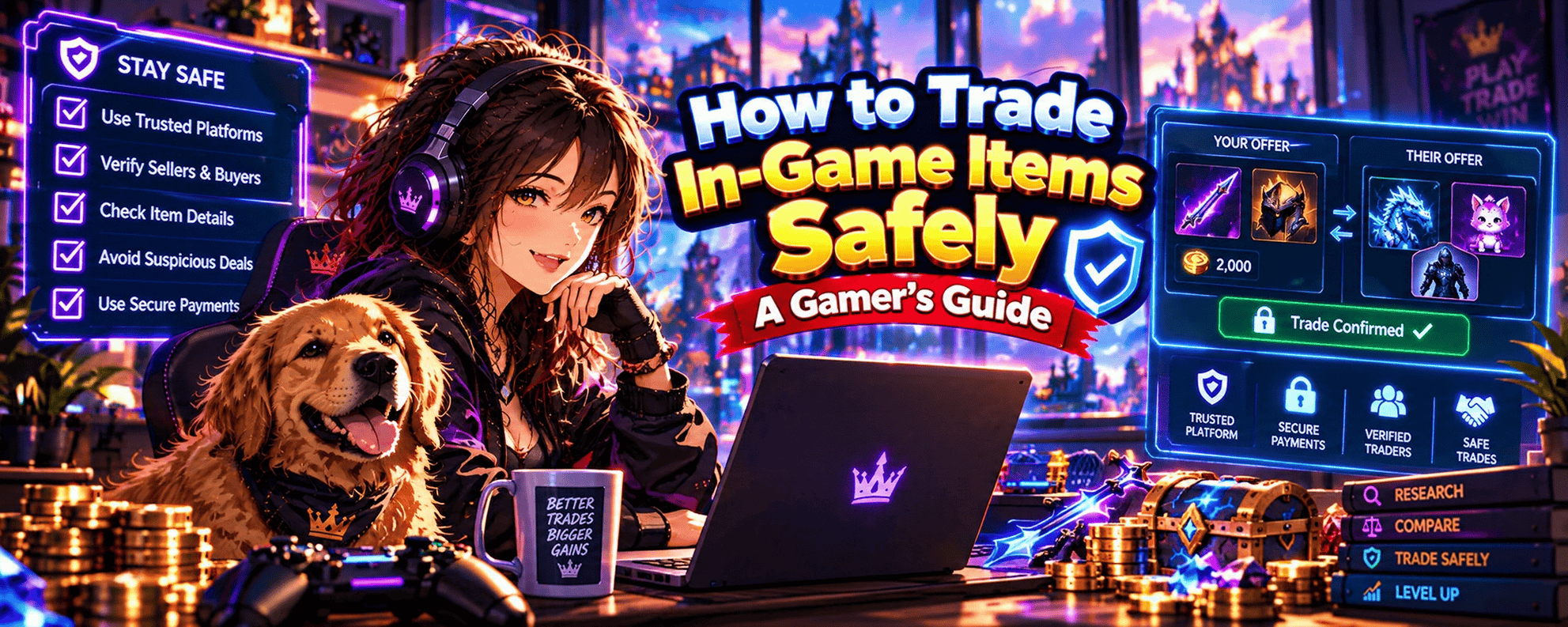
1. How to Trade In-Game Items Safely 🛡️
You’ve finally found someone willing to trade that rare CS2 skin you’ve been hunting for.
Their offer looks incredible. The item is exactly what you want, the price seems reasonable and they’re ready to complete the exchange.
There’s just one problem.
How do you know the trade is actually safe?
Whether you’re swapping weapon skins, exchanging RPG equipment or trading valuable collectibles, protecting your gaming inventory should always be a priority.
Learning how to trade in-game items safely means understanding trading systems, verifying other players, recognising scams and checking every transaction before confirming.
The good news? You don’t need to become a cybersecurity expert to protect your loot.
A few sensible precautions can make a significant difference.
🎮 What Is Safe In-Game Item Trading?
Safe in-game item trading involves exchanging eligible virtual items while taking appropriate steps to protect your account, inventory and personal information.
This means:
- Using official or game-supported trading systems.
- Checking whether items are eligible for transfer.
- Verifying the identity of trading partners.
- Researching item values before accepting offers.
- Reviewing every item in the trading interface.
- Protecting your login credentials and authentication codes.
- Following the game’s trading rules.
These precautions help reduce the risk of fraud, accidental exchanges and account compromise.
However, no trading method eliminates every possible risk.
💎 Why Is Trading Safety Important?
Virtual items can have significant value to gamers.
Some players spend hundreds of hours collecting rare equipment, building inventories or obtaining desirable cosmetics.
Others purchase eligible items through supported marketplaces.
Losing a valuable item can mean losing something that took considerable time, effort or money to acquire.
Trading risks can include:
Item Theft
A scammer may attempt to trick you into transferring valuable items without receiving the agreed exchange.
Account Compromise
Fraudulent websites or impersonators may try to obtain your login credentials.
Unfair Trades
Misleading item descriptions or valuations can result in you receiving substantially less value than expected.
Trading Restrictions
Attempting prohibited transactions can expose you to account penalties or other consequences under the game’s rules.
Payment Fraud
Where real-money transactions are permitted, fraudulent payments and disputes can create additional risks.
🔐 What Is the Safest Way to Trade In-Game Items?
For most players, the safest starting point is to use the game’s official or supported trading system.
For example:
- Counter-Strike 2: Steam provides supported inventory trading features for eligible items.
- World of Warcraft: Players can exchange eligible items through supported trading interfaces and auction-house systems.
- Path of Exile: Players can use the game’s supported trading tools to locate and exchange eligible items.
- Roblox: Eligible collectibles can be exchanged through Roblox’s official trading system, subject to account requirements.
These systems establish the rules and mechanisms for transferring supported items.
However, you still need to verify the trading partner and carefully review the exchange.
If you’re unfamiliar with how these systems operate, our How Does In-Game Item Trading Work? guide explains the different trading methods and how item exchanges are completed.
⚔️ The Five Golden Rules of Safe Item Trading
Before trading anything valuable, remember these five principles.
1. Verify Before You Trade
Check the other player’s account and confirm that you’re dealing with the intended person.
2. Understand What You’re Exchanging
Research item values, attributes and trading restrictions.
3. Use Supported Trading Systems
Avoid unusual workarounds or requests to bypass established transaction procedures.
4. Protect Your Account
Never share passwords, authentication codes or account recovery information.
5. Check Before Confirming
Review the final trade offer, even if you’ve already discussed the exchange.
🏆 Can You Trade Valuable Items Without Getting Scammed?
You can significantly reduce your exposure to common scams by following appropriate precautions.
However, no system can guarantee that every transaction will be risk-free.
The key is recognising suspicious behaviour before completing an exchange.
For example, imagine another player offers you a rare weapon skin but insists that you must first visit an unfamiliar website and enter your Steam login details.
That’s a warning sign.
A legitimate Steam trade doesn’t require you to disclose your password to another player.
🎯 The Golden Rule of Safe Trading
If you don’t understand the transaction, don’t confirm it.
Take time to check the items, the trading partner and the supported exchange process.
A good trading opportunity should still make sense after you’ve investigated it.
And if someone claims you must transfer your entire inventory to prove you’re trustworthy?
That’s probably your cue to find another trading partner.
2. How to Check Whether an In-Game Item Trade Is Legitimate 🔍
Not every trading offer is what it appears to be.
Some players genuinely want to exchange equipment or cosmetics.
Others may exaggerate item values, misrepresent trading conditions or attempt to move the transaction outside supported systems.
Before accepting an offer, it’s worth asking a simple question:
Is this a legitimate trade involving eligible items, a genuine trading partner and an appropriate exchange process?
Here’s how to find out.
🎮 Step 1: Confirm That the Item Is Tradable
Start by checking whether the item can legally and technically be transferred under the game’s rules.
Some items are:
- Freely tradable through supported systems.
- Account-bound.
- Character-bound.
- Temporarily trade-locked.
- Restricted to particular players or game modes.
- Eligible only for specific marketplaces.
For example, certain World of Warcraft equipment becomes bound after being equipped.
Similarly, Steam inventory items may have temporary trading restrictions.
If the item cannot be transferred through the proposed method, the trade may be impossible or prohibited.
Our Tradable vs Non-Tradable In-Game Items guide explains how item eligibility works across different games.
🔍 Step 2: Check the Exact Item Details
Never rely entirely on the item name.
Two items with similar names can have significantly different values.
For example, CS2 skins may differ according to:
- Wear classification.
- Float value.
- Pattern.
- Special characteristics.
- Collector demand.
RPG equipment can vary according to damage, modifiers, item level and other attributes.
Ask for the relevant item details and verify them through the supported trading interface wherever possible.
💰 Step 3: Research the Item’s Approximate Value
An attractive offer isn’t necessarily a legitimate one.
Imagine someone claims their weapon skin is worth $200, but comparable items are commonly listed for approximately $40.
That difference deserves investigation.
Check relevant market evidence, including recent completed sales where available.
Don’t assume that the highest advertised listing represents an item’s actual value.
An asking price is simply what a seller hopes to receive.
🤝 Step 4: Confirm the Trading Partner’s Identity
Make sure the person you’re negotiating with is the same account that appears in the trading interface.
This is especially important when communicating through Discord, forums or other gaming communities.
Scammers sometimes copy usernames and profile pictures to impersonate legitimate players.
Check account identifiers through official platform features rather than relying on appearance alone.
🔐 Step 5: Verify the Trading Method
Ask how the transaction will be completed.
A legitimate exchange should use a method supported or permitted by the relevant game and platform.
Be cautious if someone insists that you:
- Transfer items before receiving anything.
- Share account credentials.
- Use an unfamiliar authentication website.
- Send items to a supposed administrator.
- Disable account security features.
- Bypass normal trading restrictions.
These requests may indicate fraud.
⚠️ Step 6: Look for Suspicious Behaviour
Common warning signs include:
Unrealistic Offers
Someone promises a highly valuable item in exchange for something worth substantially less, without a credible explanation.
Artificial Urgency
The other player insists that you accept immediately.
Changing Trade Conditions
The agreed items or payment terms change unexpectedly.
Unusual Verification Requests
You’re asked to prove ownership by transferring items or disclosing account information.
Unsupported Payment Arrangements
Someone requests payment through a method that doesn’t comply with the game’s or marketplace’s rules.
No single warning sign proves that someone is a scammer.
However, several warning signs together are a strong reason to stop and investigate.
📊 Legitimate Trade vs Suspicious Trade
| Trading Feature | More Reassuring | Warning Sign |
|---|---|---|
| Item Eligibility | Confirmed through game rules | Item cannot be transferred |
| Item Details | Exact attributes available | Vague or inconsistent description |
| Trading Partner | Identity independently verified | Copied or misleading profile |
| Trading Method | Supported and permitted | Unusual external process |
| Account Security | Credentials remain private | Password or code requested |
| Trade Confirmation | Time to review everything | Pressure to accept immediately |
| Item Value | Supported by market evidence | Unsupported exaggerated claims |
🛡️ Step 7: Know When to Walk Away
You don’t have to complete every trade you negotiate.
Cancel or decline if:
- The offer no longer matches your agreement.
- You cannot verify important item details.
- The trading method appears unsupported.
- The other player requests sensitive account information.
- You’re uncomfortable with the transaction.
There will usually be other opportunities to find desirable items.
🎯 The Golden Rule of Verifying a Trade
A legitimate trade should make sense before you accept it—not just after someone promises everything will work out.
Verify the item, the player and the process.
If any of those elements remain unclear, investigate further.
Your rare loot isn’t going to complain if you spend another five minutes checking the details.
3. How to Verify an In-Game Item Trading Partner 🤝
You’ve found someone offering exactly the item you want.
Their profile looks impressive.
They have a rare inventory, an established username and a few positive comments from other players.
Does that mean they’re trustworthy?
Not necessarily.
Scammers can create convincing profiles, impersonate legitimate traders and use misleading reputation claims to encourage players to accept risky exchanges.
Verifying a trading partner means checking that you’re dealing with the intended account and evaluating whether their behaviour supports a legitimate transaction.
Let’s explore how to do that.
🎮 1. Check the Player’s Actual Account
Start with the account you’re trading with.
Depending on the platform, you may be able to review:
- Account identifiers.
- Profile information.
- Public inventory details.
- Account history.
- Available trading information.
- Relevant platform restrictions.
These details can provide useful context.
However, an established account isn’t automatically trustworthy.
Compromised accounts can also be used to approach other players.
🎭 2. Watch Out for Impersonation
Impersonation is a common tactic in gaming scams.
For example, a scammer might copy the username and profile picture of a respected trader.
They could then contact you through Discord and claim to be that person.
The profile might look identical at first glance.
But the underlying account identifier could be different.
How to protect yourself:
- Open the player’s profile through the official platform.
- Check the actual account identifier where available.
- Avoid trusting screenshots as proof of identity.
- Verify that the account sending the trade offer is the intended account.
A familiar username isn’t enough.
🔍 3. Review Trading History Where Available
Some platforms or marketplaces provide information about previous transactions.
This might include:
- Completed transaction counts.
- Seller feedback.
- Public reviews.
- Account activity.
- Marketplace reputation indicators.
These can help you assess a trading partner.
However, reputation information can be manipulated.
Fake reviews, coordinated feedback and compromised accounts can create a misleading impression.
Treat reputation as one piece of evidence rather than a guarantee.
💎 4. Check Whether Their Inventory Matches the Offer
Where the platform permits inventory inspection, confirm that the player appears to possess the item they’re offering.
For example, if someone claims to own a particular CS2 skin, the supported inventory or trade interface may help you verify the item.
However, inventory visibility varies by platform and privacy settings.
A private inventory doesn’t automatically indicate fraud.
The most important check is whether the correct eligible item appears in the actual trade offer.
💬 5. Evaluate How the Player Communicates
A legitimate trader should generally be able to explain the proposed exchange clearly.
Watch for behaviour such as:
- Refusing to clarify item details.
- Repeatedly changing the agreement.
- Pressuring you to hurry.
- Insisting on unusual verification steps.
- Sending suspicious login links.
- Requesting passwords or authentication codes.
Good communication doesn’t prove someone is trustworthy.
But evasive or manipulative behaviour is a reason to be cautious.
🛒 6. Understand Marketplace Seller Verification
When purchasing an item through a marketplace, you may have access to additional seller information.
Depending on the platform, this might include:
- Seller ratings.
- Verified transaction history.
- Listing accuracy.
- Account status.
- Dispute procedures.
- Delivery requirements.
Check which protections the marketplace actually provides.
Don’t assume that every platform verifies sellers or guarantees transactions.
Our upcoming How to Choose a Trusted In-Game Item Seller guide will explore seller credibility and marketplace evaluation in greater detail.
🔐 7. Be Careful With Supposed Middlemen
A middleman is a third party who claims to help coordinate an exchange.
Some scammers impersonate moderators, administrators or trusted community members and offer to hold items during a trade.
For example:
Send your skin to our verified middleman first. They’ll release the other player’s item once everything is confirmed.
That arrangement can leave you vulnerable if the middleman is fraudulent.
Don’t transfer items to an unsolicited third party simply because someone claims they’re trusted.
Where a marketplace offers an official transaction process, follow its documented procedures rather than relying on informal arrangements.
📊 Trading Partner Verification Checklist
| What to Check | Why It Matters |
|---|---|
| Account Identity | Helps prevent impersonation |
| Actual Trade Offer | Confirms which account and items are involved |
| Item Details | Reduces the risk of misleading descriptions |
| Trading Reputation | Provides context where reliable information exists |
| Communication | Helps identify suspicious requests |
| Trading Method | Confirms the proposed exchange is supported |
| Account Security Requests | Helps detect phishing or credential theft |
⚠️ Can You Trust a Player With Thousands of Followers?
Not automatically.
Follower counts, profile comments and community popularity can be misleading.
An account may have purchased followers, accumulated fake comments or been compromised.
Likewise, a newer player isn’t necessarily dishonest.
Focus on verifying the transaction rather than making assumptions based on popularity.
🏆 What Makes a Trading Partner More Credible?
Positive indicators may include:
- Clear and consistent item information.
- A verifiable account identity.
- Willingness to use supported trading systems.
- Reasonable time for reviewing the exchange.
- No requests for sensitive credentials.
- Relevant transaction history where available.
None of these guarantees a successful trade.
Together, however, they can help you make a more informed decision.
🎯 The Golden Rule of Trading Partner Verification
Verify the account you’re actually trading with, not just the person they claim to be.
A convincing profile picture and a familiar username aren’t substitutes for checking the real account.
Especially when the supposed trading legend you’ve been speaking to suddenly asks you to send your entire inventory to their “backup account”.
4. How to Use Secure In-Game Trading Systems 🔐
You’ve checked the item.
You’ve verified the trading partner.
You’ve agreed on the exchange.
Now comes the most important part: completing the transaction.
Even when both players appear legitimate, mistakes can happen if you don’t understand the trading interface.
Using a secure trading system means following the game’s supported exchange process, reviewing the exact transaction and completing the required authentication steps.
Let’s look at how to do that properly.
🎮 1. Start With the Game’s Official Trading Features
Whenever possible, begin with the trading features provided or supported by the game.
Examples include:
Steam Trading
Eligible CS2 inventory items can be exchanged through Steam trade offers.
World of Warcraft
Eligible items can be exchanged through supported player trading interfaces and auction-house transactions.
Path of Exile
Players can use supported trading tools and relevant exchange systems to trade eligible equipment and resources.
Roblox
Eligible Limited and Limited U collectibles can be traded through Roblox’s official trading system, subject to platform requirements.
These systems provide established methods for processing supported item transfers.
However, they don’t remove the need to verify the other player and the transaction details.
🔍 2. Open the Trading Interface Yourself
Where possible, navigate to the game’s trading features directly.
Avoid relying on unfamiliar links sent through chat.
For example, if someone sends you a link claiming that you must sign into a special website to complete a Steam trade, don’t assume it’s legitimate.
Instead, access Steam through its official application or known website.
This reduces the risk of being redirected to a fraudulent login page.
📦 3. Confirm the Correct Items Are Included
Before accepting an exchange, inspect everything in the trade window.
Check:
- Item names.
- Quantities.
- Rarity.
- Condition.
- Relevant attributes.
- Additional currencies.
- The other player’s account.
For example, two CS2 skins might look similar but have different wear classifications or patterns.
Likewise, two RPG weapons might share a name but have different modifiers.
Don’t assume the item is correct based on its appearance alone.
⚔️ 4. Understand How Trade Confirmations Work
Trading systems may require one or more confirmation steps.
Depending on the platform, these might include:
- Reviewing the offer.
- Accepting the proposed exchange.
- Confirming through an authentication application.
- Waiting for an applicable trade hold.
- Completing additional account security checks.
These requirements vary.
For Steam, some transactions may require confirmation through Steam Guard or other supported security features.
Never share authentication codes with another player.
A legitimate trading partner doesn’t need your password to receive an eligible trade offer.
🔐 5. Understand Trade Holds and Restrictions
Some platforms delay or restrict item transfers under certain conditions.
For example, Steam may impose trade holds or temporary restrictions depending on security settings and item eligibility.
These restrictions are part of the platform’s trading rules.
Don’t attempt to bypass them through suspicious websites or unsupported transfers.
If an item is temporarily unavailable, check the platform’s official information.
💰 6. Know the Difference Between Trading and Purchasing
Direct item exchanges and marketplace purchases aren’t always processed the same way.
For example:
Direct Steam Trade
Two users exchange eligible inventory items through Steam’s trading system.
Steam Community Market Purchase
A buyer purchases an eligible item using Steam Wallet funds.
These are different transaction mechanisms.
Likewise, buying an item through a third-party marketplace may involve payment and delivery arrangements separate from the game’s official trading interface.
Before proceeding, understand which process applies.
For more information about purchasing precautions, see our How to Buy In-Game Items Safely guide.
🌐 7. Be Careful With Third-Party Trading Platforms
Some independent marketplaces facilitate transactions involving gaming items.
However, their procedures and protections vary.
Before using one, investigate:
- Whether the game permits the proposed transaction.
- How the item will be transferred.
- Whether payment arrangements are clearly explained.
- What fees apply.
- Whether dispute procedures exist.
- How account information is handled.
Avoid platforms that require you to disclose passwords or bypass account security.
A marketplace’s existence doesn’t automatically mean every advertised transaction is authorised by the game.
📊 Secure Trading Methods Compared
| Trading Method | Main Safety Consideration |
|---|---|
| Official Player Trading | Verify the partner and final offer |
| In-Game Auction House | Confirm listing details and pricing |
| Official Marketplace | Review account security and transaction rules |
| Supported Trading Website | Verify the correct game, item and exchange process |
| Third-Party Marketplace | Check permissions, credibility and transaction protections |
| Informal Community Arrangement | Avoid unsupported transfers and unverified intermediaries |
👀 8. Review the Final Offer Before Confirming
This is one of the most important habits in safe trading.
Even if you’ve already negotiated the exchange, review the final transaction.
Imagine you agreed to trade:
Your Offer:
- One rare sword.
- 100 crafting materials.
Their Offer:
– One rare staff.
Before confirming, check that the trading interface contains those exact items and quantities.
If the other player changes the offer, inspect it again.
Don’t assume the original agreement still applies.
🛡️ 9. Complete the Required Authentication
Follow the platform’s official authentication process.
For example, you may need to approve a trade through an account security application.
Check that the confirmation corresponds to the transaction you intended.
Be suspicious of unexpected authentication requests.
If you’re not attempting a login or trade, don’t approve a request simply because someone tells you to.
📦 10. Confirm the Transaction Completed Correctly
After the trade, inspect your inventory.
Check whether the agreed items have arrived and whether the relevant transaction status shows completion.
Where available, retain transaction records.
If something appears incorrect, consult the platform’s official support resources.
Don’t trust unsolicited messages claiming to be support staff who can recover your items in exchange for a fee or account credentials.
🏆 Secure Trading Checklist
Before completing a trade:
- Confirm the game supports the transaction.
- Verify the trading partner’s actual account.
- Check item eligibility and restrictions.
- Use the appropriate trading interface.
- Inspect every item and quantity.
- Review any fees or additional currency.
- Complete authentication through official channels.
- Confirm the final transaction.
- Check your inventory afterwards.
🎯 The Golden Rule of Secure Trading Systems
Use the supported trading process, verify the exact exchange and never approve a transaction you don’t recognise.
Trading interfaces are designed to facilitate exchanges, but you still need to pay attention.
A few seconds spent checking the final offer can prevent an expensive mistake.
Because nothing ruins a successful gaming session quite like discovering you’ve traded your legendary weapon for something that belongs in the tutorial zone.
5. The Most Common In-Game Item Trading Scams ⚠️
Imagine spending months collecting rare skins, powerful weapons and valuable gaming items, only to lose them in a trade that looked completely legitimate.
Unfortunately, scammers know that gamers invest significant time and money into their inventories.
And they’re constantly finding new ways to exploit that.
From fake Steam trade offers to impersonated marketplace representatives, item trading scams can be surprisingly convincing.
Understanding the most common in-game item trading scams is one of the best ways to protect your inventory and avoid costly mistakes.
Let’s explore the tactics you should recognise before accepting your next trade.
🎭 1. Item Switching Scams
Item switching happens when a scammer changes the contents of a trade offer, hoping you won’t notice.
For example, you’ve agreed to exchange your valuable CS2 skin for another player’s rare weapon skin.
Initially, the correct item appears in the trade.
But before confirmation, the other player substitutes a similar-looking skin with a lower value.
If you accept without reviewing the final offer, you could lose significantly more than you receive.
How to avoid it:
- Inspect the exact item before confirming.
- Check condition, pattern and other relevant attributes.
- Review the offer again if anything changes.
- Cancel if the exchange no longer matches your agreement.
Never assume the item displayed earlier is still the item being offered.
🤝 2. Fake Middleman Scams
A middleman is someone who claims to coordinate a transaction between two players.
Scammers sometimes impersonate trusted community members or marketplace representatives and offer to hold valuable items while the exchange takes place.
For example:
I’ll hold your skin while the other player sends payment. Once everything is confirmed, I’ll release it.
The problem?
The supposed middleman may simply disappear with your item.
How to avoid it:
Use supported trading systems and documented marketplace transaction procedures.
Don’t send items to an unsolicited third party based on claims that they’re a trusted administrator.
🔗 3. Phishing and Fake Login Scams
Phishing scams attempt to steal account credentials through fraudulent websites or messages.
A scammer might send you a link claiming you need to:
- Verify your Steam inventory.
- Confirm your account ownership.
- Check a skin’s market value.
- Unlock a trading restriction.
- Complete an additional security check.
The website may look similar to a legitimate gaming service.
However, entering your credentials could compromise your account.
How to avoid it:
Navigate directly to official websites and applications.
Never enter your password or authentication codes into an unfamiliar page simply because another player sent you a link.
🎮 4. Steam Trade Offer Impersonation
Steam trading scams sometimes involve impersonating legitimate players or manipulating the circumstances around a trade offer.
For example, a scammer might use an account with a similar name and profile picture to your intended trading partner.
You believe you’re sending your item to the correct person.
But the offer actually involves a different account.
How to avoid it:
Verify the recipient’s actual Steam account identity.
Don’t rely on profile pictures, display names or screenshots.
Check the account and items shown in the official trade confirmation.
💰 5. Fake Item Valuation Scams
Some scammers deliberately exaggerate an item’s value.
Imagine someone offers you a supposedly rare cosmetic worth $300 in exchange for your $150 skin.
Sounds like a bargain.
But after researching comparable transactions, you discover that the offered cosmetic typically sells for considerably less.
The scam relies on you accepting the other player’s valuation without checking.
How to avoid it:
Research prices independently.
Compare items with matching attributes and consider recent completed sales where available.
Be cautious of unsupported claims about rarity or future price increases.
🎁 6. Fake Giveaways and Free Item Scams
Who doesn’t like free loot?
Scammers know that giveaways attract attention, particularly when rare skins or valuable collectibles are involved.
A fraudulent giveaway might claim you’ve won an expensive item but need to complete a verification step.
That step could involve visiting a phishing website or transferring items to another account.
How to avoid it:
Verify giveaways through official sources.
Never disclose credentials or transfer valuable items to claim a supposed prize.
💳 7. Fake Payment Confirmation Scams
Where real-money item sales are permitted, scammers may attempt to convince sellers that payment has been completed when it hasn’t.
They might provide:
- Edited payment screenshots.
- Fake confirmation emails.
- Fabricated transaction references.
- Messages claiming funds are pending.
The seller transfers the item but never receives valid payment.
How to avoid it:
Verify payment through the actual payment provider or marketplace account.
Don’t rely on screenshots or messages from the buyer.
Also understand that some payment methods can involve disputes or reversals even after an initial payment appears successful.
🔐 8. Account Verification Scams
A scammer may claim to be a platform employee or security representative.
They might tell you that your inventory is at risk and must be transferred to a supposedly secure account.
For example:
Your account has been flagged. Move your skins to our verification account immediately to prevent a ban.
This is a major warning sign.
How to avoid it:
Use official support channels directly.
Never transfer items or disclose credentials because someone contacts you claiming to represent a gaming platform.
⏳ 9. Pressure and Urgency Scams
Some scammers create artificial deadlines.
They might claim:
- The trade expires in two minutes.
- Another buyer is waiting.
- The price will double tomorrow.
- You must accept immediately to secure the deal.
The goal is to prevent you from checking the details.
How to avoid it:
Take the time you need.
A legitimate opportunity doesn’t justify ignoring security precautions.
📦 10. Trust Trading Scams
Trust trading involves transferring something first based on a promise that the other player will provide payment or another item later.
For example:
Send me your rare skin first. I’ll send you two skins once I receive it.
If the other player disappears, you may have little recourse.
How to avoid it:
Prefer supported exchange systems where both sides of the transaction can be reviewed.
Avoid unsupported arrangements that require you to surrender valuable items based entirely on trust.
📊 Common Trading Scams at a Glance
| Scam Type | How It Works | Main Precaution |
|---|---|---|
| Item Switching | Replaces the agreed item | Review final trade contents |
| Fake Middleman | Third party steals transferred items | Avoid unsolicited intermediaries |
| Phishing | Steals account credentials | Use official login pages |
| Impersonation | Copies a legitimate player’s identity | Verify actual account identifiers |
| Fake Valuation | Exaggerates an item’s worth | Research comparable prices |
| Fake Giveaway | Uses prizes to obtain items or credentials | Verify promotions independently |
| Fake Payment | Claims payment without valid funds | Verify through the payment provider |
| Account Verification | Impersonates support staff | Contact official support directly |
| Urgency Scam | Pressures immediate acceptance | Take time to investigate |
| Trust Trading | Promises payment or items later | Use supported exchange systems |
🏆 What Do Most Trading Scams Have in Common?
Although the methods differ, many trading scams rely on similar tactics.
They try to make you:
- Trust an unverified person.
- Ignore suspicious details.
- Reveal sensitive account information.
- Accept an exchange too quickly.
- Transfer items outside a supported process.
Recognising these patterns makes it easier to identify new variations of familiar scams.
🎯 The Golden Rule of Avoiding Trading Scams
Never transfer valuable items or disclose account credentials based solely on another player’s promises.
Verify the transaction through the relevant platform.
And remember, if someone offers you a legendary skin in exchange for temporarily borrowing your entire inventory, you’ve probably found a scam rather than a generous collector.
6. How to Spot Fake In-Game Item Trading Websites 🌐
You’ve found a trading website advertising the exact skin you’ve been searching for.
The design looks professional.
There are item listings, prices, user profiles and what appears to be a secure login system.
Everything seems legitimate.
But appearances can be misleading.
Fraudulent gaming websites can imitate genuine marketplaces, trading tools and account login pages.
Learning how to identify suspicious trading websites helps protect your gaming account, inventory and payment information.
🎮 Why Do Scammers Create Fake Trading Websites?
Fraudulent websites are commonly designed to:
- Steal account credentials.
- Capture authentication information.
- Obtain payment details.
- Redirect users to malicious services.
- Trick players into approving unwanted transactions.
- Encourage transfers to fraudulent accounts.
Some sites imitate well-known gaming platforms.
Others pretend to offer exclusive trading tools or unusually cheap items.
🔍 1. Check the Website Address Carefully
Start by examining the full domain name.
Scammers sometimes register domains that resemble legitimate websites.
For example, a fraudulent domain might contain:
- Extra letters.
- Misspellings.
- Unusual subdomains.
- Additional words.
- Lookalike characters.
A website might display a familiar logo while operating from a completely unrelated domain.
What to do:
Navigate to the official platform independently using a known address, bookmark or trusted source.
Don’t assume a website is legitimate simply because its name resembles a familiar service.
🔐 2. Don’t Assume HTTPS Means a Website Is Trustworthy
Many websites use HTTPS encryption.
That’s important for protecting information in transit.
However, HTTPS doesn’t prove that a website operator is legitimate.
Fraudulent websites can also obtain valid HTTPS certificates.
A padlock or secure connection is not proof that a trading website is safe.
You still need to verify the domain and the service behind it.
🎭 3. Watch for Fake Steam Login Pages
Some fraudulent trading websites imitate Steam’s sign-in interface.
They may claim that you need to log in to:
- Check your inventory.
- Verify an item.
- Confirm a trade.
- Receive a giveaway.
- Unlock a marketplace feature.
The page may closely resemble Steam’s genuine authentication interface.
However, entering your credentials into a fraudulent page could compromise your account.
What to do:
Access Steam directly through its official website or application.
If a third-party service requests Steam authentication, verify the service and ensure any authentication process genuinely uses Steam’s official systems.
Never provide your password to another player or marketplace representative.
💰 4. Be Suspicious of Unrealistic Prices
An item listed significantly below its typical market value deserves additional investigation.
For example, imagine a website advertises a desirable CS2 skin for $20 when comparable legitimate listings are substantially higher.
That doesn’t automatically prove fraud.
However, it raises an obvious question.
Why is the item being offered so cheaply?
Scammers sometimes use unrealistic prices to attract visitors and encourage quick payments or account logins.
📊 5. Check the Website’s Reputation
Look for independent information about the platform.
Useful checks include:
- Established operating history.
- Independent user experiences.
- Clearly identified business information.
- Transparent transaction procedures.
- Published terms and policies.
- Accessible support channels.
Be cautious about relying exclusively on testimonials displayed on the website itself.
Those reviews may not be independently verified.
💳 6. Examine Payment and Transaction Procedures
A legitimate marketplace should clearly explain how transactions work.
Before purchasing or trading, investigate:
- Supported payment methods.
- Applicable fees.
- Item delivery procedures.
- Refund or dispute policies.
- Seller requirements.
- Transaction restrictions.
Be cautious if a website demands payment through an unusual method without explaining the transaction process.
And remember that payment methods with limited buyer protection can create additional risks.
📱 7. Watch for Suspicious Authentication Requests
Unexpected authentication requests can indicate account compromise or fraudulent activity.
For example, you might receive a login approval notification even though you’re not attempting to sign in.
Never approve an authentication request you don’t recognise.
Likewise, don’t provide authentication codes to someone who contacts you through Discord, email or a trading chat.
⚠️ 8. Check for Common Website Warning Signs
Potential warning signs include:
Poorly Explained Trading Procedures
The website doesn’t clearly explain how items are exchanged.
Unverifiable Claims
It advertises guaranteed profits, unlimited free items or impossible trading benefits.
Suspicious Login Requirements
You’re asked to enter credentials outside the relevant official authentication system.
Unclear Business Information
There is little information about the platform operator or its policies.
Pressure to Act Immediately
The website uses aggressive countdowns or threats to rush transactions.
Unusual Download Requests
You’re instructed to install unknown software to complete an ordinary item trade.
No single factor establishes that a website is fraudulent, but multiple warning signs warrant caution.
🛡️ What Should You Do if You Visit a Suspicious Trading Website?
If you haven’t entered any information, leave the site and avoid downloading anything.
If you’ve entered account credentials:
- Navigate directly to the official gaming platform.
- Change your password using its official security settings.
- Review active sessions and sign out of unfamiliar devices where supported.
- Check your authentication settings.
- Review recent account and trading activity.
- Follow the platform’s official account recovery guidance if necessary.
If you’ve approved suspicious transactions or disclosed payment details, additional steps may be required through the relevant platform or payment provider.
🏆 The Golden Rule of Trading Websites
Verify the website before signing in, paying or connecting your gaming account.
A professional-looking design doesn’t guarantee legitimacy.
Scammers can copy logos and interfaces.
But taking a moment to verify the actual service can help prevent your inventory from becoming someone else’s loot drop.
7. How to Protect Your Gaming Account When Trading 🎮
Your gaming account is more than just a username.
It may contain years of progress, valuable items, purchased content, friends lists and access to multiple games.
For some players, the inventory alone represents a considerable investment of time and money.
That’s why account security is such an important part of safe item trading.
Protecting your gaming account means securing your login credentials, using appropriate authentication features and recognising suspicious account activity.
Here are the most important precautions.
🔐 1. Use a Strong, Unique Password
Your gaming account should have a password that isn’t reused across other services.
If you use the same password for gaming, email and unrelated websites, a breach of one service could expose multiple accounts.
A password manager can help generate and store strong, unique passwords.
Avoid sharing passwords with friends, trading partners or anyone claiming to represent a marketplace.
📱 2. Enable Multi-Factor Authentication
Multi-factor authentication adds an additional verification step when accessing an account.
Depending on the platform, this may involve:
- An authentication application.
- A security key.
- A platform-specific authenticator.
- Another supported verification method.
For example, Steam offers Steam Guard security features.
Enabling appropriate authentication can make unauthorised account access more difficult.
However, authentication is not a substitute for recognising phishing attempts.
🔫 3. Understand Steam Guard
Steam Guard helps protect Steam accounts through supported authentication and security features.
Depending on your configuration, it may also be involved in trade confirmations.
For CS2 traders, protecting Steam access is particularly important because eligible skins and inventory items are associated with Steam accounts.
Before approving a confirmation, check that it corresponds to an action you actually initiated.
Don’t approve unexpected requests.
📧 4. Secure Your Email Account
Your email account may be used for password resets, security notifications and account recovery.
If someone compromises your email, they may attempt to access other connected accounts.
Protect your email with:
- A unique password.
- Multi-factor authentication.
- Up-to-date recovery information.
- Regular security reviews.
Treat your email account as part of your gaming security.
🔗 5. Avoid Suspicious Links
Trading communities often involve sharing links to profiles, item listings and marketplaces.
However, malicious links can lead to fraudulent login pages or other harmful content.
Be especially cautious about links sent by unfamiliar players.
Navigate to official platforms independently when possible.
💻 6. Keep Your Devices and Software Updated
Outdated software can contain security vulnerabilities.
Keep your operating system, browser, gaming client and security software updated.
Avoid downloading unofficial trading tools or browser extensions from unknown sources.
A tool promising free skins or automatic profits may create more problems than it solves.
👀 7. Review Account Activity
Where supported, regularly inspect:
- Recent logins.
- Active sessions.
- Connected applications.
- Trade history.
- Security notifications.
- Unrecognised account changes.
Unexpected activity can indicate that someone else has accessed your account.
If you notice suspicious behaviour, follow the platform’s official security procedures.
🛡️ 8. Be Careful With Third-Party Applications
Some legitimate services integrate with gaming platforms.
However, you should understand what access you’re granting.
Before authorising an application:
- Verify the service.
- Review the requested permissions.
- Check whether the integration is necessary.
- Avoid granting unnecessary access.
- Remove unfamiliar or unused connections where supported.
Don’t assume that every application using a familiar gaming logo is officially endorsed.
🚫 9. Never Share Authentication Codes
This rule deserves particular attention.
Never give another player:
- Your account password.
- Authentication codes.
- Recovery codes.
- Session credentials.
- Account recovery information.
Legitimate trading partners do not need these details to complete ordinary supported trades.
Be suspicious of anyone claiming that sharing a code is required to verify item ownership.
📦 10. Protect Valuable Inventories
If you regularly trade high-value items, consider adopting additional precautions.
For example:
- Review transactions carefully.
- Keep records of valuable items.
- Avoid unnecessary third-party integrations.
- Verify recipients before sending offers.
- Use the platform’s supported security features.
- Stay informed about current trading restrictions.
The more valuable your inventory becomes, the more important consistent security habits are.
📊 Gaming Account Security Checklist
| Security Measure | Why It Matters |
|---|---|
| Unique Password | Reduces exposure from password reuse |
| Multi-Factor Authentication | Adds protection against unauthorised access |
| Secure Email Account | Protects recovery and notification channels |
| Official Login Methods | Reduces phishing exposure |
| Updated Software | Addresses known security vulnerabilities |
| Session Reviews | Helps identify unfamiliar account access |
| Permission Reviews | Limits unnecessary third-party access |
| Trade Confirmations | Helps prevent unintended transfers |
⚠️ What Are the Signs of a Compromised Gaming Account?
Potential warning signs include:
- Unexpected login notifications.
- Unrecognised authentication requests.
- Missing inventory items.
- Trade offers you didn’t create.
- Changes to account settings.
- Unknown connected applications.
- Password reset messages you didn’t request.
If you notice these signs, secure your account immediately using the platform’s official procedures.
🏆 The Golden Rule of Gaming Account Security
Protect your account credentials as carefully as you protect your most valuable items.
A rare skin might be worth hundreds of dollars.
But losing access to an account containing years of gaming progress can be far more frustrating.
And no legendary loot is worth handing over your password.
8. How to Check Item Values Before Accepting a Trade 💰
You’ve found a player offering an unusual cosmetic in exchange for your rare weapon skin.
They claim their item is worth twice as much as yours.
Sounds like an easy win.
But how do you know their valuation is accurate?
Misleading item prices are a common source of unfair trades.
Sometimes players deliberately exaggerate values.
Other times, both players simply misunderstand the market.
Checking item values before trading helps you understand what you’re giving away, what you’re receiving and whether the exchange makes sense.
🔍 1. Research Comparable Item Prices
Start by finding comparable items through relevant trading systems or marketplaces.
Look for items with matching characteristics.
For example, if you’re trading a CS2 skin, compare:
- The same weapon and skin.
- The same wear classification.
- Relevant float values.
- Relevant patterns.
- Special characteristics.
Comparing your item against a significantly different variation can produce misleading results.
📊 2. Compare Asking Prices With Completed Sales
An advertised price doesn’t necessarily represent what an item is worth.
A seller can list an item at almost any permitted asking price.
That doesn’t mean buyers are willing to pay it.
Where available, recent completed transactions can provide useful evidence of actual market activity.
For example:
| Listing or Transaction | Price |
|---|---|
| Seller A Asking Price | $120 |
| Seller B Asking Price | $115 |
| Seller C Asking Price | $110 |
| Recent Completed Sale | $95 |
| Another Completed Sale | $98 |
Hypothetical example using USD.
Although advertised prices range from $110 to $120, recent completed sales suggest that buyers may currently be paying closer to $95–$98.
However, you should still consider item attributes, transaction timing and market conditions.
💎 3. Understand How Rarity Affects Value
Rare items can attract strong demand.
However, rarity alone doesn’t guarantee a high price.
For example, an extremely rare cosmetic with little collector interest may be less valuable than a more common item that many players want.
Consider both supply and demand.
⚔️ 4. Check Gameplay Attributes
For functional equipment, item attributes can significantly influence value.
Examples include:
- Weapon damage.
- Critical strike modifiers.
- Attack speed.
- Defensive statistics.
- Item level.
- Build compatibility.
- Upgrade potential.
A rare weapon with undesirable modifiers may have limited demand.
Meanwhile, a less rare item with excellent attributes might be highly sought after.
💰 5. Calculate the Combined Value of Each Trade Offer
When exchanging multiple items, estimate the total value of both sides.
Imagine a hypothetical trade involving three items.
Player A Offers:
- Rare skin: $80.
- Collectible item: $25.
Player B Offers:
– Rare weapon skin: $100.
| Trade Offer | Estimated Value |
|---|---|
| Player A – Rare Skin | $80 |
| Player A – Collectible | $25 |
| Player A Total | $105 |
| Player B – Weapon Skin | $100 |
| Player B Total | $100 |
Values are illustrative and assume comparable valuation methods.
Player A is offering approximately $5 more in estimated market value.
That doesn’t automatically make the exchange unfair.
Both players may still consider it worthwhile.
However, the calculation helps make the difference clear.
🔐 6. Consider Trading Restrictions
An item’s market value may be influenced by whether it can be transferred.
For example, an item subject to a temporary trade lock may not be immediately available for exchange.
Other items may have account or marketplace restrictions.
Always check eligibility before treating an advertised value as relevant to your proposed transaction.
📈 7. Watch for Price Manipulation
Some markets have limited trading activity.
In these situations, unusual listings or isolated transactions can create misleading impressions of value.
For example, a seller might advertise an obscure collectible at an extremely high price and claim that it represents the normal market value.
Be cautious when:
- Very few comparable sales exist.
- Asking prices differ dramatically.
- A seller relies on one unusual transaction.
- Market activity appears limited.
- The item has unclear attributes.
Research multiple sources where possible.
🛒 8. Compare Prices Across Relevant Marketplaces
Where permitted and available, comparing prices across different marketplaces can help you understand an item’s value.
However, marketplaces may use different currencies, fees and transaction systems.
For example, Steam Community Market prices involve Steam Wallet funds, which generally cannot be withdrawn directly as cash.
Those prices shouldn’t automatically be treated as equivalent to withdrawable cash prices on another marketplace.
💎 9. Don’t Confuse Personal Value With Market Value
An item may be particularly valuable to you because of its appearance, usefulness or sentimental significance.
That doesn’t necessarily mean other players will pay the same amount.
Likewise, a player might willingly accept a slightly lower-value item because it completes their collection.
Personal preferences matter, but market research helps you understand the trade-off.
🔍 10. Use a Consistent Valuation Method
When comparing two sides of a trade, use a consistent approach.
For example:
- Identify the exact items.
- Check comparable market evidence.
- Account for relevant attributes.
- Use the same currency or clearly defined conversion basis.
- Consider transaction fees where applicable.
- Calculate the combined estimated values.
- Decide whether the exchange meets your goals.
Our How to Check What an In-Game Item Is Worth guide explores item valuation in greater detail.
⚠️ Warning Signs of Misleading Item Values
Be cautious when another player:
- Claims an item is worth far more than available market evidence suggests.
- Refuses to provide exact item details.
- Uses unrelated items as price comparisons.
- Insists that a single listing proves market value.
- Promises guaranteed future price increases.
- Pressures you to trade before researching.
These warning signs don’t always indicate deliberate fraud, but they justify further investigation.
🏆 Should You Always Trade for Equal Market Value?
Not necessarily.
Sometimes a slightly lower-value item is more useful or desirable.
For example, a player might willingly trade an expensive sword for a staff that better suits their character.
The important thing is understanding the approximate value difference before accepting.
A fair trade is one where both players understand the exchange and agree to it without deception or pressure.
🎯 The Golden Rule of Checking Item Values
Never accept another player’s valuation without doing your own research.
Compare exact items, investigate recent transactions and consider market demand.
An incredible trade offer should still look incredible after you’ve checked the numbers.
And if someone insists their ordinary wooden sword is worth $1,000 because it’s “extremely rare”, you might want a little more evidence before handing over your legendary skin.
9. How to Complete an In-Game Item Trade Safely – Step by Step ⚔️
You’ve found the perfect item, checked its value and verified the trading partner.
Everything looks good.
Now comes the moment that matters most: completing the actual trade.
Whether you’re exchanging CS2 skins, trading RPG equipment or swapping rare collectibles, even a small mistake during the transaction can result in losing valuable items.
The safest way to complete an in-game item trade is to verify the transaction before, during and after the exchange using a supported trading system.
Here’s a practical walkthrough to help you protect your inventory.
🎮 Step 1: Confirm the Game Allows the Trade
Before doing anything else, check whether the proposed transaction is permitted.
Different games have different rules.
For example:
- CS2 supports trading eligible inventory items through Steam.
- World of Warcraft allows trading eligible items through supported systems.
- Path of Exile provides trading mechanisms for eligible equipment and resources.
- Roblox allows trading of eligible collectibles subject to account requirements.
Some items may be account-bound, temporarily locked or restricted to particular players.
If the item cannot be transferred legitimately, don’t attempt to bypass the restrictions.
🔍 Step 2: Verify the Trading Partner
Make sure you’re dealing with the intended player.
Check the account through the relevant gaming platform.
Don’t rely solely on:
- Usernames.
- Profile pictures.
- Screenshots.
- Discord messages.
- Claims of being a trusted trader.
Where available, verify the actual account identifier.
This is particularly important when the trade involves valuable items.
💎 Step 3: Confirm the Exact Items
Before opening the trading interface, agree on what each player will provide.
For example:
Player A Offers:
– One rare CS2 weapon skin.
Player B Offers:
– Two eligible weapon skins.
Both players should understand the exact item names and relevant attributes.
If the items have different conditions, patterns or special characteristics, those details should be part of the agreement.
💰 Step 4: Research the Trade Values
Check whether the proposed exchange makes sense.
Compare relevant marketplace prices and recent completed sales where available.
For example:
| Item | Estimated Value |
|---|---|
| Player A – Rare Skin | $120 |
| Player B – Skin One | $75 |
| Player B – Skin Two | $50 |
| Player B Total | $125 |
Hypothetical values in USD.
The estimated values are reasonably close, but that doesn’t guarantee the trade is suitable.
Check the actual item attributes and consider any restrictions or transaction costs.
For more detailed pricing advice, see our How to Compare In-Game Item Prices guide.
🔐 Step 5: Open the Supported Trading Interface
Navigate to the game’s official or supported trading system.
Avoid opening unfamiliar trading links supplied by another player.
For example, if you’re arranging a Steam trade, access the relevant Steam trading features through official channels.
Never enter your password into a website simply because someone claims it’s required to complete an exchange.
📦 Step 6: Add the Agreed Items
Select the items you’re offering.
Check that the other player has added the correct items.
Review:
- Item names.
- Quantities.
- Condition.
- Relevant attributes.
- Additional currencies.
- Trading restrictions.
If the contents don’t match your agreement, stop and clarify the difference.
👀 Step 7: Review the Final Trade Offer
This is one of the most important steps.
Before confirming, inspect the complete exchange again.
Don’t assume the items are correct because you checked them earlier.
Some scams involve changing the offer shortly before confirmation.
Always verify the final items displayed in the actual trading interface.
If anything changes, review the entire offer again.
📱 Step 8: Complete Official Authentication
Some platforms require additional authentication.
For example, Steam may require confirmation through supported Steam Guard features.
Only approve authentication requests that correspond to actions you initiated.
Never share authentication codes with another player.
And don’t approve an unexpected trade confirmation simply because someone tells you it’s necessary.
⚔️ Step 9: Complete the Exchange
Once you’ve verified everything, complete the trade through the supported system.
Depending on the game, the transaction may:
- Complete immediately.
- Require additional confirmation.
- Be subject to a temporary trade hold.
- Follow another platform-specific process.
Wait for the system to confirm the transaction status.
Don’t assume an exchange has completed simply because another player says it has.
🏆 Step 10: Check Your Inventory
After the trade, confirm that you’ve received the agreed items.
Check the relevant inventory and transaction records.
If something appears incorrect, investigate through the game’s official support channels.
Where available, retain transaction details for your records.
🛡️ Safe Trading Checklist
Before accepting your next trade, check the following:
- The game permits the exchange.
- The items are eligible for transfer.
- The trading partner’s identity is verified.
- The item values have been researched.
- The final offer matches the agreement.
- The correct trading system is being used.
- No sensitive account information has been shared.
- Any authentication request is legitimate.
- The transaction has completed correctly.
- The received items appear in your inventory.
🎯 The Golden Rule of Completing a Trade
Never confirm a transaction until you’ve checked exactly what you’re giving and receiving.
It might take an extra thirty seconds.
But that’s considerably better than spending the next thirty days wondering why you traded your favourite legendary weapon for an ordinary piece of equipment.
10. What to Do if You Get Scammed Trading In-Game Items 🚨
You’ve completed a trade, but something isn’t right.
Maybe the other player disappeared without delivering the agreed item.
Perhaps you’ve noticed an unfamiliar transaction in your Steam history.
Or you entered your account credentials into a website that now looks suspicious.
Discovering that you’ve been scammed can be frustrating, especially when valuable items are involved.
But what you do next matters.
If you suspect an in-game item trading scam, prioritise securing your account, preserving evidence and reporting the incident through official channels.
Here’s what to do.
🔐 Step 1: Secure Your Gaming Account Immediately
If you believe your account credentials may have been compromised, access the platform through its official website or application.
Take appropriate security steps, which may include:
- Changing your account password.
- Reviewing active login sessions.
- Signing out of unfamiliar devices where supported.
- Checking multi-factor authentication settings.
- Reviewing connected applications.
- Checking recent account activity.
If you cannot access your account, use the platform’s official recovery process.
Avoid links sent by anyone claiming they can recover your items for a fee.
📧 Step 2: Secure Your Email Account
If someone has accessed your gaming account, consider whether your email account may also be compromised.
Your email may be used for password resets and security notifications.
Check that:
- Your email password is secure and unique.
- Multi-factor authentication is enabled where available.
- Recovery details haven’t been changed.
- No unfamiliar forwarding rules or account access have been added.
Protecting your email helps prevent further account takeover attempts.
📦 Step 3: Review Your Inventory and Trade History
Check what actually happened.
Look for:
- Missing inventory items.
- Unrecognised trades.
- Unexpected marketplace transactions.
- Transfers to unfamiliar accounts.
- Changes to account settings.
Record the relevant transaction information.
For example, note which items were transferred, when the transaction occurred and which account received them.
📸 Step 4: Preserve Evidence
Evidence can help platform support teams understand the incident.
Where available, retain:
- Transaction records.
- Trade offer details.
- Relevant screenshots.
- Messages from the other player.
- Account identifiers.
- Website addresses involved.
- Payment records, if applicable.
Avoid altering screenshots or transaction details.
Keep original records where possible.
🎮 Step 5: Report the Incident to the Gaming Platform
Use the platform’s official reporting procedures.
Depending on the game, this may involve:
- Steam Support.
- Roblox Support.
- Blizzard Support.
- Grinding Gear Games support.
- The relevant marketplace’s support system.
Explain what happened and provide accurate transaction details.
Don’t assume that reporting a scam guarantees item recovery.
Recovery options depend on the platform’s policies and the circumstances of the transaction.
💰 Step 6: Contact Your Payment Provider if Money Was Involved
If the scam involved a real-money transaction, review the payment method used.
Depending on the circumstances, you may need to contact:
- Your bank.
- Your card issuer.
- The relevant payment service.
- The marketplace handling the transaction.
Explain the situation and ask what dispute or fraud-reporting options are available.
Payment disputes are subject to provider rules and the facts of the transaction.
Avoid making false claims about transactions you authorised.
🔍 Step 7: Check for Additional Account Compromise
If you visited a fraudulent website or installed suspicious software, consider whether the problem extends beyond the original trade.
For example, you may need to:
- Remove unfamiliar applications.
- Review browser extensions.
- Scan your device using reputable security software.
- Check connected accounts.
- Review recent login activity.
If you suspect malware, use a trusted device to secure important accounts.
⚠️ Step 8: Watch Out for Recovery Scams
Unfortunately, some scammers target people who have already lost items.
They may claim:
I can recover your skins if you pay a small fee.
Or:
I’m an official administrator. Send me your account details and I’ll reverse the trade.
These offers may be attempts to steal additional money or account information.
Use official support channels rather than unsolicited recovery services.
📊 What to Do After Different Types of Trading Scams
| Situation | Recommended First Action |
|---|---|
| Suspicious Login Website | Secure account credentials and sessions |
| Missing Inventory Items | Review transaction history and report |
| Fake Payment | Verify payment status and contact the provider |
| Impersonated Trading Partner | Preserve account details and report |
| Unrecognised Trade | Secure the account and investigate activity |
| Suspicious Software Download | Check device security |
| Account Locked or Stolen | Use official account recovery |
| Recovery Scam Message | Avoid engagement and report |
🛡️ Can You Recover Scammed In-Game Items?
Sometimes platforms provide limited recovery or reversal options, but policies vary.
For example, certain eligible CS2 trades may have platform-specific reversal mechanisms with conditions and consequences.
Other completed trades may be final.
Never assume that an item can be recovered after it has been transferred.
Check the current policies of the relevant game or platform.
🏆 How Can You Avoid Being Scammed Again?
Once your account is secure, review how the incident occurred.
Ask yourself:
- Was the trading partner properly verified?
- Did the exchange use a supported system?
- Was an unfamiliar website involved?
- Were authentication details disclosed?
- Did the final trade offer match the agreement?
- Were warning signs overlooked?
Understanding the cause can help you improve your trading habits.
🎯 The Golden Rule After a Trading Scam
Secure your account first, preserve evidence and use official reporting procedures.
Don’t rush into another suspicious transaction while trying to recover what you’ve lost.
The goal is to prevent further damage and give yourself the best available chance of resolving the incident.
11. Safe In-Game Item Trading Tips for Beginners 🏆
Trading your first valuable gaming item can be exciting.
Maybe you’ve finally obtained a rare skin you don’t want.
Or perhaps you’ve discovered that another player has the perfect weapon for your character build.
Either way, it’s tempting to jump straight into the exchange.
But experienced traders understand something important.
Safe trading isn’t about completing transactions as quickly as possible. It’s about making informed decisions and protecting your inventory.
Here are some practical habits worth developing.
🎮 1. Start With Lower-Value Items
If you’re new to trading, begin with items you can afford to exchange without significant consequences.
This allows you to learn:
- How the trading interface works.
- What confirmations are required.
- How to inspect item attributes.
- How trading restrictions operate.
- How to recognise suspicious offers.
Once you’re comfortable with the process, you can consider more valuable transactions.
🔍 2. Learn Your Game’s Trading Rules
Every game has different trading requirements.
Before arranging exchanges, understand:
- Which items can be traded.
- Whether account eligibility requirements apply.
- How item binding works.
- Whether trade locks exist.
- Which transaction methods are supported.
- Whether external sales are permitted.
Don’t assume that trading rules from one game apply to another.
🤝 3. Verify Every Trading Partner
Even if you’ve traded with someone before, confirm that you’re dealing with the correct account.
Impersonators may copy usernames and profile pictures.
Check the actual account identity through the relevant platform.
Be particularly cautious when someone contacts you unexpectedly with an unusually attractive offer.
💰 4. Research Item Values
Before exchanging valuable items, investigate their approximate market values.
Compare relevant item attributes and recent transactions where available.
Don’t rely solely on another player’s valuation.
If an offer seems unusually generous, take extra time to investigate.
🔐 5. Keep Your Account Security Updated
Use strong passwords and supported authentication features.
For example, Steam users should understand the available Steam Guard security options.
Never share authentication codes, recovery information or passwords with trading partners.
⏳ 6. Don’t Rush Into Trades
Some scammers use urgency to pressure players.
They may claim that the offer will disappear immediately unless you accept.
A sensible response is to take the time needed to verify the exchange.
If the other player refuses to allow reasonable checks, consider cancelling.
📦 7. Inspect the Final Trade Window
Always review the exact items displayed before confirmation.
Check:
- Item names.
- Quantities.
- Conditions.
- Relevant attributes.
- Additional currency.
- Trading partner identity.
If anything changes, review the offer again.
🌐 8. Be Selective About Trading Websites
Not every gaming marketplace is legitimate or suitable for your game.
Before using an unfamiliar platform, check its reputation, transaction procedures and compatibility with the game’s rules.
Be cautious about websites requesting unnecessary account access.
If you’re exploring purchasing channels, our Where to Buy In-Game Items Online guide explains the different marketplace options and considerations.
📊 9. Keep Records of Important Trades
For valuable exchanges, consider retaining relevant transaction information.
For example:
| Information | Example |
|---|---|
| Game | Counter-Strike 2 |
| Item Given | Eligible Weapon Skin A |
| Item Received | Eligible Weapon Skin B |
| Trading Method | Steam Trade Offer |
| Trade Date | Date of Transaction |
| Transaction Status | Completed |
Records can help you track inventory changes and investigate problems.
🚫 10. Know When to Cancel
You should feel comfortable declining an exchange.
Consider cancelling if:
- The other player changes the offer unexpectedly.
- Item details cannot be verified.
- The trading method appears unsupported.
- You’re asked for sensitive information.
- The transaction no longer makes sense.
- You feel pressured to accept.
There’s no requirement to complete a trade simply because you’ve spent time negotiating.
🏆 11. Build Good Trading Habits
The safest traders develop consistent routines.
Before every exchange, they:
- Check item eligibility.
- Verify the trading partner.
- Research item values.
- Use a supported trading system.
- Review the final offer.
- Confirm only when satisfied.
- Check the completed transaction.
These habits become easier with experience.
🎯 The Golden Rule for Beginner Traders
Start small, learn the system and never trade something valuable until you understand the transaction.
There’s nothing wrong with taking extra time to check an offer.
Your gaming inventory deserves better than a rushed decision made because someone typed “ACCEPT NOW!!!” in all caps.
12. In-Game Item Trading Safety FAQ ❓
🛡️ Is Trading In-Game Items Safe?
Trading can be conducted more safely when players use supported systems, protect their accounts and carefully review transactions.
However, scams, account compromise and trading mistakes remain possible.
Always verify the trading partner, item eligibility and final offer before confirming.
🔫 How Can You Avoid Getting Scammed When Trading CS2 Skins?
Use Steam’s supported trading features and verify the intended recipient.
Check the exact skins, wear classifications and other relevant attributes before confirming.
Enable appropriate Steam Guard security features and never disclose authentication codes.
Be cautious of impersonators, fake login pages and unsolicited trading links.
🌐 How Do You Know if an In-Game Item Trading Website Is Legitimate?
Investigate the website’s actual domain, reputation, transaction procedures and business information.
Look for independent evidence rather than relying entirely on testimonials displayed by the website.
Avoid entering account credentials into unfamiliar login pages.
Remember that HTTPS encryption alone doesn’t prove a website is trustworthy.
🔐 Is Steam Trading Safe?
Steam provides supported systems for exchanging eligible inventory items.
However, using Steam doesn’t eliminate every risk.
Players still need to verify trading partners, review item details and protect their accounts against phishing and impersonation.
⚠️ Can Someone Steal Your Items Through a Trade Offer?
A normal trade offer doesn’t automatically transfer your items simply because you receive or view it.
However, accepting an unwanted or misleading offer can result in losing items.
Account compromise may also enable unauthorised activity.
Always inspect the actual trade contents and secure your account.
🤝 Should You Use a Middleman for In-Game Item Trading?
Be cautious about informal middleman arrangements.
Scammers sometimes impersonate trusted traders, administrators or community moderators.
Avoid transferring items to unsolicited intermediaries.
Where a marketplace provides an official transaction process, use its documented procedures.
🚨 Can You Recover Items Lost in a Trading Scam?
Recovery depends on the platform and circumstances.
Some games provide limited recovery or reversal mechanisms for certain transactions.
Others treat completed trades as final.
Report suspected fraud through official support channels and check the platform’s current policies.
🔗 What Should You Do if You Click a Suspicious Trading Link?
If you only opened the page, avoid entering information or downloading anything.
If you entered credentials, secure your account through the official platform.
Change relevant passwords, review sessions and authentication settings, and investigate unusual account activity.
If you downloaded suspicious software, check your device’s security.
💬 Is Trading Through Discord Safe?
Discord can help players find trading partners, but it isn’t itself a guarantee that an item exchange is legitimate.
Be cautious of impersonators, suspicious links and unsupported transfer arrangements.
Use the game’s permitted trading system to complete the actual exchange.
💎 What’s the Safest Way to Trade Valuable Gaming Items?
Use the relevant game’s official or supported trading system whenever possible.
Verify the trading partner’s actual account, research the item values and inspect the complete offer.
Protect your login credentials and complete authentication only through official channels.
💰 Can You Safely Trade In-Game Items for Real Money?
Some games and platforms permit specific real-money transactions, while others restrict or prohibit them.
Before proceeding, confirm that the transaction is allowed and understand the payment, delivery and dispute procedures.
Real-money transactions may involve additional risks, including payment fraud and chargebacks.
🎮 Are All In-Game Items Safe to Trade?
No.
Some items cannot be traded because of binding rules, account restrictions or platform limitations.
Attempting unsupported transfers may violate the game’s terms.
Always confirm eligibility before arranging an exchange.
⏳ Should You Accept a Trade Offer That Expires Soon?
Only if you’ve had enough time to verify the transaction.
An expiring offer isn’t automatically suspicious, but artificial urgency is a common scam tactic.
Don’t allow a deadline to prevent you from checking the items and trading partner.
📱 Do You Need Multi-Factor Authentication for Item Trading?
Some platforms require particular authentication methods for certain trading features.
Even when it isn’t mandatory, multi-factor authentication is an important account security measure.
Use the authentication options supported by your gaming platform.
🏆 What Are the Biggest Mistakes Beginner Item Traders Make?
Common mistakes include:
- Accepting offers without checking item attributes.
- Trusting unfamiliar players too quickly.
- Following suspicious login links.
- Ignoring trading restrictions.
- Relying on exaggerated item valuations.
- Sharing authentication information.
- Rushing through trade confirmations.
Developing consistent verification habits can help avoid these problems.
🎯 Final Thoughts: Protect Your Loot and Trade Smarter
In-game item trading can be an exciting way to upgrade equipment, collect rare cosmetics and exchange unwanted items for something more useful.
But a great trade isn’t just about getting the item you want.
It’s also about protecting the inventory you’ve worked hard to build.
Before every exchange, verify the trading partner, check the item’s value and confirm that the transaction follows the game’s rules.
Use supported trading systems, protect your account credentials and inspect the final offer carefully.
If something seems suspicious, don’t be afraid to cancel.
There will always be another trading opportunity.
Trade safely. Protect your account. Keep your hard-earned loot where it belongs.
Because the only thing better than landing that legendary item is knowing you didn’t lose the rest of your inventory getting it.