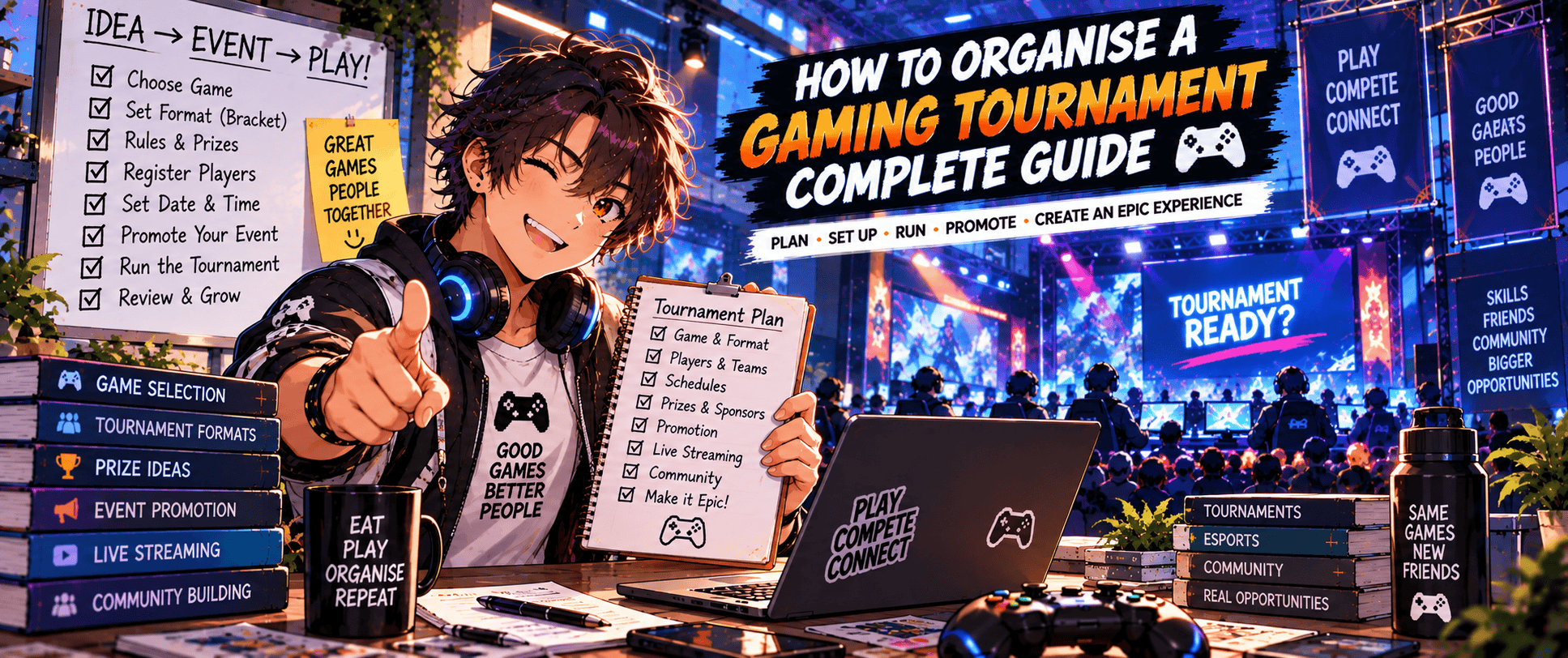
Running a gaming tournament sounds simple when you reduce it to the basic idea.
Get some players together. Pick a game. Let them compete. Crown a winner.
Then somebody asks whether controllers are supplied, two players don’t show up, a match takes twice as long as expected and nobody can agree whether that extremely questionable strategy is actually allowed.
Welcome to tournament organising.
The good news is that you don’t need to run a massive esports championship to create a great tournament. Local competitions, gaming cafe events, university tournaments, online community competitions and small LAN tournaments can all work brilliantly when the basics are organised properly.
The goal isn’t to make your first event look like an international esports final.
It’s to create a tournament that’s fair, easy to understand, enjoyable to compete in and realistic for you to run.
This guide explains how to organise a gaming tournament from the beginning – including choosing your game and format, setting rules, finding a venue, managing registrations, building brackets, preparing equipment, running matches and dealing with the unexpected things that inevitably happen once real players get involved.
🎮 1. Decide What Kind of Gaming Tournament You Want to Run
Before choosing brackets, prizes or tournament software, work out what you’re actually trying to create.
A casual 16-player community tournament has very different requirements from a 128-player competitive event.
Start With the Purpose
Ask why you’re running the tournament.
Maybe you want to:
- Bring a local gaming community together
- Create regular competition for a particular game
- Run an event for a university or gaming club
- Attract players to a gaming venue
- Build an esports community
- Raise money for charity
- Create content or livestreams
- Run a tournament alongside a larger gaming event
- Test whether there’s demand for future events
Your answer influences almost everything that follows.
If the goal is introducing local players to competitive gaming, an intimidating ruleset and huge entry fee probably aren’t helping.
If you’re attracting experienced competitors, players may expect tighter rules, proper seeding, reliable equipment and a well-run bracket.
Choose Your Game
Sometimes the game is obvious.
If you’re already part of a Tekken, Rocket League or Counter-Strike community, you’re probably not sitting around wondering whether your first tournament should unexpectedly become competitive Mario Kart.
If you’re starting more broadly, consider:
- Existing local interest
- Active player community
- Match duration
- Equipment requirements
- Number of players per match
- Spectator appeal
- Tournament support
- Skill accessibility
- Platform availability
Some games are much easier to organise at small scale than others.
A one-versus-one fighting game tournament might require several consoles and monitors.
A five-versus-five PC tournament could require ten gaming PCs just to run one match.
That changes the cost and complexity considerably.
Decide How Competitive the Tournament Will Be
Not every tournament needs to attract elite players.
You could organise:
Casual tournament
Focused primarily on fun and participation.
Beginner tournament
Designed for newer competitive players.
Open tournament
Anyone who meets the entry requirements can compete.
Invitational tournament
Selected players or teams are invited.
Ranked or qualifying event
Results contribute towards another competition, ranking or qualification system.
Make the competitive level clear from the beginning.
Nobody wants to arrive expecting a relaxed community tournament and discover half the state’s best players warming up in the corner.
Start Smaller Than Your Maximum Ambition
Your first tournament doesn’t need hundreds of players.
A well-run 16 or 32-player tournament teaches you far more than attempting a 200-player event before you’ve discovered how long check-in actually takes.
You can always grow.
A smaller event also makes it easier to test:
- Tournament format
- Venue
- Equipment
- Staffing
- Registration process
- Scheduling
- Community interest
Make the first event manageable enough that you can actually enjoy organising it.
At least occasionally.
🌐 2. Choose Between an Online and In-Person Tournament
One of your earliest decisions is where the tournament will happen.
Both online and in-person tournaments can work well, but they create very different organising challenges.
Online Gaming Tournaments
Online tournaments remove the need for a physical venue and allow players to participate from different locations.
You’ll generally need:
- Tournament platform
- Communication channel
- Match reporting process
- Clear server or region rules
- Connection requirements
- Dispute process
- Admins or moderators
Discord is commonly useful as the tournament’s communication hub.
Create clearly labelled channels for things such as:
- Announcements
- Rules
- Check-in
- Match coordination
- Results
- Support
Don’t make competitors search through 400 general-chat messages to discover who they’re supposed to play.
In-Person Gaming Tournaments
Physical tournaments require more logistics but can create a much stronger social atmosphere.
You’ll need to think about:
- Venue
- Gaming stations
- Internet
- Power
- Seating
- Registration desk
- Spectator space
- Food and drinks
- Toilets
- Accessibility
- Parking or transport
- Equipment security
The advantage is that players aren’t simply competing.
They’re meeting each other, watching matches, playing casual games and becoming part of a community.
That’s one reason smaller local tournaments can become regular fixtures.
Hybrid Tournaments
Some competitions combine online qualifiers with an in-person final.
That can increase reach while preserving the excitement of a physical championship.
It also increases organisational complexity.
For a first tournament, I’d generally keep the format simpler unless there’s a strong reason to run both.
Which Should You Choose?
Use online when geographical reach and lower venue costs matter most.
Use in-person when community, atmosphere and local competition are central to the event.
If you’re still exploring what gaming events exist and how different formats work, our guide to the different types of gaming events provides a broader comparison.
🏆 3. Choose the Right Tournament Format
The tournament format determines how players progress, how many matches you’ll need and how forgiving the competition is.
Choose it before registrations open.
Changing the entire bracket system on tournament morning is an excellent way to make 32 gamers immediately suspicious of you.
Single Elimination
Single elimination is straightforward:
Lose once → you’re eliminated.
It works well when:
- Time is limited
- You have many competitors
- Matches take a long time
- Simplicity matters
The downside is obvious.
Someone can pay an entry fee, lose one match and have a remarkably short competitive afternoon.
Double Elimination
Double elimination gives players another chance.
A competitor is eliminated after two match losses rather than one.
The bracket usually contains:
- Winners bracket
- Losers bracket
- Grand final
This format is particularly common in fighting game tournaments.
It provides more competitive opportunity but requires significantly more matches than single elimination.
Round Robin
In a round-robin format, competitors play against everyone else within their group.
This works particularly well with smaller player counts.
Advantages include:
- More matches per player
- Better for social competition
- Less punishment for one bad result
- Useful for leagues or group stages
The downside is match volume.
Ten players all playing each other produces far more matches than a ten-player elimination bracket.
Group Stage Into Elimination
Larger tournaments may start with pools or groups before moving successful players into an elimination bracket.
For example:
32 players → 8 groups of 4 → top 2 from each group → 16-player elimination bracket
This gives everyone multiple matches while still producing an exciting knockout stage.
It also requires more planning.
Swiss Format
Swiss tournaments pair competitors across several rounds without immediately eliminating players after a loss.
Players with similar records are progressively matched against each other.
Swiss formats can work well for games where organisers want everyone to play several rounds without requiring a full round robin.
Which Format Is Best for Your First Tournament?
For many first-time organisers:
| Situation | Format to Consider |
|---|---|
| Lots of players, limited time | Single elimination |
| Fighting game tournament | Double elimination |
| Small social tournament | Round robin |
| Larger event with guaranteed matches | Groups + elimination |
| Several rounds without immediate elimination | Swiss |
Don’t choose the most complicated format because it looks professional.
Choose the format you can run reliably.
Players will remember a simple tournament that ran smoothly much more fondly than an elaborate competitive masterpiece that finished three hours late.
📜 4. Create Clear Tournament Rules
Tournament rules aren’t exciting until you don’t have them.
Then suddenly they’re the most interesting document in the building.
Rules give organisers something objective to refer to when disagreements happen.
Start With the Game Rules
Define things such as:
- Game version
- Platform
- Match settings
- Maps or stages
- Character restrictions
- Item settings
- Team size
- Match length
- Best-of format
- Controller rules
- Allowed modifications
The exact requirements depend heavily on the game.
Where an established competitive community already has a recognised ruleset, using or adapting that framework can save considerable work.
Don’t reinvent competitive Super Smash Bros. rules because you had an interesting idea at 1:00 am.
Explain How Matches Are Decided
Competitors should know:
- How many games are played
- What constitutes a win
- How ties are handled
- How maps or stages are selected
- Whether picks and bans are used
- How results are reported
For example:
Early rounds: Best of 3
Top 8: Best of 5
Grand Final: Best of 5
Whatever you choose, publish it before the tournament.
Set Player Eligibility Rules
Depending on the event, eligibility could involve:
- Minimum age
- Geographic region
- Skill level
- Ranking
- Team membership
- Platform
- Account requirements
If there are restrictions, make them obvious during registration.
Create Rules for Behaviour
Tournament rules shouldn’t only cover gameplay.
Include expectations around:
- Harassment
- Abuse
- Cheating
- Intentional disruption
- Damage to equipment
- Unsporting behaviour
- Spectator interference
Players should know that organisers can remove someone whose behaviour seriously affects the event.
A competitive environment can be intense without becoming miserable.
Decide How Disputes Will Be Handled
Eventually somebody will disagree with a result, rule interpretation or technical issue.
Define who makes the decision.
For example:
Player raises issue → tournament admin reviews → head organiser makes final ruling if necessary
Avoid conducting a 25-minute public courtroom drama beside the tournament setup.
Give players a clear process and move on.
Publish the Rules Before Registration Closes
Players should be able to read the rules before committing.
Include a link from the event listing and registration page.
If you’re eventually promoting the event across multiple channels, keep one master rules page rather than maintaining slightly different versions everywhere.
⏱️ 5. Work Out Player Numbers and Build a Realistic Schedule
Tournament schedules often look fantastic in spreadsheets.
Then humans arrive.
Matches start late. Controllers need reconnecting. Someone disappears to buy lunch just as their name is called.
Build some breathing room into your plan.
Set a Player Cap
Decide how many competitors you can realistically support.
Consider:
- Number of gaming stations
- Match duration
- Tournament format
- Venue opening hours
- Staff
- Available space
Don’t accept 128 registrations simply because 128 people want to enter.
If your equipment and venue can comfortably support 48, your player cap is much closer to 48.
Estimate Match Duration
Work out approximately how long a tournament match takes, including:
- Setup
- Character or team selection
- Gameplay
- Result reporting
- Player changeover
If the actual game takes 12 minutes but changing players adds another five, don’t schedule matches every 12 minutes.
Test it.
Run several example matches before finalising the schedule.
Calculate How Many Matches You’ll Need
Tournament format makes a huge difference.
A 32-player single-elimination tournament requires far fewer matches than a 32-player round robin.
Tournament software can help calculate bracket requirements, but you still need to understand whether your venue and equipment can support the resulting workload.
Use Multiple Stations
If the game allows it, running matches simultaneously dramatically reduces tournament duration.
For example:
4 stations × approximately 4 matches per hour = around 16 matches per hour
Real life will probably make that number slightly less beautiful.
That’s fine.
Build the schedule around realistic throughput rather than perfect theoretical efficiency.
Create a Tournament Day Timeline
Your schedule might look something like:
| Time | Activity |
|---|---|
| 9:00 am | Venue setup |
| 10:00 am | Player check-in opens |
| 10:45 am | Check-in closes |
| 11:00 am | Tournament begins |
| 1:00 pm | Break |
| 1:30 pm | Tournament resumes |
| 4:30 pm | Top 8 |
| 6:00 pm | Grand Final |
| 6:45 pm | Awards |
| 7:00 pm | Casual play / pack down |
Treat this as a plan rather than a prophecy.
Leave Buffer Time
Don’t schedule the Grand Final five minutes before the venue requires everyone to leave.
Give yourself room for:
- Technical problems
- Long matches
- Disputes
- Breaks
- Delayed players
- Equipment changes
If everything runs perfectly, fantastic.
You’ve accidentally created free time.
If something goes wrong, the buffer prevents one delayed match from slowly consuming the entire day.
Players preparing for their first competition will also benefit from How to Enter Your First Gaming Tournament, which covers the same experience from the competitor’s side.
🏟️ 6. Choose the Right Venue for an In-Person Tournament
If you’re organising an online tournament, congratulations – you’ve successfully avoided one of the biggest logistical decisions.
For everyone else, the venue matters enormously.
You don’t necessarily need an esports arena. Gaming cafes, community halls, universities, function rooms, game stores and even suitable bars can all host tournaments.
The important question is whether the venue actually works for gaming.
Work Out How Much Space You Need
Think beyond the gaming stations themselves.
You’ll potentially need space for:
- Competition setups
- Players waiting for matches
- Spectators
- Registration desk
- Tournament admins
- Casual gaming
- Streaming equipment
- Food and drinks
- Bags and personal belongings
- Prize presentation
A room that technically fits 50 chairs may feel very different once you’ve added monitors, PCs, consoles, tables, cables and 50 gamers standing behind the most interesting match.
Check Power Before Booking
Gaming tournaments can use a lot of electrical equipment.
Depending on the event, you could have:
- Gaming PCs
- Consoles
- Monitors
- TVs
- Network equipment
- Streaming PCs
- Cameras
- Lighting
- Audio equipment
- Charging stations
Ask the venue about available power and circuit capacity.
Don’t simply locate the nearest power point and introduce it to 24 gaming PCs through an ambitious collection of extension boards.
For larger setups, get appropriate technical or electrical advice rather than guessing.
Check Internet Requirements
Not every tournament requires internet during gameplay.
Others absolutely depend on it.
Determine whether you need internet for:
- Online matches
- Game authentication
- Tournament software
- Livestreaming
- Updates
- Communication
- Result reporting
Test the venue connection before event day where possible.
If reliable internet is essential to the competition, have a backup plan.
Consider the Player Experience
Check practical details such as:
- Toilets
- Air conditioning
- Accessibility
- Food options
- Drinking water
- Parking
- Public transport
- Lighting
- Seating
A technically perfect tournament room becomes considerably less impressive after six hours without ventilation.
Confirm Venue Access Times
Don’t book a venue from 10:00 am because your tournament starts at 10:00 am.
You need setup time.
Depending on the event, you may need several hours to:
- Arrange tables
- Run cables
- Install equipment
- Test stations
- Set up registration
- Prepare signage
- Test the stream
- Brief staff
Also allow enough time after the tournament for pack-down.
The event isn’t finished for the organiser when the trophy photo is taken.
🖥️ 7. Prepare the Gaming Equipment, Network and Backup Gear
Tournament equipment needs to do one thing above everything else:
Work consistently.
Players don’t care how beautiful your setup looks if Station 4 disconnects every second match.
Decide Who Supplies the Equipment
There are several models.
Organiser supplied
You provide the consoles, PCs, monitors and other major equipment.
This gives you more control over consistency.
Player supplied
Competitors bring some or all of their own equipment.
This can reduce costs but creates more variables.
Hybrid
The organiser supplies core tournament stations while players bring personal equipment such as controllers, keyboards or headsets.
Choose the model before registration and tell players exactly what they need to bring.
Standardise Tournament Stations
Where possible, each competition setup should provide a similar experience.
Check:
- Game version
- Updates
- Display settings
- Resolution
- Refresh rate
- Network configuration
- Required DLC
- Tournament settings
- Accounts or licences
Install updates before event day.
Watching a console download a 47 GB update while 20 competitors wait nearby is not an ideal opening ceremony.
Test Controllers and Peripherals
Depending on the game, players may use:
- Controllers
- Arcade sticks
- Leverless controllers
- Keyboards
- Mice
- Headsets
Clearly state what is allowed.
If players bring their own equipment, consider keeping some backups available.
Someone will eventually forget a cable.
Gaming tradition demands it.
Bring Spare Equipment
Your backup kit could include:
- Controllers
- HDMI or DisplayPort cables
- Power cables
- Network cables
- Extension leads
- Power boards
- Adapters
- Batteries
- Chargers
- Mouse and keyboard
- Headsets
- Spare monitor
- Spare console where practical
You don’t need a duplicate of absolutely everything.
Prioritise equipment where one failure could stop an entire station.
Test Everything Together
Don’t test each component individually and assume the complete setup will work.
Build the tournament stations before the event where possible.
Run actual matches.
Test:
- Controllers
- Displays
- Audio
- Network
- Game settings
- Tournament accounts
- Result reporting
Find the weird problems while you still have time to fix them.
💰 8. Set Entry Fees, Prizes and a Tournament Budget
Your tournament doesn’t need a gigantic prize pool to be worth entering.
For many community events, players care just as much about good competition, a well-run bracket and meeting other players.
But the financial side still needs to make sense.
Build the Budget First
Before choosing an entry fee, calculate your expected costs.
Potential expenses include:
- Venue hire
- Equipment hire
- Internet
- Staff
- Insurance
- Tournament software
- Streaming
- Marketing
- Printing
- Prizes
- Trophies or medals
- Payment processing
- Food and drinks
- Cleaning
- Security
Then add some contingency.
Unexpected costs have an impressive ability to discover event organisers.
Decide Whether to Charge an Entry Fee
A small community tournament could be:
- Free
- Low-cost
- Venue admission + tournament fee
- Tournament entry fee only
Free entry reduces the barrier to participation but can increase no-shows because competitors have nothing financially committed.
Paid registration can provide stronger commitment while helping cover costs.
Choose what suits the event.
Separate Venue and Prize Fees When Useful
Some tournaments use separate charges.
For example:
Venue fee: A$10
Tournament entry: A$10
The venue component helps cover event costs while the tournament entry can contribute towards prizes.
If you use this model, explain it clearly.
Nobody enjoys discovering an unexpected second fee at check-in.
Decide the Prize Structure
Possible prizes include:
- Cash
- Trophies
- Medals
- Gaming hardware
- Store credit
- Game codes
- Sponsor products
- Free entry to future events
For cash prizes, decide how the pool will be distributed.
For example:
1st – 60%
2nd – 30%
3rd – 10%
Whatever structure you use, publish it clearly.
If the prize depends on the number of entrants, explain that too.
Don’t Overpromise
Avoid advertising a huge prize pool unless the money or sponsorship is genuinely secured.
A smaller confirmed prize is better than an impressive number followed by an awkward explanation.
For grassroots tournaments especially, concentrate on building an event players want to return to.
A reliable monthly tournament can be more valuable to a community than one oversized event that never happens again.
📝 9. Set Up Registration, Check-In and Tournament Brackets
Registration is where your tournament stops being an idea and starts acquiring actual competitors.
Make the process simple.
Collect the Information You Need
Depending on the tournament, registration might ask for:
- Player name
- Gamer tag
- Discord username
- Game account
- Team name
- Team members
- Platform
- Region
- Age confirmation
- Tournament entered
Only collect information you genuinely need and handle personal information appropriately.
A 16-player Mario Kart tournament probably doesn’t require a 28-field application form.
Choose a Tournament Platform
Tournament platforms can help manage:
- Registration
- Seeding
- Brackets
- Match reporting
- Results
- Player communication
Choose a platform appropriate for your game and community.
Before opening registration, run a test tournament.
Learn how to:
- Add players
- Remove players
- Seed competitors
- Generate brackets
- Report scores
- Advance players
- Correct mistakes
Tournament day is a terrible time to discover which button advances the wrong person.
Set a Registration Deadline
You may allow:
- Online pre-registration only
- Pre-registration plus limited walk-ins
- Registration until tournament morning
Pre-registration makes planning much easier because you know approximately how many competitors are coming.
If walk-ins are accepted, decide how they’ll affect seeding and brackets.
Use Check-In
Registration and check-in are different.
Registration: “I intend to compete.”
Check-in: “I am actually here.”
For an in-person tournament, open check-in before the bracket begins and set a clear closing time.
For online tournaments, require competitors to check in digitally.
This helps remove no-shows before brackets are finalised.
Don’t Finalise Too Early
If your event regularly experiences no-shows, avoid locking the bracket too far in advance.
Confirm who’s actually participating first.
Otherwise, the opening round can become a fascinating competition between players and empty chairs.
👥 10. Build a Small Tournament Team and Assign Clear Roles
You can run a tiny tournament alone.
That doesn’t necessarily mean you should.
Once player numbers increase, trying to manage registration, brackets, technical issues, questions, streaming and disputes by yourself becomes difficult very quickly.
Tournament Organiser
The main organiser oversees the event.
Responsibilities may include:
- Venue
- Schedule
- Rules
- Budget
- Staff
- Final decisions
- Overall tournament operation
This person needs to understand the complete event rather than only one part of it.
Tournament Admins
Admins help manage:
- Brackets
- Match calls
- Results
- Player questions
- Rule enforcement
- Disputes
For larger tournaments, divide responsibility between pools, games or tournament areas.
Registration and Check-In
Having someone specifically responsible for arrivals can make the opening hour dramatically smoother.
They can:
- Confirm players
- Process walk-ins
- Answer basic questions
- Direct competitors
- Provide wristbands or passes
- Confirm payments where required
Meanwhile, the tournament organiser can deal with everything else currently trying to catch fire.
Figuratively, hopefully.
Technical Support
Someone should know the equipment.
They may handle:
- Gaming stations
- Network
- Controllers
- Displays
- Audio
- Game settings
- Streaming equipment
This doesn’t need to be a dedicated technician for every small event.
But somebody should know where the spare HDMI cable is.
Streaming and Commentary
If you’re broadcasting matches, consider separate roles for:
- Stream operation
- Camera
- Production
- Commentary
- Score overlays
Don’t automatically make your tournament admin do all of this while also updating brackets.
Brief Everyone Before Doors Open
Before competitors arrive, gather the team.
Cover:
- Schedule
- Responsibilities
- Emergency procedures
- Tournament rules
- Dispute process
- Breaks
- Communication
- Who makes final decisions
Give staff a way to communicate quickly, whether that’s Discord, a messaging group, radios or simply knowing where each person will be.
Clear roles prevent the classic event-management problem where five people assume somebody else is handling something.
Then everybody discovers somebody else does not exist.
📢 11. Communicate With Players Before Tournament Day
Good communication prevents an impressive number of tournament-day problems.
Don’t assume everyone who registered carefully read every rule, remembered the start time and saved the venue address.
They didn’t.
Send a Pre-Tournament Information Pack
A few days before the tournament, send competitors one clear message containing the information they need.
Include:
- Event date
- Venue and address
- Check-in time
- Tournament start time
- Registration details
- Rules link
- Schedule
- Equipment requirements
- Parking or transport information
- Contact details
- Discord or communication channel
For an online tournament, replace venue information with server, lobby and connection instructions.
The goal is to create one message players can return to rather than making them reconstruct the tournament from six social posts.
Make Check-In Times Extremely Clear
Don’t simply say:
Tournament starts at 11:00 am.
Players may interpret that as:
I should probably arrive around 10:59.
Instead:
Check-in opens: 9:45 am
Check-in closes: 10:45 am
Tournament begins: 11:00 am
If late arrivals risk losing their place, explain that beforehand.
Remind Players What to Bring
Depending on your setup, competitors may need:
- Controller
- Arcade stick
- Keyboard and mouse
- Headset
- Console
- Gaming account
- Identification
- Ticket confirmation
- Team jersey
- Charging cable
Your gaming convention packing checklist covers broader event essentials, but tournament competitors should receive a short list specifically for your competition.
Create One Main Communication Channel
If possible, establish one place for important tournament updates.
That might be:
- Discord
- Tournament platform
- Event app
- Dedicated announcement channel
Avoid spreading critical information randomly between Instagram Stories, Facebook comments and somebody’s personal X account.
Players should know exactly where official updates appear.
🚪 12. Set Up the Venue and Run Player Check-In
Tournament morning isn’t the time to discover whether your setup works.
Arrive early.
Very early if the event is complicated.
Set Up Before Players Arrive
Work through your venue systematically.
Prepare:
- Tournament stations
- Registration desk
- Bracket display
- Admin area
- Streaming station
- Spectator seating
- Signage
- Prize display
- Casual-play area
- Power and network cables
Keep walkways clear and secure cables appropriately.
Once everything is physically ready, test the tournament exactly as a player would experience it.
Run a Final Technical Check
Start each game.
Connect controllers.
Check displays.
Test the network.
Confirm tournament settings.
If you’re streaming, test:
- Video
- Audio
- Commentary
- Overlays
- Internet upload
- Match capture
Finding a problem at 8:30 am is annoying.
Finding the same problem at 11:07 am while the opening match waits is considerably more annoying.
Make Check-In Easy to Find
Put the registration desk somewhere obvious.
Use signage if necessary.
Players arriving at an unfamiliar venue shouldn’t have to wander through three rooms asking:
“Is the tournament in here?”
At check-in:
- Confirm the player’s registration.
- Confirm payment if required.
- Verify gamer tag or team.
- Provide any pass or wristband.
- Remind them where tournament information is displayed.
- Direct them to the waiting or casual-play area.
Keep the process moving.
Deal With No-Shows Before Building the Final Bracket
When check-in closes, identify missing competitors.
Follow your published policy.
Depending on the event, you might:
- Remove no-shows
- Replace them with waitlisted players
- Accept walk-ins
- Give a short grace period
Then finalise the bracket.
Don’t spend 30 minutes repeatedly calling someone who hasn’t arrived while every other competitor waits.
Give Players a Quick Briefing
Before the first matches, make a short announcement covering:
- Tournament format
- Match procedure
- Where brackets are displayed
- How matches are called
- How results are reported
- Where to ask questions
- Important rules
- Break times
Keep it short.
Nobody needs a 40-minute keynote before Round 1.
⚔️ 13. Run Matches and Keep the Tournament Moving
Once matches begin, your main job is maintaining momentum without making players feel rushed.
A tournament that constantly stalls quickly becomes frustrating.
Call Matches Clearly
Players need to know:
- Who is playing
- Which station they’re using
- When they need to be there
Depending on the event, you can announce matches through:
- Tournament platform
- Discord
- Display screens
- PA system
- Staff
- Physical bracket board
For smaller tournaments, verbal calls may be enough.
For larger events, use a more structured system.
Have Players Report Results Immediately
As soon as a match finishes, update the bracket.
You might require:
- Winner reports result
- Both players confirm
- Station admin records result
- Players report through tournament software
Choose one method and explain it.
Unreported matches create delays surprisingly quickly.
Keep Tournament Stations Busy
If a station becomes available, get the next appropriate match started.
You don’t want three empty setups while 20 players wait because nobody realised the previous matches had finished.
Assigning an admin to monitor the bracket can help.
Announce Important Matches
As the tournament progresses, draw attention to:
- Winners finals
- Losers finals
- Semi-finals
- Grand Final
If you have spectators, give them time to gather.
This is where a small community tournament can start feeling like an actual event rather than a collection of isolated matches.
Keep the Schedule Visible
Players should know roughly where the tournament is up to.
If you’re running significantly late, tell them.
Silence makes delays feel worse.
A simple announcement such as:
“We’re approximately 30 minutes behind schedule. Top 8 is now expected to start at 5:00 pm.”
lets players plan accordingly.
Don’t Chase the Schedule at the Expense of Fairness
Keeping things moving matters.
So does giving competitors a fair match.
Don’t suddenly change established rules because the tournament is running late.
If the schedule is slipping badly, look for operational fixes:
- Open additional stations
- Reduce unnecessary downtime
- Call upcoming matches earlier
- Shorten non-competitive breaks
- Move suitable matches off-stream
Learn from the delay for next time.
🛠️ 14. Handle No-Shows, Technical Problems and Tournament Disputes
Something will go wrong.
That doesn’t mean the tournament is badly organised.
How you handle the problem matters more.
Have a Late Player Policy
Decide before the tournament what happens when someone isn’t ready for their match.
For example:
Match called → five-minute grace period → warning → game or match loss
The exact policy depends on the event.
Whatever you choose, apply it consistently.
Don’t give one player 25 minutes because they’re your friend while eliminating someone else after five.
Pause When There Is a Genuine Technical Problem
Technical issues might include:
- Controller disconnect
- Console crash
- PC crash
- Network failure
- Game bug
- Display failure
- Power interruption
Your rules should explain how genuine technical failures are handled.
Possible responses include:
- Restarting the game
- Replaying the round
- Resuming from an agreed state
- Moving to another station
Avoid improvising different solutions every time.
Separate Equipment Failure From Player Error
A controller genuinely disconnecting is different from someone pressing the wrong button.
So is an internet outage compared with a player voluntarily leaving a match.
Tournament rules should make that distinction where relevant.
When something unusual happens, gather the facts before making a decision.
Handle Disputes Away From the Crowd
If players disagree, move the discussion away from the active tournament area where possible.
Listen to both sides.
Check:
- Rules
- Match information
- Video evidence if available
- Staff observations
- Tournament records
Then make a decision.
Not everyone will necessarily like the ruling.
Your goal is consistency and fairness, not achieving unanimous happiness.
Keep Your Cool
Players take cues from organisers.
If you react to every problem like the building has entered its final minutes, everyone else becomes more stressed.
Deal with the issue.
Explain the decision.
Update anything that needs updating.
Continue the tournament.
The best organisers aren’t the ones who somehow prevent reality from occurring.
They’re the ones who can handle it when it does.
🎥 15. Make the Tournament Fun for Players and Spectators
A tournament can run perfectly on paper and still feel lifeless.
The bracket is important.
The experience around it matters too.
Create Space for Casual Games
Players who are eliminated shouldn’t immediately have nothing to do.
If equipment and space allow, keep some stations available for:
- Casual matches
- Warm-ups
- Friendlies
- Side games
This keeps people at the venue longer and gives competitors more opportunities to meet each other.
Someone might lose 0-2 in the tournament and then spend the next four hours playing casual matches with people they just met.
That’s still a successful event experience.
Make Important Matches Watchable
If possible, put later-stage matches on:
- Larger display
- Projector
- Stream
- Dedicated stage
- Spectator setup
You don’t need an esports arena.
Even a TV facing the audience can turn a Grand Final into something everyone experiences together.
Consider Livestreaming
Streaming can extend the tournament beyond the venue.
Potential platforms include Twitch and YouTube.
A basic tournament stream might include:
- Gameplay
- Commentary
- Player names
- Scores
- Bracket information
Start at a level you can manage.
A reliable simple stream is better than an ambitious production that repeatedly stops working.
Add Commentary if It Improves the Experience
Good commentary can make matches more entertaining and understandable.
Look for people who:
- Know the game
- Understand the competitive scene
- Can explain what’s happening
- Are comfortable speaking live
Commentary doesn’t need to sound like a world championship broadcast.
Sometimes two knowledgeable community members getting excited about an unexpected comeback is exactly what the event needs.
Recognise More Than the Winner
The champion deserves their moment.
You can also acknowledge:
- Runner-up
- Top 3
- Best newcomer
- Community contribution
- Interesting upset
- Side tournament winner
Don’t manufacture 27 awards for a 16-player competition.
Just look for opportunities to make people feel part of the event.
Take Photos and Video
Capture:
- Tournament setups
- Players
- Spectators
- Close matches
- Finals
- Winners
- Venue atmosphere
Get appropriate permission where required, particularly when photographing or filming minors.
These assets become incredibly useful when you list and promote your next gaming event online.
More importantly, they document the community you’re building.
A great tournament isn’t only about discovering who is best at the game.
It’s about creating an event where people want to play again.
If players leave talking about the matches, swapping Discord names and asking when the next tournament is happening, you’ve probably done something right.
🔄 16. What to Do After the Gaming Tournament
The Grand Final finishes.
The winner gets the trophy.
Everyone starts packing controllers into bags.
Your work isn’t quite finished.
What happens after the tournament can determine whether you’ve organised a one-off competition or started building something players want to return to.
Publish the Results
Share the final standings as soon as reasonably possible.
Depending on the tournament, publish:
- Winner
- Runner-up
- Top 3
- Top 8
- Team results
- Final bracket
- Prize winners
If you’re using tournament software, keep the completed bracket publicly accessible where appropriate.
Players love checking results afterwards.
Some will absolutely revisit the bracket to confirm that the person who eliminated them eventually finished second.
This information can also help future competitors understand the level of competition at your events.
Share Photos and Highlights
Don’t let all the photos and video you captured disappear onto somebody’s camera roll.
Create posts featuring:
- Winner photos
- Grand Final clips
- Close matches
- Funny moments
- Crowd shots
- Gaming setups
- Commentary clips
- Community photos
Tag players, teams, creators, venues and partners where appropriate.
This gives attendees something to share while showing everyone who missed the tournament what actually happened.
Thank the People Who Helped
Recognise:
- Players
- Staff
- Volunteers
- Venue
- Sponsors
- Commentators
- Creators
- Community partners
You don’t need an enormous corporate statement.
A genuine thank-you goes a long way, particularly in smaller gaming communities where many people are contributing their time.
Pay Prizes Promptly
If you’ve promised cash or other prizes, distribute them according to the published rules.
Don’t make the winner spend three weeks wondering whether their prize is still loading.
Keep records of prize payments where appropriate.
Ask Players for Feedback
Send competitors a short survey or ask for feedback through your community.
Useful questions include:
- How would you rate the tournament organisation?
- Did matches start on time?
- Were the rules clear?
- Was check-in easy?
- Was the venue suitable?
- Was the tournament format enjoyable?
- What should we improve?
- Would you attend another tournament?
Keep it short enough that people might actually complete it.
You can also ask staff separately.
Tournament admins often notice problems players never see.
Hold a Quick Organiser Review
Within a few days, review what happened while everyone still remembers it.
Discuss:
What worked?
Maybe check-in was fast, the venue worked perfectly and double elimination was popular.
What didn’t?
Perhaps there weren’t enough stations, lunch ran long or the stream caused technical problems.
What surprised you?
Maybe far more beginners entered than expected.
Those observations should influence the next tournament.
Look at the Numbers
Record useful information such as:
- Registrations
- Actual attendance
- No-shows
- Ticket or entry revenue
- Expenses
- Prize costs
- Number of matches
- Tournament duration
- Social engagement
- Stream viewers
- Registration sources
You don’t need to transform your local tournament into a quarterly shareholder presentation.
Just keep enough information to make better decisions next time.
Start Building the Next Tournament
If players are already asking:
“When’s the next one?”
That’s a very good sign.
You don’t necessarily need to announce another event immediately, but keep the community active.
Share results.
Post highlights.
Encourage players to stay connected.
Then, when the next tournament is ready, you’re not starting from zero.
You already have people who know what your events are like.
✅ 17. Gaming Tournament Organiser Checklist
There are plenty of moving parts when you organise a gaming tournament.
Use this final checklist to make sure the important ones don’t disappear somewhere between choosing the game and opening the doors.
Tournament Plan
- Decide why you’re running the tournament
- Choose the game
- Choose online or in-person
- Decide the competitive level
- Choose the tournament format
- Set the player cap
- Estimate tournament duration
- Create the event schedule
Rules
- Write the gameplay rules
- Confirm game version and platform
- Define match format
- Define map, stage or character rules where required
- Set controller and equipment rules
- Define eligibility requirements
- Create behaviour rules
- Create late-player and no-show policies
- Create a technical issue policy
- Create a dispute process
- Publish the rules before the tournament
Venue
- Book the venue
- Confirm access times
- Check venue capacity
- Check power requirements
- Test internet if required
- Confirm tables and seating
- Check accessibility
- Check toilets
- Confirm food and drink options
- Check parking and public transport
- Allow setup and pack-down time
Equipment
- Confirm number of gaming stations
- Install game updates
- Confirm required DLC
- Configure tournament settings
- Test monitors or TVs
- Test controllers
- Test network
- Prepare spare cables
- Prepare spare controllers
- Prepare backup equipment where practical
Budget and Prizes
- Calculate expected costs
- Set the entry fee
- Confirm payment method
- Confirm prize pool
- Decide prize distribution
- Secure sponsor prizes before advertising them
- Keep contingency funds
Registration
- Choose tournament software
- Test the platform
- Open registration
- Set registration deadline
- Publish player cap
- Create waitlist if required
- Create check-in process
- Decide whether walk-ins are allowed
- Prepare bracket and seeding process
Tournament Team
- Assign tournament organiser
- Assign bracket admins
- Assign check-in staff
- Assign technical support
- Assign stream staff if required
- Assign commentators if required
- Brief everyone before the event
- Confirm staff communication method
Before Tournament Day
- Send player information
- Confirm check-in time
- Confirm tournament start time
- Send venue details
- Send equipment requirements
- Send rules
- Confirm staff
- Confirm prizes
- Test equipment
- Test tournament software
Tournament Day
- Arrive early
- Build competition stations
- Run technical checks
- Set up registration
- Display tournament information
- Open check-in
- Remove or replace no-shows
- Finalise brackets
- Brief players
- Start matches
- Record results promptly
- Keep stations moving
- Communicate delays
- Apply rules consistently
- Capture photos and video
- Run finals
- Present prizes
After the Tournament
- Publish results
- Complete prize payments
- Share photos and highlights
- Thank staff and partners
- Ask players for feedback
- Review tournament finances
- Review attendance and no-shows
- Record what worked
- Record what needs improving
- Save useful promotional assets
- Keep the community connected
Ready to Organise Your Gaming Tournament?
Your first tournament doesn’t need a giant stage, professional commentators, hundreds of competitors or enough RGB lighting to be visible from space.
It needs solid fundamentals.
Choose a game people want to compete in. Pick a tournament format you can manage. Publish clear rules. Give yourself enough equipment, staff and time. Communicate with players and be ready for a few things to go wrong.
Most importantly, create an event people enjoy being part of.
If you’re still looking at tournaments from the competitor’s side, How to Enter Your First Gaming Tournament walks through the experience from registration to the first match.
Once your own tournament is ready, the next challenge is getting players to discover it. Our guide to listing and promoting a gaming event online covers event listings, search, Discord, social media, communities and promotion timelines.
You can also add your tournament to StackedGame Events to help gamers discover upcoming competitions and gaming events.
Run the first one well.
Then give everyone a reason to ask when you’re doing it again.