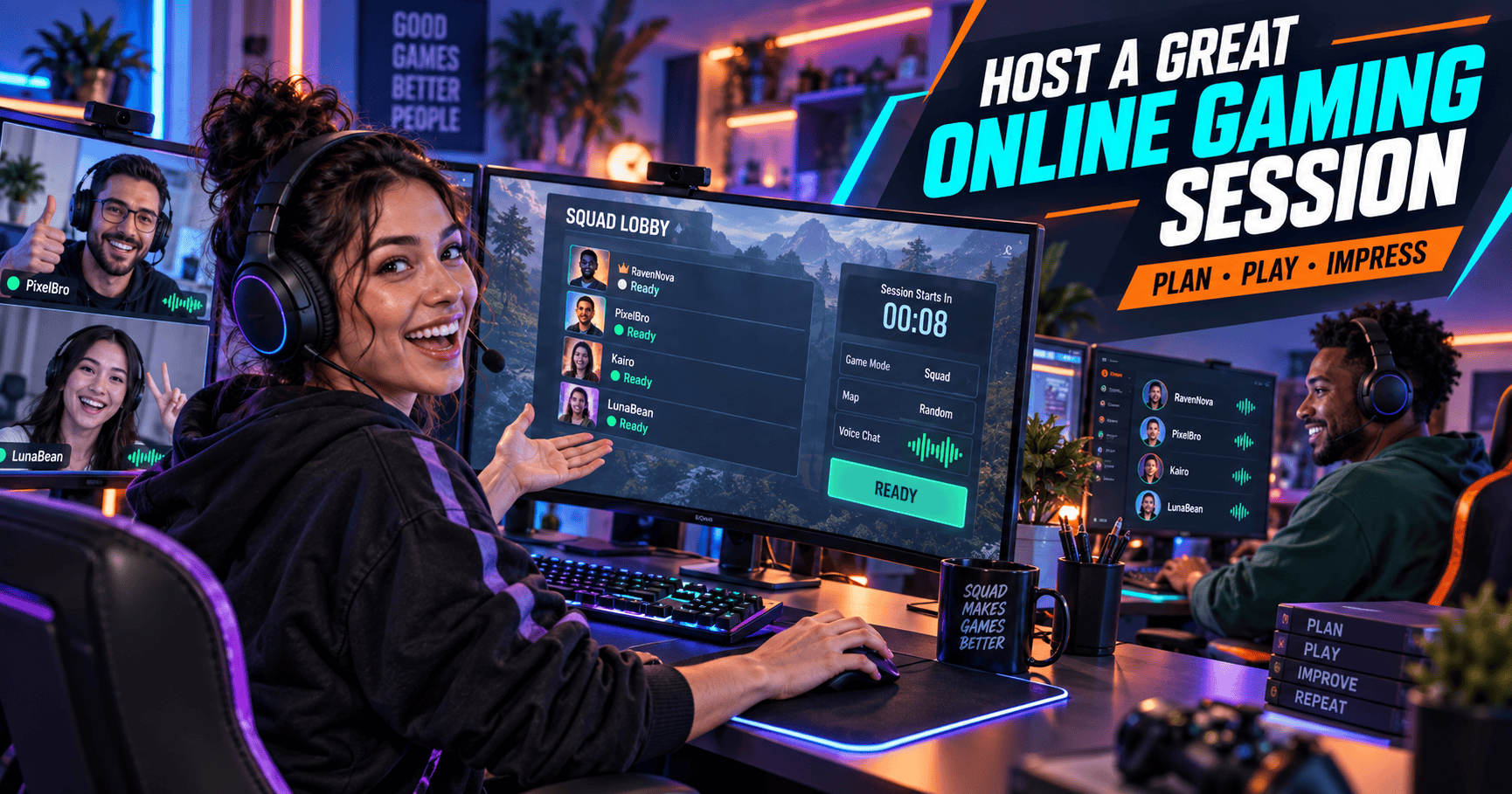
1. How to Host a Great Online Gaming Session
A great gaming session should feel organised without feeling scripted. Players should know what they are doing, where they need to be and what kind of experience they can expect.
That requires slightly more preparation than launching the game, opening voice chat and announcing, “Right, what does everyone want to do?”
A strong host:
- 🎮 Prepares the game and activity
- ⏰ Arrives on time
- 👋 Welcomes every player
- 🎯 Confirms the session goal
- 🎧 Manages communication
- 🕹️ Keeps the experience moving
- 🛠️ Handles problems calmly
- ⭐ Finishes professionally
You do not need to control every second. You need to create enough structure for the session to feel reliable, enjoyable and worth booking again.
🎯 What This Guide Will Help You Do
By the end of this guide, you will know how to:
- Prepare for an online gaming session
- Confirm the buyer’s details
- Test your technical setup
- Welcome new players
- Manage different personalities and skill levels
- Keep the session engaging
- Handle technical or player problems
- Finish the booking properly
- Encourage reviews and repeat sessions
🧠 Think Like Both a Host and a Player
As the host, you may be thinking about:
- The booking time
- The activity
- Your equipment
- The other participants
- Delivering the listed service
The buyer may be wondering:
- Will the host turn up?
- Will I know what to do?
- Is my skill level suitable?
- Will the session feel awkward?
- What happens if something goes wrong?
- Will I actually enjoy this?
Good hosting answers those questions through preparation, communication and delivery.
🕹️ Your Main Quest: Create a gaming session that begins smoothly, stays enjoyable and ends with the player wanting another round.
2. The Quick Answer
To host a great online gaming session, prepare the activity in advance, confirm the buyer’s details, test your setup, welcome everyone properly and guide the experience without dominating it.
Use this formula:
Prepare early + communicate clearly + welcome the players + guide the experience + adapt when needed + finish professionally
⚡ Host a Gaming Session in Seven Steps
- Confirm the booking details.
- Check the game, platform and region.
- Prepare the activity and backup plan.
- Test your technical setup.
- Welcome the players and explain the goal.
- Guide the session while managing time and communication.
- Wrap up, follow up and improve the next session.
🎮 Quick Hosting Checklist
| Hosting Stage | Main Priority |
|---|---|
| Before | Preparation |
| Opening | Welcome and expectations |
| During | Communication and engagement |
| Problems | Calm adaptation |
| Ending | Clear wrap-up |
| After | Follow-up and improvement |
🏆 What Players Remember
Players may not remember every match or mission, but they will remember:
- Whether you arrived on time
- Whether they felt welcome
- Whether the session matched the listing
- Whether communication was comfortable
- Whether problems were handled well
- Whether they would book again
A host does not need flawless gameplay. They need reliability, awareness and enough composure to survive both a server outage and a teammate who joined the wrong lobby.
💡 Quick Rule: Prepare the parts you can control, then stay flexible with the parts you cannot.
3. What Does a Gaming Session Host Do?
The host is responsible for turning the advertised session into an actual gaming experience.
That responsibility begins before the buyer enters the lobby and continues after the final match ends.
🧭 Host Responsibilities
| Stage | Host Responsibility |
|---|---|
| Before | Confirm details and prepare the setup |
| During | Welcome, guide and manage the session |
| After | Complete the booking and communicate clearly |
🎒 Before the Session
The host should:
- Review the listing
- Confirm the booking
- Check the game and platform
- Prepare the activity
- Test equipment
- Organise other participants
- Send joining instructions
- Create a backup plan
Preparation reduces delays and shows the buyer that the session is being treated seriously.
🎮 During the Session
The host should:
- Welcome the player
- Confirm the session goal
- Explain the first activity
- Manage communication
- Track the time
- Keep players involved
- Adjust the pace where appropriate
- Address problems promptly
You are not there to perform a one-person gaming show while the buyer watches. The player should remain involved in the experience they booked.
⭐ After the Session
The host should:
- Give the session a clear ending
- Thank the buyer
- Complete required order steps
- Invite relevant feedback
- Record useful lessons
- Update the listing where needed
- Mention repeat options appropriately
🎭 Host vs Teammate
A teammate mainly focuses on playing. A host also manages the experience.
| Teammate | Host |
|---|---|
| Joins the game | Prepares the session |
| Plays their role | Helps everyone understand their role |
| Communicates during gameplay | Sets the communication style |
| Focuses on the match | Watches the match, time and atmosphere |
| Leaves when finished | Wraps up and follows up |
This does not mean acting like everyone’s manager. Nobody booked a casual session to attend a quarterly performance meeting.
🎯 Host Rule: Guide the experience without making yourself the centre of it.
4. Define the Gaming Session Goal
Every good gaming session needs a clear purpose.
Without one, the group may spend the first 20 minutes scrolling through game modes while everyone politely says, “I’m happy with whatever.”
🎯 Possible Session Goals
- Relax and play socially
- Complete co-op missions
- Clear a raid or dungeon
- Reach a progression milestone
- Play coordinated ranked matches
- Create gaming content
- Record a challenge
- Help a beginner enter multiplayer
- Test a team strategy
- Build a regular squad
If you are deciding what to offer, explore these gaming session ideas you can offer online.
🧩 Use the Goal Formula
Define the session using:
Player + activity + outcome + duration
Example:
A beginner-friendly 60-minute Helldivers 2 session focused on completing co-op missions with a patient OCE squad.
This explains:
- Who the session suits
- Which game is involved
- What players will do
- What atmosphere to expect
- How long it lasts
✅ Check the Goal Before Hosting
Ask:
- What did the buyer book?
- What do they most want to achieve?
- Is that outcome realistic?
- What must be prepared?
- How many players are needed?
- Does the activity fit the session length?
- What can be offered if the main goal becomes unavailable?
⚔️ Keep the Goal Realistic
A host can control:
- Preparation
- Communication
- Attendance
- Session duration
- Activity selection
- Personal effort
A host may not control:
- Matchmaking
- Random rewards
- Other teams
- Server performance
- Guaranteed wins
- Guaranteed rank increases
Set expectations around what you can genuinely deliver.
🛠️ Prepare a Secondary Goal
If the main objective becomes unavailable, use a suitable backup:
| Main Goal | Backup Option |
|---|---|
| Ranked matches | Unranked team practice |
| Raid completion | Encounter practice |
| Content recording | Planning or test footage |
| Specific mission | Alternative mission |
| Full squad activity | Duo or small-group mode |
🎯 Goal Rule: Everyone should know what the session is trying to achieve before the first queue begins.
5. Match Your Hosting Style to the Session Category
Different gaming sessions need different styles of hosting.
A relaxed social session should not feel like tournament boot camp. A competitive session should probably involve more planning than “let’s see where the evening takes us”.
🎮 Hosting Styles Compared
| Session Category | Hosting Style | Main Priority |
|---|---|---|
| Casual and Social | Friendly and flexible | Enjoyment |
| Content and Collab | Prepared and creative | Collaboration |
| Get Carried | Capable and dependable | Objective completion |
| Competitive | Focused and coordinated | Performance |
🎉 Hosting Casual and Social Sessions
Focus on:
- Welcoming conversation
- Flexible activities
- Comfortable pacing
- Including every player
- Keeping pressure low
- Making the session enjoyable
The host should guide the group without making every match feel like an audition.
🎥 Hosting Content and Collab Sessions
Focus on:
- The creative brief
- Participant roles
- Recording consent
- Technical setup
- Clear direction
- Efficient resets
- Keeping the project moving
Prepare more than one take, because the universe can sense when someone says, “We’ll get it first try.”
⚔️ Hosting Get Carried Sessions
Focus on:
- The exact objective
- Buyer requirements
- Team roles
- Efficient preparation
- Clear mechanic call-outs
- Progress tracking
- Realistic expectations
The buyer should understand what success means and what happens if the objective cannot be completed.
🏆 Hosting Competitive Sessions
Focus on:
- Clear roles
- Concise communication
- Suitable matchmaking
- Team coordination
- Maintaining focus
- Handling losses calmly
- Keeping the atmosphere respectful
Competitive does not need to mean hostile. A strong host can take the match seriously without conducting a public inquiry after every defeat.
🧭 Choose the Right Hosting Energy
| Buyer Wants | Host Should Be |
|---|---|
| Relaxed company | Friendly and conversational |
| Creative collaboration | Prepared and encouraging |
| Objective completion | Direct and dependable |
| Competitive play | Focused and composed |
| Beginner support | Patient and clear |
🎮 Style Rule: Match your energy, communication and level of structure to the experience the buyer chose.
6. Deliver What Your Listing Promised
The live session should match the offer the buyer booked.
If your listing advertises a relaxed one-hour co-op session, the buyer should not arrive to discover a competitive ranked squad, a different game mode or 20 minutes of unexplained setup.
Before hosting, review your gaming session listing as though you were the buyer.
📋 Review These Listing Details
- Session goal
- Game and mode
- Platform
- Region
- Duration
- Group size
- Skill requirements
- Communication method
- Included activities
- Exclusions
- Any promised preparation
- Expected outcome
🎯 Match the Experience to the Promise
| Your Listing Promises | Your Session Should Deliver |
|---|---|
| Beginner-friendly play | Patience and clear explanations |
| Relaxed social gaming | Friendly, low-pressure interaction |
| Organised competitive matches | Defined roles and focused communication |
| Raid assistance | Prepared players and objective knowledge |
| Content collaboration | A clear brief and recording readiness |
| One-to-one session | Direct attention from the host |
⚠️ Do Not Quietly Change the Offer
Contact the buyer before the session if you need to change:
- The game
- Activity
- Start time
- Duration
- Communication method
- Other participants
- Included objective
Give the buyer enough information to decide whether the revised session still suits them.
🛠️ Manage Uncontrollable Outcomes
You may not be able to guarantee:
- Wins
- Rank increases
- Rare rewards
- Server performance
- Other players’ behaviour
- Completion of extremely difficult content
You can still guarantee the elements under your control:
- Arriving on time
- Providing the booked duration
- Preparing properly
- Communicating respectfully
- Delivering the advertised activity
- Making a genuine effort
🏆 The Expectation Test
Ask yourself:
If I booked this listing and received this session, would the experience feel accurate?
If the answer is no, adjust the session or update the listing before accepting more bookings.
🎮 Delivery Rule: The listing makes the promise. The session proves whether buyers can trust it.
7. Confirm the Booking Details
A short confirmation prevents a surprisingly large number of problems.
Do not assume the buyer noticed every detail in the listing. Confirm the information that could affect whether the session works.
✅ Confirm With the Buyer
- Game title
- Game mode
- Platform
- Cross-play compatibility
- Server region
- Date
- Start time
- Time zone
- Session duration
- Player username
- Communication method
- Skill level
- Main objective
- Required downloadable content
- Additional participants
🕒 Confirm the Time Zone
Use a clear format:
Friday 18 September at 8 pm AWST
Avoid relying on “Friday night” or “around eight”. These phrases become less useful when players live in different states, countries or dimensions.
🎮 Confirm Technical Compatibility
Check that:
- Everyone owns the same game version
- Platforms can connect
- Cross-play supports the chosen mode
- Required downloadable content is installed
- The buyer can access the activity
- The selected server region works
- Communication tools are available
👥 Confirm Other Participants
If the session requires a squad, tell the buyer:
- How many players will join
- Whether the host provides them
- Whether the buyer can bring friends
- What happens if someone cancels
- Whether a minimum group size applies
📋 Quick Confirmation Record
| Detail | Confirmed |
|---|---|
| Game and mode | ✅ |
| Platform | ✅ |
| Region | ✅ |
| Date and time | ✅ |
| Communication | ✅ |
| Buyer goal | ✅ |
| Requirements | ✅ |
| Group size | ✅ |
You do not need to send the buyer a ceremonial scroll. A short, clear message is enough.
✅ Confirmation Rule: Check the details that could stop the session from starting or prevent the buyer from receiving what they booked.
8. Send a Helpful Pre-Session Message
A good pre-session message shows the buyer that you are prepared and gives them one place to check the important details.
Send it early enough for the buyer to complete updates, install software or ask questions.
💬 Pre-Session Message Template
Hi [name], thanks for booking. We’re scheduled for 2026 for a [duration] [game] session. We’ll meet through [communication method] and focus on [session goal]. Please make sure [requirement] is ready before we begin. Let me know if you have any questions.
🎮 Example Message
Hi Alex, thanks for booking. We’re scheduled for Friday at 8 pm AWST for a 60-minute Helldivers 2 session on PC. We’ll meet through Discord and focus on relaxed co-op missions. Please make sure the game is updated and send me your in-game username before we begin.
📩 A Useful Message Should Include
- Buyer’s name
- Session date
- Start time
- Time zone
- Duration
- Game and mode
- Meeting location
- Main objective
- Required preparation
- How to contact the host
⚡ Keep It Scannable
Use short paragraphs or bullets when the message contains several requirements.
For example:
Session Details
- Game: Fortnite Zero Build
- Time: 8 pm AWST
- Duration: 60 minutes
- Platform: Supported cross-play platforms
- Communication: Discord voice chat
- Preparation: Update the game and send your username
🚫 Avoid Information Overload
Do not send:
- Several conflicting messages
- Huge blocks of instructions
- Unrelated personal details
- Last-minute surprise requirements
- Multiple platform invitations without explanation
One complete message is easier to follow than seven fragments sent over three days.
💡 Message Rule: Tell the buyer when to arrive, where to go, what to prepare and what will happen.
9. Set Reliable Availability
A great host must first be available.
Only offer session times you can protect. A wide-open calendar may attract bookings, but it becomes less impressive when the host repeatedly cancels because real life has launched an ambush.
Use the availability tools explained in our guide to set your gaming session availability.
📅 Availability Tips
- Offer times you can consistently attend
- Include your time zone
- Allow preparation time
- Leave gaps between sessions
- Account for possible overruns
- Update holidays and unavailable dates
- Avoid opening every hour
- Review your schedule regularly
- Respond quickly when plans change
🕒 Build a Repeatable Schedule
| Day | Example Availability |
|---|---|
| Monday | 7 pm to 10 pm |
| Wednesday | 7 pm to 10 pm |
| Friday | 6 pm to 11 pm |
| Saturday | 1 pm to 5 pm |
Predictable availability makes it easier to attract repeat buyers who prefer regular sessions.
⌛ Leave a Buffer Between Bookings
A buffer gives you time to:
- Finish the previous session
- Complete order steps
- Prepare the next activity
- Solve technical problems
- Take a break
- Eat, drink and briefly remember the physical world exists
🌏 Consider International Buyers
If you accept international bookings:
- Display your time zone clearly
- Check converted booking times
- Consider server latency
- Account for daylight saving
- Avoid vague labels such as “evening”
🚫 Do Not Offer Wishful Availability
Avoid opening times when you are:
- Usually working
- Frequently interrupted
- Sharing equipment
- Unable to use voice chat
- Dependent on uncertain plans
- Likely to cancel
Reliable limited availability is better than a heroic calendar built entirely from optimism.
📅 Availability Rule: If a buyer can book the time, you should be ready to defend it.
10. Prepare the Game and Account
Do not wait until the buyer arrives before checking whether the game launches.
Prepare the game, account, lobby and planned activity early enough to solve problems without using the buyer’s paid time.
🎮 Game Preparation Checklist
- Install updates
- Launch the game
- Confirm account access
- Check server status
- Verify downloadable content
- Prepare the correct mode
- Organise the lobby
- Add the buyer where required
- Select the right character or loadout
- Review the activity
- Remove unnecessary distractions
🔐 Check Account Access Safely
Before the session:
- Confirm your password works
- Complete your own authentication
- Check linked platform accounts
- Review privacy settings
- Keep recovery codes secure
Never ask the buyer for passwords, verification codes or account access.
🕹️ Prepare the Activity
If you are hosting:
Casual and Social
- Choose several suitable modes
- Prepare flexible activities
- Check party settings
Content and Collab
- Review the creative brief
- Prepare recording tools
- Confirm participant roles
- Test required maps or scenes
Get Carried
- Review the objective
- Prepare the required loadout
- Confirm team roles
- Check encounter access
Competitive
- Check ranks and matchmaking rules
- Confirm player roles
- Prepare suitable warm-ups
- Review the communication plan
🚨 Check for Updates Early
Game updates have a remarkable ability to appear five minutes before a booking.
Check earlier in the day where possible. A 60 GB download is technically a gaming activity, but probably not the one the buyer paid to watch.
🔕 Remove Distractions
Before hosting:
- Silence unrelated notifications
- Close unnecessary applications
- Pause downloads
- Tell household members where appropriate
- Keep your phone nearby but quiet
- Remove background audio
🎮 Preparation Rule: The buyer’s session should begin with the activity, not with the host discovering whether the game still exists on their computer.
11. Test Your Technical Setup
Technical problems happen. A good host cannot prevent every issue, but they can avoid discovering obvious ones after the buyer arrives.
Run a short test before each session, particularly after changing equipment, installing updates or allowing your operating system to “improve” something without asking.
🔧 Technical Checklist
Check your:
- Internet connection
- Microphone
- Headphones
- Controller
- Keyboard and mouse
- Voice-chat application
- Capture software
- Streaming tools
- Game performance
- Notification settings
⚡ Five-Minute Technical Test
- Launch the game.
- Join the correct account.
- Test voice chat.
- Confirm the correct input device.
- Check your headphones.
- Open the required lobby.
- Test the controller or keyboard.
- Confirm the connection is stable.
🎙️ Test Your Microphone
Make sure:
- The correct microphone is selected
- Your voice is clear
- The volume is comfortable
- Background noise is limited
- Noise suppression works
- Push-to-talk is configured where needed
- Your speakers are not creating an echo
The buyer wants to hear your call-outs, not a desk fan preparing for take-off.
🌐 Check Your Connection
Before hosting:
- Pause large downloads
- Close unnecessary streams
- Check whether other devices are using heavy bandwidth
- Use a wired connection where practical
- Confirm the game’s regional server
- Restart unstable equipment before the session
🎥 Test Recording Tools
For Content and Collab sessions, confirm:
- Recording software opens
- The correct screen is captured
- Game audio is included
- Voice audio is included where agreed
- Storage space is available
- The recording location is known
- Everyone has consented
Nothing improves a successful recording quite like discovering afterwards that only the desktop wallpaper was captured.
🛠️ Know When to Stop Troubleshooting
Spend a reasonable amount of time fixing the issue, then move to a backup option or discuss rescheduling.
The buyer booked a gaming session, not a live documentary about your audio drivers.
🔧 Technical Rule: Test everything essential before the buyer arrives, then keep a backup for whatever technology decides to betray you anyway.
12. Create a Simple Session Plan
A session plan provides direction without scripting every match, conversation or heroic failure.
The host should know how the session will begin, what the main activity is and how it will end.
🕹️ Basic Session Timeline
- Welcome – Greet the buyer and confirm communication.
- Confirm – Review the session goal.
- Prepare – Organise the lobby, equipment or roles.
- Play – Begin the advertised activity.
- Check – Confirm the pace and experience are suitable.
- Adjust – Make reasonable changes where needed.
- Finish – Wrap up and explain any next steps.
⏱️ Example 60-Minute Plan
| Time | Activity |
|---|---|
| First 5 minutes | Welcome, setup and goal confirmation |
| Next 45-50 minutes | Main gaming activity |
| Final 5 minutes | Wrap-up and next steps |
🎮 Plan Around the Session Type
Casual and Social
- Prepare two or three suitable modes
- Leave room for conversation
- Keep objectives flexible
- Avoid excessive downtime
Content and Collab
- Confirm the creative brief
- Assign roles
- Prepare recording tools
- Allow time for resets
Get Carried
- Review the objective
- Check buyer requirements
- Organise team roles
- Prepare alternative attempts
Competitive
- Confirm roles
- Select suitable matchmaking
- Plan a short warm-up
- Keep communication focused
🎯 Set a Primary and Secondary Activity
Your plan might include:
- Primary activity: Complete co-op missions
- Secondary activity: Play an alternative mode if servers fail
- Optional activity: Review results or prepare the next session
This prevents the entire booking from collapsing when one activity becomes unavailable.
🚫 Do Not Over-Script the Experience
Avoid planning every minute so tightly that players cannot:
- Ask questions
- Adjust the pace
- Take a short break
- Respond to unexpected gameplay
- Make reasonable choices
🧭 Planning Rule: Give the session direction, not rails.
13. Prepare a Backup Plan
Every host eventually meets the true final boss of online gaming: something not working.
A backup plan lets you respond quickly instead of making the entire group watch you search the internet in silence.
🚨 Problems to Prepare For
- Game server outage
- Matchmaking failure
- Missing participant
- Unexpected game update
- Voice-chat problem
- Incorrect game version
- Platform incompatibility
- Buyer not meeting a requirement
- Main activity ending early
- Scheduled content becoming unavailable
🛠️ Backup Options
| Problem | Backup Option |
|---|---|
| Ranked matchmaking unavailable | Use unranked team practice |
| Raid group is incomplete | Practise an encounter or run smaller content |
| Voice chat fails | Use text chat or another agreed platform |
| Main mode is unavailable | Switch to a related activity |
| Recording fails | Run a test session or reschedule recording |
| Buyer is under-levelled | Select suitable content within the listing scope |
| Servers are offline | Discuss rescheduling or an alternative game |
🎮 Choose Relevant Alternatives
The backup should still resemble the session the buyer booked.
Replacing a Fortnite content collaboration with an unrelated farming game may be creative, but it is not especially faithful to the listing.
💬 Explain the Change Clearly
Use a simple message:
The planned mode is currently unavailable. We can switch to [relevant alternative], spend the session preparing for the activity or discuss rescheduling. Which option would you prefer?
Give the buyer reasonable choices where possible.
⚠️ Know When Rescheduling Is Better
Rescheduling may be appropriate when:
- The core activity cannot run
- Essential participants are missing
- Technical problems consume too much time
- The alternative would materially change the service
- The buyer cannot access the session
🛠️ Backup Rule: Prepare alternatives that protect the buyer’s goal, not merely the host’s calendar.
14. Welcome Players Properly
The opening minutes shape the atmosphere of the entire session.
A confident, friendly welcome reassures the buyer that they joined the correct host and that somebody knows what is happening.
👋 Strong Opening Sequence
- Greet the buyer by name
- Introduce yourself
- Confirm the audio works
- Introduce other players
- Check the session goal
- Explain the first activity
- Invite relevant questions
- Start promptly
🎙️ Example Welcome
Hey Alex, great to meet you. I’m Dan, and we’ve got a 60-minute Helldivers 2 session booked today. We’ll start with a quick mission to check the setup, then focus on the objectives we discussed. Can you hear everyone clearly before we begin?
This welcome is friendly while still moving the session forward.
👥 Introduce the Group
If other players are present:
- Use their preferred names
- Explain their roles
- Mention how they fit the session
- Include the buyer in the conversation
- Avoid lengthy private jokes
Example:
Alex, this is Sam, who will be running support, and Jordan, who knows the mission route. We’ll keep the pace relaxed and explain anything unfamiliar as we go.
🌱 Help Nervous Players Settle In
Some buyers may be:
- New to multiplayer
- Uncomfortable with voice chat
- Returning after a break
- Unsure about their skill
- Playing with strangers for the first time
Give them a clear first step and avoid immediately testing them with difficult questions.
🚫 Avoid Awkward Openings
Do not:
- Leave the player waiting without explanation
- Ignore them while talking to friends
- Begin the activity before confirming they are ready
- Make jokes about their rank or profile
- Demand personal information
- Spend 15 minutes deciding what to play
👋 Welcome Rule: Make the buyer feel expected, included and ready to begin.
15. Set Expectations at the Start
A short opening brief aligns the group before gameplay begins.
Keep it clear and conversational. Nobody needs a slideshow titled Strategic Framework for Tonight’s Dungeon.
📢 Confirm These Details
- Session goal
- Planned activity
- Session duration
- Communication method
- Player roles
- Break options
- Behaviour expectations
- Recording status
- What happens if the objective is not completed
- Any likely limitations
🎮 Example Opening Brief
We have 60 minutes today, including lobby and matchmaking time. We’ll begin with casual Zero Build matches and keep the session relaxed. Voice chat is optional, and we’ll give you a warning before the booking ends. Let me know if you want to change the mode between matches.
🎥 Confirm Recording Consent
For content sessions, state:
- Whether video is recorded
- Whether voice chat is captured
- Where the content may be published
- How usernames will appear
- Whether recording can be paused
Do not assume that joining a gaming session automatically means consenting to appear in content.
⚔️ Define Success Realistically
For objective-based sessions, explain:
- What the group will attempt
- How many attempts may fit
- Which factors affect completion
- What happens if the objective remains unfinished
Avoid promising a guaranteed result unless you genuinely control it.
🧩 Invite Questions
Ask:
Does that plan work for you, and is there anything you want us to know before we begin?
This gives the buyer a final opportunity to mention concerns or preferences.
⏰ Keep the Brief Short
Aim for one or two minutes unless the activity is unusually complex.
The goal is alignment, not transforming a one-hour booking into 45 minutes of gaming followed by a written exam.
🎯 Expectation Rule: Everyone should understand the goal, boundaries and session flow before gameplay begins.
16. Make New Players Feel Comfortable
Some buyers will join confidently and begin talking immediately. Others may feel nervous about entering voice chat, playing with strangers or revealing that they have absolutely no idea what the glowing objective marker means.
A good host notices this and gives the player an easy way into the session.
🌱 Beginner-Friendly Hosting
- Use the player’s preferred name
- Explain unfamiliar terms
- Introduce everyone
- Give the player a clear role
- Avoid criticising early mistakes
- Check whether the pace suits them
- Encourage useful questions
- Celebrate progress
- Keep instructions manageable
👥 Include the New Player
If you are hosting with regular teammates, make sure they include the buyer.
Avoid:
- Lengthy private jokes
- Talking only to each other
- Referring to unexplained past sessions
- Making decisions without the buyer
- Treating the buyer like an extra player filling a slot
The buyer should feel like part of the session, not a downloadable character standing beside an established group.
🎮 Give Them a Clear First Step
Instead of saying:
Just follow us and you’ll work it out.
Try:
Stay with the group for the first mission and focus on collecting the marked objectives. We’ll explain the other mechanics as they appear.
A clear first task reduces uncertainty.
🧠 Check Their Comfort Level
Ask simple questions:
- Have you played this mode before?
- Would you like explanations as we go?
- Are you comfortable using voice chat?
- Would you prefer a relaxed or faster pace?
- Is there anything specific you want to practise?
Do not interrogate the player. Use their answers to adjust the experience.
🏆 Respond Well to Mistakes
When someone makes a mistake:
- Explain what happened.
- Give one useful correction.
- Move on.
- Avoid turning it into a speech.
Example:
No problem. That attack targets the marked area, so step outside the circle next time. We’ll reset and try again.
This is more useful than dramatic sighing, silent judgement or beginning a lecture titled Why This Is Technically Your Fault.
🌱 Comfort Rule: Give new players enough information to participate without making them feel tested.
17. Manage Communication During the Session
Good communication keeps the session organised and helps players feel involved.
The right style depends on the session. Casual gaming supports more conversation, while competitive play may need shorter, more focused call-outs.
🎧 Communication Styles
| Session Type | Communication Style |
|---|---|
| Casual and Social | Relaxed and conversational |
| Content and Collab | Creative and directional |
| Get Carried | Clear and objective-focused |
| Competitive | Concise and tactical |
🗣️ Use Clear Call-Outs
Useful call-outs are:
- Short
- Specific
- Timely
- Relevant
- Easy to understand
Compare:
Over there!
With:
Two players approaching from the left entrance.
The second call-out gives the group something they can actually use.
🔊 Prevent Voice-Chat Chaos
Encourage players to:
- Avoid talking over important call-outs
- Reduce background noise
- Mute when necessary
- Keep tactical instructions concise
- Let others finish speaking
- Use agreed names for locations
- Avoid shouting after mistakes
Five people speaking at once does not create more information. It creates an audio puzzle nobody booked.
🤝 Include Quieter Players
Some players may communicate less while still enjoying the session.
Help them participate by asking:
- Which activity would you prefer?
- Does this pace work for you?
- Would you like another attempt?
- Are you comfortable with this role?
Give them space to answer without putting them under a spotlight.
🎯 Separate Essential and Social Communication
Essential communication includes:
- Objectives
- Enemy positions
- Mechanics
- Warnings
- Role assignments
- Timing
Social communication includes:
- General conversation
- Jokes
- Gaming stories
- Discussion between matches
Both can improve a session. The host should know when one needs to make room for the other.
🚫 Address Disrespectful Communication
Set a clear boundary if someone becomes abusive:
Let’s keep communication respectful. We can discuss the mistake without attacking anyone.
Act promptly if the behaviour continues.
🎧 Communication Rule: Help every player understand what matters without letting voice chat become a competitive shouting simulator.
18. Adapt to Different Skill Levels
Even when the listing targets a particular audience, players will arrive with different levels of knowledge, confidence and mechanical ability.
Adapt the delivery without abandoning the service they booked.
🎚️ What You Can Adjust
- Session pace
- Game difficulty
- Player roles
- Explanations
- Objectives
- Communication
- Expected independence
- Number of attempts
🌱 Hosting Beginners
Beginners may benefit from:
- Clear introductions
- Simple objectives
- Extra preparation time
- Patient explanations
- Lower-pressure activities
- A defined role
- Encouragement after mistakes
Avoid overwhelming them with every advanced mechanic at once.
🎮 Hosting Intermediate Players
Intermediate players may want:
- Greater independence
- More challenging activities
- Shorter explanations
- Specific role coordination
- Opportunities to make decisions
- Informal gameplay tips
🏆 Hosting Experienced Players
Experienced players may expect:
- Faster pacing
- Advanced objectives
- Efficient preparation
- Concise communication
- Greater responsibility
- Competitive challenge
Do not over-explain basic mechanics unless they ask.
⚖️ Balance Mixed-Skill Groups
In a mixed group:
- Assign suitable roles
- Pair newer players with patient teammates
- Avoid making one person responsible for everything
- Choose content everyone can access
- Let stronger players help without taking over
- Keep expectations realistic
🚧 Stay Within the Listing Scope
A gaming session may include informal tips, but it should not quietly become a complete coaching lesson unless coaching was advertised.
You can say:
I’m happy to explain this mechanic during the session, but detailed analysis and structured training are not included in this listing.
🎮 Adaptation Rule: Change the pace and explanation level without changing the core experience the buyer purchased.
19. Keep the Gaming Session Engaging
An engaging session gives players something meaningful to do and keeps unnecessary downtime under control.
This does not require constant action. It requires clear progression, suitable energy and a host who remains present.
🔥 Keep Players Involved
- Set short goals
- Celebrate progress
- Include buyers in decisions
- Rotate activities where suitable
- Avoid excessive downtime
- Explain what happens next
- Use breaks appropriately
- Match the session’s energy
🎯 Break the Main Goal Into Smaller Wins
Instead of focusing only on one large outcome, recognise progress such as:
- Completing the first mission
- Learning a mechanic
- Improving team communication
- Reaching a checkpoint
- Recording a successful take
- Winning a difficult round
- Finding a workable strategy
Smaller wins help the session feel productive even if the final objective remains unfinished.
🕹️ Give Players Meaningful Choices
Ask:
- Would you prefer this mode or that one?
- Should we attempt the objective again?
- Would you like to change roles?
- Do you want a short break?
- Should we focus on progress or experimentation?
Choices help the buyer feel involved without forcing them to organise the session themselves.
⏸️ Manage Downtime
Use waiting periods to:
- Confirm the next activity
- Review progress
- Answer questions
- Adjust roles
- Prepare the lobby
- Discuss another suitable objective
Avoid disappearing silently while players stare at the lobby and wonder whether your internet, computer or soul has disconnected.
🎤 Match the Energy
A social session may benefit from conversation and humour. A competitive session may need calm focus.
Enthusiasm helps, but you do not need to sound like an esports commentator opening a cereal box.
🔥 Engagement Rule: Give players a clear role, visible progress and a reason to care about what happens next.
20. Manage the Session Time
Time management protects the buyer’s booking and helps you avoid rushing the ending.
Track the session from the agreed start time and explain how setup, matchmaking and breaks affect the booked duration.
⏳ Example 60-Minute Session
| Time | Activity |
|---|---|
| First 5 minutes | Welcome, setup and goal confirmation |
| Next 45-50 minutes | Main gaming activity |
| Final 5 minutes | Wrap-up and next steps |
⏰ Time Management Tips
- Start promptly
- Keep setup efficient
- Track the remaining time
- Avoid unnecessary delays
- Give a five-minute warning
- Finish the current activity where practical
- Explain overtime clearly
- Respect the advertised duration
🚪 Handle Late Arrivals
If the buyer arrives late:
- Welcome them calmly.
- Confirm the remaining session time.
- Skip unnecessary setup where possible.
- Begin the main activity quickly.
- Follow the listing or marketplace terms.
Do not silently extend the session if doing so affects another booking.
🛠️ Handle Host Delays
If you are running late:
- Message the buyer immediately
- Give an honest estimate
- Explain how the time will be restored
- Offer rescheduling where appropriate
- Avoid making excuses
The host controls the schedule and should take responsibility for host-caused delays.
➕ Manage Overtime
If the buyer wants to continue:
- Confirm whether extra time is available
- Explain any additional booking requirement
- Protect your next appointment
- Avoid informal arrangements that conflict with marketplace processes
🏁 Prepare the Ending
Use the final minutes to:
- Finish the current match where possible
- Summarise progress
- Answer final questions
- Explain the next step
- Thank the buyer
⏱️ Time Rule: Give the buyer the full experience they booked without allowing one session to invade the next like an unexpected boss phase.
21. Handle Problems Calmly
Even a well-prepared gaming session can encounter technical problems, missing players or an objective that proves harder than expected.
The host’s response often matters more than the original problem. Players are usually more understanding when they receive a clear explanation and a sensible alternative.
🛠️ Common Problems and Responses
| Problem | Host Response |
|---|---|
| Technical issue | Troubleshoot briefly, then use the backup plan |
| Player arrives late | Confirm the remaining time and continue |
| Objective is unrealistic | Explain clearly and offer an alternative |
| Another player leaves | Reorganise the group or activity |
| Communication becomes toxic | Set a boundary and act promptly |
| Server outage | Use an alternative or discuss rescheduling |
| Buyer lacks a requirement | Choose suitable content within the listing scope |
| Activity finishes early | Move to the prepared secondary activity |
🧊 Use the Calm Response Method
- Identify the problem.
- Explain it briefly.
- Offer a relevant solution.
- Confirm what the buyer prefers.
- Continue without dwelling on blame.
Example:
Matchmaking appears to be unavailable in this mode. We can switch to unranked team practice, try a private match or discuss rescheduling. Which option would you prefer?
🔧 Limit Troubleshooting Time
Spend a reasonable amount of time resolving technical issues. If the solution is not obvious, move to a backup plan.
Watching the host restart the same application seven times is not quite the interactive gaming experience advertised.
👥 Handle Missing Players
If another participant fails to arrive:
- Contact them once
- Confirm whether the activity can continue
- Adjust the group where possible
- Use an alternative mode
- Explain the impact honestly
- Discuss rescheduling if the core service cannot be delivered
🎯 Handle Unfinished Objectives
If the group cannot complete the objective:
- Acknowledge the result
- Explain the progress made
- Avoid blaming the buyer
- Provide a reasonable next step
- Follow the listing terms
- Do not promise an off-platform solution
🚫 Avoid Public Blame
Do not turn technical issues or losses into an investigation of:
- Whose internet failed
- Who missed the mechanic
- Who chose the wrong loadout
- Which teammate “ruined everything”
Solve what you can and keep the session moving.
🛠️ Problem Rule: Explain the issue, offer a fair solution and protect the buyer’s experience.
22. Keep the Gaming Session Safe and Respectful
A host helps set the tone for the entire session.
Players should be able to participate without harassment, pressure, suspicious requests or unnecessary risks to their accounts and personal information.
For broader protection advice, read how to stay safe when gaming with people you meet online.
🛡️ Host Safety Checklist
- Respect personal boundaries
- Stop harassment
- Protect private information
- Avoid suspicious links
- Obtain recording consent
- Keep payments on the marketplace
- Use age-appropriate behaviour
- Never request passwords
- Never request verification codes
- Report serious misconduct
🔐 Protect Account Information
You should never ask a buyer for:
- Their password
- Two-factor authentication codes
- Recovery codes
- Remote computer access
- Banking details
- Unnecessary identification
- Access to unrelated accounts
A gaming session should involve playing together, not transferring control of the buyer’s digital life.
🎥 Get Consent Before Recording
For Content and Collab sessions, confirm:
- Whether gameplay is recorded
- Whether voice chat is captured
- Where the content may appear
- Whether usernames will be shown
- Whether the buyer can withdraw before recording begins
- How unused footage will be handled
Do not assume participation equals consent to publication.
🚩 Address Toxic Behaviour
If someone becomes abusive:
- Set a clear boundary.
- Ask them to stop.
- Protect the other players.
- Remove them if necessary.
- Report serious behaviour through the appropriate channel.
Example:
Keep the communication respectful. Personal attacks are not acceptable in this session.
💬 Keep Communication Professional
Avoid:
- Personal insults
- Discriminatory comments
- Sexual remarks
- Pressure to share private details
- Aggressive criticism
- Humiliating inexperienced players
“It was only a joke” is not a magical immunity shield when nobody else found it funny.
🛡️ Safety Rule: A strong host protects the player, the session and the trust created through the marketplace.
23. Finish the Session Professionally
A clear ending prevents confusion and leaves the buyer with a stronger final impression.
Do not abruptly disconnect after the final match or vanish from voice chat like your router has been summoned to another realm.
🏁 Strong Session Ending
- Give a five-minute warning.
- Finish the current activity where practical.
- Summarise what was achieved.
- Thank the buyer.
- Answer final questions.
- Explain any next steps.
- Complete the booking correctly.
⏰ Give a Time Warning
Say:
We have about five minutes remaining, so this will be our final match. After that, I’ll quickly recap what we completed.
This helps the buyer understand why the session is ending and avoids cutting them off unexpectedly.
🎯 Summarise the Session
Mention:
- Activities completed
- Progress made
- Objectives achieved
- Useful discoveries
- Anything still unfinished
- Suitable next steps
Example:
We completed three missions, unlocked the next difficulty and found a loadout that works well for your play style. The next step would be attempting the advanced missions in another session.
⭐ End on a Positive Note
Thank the buyer sincerely:
Thanks for joining today. I enjoyed playing with you and appreciated the clear communication. I hope the session matched what you expected.
Keep it natural. The buyer does not need a speech delivered over emotional end-credit music.
📋 Complete the Order Properly
After the session:
- Follow the marketplace process
- Keep important messages on the platform
- Record any agreed outcome
- Do not pressure the buyer
- Resolve genuine problems professionally
🏁 Ending Rule: Give the session a clear finish so the buyer knows what was achieved and what happens next.
24. Follow Up and Improve
A short follow-up shows professionalism and gives you useful information for future sessions.
It should thank the buyer, invite honest feedback and avoid pressuring them for praise.
💬 Follow-Up Message
Thanks for joining today’s session. I enjoyed playing with you and hope the experience matched what you expected. If you have any feedback, I’d be happy to hear it.
🔄 Review the Session
Ask yourself:
- Did the session start on time?
- Was the buyer prepared?
- Were my instructions clear?
- Did the activity fit the duration?
- Were there technical issues?
- Did the buyer remain engaged?
- Did the experience match the listing?
- What should I change next time?
📊 Keep Simple Hosting Notes
| Area | What to Record |
|---|---|
| Setup | Updates, invitations or technical delays |
| Timing | Whether the activity fit the booking |
| Communication | Questions or points of confusion |
| Engagement | Activities the buyer enjoyed |
| Problems | What failed and how it was handled |
| Improvements | Changes for the next session |
Do not record unnecessary private information about buyers.
⭐ Use Feedback Productively
If several buyers mention the same issue, improve the listing or hosting process.
Examples:
- Buyers struggle to join – Improve the pre-session instructions.
- Setup takes too long – Prepare invitations earlier.
- The activity does not fit one hour – Change the duration.
- Buyers expect coaching – Clarify the listing.
- Voice chat creates problems – Add communication requirements.
🔁 Encourage Repeat Bookings Naturally
If the buyer enjoyed the session, mention an appropriate next step:
If you’d like to continue the campaign, I have availability next Wednesday evening.
For a wider strategy, read how to get better reviews and repeat gaming session bookings.
🔄 Improvement Rule: Treat every session as both a service delivered and useful experience gained.
25. Host Your Next Gaming Session
Great hosting combines preparation, communication, adaptability and respect.
You do not need to control every match or produce a flawless outcome. You need to make the buyer feel expected, included and confident that the session was worth booking.
🎒 Before the Session
- ✅ Review the listing
- ✅ Confirm the booking
- ✅ Check the game and platform
- ✅ Send joining instructions
- ✅ Test the equipment
- ✅ Prepare the activity
- ✅ Create a backup plan
- ✅ Be ready before the start time
🎮 During the Session
- ✅ Welcome the player
- ✅ Confirm the goal
- ✅ Explain the first activity
- ✅ Communicate clearly
- ✅ Include every participant
- ✅ Manage the time
- ✅ Adapt where appropriate
- ✅ Keep the session respectful
⭐ After the Session
- ✅ Give the booking a clear ending
- ✅ Summarise what was achieved
- ✅ Thank the buyer
- ✅ Complete the order correctly
- ✅ Invite honest feedback
- ✅ Record useful lessons
- ✅ Improve the next session
If you are still working towards your first customer, use the strategies in how to get your first paid gaming session booking.
❓ Frequently Asked Questions
How Do You Host an Online Gaming Session?
Confirm the booking, prepare the game, test your equipment and send clear joining instructions. During the session, welcome the players, explain the goal, manage communication and finish professionally.
What Makes a Good Gaming Session Host?
A good host is:
- Reliable
- Prepared
- Friendly
- Organised
- Adaptable
- Respectful
- Clear when communicating
- Aware of the buyer’s experience
Gaming ability helps, but hosting quality depends on more than mechanical skill.
How Long Should a Gaming Session Be?
Common lengths include:
- 30 minutes for quick matches
- 60 minutes for standard sessions
- 90 minutes for longer activities
- Two hours or more for raids, campaigns and complex projects
Choose a duration that fits the advertised activity.
What Should I Do Before a Gaming Session?
Before the session:
- Review the booking
- Confirm compatibility
- Install updates
- Test voice chat
- Prepare the lobby
- Send joining details
- Create a backup plan
What If a Player Arrives Late?
Welcome them calmly, confirm the remaining time and begin as efficiently as possible. Follow the listing and marketplace terms rather than silently changing the booking.
What If the Game Servers Go Down?
Use a relevant backup activity where possible. If the session cannot be delivered properly, communicate with the buyer and discuss rescheduling through the appropriate marketplace process.
Should Gaming Sessions Use Voice Chat?
It depends on the activity.
Voice chat is useful for:
- Competitive matches
- Raids
- Complex co-op activities
- Content collaborations
- Social sessions
Text or game pings may be suitable for quieter or more accessible sessions.
How Can I Get Repeat Gaming Session Bookings?
- Deliver what the listing promised
- Arrive on time
- Communicate clearly
- Make the buyer feel welcome
- Handle problems fairly
- Follow up professionally
- Keep availability current
- Improve using feedback
🚀 Start Hosting Gaming Sessions
When you are ready to turn your gaming time and personality into a bookable experience, sign up as a StackedGame seller.
Prepare properly, host confidently and remember that players may forget the final score. They are far less likely to forget a host who made the whole session enjoyable.