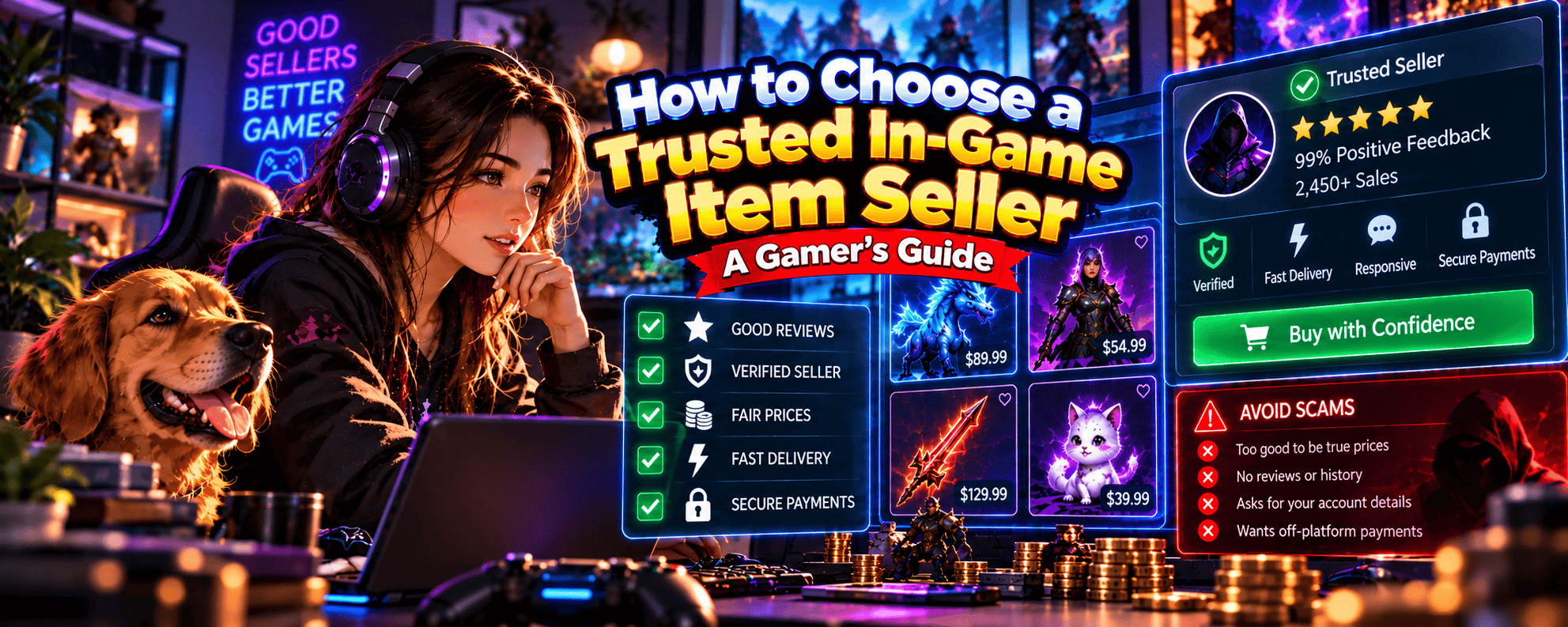
1. How to Choose a Trusted In-Game Item Seller 🛡️
You’ve finally found that rare CS2 skin, powerful RPG weapon or limited-edition cosmetic you’ve been hunting for.
The price looks reasonable, the item looks incredible and you’re ready to add it to your inventory.
There’s just one problem.
Can you actually trust the seller?
Buying in-game items can be a great way to customise your character, upgrade your equipment or complete a collection without spending countless hours grinding.
But not every seller is legitimate.
Some sellers provide exactly what they advertise. Others may misrepresent items, fail to deliver purchases or attempt to steal account information.
That’s why learning how to choose a trusted in-game item seller is an important skill for anyone buying virtual gaming items.
The good news? You don’t need to become a professional investigator to make better purchasing decisions.
You just need to know what to look for.
🎮 What Is a Trusted In-Game Item Seller?
A trusted in-game item seller is someone who has demonstrated credible, reliable behaviour when selling eligible virtual items.
Trustworthy sellers generally provide accurate information, communicate clearly and follow the relevant game’s and marketplace’s transaction rules.
Important characteristics include:
- Accurate Listings: Items match their advertised descriptions and attributes.
- Transparent Pricing: Prices and applicable fees are clearly explained.
- Reliable Delivery: Sellers follow the agreed delivery process.
- Positive Reputation: Relevant transaction history and credible feedback support their reliability.
- Clear Communication: Buyers can ask reasonable questions before purchasing.
- Secure Transactions: Payments and transfers use supported, permitted methods.
- Respect for Game Rules: Sellers don’t encourage buyers to bypass trading restrictions.
No single characteristic guarantees a safe purchase.
However, evaluating several factors together can help you identify sellers who deserve further consideration.
💎 Why Does Choosing the Right Seller Matter?
Virtual items can represent significant investments of time, effort and money.
For example, you might be purchasing:
- A rare CS2 weapon skin.
- A valuable Path of Exile item.
- An eligible World of Warcraft trading item.
- A limited Roblox collectible.
- A cosmetic item for your favourite game.
If the seller misrepresents the item or fails to complete the transaction, you could lose money without receiving what you expected.
There are also account security risks.
Some scammers use fake listings to encourage players to visit phishing websites, disclose login details or approve unwanted transactions.
Choosing sellers carefully helps reduce these risks.
🔍 The Five Things to Check Before Trusting a Seller
Before purchasing, investigate five important areas.
1. Seller Identity
Can you verify that you’re dealing with the intended seller or marketplace account?
2. Seller Reputation
Does the seller have credible feedback or relevant transaction history?
3. Item Authenticity
Does the listing accurately describe an eligible item that can be transferred?
4. Price and Transaction Terms
Are the price, fees and delivery arrangements clear?
5. Payment and Delivery Protection
Does the transaction use a supported method with clearly explained procedures?
These checks form the foundation of a more informed purchase.
⚠️ Can a Seller With Good Reviews Still Be a Scammer?
Unfortunately, yes.
Positive reviews don’t automatically guarantee legitimacy.
Reviews can sometimes be fabricated, manipulated or associated with compromised accounts.
Likewise, an established seller might still make mistakes or fail to deliver an item.
Treat reputation as useful evidence rather than absolute proof.
🏆 Should You Always Choose the Most Popular Seller?
Not necessarily.
A seller with thousands of transactions may have more visible history, but popularity alone doesn’t establish reliability.
A smaller seller with clear listings, credible feedback and appropriate transaction procedures may also be worth considering.
The key is evaluating the actual purchase rather than relying entirely on a popularity score.
🎯 The Golden Rule of Choosing a Seller
Trust the evidence, not just the seller’s promises.
Verify the item, investigate the seller and understand the transaction before paying.
Because that legendary sword won’t feel quite so legendary if the only thing you receive is an empty inventory and a blocked Discord account.
2. Where to Find Reliable In-Game Item Sellers 🎮
Finding someone selling a gaming item isn’t particularly difficult.
Finding a seller you can confidently purchase from takes a little more effort.
Depending on the game, sellers may operate through official marketplaces, independent gaming platforms, community trading groups or direct player-to-player exchanges.
Each option offers different features, restrictions and risks.
The best place to find a reliable in-game item seller is a platform that supports the item you want, permits the transaction and provides clear seller information and transaction procedures.
Let’s explore the main options.
🛒 1. Official In-Game Marketplaces
Some games provide built-in marketplaces or auction houses.
These allow players to purchase eligible items through systems supported by the game developer.
Examples include:
World of Warcraft Auction House
Players can purchase eligible items listed through the game’s auction-house system using in-game currency.
Game-Specific Trading Systems
Some games allow players to exchange eligible equipment, materials or collectibles through supported interfaces.
These systems can simplify item transfers because transactions occur within established game mechanics.
However, official systems still require buyers to check prices and item details.
🔫 2. Steam Community Market
The Steam Community Market allows users to buy and sell eligible items from supported games using Steam Wallet funds.
For CS2 players, this includes certain weapon skins and other eligible inventory items.
Advantages can include:
- An established marketplace interface.
- Item listings associated with Steam inventories.
- Supported purchasing procedures.
- Access to relevant market information.
However, there are important limitations.
Steam Wallet funds generally cannot be withdrawn directly as cash, and marketplace transactions are subject to Steam’s rules and fees.
Always confirm that the exact item you’re purchasing is eligible for the marketplace.
🌐 3. Independent Gaming Marketplaces
Independent gaming marketplaces connect buyers and sellers of virtual gaming products.
Depending on the platform, these may include:
- In-game items.
- Weapon skins.
- Cosmetics.
- Gaming currencies.
- Other eligible gaming products.
For example, StackedGame provides a marketplace where sellers can list gaming-related products and services, including eligible in-game items.
When evaluating an independent marketplace, check:
- Whether the relevant game permits the transaction.
- What seller information is available.
- How payments are processed.
- How items are delivered.
- Whether dispute procedures exist.
- What fees or restrictions apply.
Don’t assume that all independent marketplaces provide identical protections.
🤝 4. Player-to-Player Trading Communities
Many gamers find sellers through community spaces.
These may include:
- Discord servers.
- Reddit communities.
- Gaming forums.
- Guilds and clans.
- Game-specific trading groups.
Communities can help buyers locate unusual items or connect with players who specialise in particular games.
However, finding a seller through a community doesn’t mean the community guarantees the transaction.
A Discord moderator, for example, may not be responsible for a private exchange between members.
Always verify the seller and complete transactions through permitted, supported methods.
💬 5. Direct Trading With Other Players
Some players arrange purchases or exchanges directly with people they already know.
This might involve guildmates, friends or players they’ve traded with previously.
Existing relationships can provide useful context.
However, familiar usernames and established accounts can still be impersonated or compromised.
Verify the actual account before transferring valuable items.
📊 Where to Find In-Game Item Sellers: Comparison
| Selling Channel | Main Advantage | Main Consideration |
|---|---|---|
| Official In-Game Marketplace | Supported game transaction process | Item eligibility and pricing |
| Steam Community Market | Established market for eligible Steam items | Steam Wallet restrictions and fees |
| Independent Gaming Marketplace | Access to different sellers and products | Platform credibility and game rules |
| Discord Trading Community | Direct contact with gaming communities | Impersonation and unsupported transactions |
| Gaming Forums | Opportunities to research sellers | Limited transaction protections |
| Direct Player Trading | Flexible exchanges where permitted | Identity verification and delivery risk |
🔍 How Do You Choose the Right Marketplace?
Start with the game and item you’re interested in.
Ask yourself:
- Is the item eligible for sale or transfer?
- Does the game permit the proposed transaction?
- Does the platform support the item?
- Can you investigate the seller?
- Are the payment and delivery procedures clear?
- What happens if something goes wrong?
A marketplace that answers these questions clearly is easier to evaluate than one that provides little information.
Our Where to Buy In-Game Items Online guide explores the different purchasing channels and how to compare them.
💰 Is the Cheapest Marketplace Always the Best?
Not necessarily.
Imagine two sellers offering the same eligible item.
Seller A advertises it for $45.
Seller B advertises it for $50.
The cheaper listing might be a good deal.
But you should also consider whether the item descriptions match, what fees apply and how the transaction will be completed.
A lower advertised price isn’t particularly useful if the seller cannot deliver the item.
🏆 The Golden Rule of Finding Reliable Sellers
Choose a suitable marketplace first, then evaluate the individual seller and listing.
Even a well-established platform can’t guarantee that every transaction will meet your expectations.
A little research before buying can save you considerable frustration afterwards.
3. How to Check an In-Game Item Seller’s Reputation ⭐
You’ve found two sellers offering the same rare gaming item.
One has hundreds of positive reviews.
The other has only completed a handful of transactions.
Which one should you choose?
Seller reputation can help answer that question, but it’s important to understand what the information actually tells you.
Checking an in-game item seller’s reputation means evaluating credible feedback, transaction history, account information and behaviour rather than relying on a single rating.
Here’s what to investigate.
⭐ 1. Review Seller Ratings
Some marketplaces display ratings based on buyer feedback.
These may appear as:
- Star ratings.
- Positive feedback percentages.
- Written reviews.
- Seller reputation scores.
- Transaction satisfaction indicators.
For example, imagine two hypothetical sellers:
| Seller | Rating | Completed Transactions |
|---|---|---|
| Seller A | 4.9/5 | 250 |
| Seller B | 5.0/5 | 3 |
Seller B has a perfect rating, but it’s based on very limited feedback.
Seller A has a slightly lower rating supported by a much larger transaction history.
That doesn’t automatically make Seller A the better choice.
However, the number of reviews provides important context.
📦 2. Check Completed Transaction History
Where available, completed transaction records can help establish whether a seller has experience delivering items.
Look for:
- Relevant completed sales.
- Consistency over time.
- Recent transaction activity.
- Experience with similar items.
- Patterns of successful delivery.
A seller who regularly trades the type of item you want may be easier to evaluate than someone with no relevant history.
However, transaction counts can sometimes be manipulated.
Don’t rely on volume alone.
📅 3. Consider Account Age
An established account may provide more history to investigate.
For example, a seller who has operated for several years may have accumulated meaningful transaction records and feedback.
However, account age doesn’t prove trustworthiness.
Older accounts can be compromised, transferred or used fraudulently.
Likewise, new sellers can be entirely legitimate.
Treat account age as supporting information.
💬 4. Read the Actual Reviews
Don’t stop at the overall rating.
Read the written feedback where available.
Look for comments about:
- Accurate item descriptions.
- Successful delivery.
- Communication.
- Transaction problems.
- Seller responsiveness.
- Dispute handling.
Detailed reviews describing specific experiences may be more informative than generic praise.
For example:
Item matched the listing and arrived through the agreed trading process.
This provides more useful context than:
Best seller ever!
Neither review should be treated as independently verified unless the platform provides a reliable verification mechanism.
🔍 5. Look for Patterns in Negative Feedback
A few negative reviews don’t necessarily mean a seller is unreliable.
Even legitimate sellers can experience misunderstandings or transaction problems.
Instead, look for recurring complaints.
For example:
- Items not delivered.
- Incorrect item attributes.
- Unexpected additional fees.
- Misleading descriptions.
- Requests for off-platform payments.
- Poor communication after purchase.
Repeated complaints about the same problem deserve attention.
🤝 6. Check How Sellers Respond to Problems
Where public responses are available, review how sellers handle complaints.
Do they provide clear explanations?
Do they acknowledge mistakes?
Do they follow the marketplace’s documented dispute procedures?
Professional communication can be a positive indicator.
However, polite responses don’t automatically establish that the seller is legitimate.
🎮 7. Look for Experience With Your Specific Game
Selling items for different games may involve very different procedures.
For example, delivering an eligible CS2 skin through Steam is different from exchanging equipment in an RPG.
A seller familiar with your game may be better positioned to explain:
- Trading restrictions.
- Item eligibility.
- Delivery requirements.
- Relevant account conditions.
- Expected transaction procedures.
That experience can help reduce misunderstandings.
🔐 8. Understand Seller Verification Badges
Some marketplaces display verification indicators.
These may represent different checks depending on the platform.
For example, a badge might indicate that a seller has completed an identity verification process or met certain marketplace requirements.
However, verification doesn’t necessarily guarantee:
- Item authenticity.
- Successful delivery.
- Refund eligibility.
- Protection against fraud.
Check what the badge actually means on that platform.
⚠️ 9. Watch for Sudden Reputation Changes
An established seller account that suddenly begins advertising unusual offers may deserve additional investigation.
For example, warning signs might include:
- A sudden change in the types of items sold.
- Unexpectedly large discounts.
- Requests to use unfamiliar payment methods.
- Unusual changes in communication.
- Links to unrelated websites.
These changes don’t prove account compromise, but they can justify additional checks.
📊 Seller Reputation Evaluation Checklist
| Reputation Factor | What to Look For |
|---|---|
| Overall Rating | Positive feedback supported by context |
| Review Volume | Enough feedback to evaluate patterns |
| Completed Sales | Relevant transaction history |
| Account Age | Established activity where verifiable |
| Written Reviews | Specific comments about real experiences |
| Negative Feedback | Repeated complaints or unresolved issues |
| Seller Responses | Clear handling of reported problems |
| Verification Status | Understand what the platform verifies |
| Recent Activity | Consistent and credible seller behaviour |
🛡️ Should You Buy From a Seller With No Reviews?
A seller with no reviews isn’t automatically a scammer.
Everyone starts somewhere.
However, limited history means you have less evidence to assess.
If you’re considering a new seller:
- Examine the item listing carefully.
- Confirm the game permits the transaction.
- Ask reasonable questions.
- Understand the marketplace’s procedures.
- Avoid unsupported payment arrangements.
- Consider starting with a lower-value purchase.
For higher-value items, you may prefer a seller with more verifiable history.
🎯 The Golden Rule of Seller Reputation
Look for consistent evidence of reliable transactions rather than trusting a rating in isolation.
A five-star score looks impressive.
But understanding how that score was earned is far more useful when your gaming inventory and money are involved.
4. How to Spot Fake Reviews and Seller Profiles 🔍
A seller has hundreds of glowing reviews.
Their profile looks professional.
They claim to be a verified trader with years of experience.
Surely they’re legitimate?
Not necessarily.
Scammers sometimes create fake reviews, impersonate established sellers or manipulate reputation indicators to make fraudulent listings appear trustworthy.
Learning to recognise suspicious seller profiles and misleading reviews can help you avoid trusting the wrong person.
Let’s look at the warning signs.
🎭 1. Watch for Seller Impersonation
Impersonation occurs when someone pretends to be another seller.
For example, a scammer might copy:
- A legitimate seller’s username.
- Profile picture.
- Biography.
- Listing descriptions.
- Reputation claims.
- Screenshots of completed trades.
They may then contact potential buyers through Discord or another gaming community.
The goal is to convince you that you’re dealing with an established trader.
How to protect yourself:
Open the seller’s actual profile through the marketplace or gaming platform.
Check the account identifier where available.
Don’t rely entirely on screenshots or familiar display names.
⭐ 2. Look for Unusual Review Patterns
Fake reviews sometimes follow recognisable patterns.
For example:
- Many reviews appear within a very short period.
- Reviews use nearly identical wording.
- Feedback contains little information about actual transactions.
- Multiple reviewers have limited account activity.
- Ratings appear inconsistent with detailed complaints elsewhere.
These patterns aren’t conclusive proof of manipulation.
A genuine seller might receive multiple reviews after a promotion or busy trading period.
However, unusual patterns deserve further investigation.
💬 3. Be Cautious of Generic Praise
Consider these two hypothetical reviews.
Review A:
Amazing seller! Best prices! Perfect service! Highly recommended!
Review B:
Purchased an eligible weapon skin. The item matched the listing and the seller completed delivery through the agreed process.
Review B provides more specific information.
However, detailed reviews can also be fabricated.
Use review quality as one factor rather than definitive evidence.
📸 4. Don’t Trust Screenshots as Proof
Some sellers display screenshots of:
- Positive reviews.
- Completed transactions.
- Large inventories.
- Payment confirmations.
- Marketplace verification badges.
Screenshots can be edited, copied or taken out of context.
Whenever possible, verify claims directly through the relevant platform.
For example, a screenshot showing a seller’s supposed reputation doesn’t necessarily establish that the account contacting you owns that reputation.
🔐 5. Check for Fake Verification Claims
A scammer may claim to be:
- An official marketplace representative.
- A verified trading administrator.
- A recognised community moderator.
- An authorised item distributor.
- A trusted middleman.
These titles can sound convincing.
But anyone can type “official” into a profile description.
Check whether the relevant platform actually recognises the claimed status.
Never provide credentials or transfer items solely because someone claims to have authority.
🌐 6. Be Careful With External Reputation Websites
Some sellers direct buyers to unrelated websites displaying supposed trust scores or trading histories.
These websites may be legitimate independent services, but others may be controlled or manipulated by the seller.
Before relying on an external reputation page, investigate:
- Who operates the website.
- How reviews are collected.
- Whether transactions are verified.
- Whether negative feedback is displayed.
- Whether the site has an established independent reputation.
Avoid treating an unfamiliar reputation website as proof of seller legitimacy.
💰 7. Watch for Reputation Combined With Unrealistic Prices
A suspicious profile becomes more concerning when combined with an unusually attractive offer.
For example, imagine a seller claims to have thousands of satisfied customers and advertises a rare item for a fraction of its typical market price.
They insist you must pay immediately to secure the deal.
That combination deserves investigation.
Low prices aren’t automatically fraudulent.
However, unrealistic discounts, artificial urgency and unverifiable reputation claims can be warning signs.
📱 8. Verify Accounts Across Communication Channels
A seller might advertise through a marketplace but contact you through Discord.
Before proceeding, verify that the Discord account genuinely belongs to the marketplace seller.
Don’t assume matching usernames prove identity.
Where the platform provides an official messaging system, using it can help maintain a clearer record of the transaction.
Be cautious if someone unexpectedly asks you to abandon the marketplace’s documented purchasing process.
⚠️ 9. Recognise Suspicious Profile Behaviour
Potential warning signs include:
Frequent Identity Changes
The seller repeatedly changes usernames or account details without a clear explanation.
Unverifiable Transaction Claims
They advertise extensive trading experience but cannot provide credible supporting information.
Pressure to Move Off-Platform
They insist that payment or delivery must happen through an unrelated service.
Requests for Account Credentials
They ask for passwords, authentication codes or recovery information.
Refusal to Clarify Listing Details
They avoid reasonable questions about the item or transaction.
Unexpected Verification Fees
They demand additional payments to prove you’re a legitimate buyer.
Several warning signs together should prompt you to reconsider the purchase.
📊 Genuine-Looking vs Suspicious Seller Profiles
| Profile Feature | More Reassuring | Potential Warning Sign |
|---|---|---|
| Account Identity | Verifiable through platform | Copied username or profile |
| Reviews | Relevant and consistent feedback | Repetitive or suspicious patterns |
| Transaction History | Credible completed sales | Unsupported sales claims |
| Verification | Status explained by platform | Self-declared official status |
| Item Listings | Clear and accurate descriptions | Vague or inconsistent details |
| Communication | Transparent transaction process | Pressure and unusual requests |
| Payment | Supported, clearly explained method | Unexpected off-platform demands |
🛡️ What Should You Do if You Suspect a Fake Seller?
If a profile appears suspicious:
- Avoid sending payment or transferring items.
- Verify the account through the relevant platform.
- Preserve relevant messages and listing details.
- Report suspected impersonation or fraud through official channels.
- Consider another seller if the concerns remain unresolved.
You don’t need to prove that someone is a scammer before deciding not to purchase.
🏆 Can Fake Reviews Be Completely Avoided?
Not always.
Even established marketplaces may encounter attempts to manipulate feedback.
The goal isn’t to identify every fabricated review with certainty.
It’s to avoid relying on reviews as your only source of information.
Combine reputation checks with item verification, transaction security and seller communication.
For additional precautions when purchasing gaming items, see our How to Buy In-Game Items Safely guide.
🎯 The Golden Rule of Spotting Fake Sellers
Verify the actual seller account and transaction rather than trusting appearances.
A convincing profile, impressive reviews and professional-looking listings can all be imitated.
But careful verification makes it harder for scammers to turn a tempting gaming deal into an expensive mistake.
Because the only thing worse than missing out on a rare item is paying for it and discovering the seller was about as real as that legendary loot drop you’ve been chasing for three years.
5. What Makes an In-Game Item Seller Trustworthy? 🤝
You’ve found a seller offering the exact gaming item you want.
Their reviews look promising, the price seems reasonable and their profile has been active for a while.
But what actually makes an in-game item seller trustworthy?
A good reputation is a useful starting point, but reliable sellers demonstrate their credibility through their listings, communication and transaction practices.
A trustworthy in-game item seller provides accurate information, follows permitted trading procedures and makes it clear what buyers can expect before completing a purchase.
Let’s look at the qualities that matter most.
🎮 1. Accurate and Detailed Item Listings
Reliable sellers should clearly describe what they’re offering.
Depending on the game, an item listing might include:
- Item name and type.
- Game and supported platform.
- Rarity or quality.
- Condition or wear classification.
- Relevant attributes and modifiers.
- Quantity.
- Trading restrictions.
- Delivery requirements.
For example, a CS2 skin listing should accurately identify the weapon, skin and relevant condition.
A Path of Exile equipment listing may need to specify modifiers, item level and other attributes.
The more relevant information available, the easier it becomes to evaluate the purchase.
💰 2. Transparent Pricing
A trustworthy seller should make the purchase price clear.
Buyers should understand:
- The advertised item price.
- Any additional marketplace fees.
- The payment currency.
- Relevant transaction charges.
- Whether the listed price includes everything required for delivery.
Be cautious when unexpected charges appear after you’ve agreed to purchase.
For example, a seller advertising a $30 item shouldn’t suddenly demand an unexplained $20 verification payment.
🤝 3. Clear and Professional Communication
Good sellers should be able to answer reasonable questions about their listings.
For example:
Is this the exact item shown in the screenshot?
Are there any trading restrictions?
How will the item be delivered?
What happens if delivery cannot be completed?
Clear responses help buyers understand the transaction.
However, friendly communication alone doesn’t prove legitimacy.
Always verify important claims through the relevant platform where possible.
📦 4. Reliable Delivery Procedures
A credible seller should explain how the item will be transferred.
Depending on the game, delivery might involve:
- An official trading interface.
- An in-game marketplace.
- A supported player-to-player exchange.
- Another permitted transaction method.
The process should comply with the game’s rules.
Avoid sellers who insist on unusual transfers or unsupported methods without a clear explanation.
🔐 5. Respect for Account Security
A legitimate item purchase should not require you to disclose your account password to the seller.
Trustworthy sellers shouldn’t request:
- Passwords.
- Authentication codes.
- Recovery codes.
- Session credentials.
- Unnecessary personal information.
Be suspicious of anyone claiming these details are required to verify your identity or complete an ordinary item transfer.
⭐ 6. Credible Transaction History
Where available, relevant transaction history can help establish reliability.
Look for consistent evidence of successful sales rather than relying on one impressive number.
For example, a seller with a history of delivering similar items may provide more information to evaluate than someone making unsupported claims about thousands of transactions.
However, even an established account can be compromised.
Always verify the current transaction.
🛡️ 7. Compliance With Game and Marketplace Rules
A trustworthy seller should understand the restrictions affecting their products.
For example, some items are account-bound or cannot be sold for real money under the relevant game’s terms.
A seller encouraging buyers to bypass restrictions may expose them to unnecessary risks.
Before purchasing, confirm that the proposed sale and delivery method are permitted.
📊 Trustworthy Seller Checklist
| Seller Quality | What to Look For |
|---|---|
| Listing Accuracy | Complete and consistent item details |
| Pricing | Clear costs and fees |
| Communication | Relevant answers to buyer questions |
| Delivery | Explained, supported transfer method |
| Account Security | No requests for sensitive credentials |
| Reputation | Credible transaction history |
| Game Compliance | Transactions permitted by the game |
| Problem Resolution | Clear support or dispute procedures |
⚠️ Does a Trustworthy Seller Guarantee a Successful Purchase?
No.
Even legitimate sellers can experience technical problems, delivery delays or misunderstandings.
The important distinction is whether the transaction is transparent and whether appropriate procedures exist for handling problems.
A seller who communicates clearly and follows documented marketplace processes is easier to evaluate than someone making vague promises.
🏆 The Golden Rule of Seller Trustworthiness
Look for consistent, verifiable behaviour rather than relying on promises or reputation alone.
A trustworthy seller should make it easy to understand what you’re buying, how much you’re paying and how the item will be delivered.
If the entire transaction depends on someone saying “trust me, bro”, you might want to keep looking.
6. How to Verify an In-Game Item Before Buying 💎
You’ve found a seller with excellent feedback.
The item looks incredible.
But before you complete the purchase, there’s another important question.
Is the item actually what the seller claims it is?
Even a legitimate seller can make mistakes when describing gaming items.
And dishonest sellers may deliberately misrepresent rarity, condition, attributes or trading eligibility.
Verifying an in-game item before buying means checking its exact characteristics, transferability and compatibility with your gaming needs.
Here’s how to do it.
🎮 1. Confirm the Correct Game and Platform
Start with the basics.
Make sure the item belongs to the game and platform you’re using.
Some games have different economies or inventory systems across platforms, regions or versions.
For example, an item available in one game environment may not be transferable to another.
Check:
- Game title.
- Supported platform.
- Server or region where relevant.
- Game version.
- Character or account requirements.
Don’t assume that similarly named items are interchangeable.
💎 2. Check Item Rarity
Rarity can influence an item’s desirability and value.
Games may classify items using labels such as:
- Common.
- Uncommon.
- Rare.
- Epic.
- Legendary.
- Unique.
However, rarity systems vary between games.
A legendary item isn’t automatically more valuable than every rare item.
Demand, usefulness and item attributes also matter.
For a deeper explanation, see our What Makes an In-Game Item Valuable? guide.
🔫 3. Verify Condition and Appearance
For cosmetic items, appearance can significantly influence price.
For example, CS2 skins may differ according to:
- Wear classification.
- Float value.
- Pattern.
- Special characteristics.
- Collector interest.
Two skins with the same name may have very different market values.
Check the exact attributes rather than relying entirely on listing images.
Where supported, inspect the item through the game’s inventory or marketplace interface.
⚔️ 4. Check Functional Item Attributes
For RPG equipment, statistics can be particularly important.
Imagine purchasing a rare sword for your character build.
The listing advertises excellent damage and critical strike modifiers.
But the actual item has different attributes.
Even if the item name matches, it may not deliver the gameplay benefits you expected.
Check relevant details such as:
- Damage.
- Defensive statistics.
- Modifiers.
- Item level.
- Required character level.
- Build compatibility.
- Upgrade potential.
An item is only useful if it suits your needs.
🔐 5. Confirm the Item Is Tradable
Not every gaming item can be transferred.
Some items are:
- Account-bound.
- Character-bound.
- Temporarily trade-locked.
- Restricted to specific game modes.
- Eligible only for particular marketplaces.
For example, certain World of Warcraft items become bound after being equipped.
Steam items may also have temporary trading restrictions.
Before paying, confirm that the item can be transferred through the proposed method.
Our Tradable vs Non-Tradable In-Game Items guide explains these restrictions in greater detail.
📸 6. Don’t Rely Entirely on Screenshots
Screenshots can help illustrate an item, but they aren’t always reliable proof.
Images may be:
- Outdated.
- Edited.
- Taken from another listing.
- Showing a different item variation.
- Missing important attributes.
Where possible, verify the exact item through the supported marketplace or trading interface.
For valuable purchases, ask for relevant details that can be independently checked.
📦 7. Check Quantity and Delivery Conditions
Some listings involve multiple items or quantities of materials.
For example, a seller might advertise:
500 Crafting Materials – $10
Before purchasing, confirm:
- The exact material type.
- The quantity included.
- The relevant game and server.
- Any delivery requirements.
- Whether the items are eligible for transfer.
A misunderstanding about quantity can turn an attractive offer into a disappointing purchase.
💰 8. Compare the Item Against Market Evidence
Once you’ve verified the item details, compare its advertised price with relevant market information.
Look for comparable items with matching characteristics.
For example:
| Item | Advertised Price |
|---|---|
| Rare Sword – Standard Modifiers | $15 |
| Rare Sword – Improved Modifiers | $28 |
| Rare Sword – Exceptional Modifiers | $55 |
Hypothetical USD examples.
The price differences may be reasonable if the attributes genuinely justify them.
However, don’t assume the seller’s description accurately reflects the item’s quality.
Verify the actual modifiers.
⚠️ Warning Signs of a Misleading Item Listing
Be cautious if:
- Important attributes are missing.
- The seller refuses to clarify item details.
- Screenshots don’t match the description.
- The item appears to be non-tradable.
- The price depends on unsupported rarity claims.
- Delivery requirements change unexpectedly.
- The seller pressures you to purchase before checking.
These warning signs justify further investigation.
🏆 In-Game Item Verification Checklist
Before buying, confirm:
- The correct game and platform.
- The exact item name.
- Rarity and quality.
- Relevant attributes.
- Condition or appearance.
- Quantity.
- Trading eligibility.
- Compatibility with your account.
- The proposed delivery method.
- The advertised price.
🎯 The Golden Rule of Item Verification
Buy the exact item you’ve verified, not simply the item described in the advertisement.
A legendary weapon with the wrong modifiers might be considerably less useful than expected.
And discovering that your expensive new sword can’t actually be equipped by your character is hardly the upgrade you had in mind.
7. How to Compare Prices Between In-Game Item Sellers 💰
You’ve found three sellers offering what appears to be the same gaming item.
One wants $35.
Another wants $42.
The third is asking $60.
Which seller offers the best deal?
The obvious answer might be the cheapest.
But price comparisons aren’t always that simple.
Different listings may involve different item attributes, fees, currencies or delivery arrangements.
Comparing in-game item prices properly means evaluating equivalent items and understanding the total cost of each transaction.
Let’s explore how to do that.
🔍 1. Compare Identical or Equivalent Items
Start by confirming that the listings actually describe comparable products.
For example, when comparing CS2 skins, consider:
- Weapon and skin name.
- Wear classification.
- Float value.
- Pattern.
- Special characteristics.
For RPG equipment, compare the relevant statistics and modifiers.
A lower-priced item may simply have less desirable attributes.
💎 2. Understand What Influences Item Prices
In-game item values can be influenced by:
- Rarity.
- Player demand.
- Item supply.
- Cosmetic appearance.
- Gameplay usefulness.
- Condition.
- Special attributes.
- Trading restrictions.
- Current market activity.
For example, a cosmetic with strong collector demand may command a higher price than a rarer item with limited interest.
Always consider the characteristics that matter for the specific game.
📊 3. Compare Multiple Seller Listings
Imagine three hypothetical sellers offering equivalent eligible items.
| Seller | Item Price | Additional Fees | Total Cost |
|---|---|---|---|
| Seller A | $35 | $5 | $40 |
| Seller B | $38 | $0 | $38 |
| Seller C | $42 | $2 | $44 |
Hypothetical USD prices.
Seller A advertises the lowest item price.
However, Seller B has the lowest total cost.
This illustrates why comparing advertised prices alone can be misleading.
💳 4. Account for Marketplace Fees
Some marketplaces charge transaction fees.
Depending on the platform, fees may be paid by the buyer, seller or both.
Before purchasing, check:
- Marketplace charges.
- Payment processing fees.
- Currency conversion costs.
- Any clearly disclosed delivery charges.
- Other applicable transaction costs.
Avoid sellers who introduce unexplained fees after you’ve agreed to purchase.
📈 5. Check Recent Completed Sales
Asking prices show what sellers hope to receive.
Completed sales, where available, provide evidence of what buyers have actually paid.
For example, an item advertised for $100 may have recent comparable sales around $75.
That doesn’t automatically mean the listing is unreasonable.
However, it gives you a useful reference point.
Consider whether the item has unusual attributes that justify a higher price.
🌐 6. Compare Prices Across Different Marketplaces
Where permitted, comparing relevant marketplaces can provide additional pricing context.
However, different marketplaces may use different transaction systems.
For example, Steam Community Market transactions use Steam Wallet funds, which generally cannot be withdrawn directly as cash.
Therefore, Steam Wallet prices aren’t necessarily equivalent to cash prices on independent marketplaces.
Be careful when comparing different types of value.
⭐ 7. Consider Seller Credibility Alongside Price
Imagine two sellers offering equivalent items.
Seller A
- Price: $30.
- Limited transaction history.
- Unclear delivery method.
- Requests payment outside the marketplace.
Seller B
- Price: $35.
- Credible transaction history.
- Clear item description.
- Documented transaction process.
Seller B may be the more suitable option despite the higher advertised price.
The cheapest offer isn’t necessarily the best purchasing decision.
⚠️ 8. Recognise Unrealistic Discounts
Extremely low prices can sometimes indicate:
- Incorrect item details.
- Different item attributes.
- Temporary market changes.
- Listing mistakes.
- Fraudulent offers.
Don’t assume that every discount is suspicious.
However, investigate offers that appear dramatically cheaper than comparable listings.
💰 9. Set a Maximum Purchase Budget
Before contacting sellers, decide what you’re comfortable spending.
Consider:
- The item’s approximate market value.
- Its usefulness or personal appeal.
- Your available budget.
- Applicable fees.
- The possibility that its value may decline.
Gaming items aren’t guaranteed investments.
Buy them because they meet your gaming goals, not because someone promises future profits.
🔍 10. Use a Consistent Comparison Process
A practical approach is to:
- Identify the exact item.
- Confirm relevant attributes.
- Find comparable listings.
- Check recent completed sales where available.
- Calculate total costs.
- Investigate seller credibility.
- Confirm trading eligibility.
- Compare transaction procedures.
- Select the offer that best meets your requirements.
Our How to Compare In-Game Item Prices guide explores pricing comparisons in more detail.
🏆 Is It Worth Paying More for a Trusted Seller?
Sometimes.
A slightly higher price may be reasonable when the seller provides clearer information, has a credible transaction history and uses an appropriate purchasing process.
However, paying more doesn’t guarantee safety.
Evaluate the complete transaction.
🎯 The Golden Rule of Comparing Sellers
Compare the total purchase, not just the advertised price.
The best deal combines a suitable item, reasonable pricing, credible seller information and an appropriate transaction method.
Because saving $5 isn’t much of a bargain if you end up receiving the wrong item.
8. How to Check Payment and Item Delivery Methods 🔐
You’ve verified the seller.
You’ve checked the item.
The price looks reasonable.
Now it’s time to understand how the purchase will actually work.
This is where some buyers make expensive mistakes.
A seller may appear trustworthy until they request an unusual payment method, introduce unexpected charges or ask you to transfer money before explaining delivery.
Before purchasing an in-game item, understand exactly how payment will be processed, how the item will be delivered and what happens if the transaction fails.
💳 1. Understand the Accepted Payment Methods
Different marketplaces support different payment systems.
Depending on the platform, these may include:
- Card payments.
- Digital payment services.
- Marketplace balances.
- In-game currency.
- Other supported payment arrangements.
Not every payment method offers the same protections.
For example, some payment services provide dispute procedures for eligible purchases, while others offer limited options for recovering funds.
Check the actual provider’s policies before proceeding.
🛒 2. Use the Marketplace’s Documented Payment Process
If you’re purchasing through a marketplace, follow its established transaction procedures.
Be cautious if a seller asks you to abandon the normal checkout process.
For example:
Don’t pay through the marketplace. Send the money directly and I’ll give you a discount.
That arrangement may bypass available transaction records or protections.
It could also violate the marketplace’s terms.
Only use payment methods permitted by the relevant platform.
🔐 3. Understand How the Item Will Be Delivered
Delivery methods vary between games.
For example:
Steam Inventory Trading
Eligible items may be transferred through supported Steam trade offers.
World of Warcraft
Eligible items may be exchanged through supported in-game trading systems.
Path of Exile
Eligible items may be exchanged through the game’s supported trading mechanisms.
Roblox
Eligible collectibles may be transferred through supported Roblox trading features, subject to applicable requirements.
Before paying, confirm that the proposed method is permitted and that your account can receive the item.
📦 4. Check Delivery Requirements
Some transactions require buyers to meet specific conditions.
These might include:
- Account eligibility.
- Trading permissions.
- Server compatibility.
- Character availability.
- Temporary trade restrictions.
- Required authentication settings.
For example, an item may be subject to a trade lock that prevents immediate transfer.
Confirm these requirements before purchasing.
⏳ 5. Understand Expected Delivery Times
Not every item can be delivered immediately.
Delivery may depend on the game’s systems, seller availability or applicable restrictions.
Ask the seller or review the marketplace’s published procedures to understand:
- When delivery is expected.
- Whether manual coordination is required.
- Whether trade holds apply.
- What happens if delivery is delayed.
Be cautious of guaranteed instant delivery claims when the item is subject to known restrictions.
💰 6. Check the Final Payment Amount
Before completing checkout, confirm the total cost.
For example:
| Cost Component | Amount |
|---|---|
| Item Price | $40 |
| Marketplace Fee | $3 |
| Payment Fee | $2 |
| Total | $45 |
Hypothetical USD example.
The total should be clear before you authorise payment.
Unexpected fees deserve investigation.
🛡️ 7. Review Refund and Dispute Policies
Before purchasing, check what happens if:
- The seller doesn’t deliver.
- The item differs from its description.
- Delivery is delayed.
- The transaction cannot be completed.
- A payment problem occurs.
Different platforms have different policies.
Some transactions may be final.
Others may provide specific dispute procedures.
Don’t assume that every digital item purchase is refundable.
⚠️ 8. Watch for Payment Warning Signs
Be cautious if a seller:
- Requests payment through an unrelated account.
- Changes payment instructions unexpectedly.
- Demands additional verification fees.
- Refuses to explain delivery.
- Pressures you to pay immediately.
- Requests account passwords or authentication codes.
- Asks you to misrepresent the purpose of a payment.
These behaviours may indicate an unsafe transaction.
📱 9. Confirm the Correct Trading Recipient
When delivery involves a player-to-player transfer, verify the actual account.
Don’t rely solely on matching usernames or profile pictures.
For example, a scammer might impersonate a legitimate seller and provide a different account for the transaction.
Use official account identifiers and the relevant platform’s supported verification features where available.
📸 10. Keep Transaction Records
For important purchases, retain relevant information such as:
- Order confirmation.
- Item description.
- Seller account details.
- Payment receipt.
- Agreed delivery method.
- Transaction history.
- Relevant messages.
These records can be useful if you need to investigate a problem.
Avoid sharing sensitive payment or account information unnecessarily.
📊 Payment and Delivery Safety Checklist
| What to Check | Why It Matters |
|---|---|
| Payment Method | Understands available payment protections |
| Final Price | Avoids unexpected charges |
| Marketplace Rules | Confirms the transaction is permitted |
| Item Eligibility | Ensures the item can be transferred |
| Delivery Method | Clarifies how the item will arrive |
| Delivery Timing | Establishes realistic expectations |
| Account Identity | Reduces impersonation risk |
| Dispute Policy | Explains options if something goes wrong |
| Transaction Records | Supports investigation and reporting |
🏆 What Is the Safest Way to Pay an In-Game Item Seller?
There isn’t one payment method that’s safest for every game and marketplace.
A sensible approach is to use a permitted payment system with clear transaction records and understand any available buyer protections.
Where a marketplace provides an established checkout and delivery process, follow its documented procedures.
Avoid unsupported arrangements that require you to trust the seller without appropriate verification.
🎯 The Golden Rule of Payment and Delivery
Know exactly what you’re paying for, how the item will be delivered and what options exist if the transaction doesn’t go as planned.
A trustworthy seller should be able to explain these details before you purchase.
And if someone insists that you must pay a mysterious “legendary item verification fee” before receiving your sword, it’s probably time to find another merchant.
9. Red Flags That an In-Game Item Seller Might Be a Scammer ⚠️
You’ve found a rare gaming item at an incredible price.
The seller seems friendly, responds quickly and claims they’ve completed hundreds of successful transactions.
Everything looks promising.
But then they ask you to pay through an unfamiliar website or share your account details to verify the purchase.
Suddenly, that amazing deal doesn’t look quite so amazing.
Recognising the warning signs of an in-game item scam can help you avoid losing money, valuable gaming items or access to your account.
Here are the biggest red flags to watch for.
🚨 1. Prices That Seem Too Good to Be True
Everyone loves a bargain.
But an item advertised at a fraction of its usual market value deserves investigation.
For example, imagine a CS2 skin typically sells for approximately $150, but someone offers it for $25.
There could be a legitimate explanation, such as a listing mistake or an unusual market situation.
However, scammers sometimes use unrealistic discounts to attract buyers.
What to do: Compare the exact item against relevant market evidence before purchasing.
🎭 2. Sellers Who Refuse to Verify Their Identity
A seller might claim to be a respected trader or marketplace representative.
But when you ask to verify their actual account, they become evasive.
They might provide screenshots instead of a verifiable profile or insist that their reputation should be enough.
What to do: Verify the seller through the relevant marketplace or gaming platform. Don’t rely entirely on display names or screenshots.
🔐 3. Requests for Passwords or Authentication Codes
This is one of the clearest warning signs.
A seller might claim they need your password, Steam Guard code or recovery information to complete delivery.
They don’t.
A legitimate player-to-player item transfer shouldn’t require you to disclose sensitive account credentials.
What to do: Never share passwords, authentication codes or recovery information with sellers.
💳 4. Pressure to Pay Outside the Marketplace
Some scammers encourage buyers to bypass established checkout systems.
For example:
Pay me directly and I’ll give you a 20% discount.
The discount may sound attractive, but the arrangement could remove transaction records or protections available through the marketplace.
It may also violate marketplace rules.
What to do: Follow the platform’s documented payment procedures.
⏳ 5. Artificial Urgency
Scammers sometimes create pressure to prevent buyers from investigating an offer.
Common examples include:
- “You have two minutes to pay.”
- “Another buyer is waiting.”
- “The price doubles tomorrow.”
- “Pay now or I’ll cancel everything.”
A genuine seller may have legitimate time constraints, but unreasonable pressure is a warning sign.
What to do: Take the time needed to verify the purchase.
📸 6. Misleading Item Screenshots
A seller might advertise an impressive item using screenshots that don’t match what they’re actually selling.
For example, a Path of Exile weapon could be advertised with exceptional modifiers, while the available item has substantially weaker attributes.
Similarly, a CS2 skin might have a different wear classification or pattern from the one pictured.
What to do: Verify the exact item through supported trading or marketplace features wherever possible.
🤝 7. Fake Middlemen and Administrators
A seller may introduce someone claiming to be a trusted moderator or transaction administrator.
They might insist that you send payment or items to this person before the purchase can proceed.
Scammers sometimes use these arrangements to impersonate trusted community members.
What to do: Avoid unsolicited intermediaries and follow the marketplace’s official transaction process.
🌐 8. Suspicious Trading Websites
A seller might send you a link to a website that looks like Steam or another familiar gaming platform.
The site may claim that you need to sign in to receive your item.
However, fraudulent login pages can be designed to steal account credentials.
What to do: Navigate directly to official websites rather than trusting unfamiliar links.
📦 9. Unclear Delivery Arrangements
A legitimate seller should explain how an eligible item will be delivered.
Be cautious if the seller cannot clarify:
- Which account will transfer the item.
- Which trading system will be used.
- Whether the item is eligible for transfer.
- When delivery is expected.
- What happens if delivery fails.
What to do: Confirm the delivery process before paying.
💰 10. Unexpected Additional Fees
Imagine agreeing to purchase a rare skin for $50.
After paying, the seller suddenly demands another $30 to unlock delivery.
Then another $20 for account verification.
These unexpected charges are serious warning signs.
What to do: Confirm the full transaction cost before purchasing and investigate unexplained payment requests.
📊 Common Seller Scam Warning Signs
| Warning Sign | Potential Risk | Recommended Action |
|---|---|---|
| Unrealistic Discount | Fraudulent listing | Research market value |
| Unverifiable Identity | Seller impersonation | Check actual account |
| Password Request | Account theft | Never disclose credentials |
| Off-Platform Payment | Reduced transaction protection | Follow permitted checkout |
| Artificial Urgency | Rushed purchasing decision | Take time to investigate |
| Misleading Screenshots | Incorrect item delivery | Verify exact attributes |
| Fake Middleman | Item or payment theft | Avoid unsolicited intermediaries |
| Suspicious Website | Phishing | Use official login channels |
| Unclear Delivery | Failed transaction | Confirm delivery requirements |
| Unexpected Fees | Additional financial loss | Verify total cost upfront |
🛡️ What Should You Do if You Notice Multiple Red Flags?
If several warning signs appear together, stop the transaction.
You can:
- Ask the seller to clarify the suspicious details.
- Verify the account independently.
- Review the marketplace’s transaction rules.
- Preserve relevant messages.
- Report suspected fraud through official channels.
- Choose another seller if your concerns remain unresolved.
You don’t need to prove that someone is a scammer before deciding not to purchase.
For more information about protecting your inventory during exchanges, see our How to Trade In-Game Items Safely guide.
🎯 The Golden Rule of Recognising Seller Scams
If a seller asks you to bypass normal security procedures, disclose sensitive information or rush an unclear transaction, don’t proceed.
Rare items can be difficult to find.
But losing your account while chasing one is considerably worse.
10. How to Buy From an In-Game Item Seller Safely – Step by Step ⚔️
You’ve found a seller offering exactly what you want.
Their reputation looks credible, the item details match your requirements and the price seems reasonable.
Now you’re ready to make the purchase.
But before clicking that final confirmation button, it’s worth following a consistent process.
Buying from an in-game item seller safely involves verifying the item, evaluating the seller, checking the transaction terms and confirming successful delivery.
Here’s a straightforward walkthrough.
🎮 Step 1: Confirm the Item Can Be Purchased and Transferred
Start by checking the relevant game’s rules.
Not every virtual item can be sold or transferred.
Some items are account-bound, temporarily trade-locked or restricted to particular trading systems.
For example, certain World of Warcraft equipment cannot be traded after becoming bound.
Other games may prohibit specific real-money transactions entirely.
Before purchasing, confirm that the proposed sale and delivery method are permitted.
🔍 Step 2: Find a Suitable Marketplace or Seller
Look for sellers operating through platforms that support the relevant game and item.
Evaluate:
- Marketplace credibility.
- Seller information.
- Available transaction history.
- Payment procedures.
- Delivery arrangements.
- Applicable restrictions.
Avoid assuming that a marketplace is trustworthy simply because it has a professional-looking website.
⭐ Step 3: Investigate the Seller’s Reputation
Review available seller information.
Check ratings, written feedback and completed transaction history where supported.
Look for consistent evidence of reliable behaviour.
Be cautious about fake reviews, impersonation and unsupported claims of verification.
💎 Step 4: Verify the Exact Item
Confirm that the item matches your requirements.
For example, if you’re purchasing a CS2 skin, check the relevant condition and characteristics.
If you’re buying RPG equipment, verify the important attributes and modifiers.
Don’t rely solely on item names or screenshots.
💰 Step 5: Check Whether the Price Is Reasonable
Compare equivalent items across relevant marketplaces where permitted.
Consider recent completed sales where available.
Remember to account for marketplace fees and differences between payment systems.
If you’re unsure about the item’s approximate market value, our How to Check What an In-Game Item Is Worth guide explains how to research comparable prices and item attributes.
📦 Step 6: Confirm Delivery Requirements
Before paying, understand how the item will be transferred.
Check:
- The supported delivery method.
- Any account eligibility requirements.
- Server or platform compatibility.
- Temporary trading restrictions.
- Expected delivery timing.
For example, a trade-locked item may not be immediately transferable.
Don’t purchase unless you understand how delivery is expected to work.
🔐 Step 7: Review Payment and Transaction Terms
Confirm the final purchase price and applicable fees.
Read the relevant marketplace’s payment, refund and dispute policies.
Avoid unexpected requests to transfer money outside the documented transaction process.
Never disclose account passwords or authentication codes.
💳 Step 8: Complete Payment Through the Supported Process
Once you’ve verified the transaction, complete payment using the platform’s permitted method.
Check the payment details before authorising the transaction.
Don’t rely on screenshots or messages claiming that payment has been processed.
Use the actual payment provider or marketplace account to verify transaction status.
⚔️ Step 9: Receive the Item Through the Agreed Method
Follow the supported delivery process.
Where a player-to-player trade is involved, verify the actual account sending the item.
Inspect the final trade offer before accepting.
If the offered item differs from the listing, stop and clarify the issue.
📦 Step 10: Confirm the Item Arrived Correctly
After delivery, check your inventory.
Confirm:
- The correct item was received.
- The quantity matches the order.
- Relevant attributes are correct.
- The transaction status is complete.
- No unexpected account activity occurred.
If something is wrong, use the marketplace’s documented support or dispute procedures.
🏆 Step 11: Keep Transaction Records
For valuable purchases, retain relevant records.
These may include:
- Order details.
- Item description.
- Seller account information.
- Payment confirmation.
- Delivery records.
- Relevant communication.
Records can help if a transaction needs to be investigated.
📊 Safe Purchasing Checklist
| Step | What to Verify |
|---|---|
| 1 | Game permits the transaction |
| 2 | Marketplace or seller is credible |
| 3 | Seller reputation is supported by evidence |
| 4 | Exact item details are correct |
| 5 | Price is reasonable |
| 6 | Delivery method is permitted |
| 7 | Payment terms are clear |
| 8 | Payment uses the supported process |
| 9 | Correct item is transferred |
| 10 | Item arrives in your inventory |
| 11 | Transaction records are retained |
⚠️ What if Something Changes During the Purchase?
If the seller unexpectedly changes the item, price, payment method or delivery arrangement, pause the transaction.
Review the new conditions before proceeding.
Don’t assume that an earlier agreement still applies.
🎯 The Golden Rule of Buying Safely
Verify everything before paying and confirm exactly what you’ve received afterwards.
A little preparation can make the difference between a successful inventory upgrade and an expensive mistake.
And nothing takes the excitement out of a rare item purchase quite like discovering you’ve paid legendary prices for common loot.
11. Tips for Finding Better In-Game Item Sellers 🏆
Finding a legitimate seller is important.
But finding a seller who offers the right item, reasonable pricing and a straightforward purchasing experience is even better.
Whether you’re buying your first cosmetic or expanding a valuable collection, developing good purchasing habits can help you make better decisions.
The best way to find reliable in-game item sellers is to compare multiple options, verify important claims and prioritise transparent transactions over unrealistic bargains.
Here are some practical tips.
🎮 1. Compare Multiple Sellers
Don’t automatically purchase from the first seller you find.
Review several listings for equivalent items.
Compare:
- Item attributes.
- Total prices.
- Seller reputation.
- Delivery requirements.
- Transaction procedures.
- Available support options.
This helps you understand the market and identify unusual offers.
💎 2. Know Exactly What You’re Buying
Before contacting sellers, identify the item characteristics that matter to you.
For example, if you’re purchasing a CS2 skin, decide which wear classification or pattern you’re looking for.
If you’re buying RPG equipment, identify the modifiers your build requires.
Clear requirements make it easier to compare listings accurately.
⭐ 3. Prioritise Credible Reputation Over Popularity
A seller with thousands of followers isn’t automatically more trustworthy than someone with a smaller profile.
Look for verifiable transaction information and relevant feedback.
Pay attention to repeated complaints rather than relying solely on overall ratings.
🤝 4. Ask Useful Questions
If important information is missing, ask before purchasing.
For example:
- Is this the exact item shown?
- Are there any trading restrictions?
- Which delivery method will be used?
- Are additional fees involved?
- What happens if delivery cannot be completed?
Clear answers can help you evaluate the transaction.
💰 5. Understand the Total Purchase Cost
A low advertised price may not represent the final amount.
Check for applicable fees and currency conversion costs.
Compare total costs rather than item prices alone.
🔐 6. Use Supported Transaction Methods
Avoid sellers who insist on unusual payment arrangements or unsupported transfers.
Follow the relevant game’s and marketplace’s documented procedures.
Don’t share sensitive account information.
📦 7. Check Delivery Compatibility
Confirm that your account can receive the item.
Consider:
- Game version.
- Server or region.
- Trading eligibility.
- Account requirements.
- Item restrictions.
An attractive item isn’t particularly useful if it cannot be delivered to your account.
⏳ 8. Avoid Rushed Decisions
Don’t allow artificial deadlines to pressure you into buying.
Take time to compare offers and investigate the seller.
If the transaction becomes uncomfortable or unclear, consider another option.
📊 9. Use a Simple Seller Comparison
Imagine you’re considering three hypothetical sellers.
| Factor | Seller A | Seller B | Seller C |
|---|---|---|---|
| Item Price | $40 | $45 | $35 |
| Credible Feedback | Strong | Strong | Limited |
| Listing Details | Complete | Complete | Incomplete |
| Delivery Process | Clear | Clear | Unclear |
| Additional Fees | Disclosed | Disclosed | Uncertain |
Illustrative comparison using USD.
Seller C has the lowest advertised price.
However, the limited information makes the transaction harder to evaluate.
Seller A or B may be preferable depending on the actual item and transaction conditions.
🌐 10. Research Marketplace Policies
Before purchasing, understand the platform’s rules.
Check whether the marketplace provides:
- Seller information.
- Transaction records.
- Published delivery procedures.
- Support channels.
- Dispute processes.
- Clear fees.
These features can make transactions easier to evaluate.
However, don’t assume that every marketplace provides the same protections.
🛡️ 11. Keep Your Gaming Account Secure
Even when buying from an established seller, maintain good security practices.
Use strong passwords and supported authentication features.
Avoid suspicious links and unnecessary third-party applications.
Never share passwords or recovery codes.
🏆 12. Build Experience With Smaller Purchases
If you’re unfamiliar with a particular marketplace or trading system, consider starting with a lower-value eligible item.
This can help you understand the transaction process before making a more expensive purchase.
However, a successful small transaction doesn’t guarantee that every future transaction will be safe.
Continue verifying each purchase independently.
🎯 The Golden Rule of Finding Better Sellers
The best seller isn’t necessarily the cheapest or most popular. It’s the one whose item, reputation and transaction process best meet your requirements.
Take time to compare your options.
A good deal should still look good after you’ve checked the details.
12. In-Game Item Seller FAQ ❓
🛡️ How Do You Know if an In-Game Item Seller Is Legitimate?
Check the seller’s actual account, credible feedback, transaction history and listing details.
Confirm that the proposed sale is permitted by the game and that payment and delivery follow supported procedures.
No single check guarantees legitimacy, so evaluate several factors together.
⭐ Can You Trust In-Game Item Sellers With No Reviews?
A seller with no reviews isn’t automatically fraudulent.
However, limited feedback means you have less evidence to evaluate.
Check the listing carefully, verify the transaction process and consider starting with a lower-value purchase.
🔐 Are Verified Gaming Sellers Always Safe?
No.
Verification badges may indicate that a seller has completed certain checks, but they don’t guarantee successful delivery or eliminate fraud risks.
Review what the verification status actually means on the relevant platform.
🔫 What Should You Check Before Buying a CS2 Skin?
Verify the exact weapon and skin, wear classification, float value, pattern and any other relevant characteristics.
Check the item’s trading eligibility and compare prices for equivalent items.
Use supported transaction methods and protect your Steam account credentials.
🎭 How Can You Spot Fake Seller Reviews?
Look for suspicious patterns such as repetitive wording, unusually concentrated review dates and feedback that lacks transaction details.
Compare available information across credible sources.
Remember that even detailed reviews can be fabricated.
💬 Is Buying In-Game Items From Discord Sellers Safe?
Discord can help buyers find sellers, but it doesn’t guarantee the legitimacy of private transactions.
Be cautious of impersonators, phishing links and unsupported payment arrangements.
Verify the seller independently and follow the game’s permitted trading procedures.
📦 What Happens if an In-Game Item Seller Doesn’t Deliver?
Review the marketplace’s published support and dispute procedures.
Preserve order details, payment records and relevant communication.
Report the issue through official channels.
If money was involved, your payment provider may also have applicable dispute procedures.
💰 Should You Always Buy From the Cheapest Seller?
Not necessarily.
The cheapest listing may involve different item attributes, additional fees or greater transaction uncertainty.
Compare the exact items, total costs, seller credibility and delivery arrangements before deciding.
🌐 Are Third-Party Gaming Marketplaces Trustworthy?
Some independent marketplaces operate established transaction systems, but credibility and protections vary.
Investigate the platform’s reputation, payment procedures, seller information and dispute policies.
Also confirm that the relevant game permits the proposed transaction.
🎮 What’s the Safest Way to Buy From an Unfamiliar Seller?
Verify the seller’s actual account, inspect the item details and research the price.
Use permitted payment and delivery methods.
Avoid sharing sensitive account information and keep transaction records.
⚠️ What Are the Biggest Warning Signs of an In-Game Item Scam?
Common warning signs include:
- Unrealistic discounts.
- Unverifiable seller identities.
- Requests for passwords or authentication codes.
- Suspicious login links.
- Unexpected additional fees.
- Pressure to pay immediately.
- Unsupported payment or delivery arrangements.
- Misleading item descriptions.
Several warning signs together are a strong reason to reconsider the purchase.
💎 How Can You Verify That an In-Game Item Is Genuine?
Check the exact item through supported game or marketplace features where possible.
Verify relevant attributes, condition, rarity and trading eligibility.
Don’t rely entirely on screenshots or unsupported seller claims.
🤝 Is It Better to Buy From an Established Seller?
An established seller may have more transaction history and feedback available for evaluation.
However, account age and popularity don’t guarantee trustworthiness.
Always assess the current listing and transaction independently.
💳 What Payment Method Should You Use for In-Game Items?
Use a payment method permitted by the relevant marketplace or game.
Understand the available transaction records, fees and dispute procedures.
Avoid unusual payment requests that bypass the platform’s documented process.
🏆 Can You Find Good In-Game Item Sellers Without Spending Much Money?
Yes.
Finding a suitable seller doesn’t necessarily require purchasing expensive items.
Research comparable listings, investigate seller credibility and choose products that fit your budget.
Avoid assuming that higher prices automatically mean better service.
🎯 Final Thoughts: Choose Your Seller Wisely
Buying in-game items can be an exciting way to improve your gaming experience, customise your character or collect rare virtual items.
But choosing the right seller is just as important as finding the right item.
Before purchasing, investigate the seller’s reputation, verify the exact item and confirm that the transaction follows the relevant game’s rules.
Compare prices, understand payment and delivery procedures and avoid anyone who pressures you into an unclear exchange.
Remember that positive reviews, verification badges and professional-looking profiles are useful signals, not guarantees.
The best in-game item purchases combine the right item, a credible seller, reasonable pricing and a secure transaction process.
Take your time, ask questions and don’t be afraid to walk away from a suspicious deal.
Because finding legendary loot should be the exciting part of gaming—not discovering whether the person selling it actually exists.