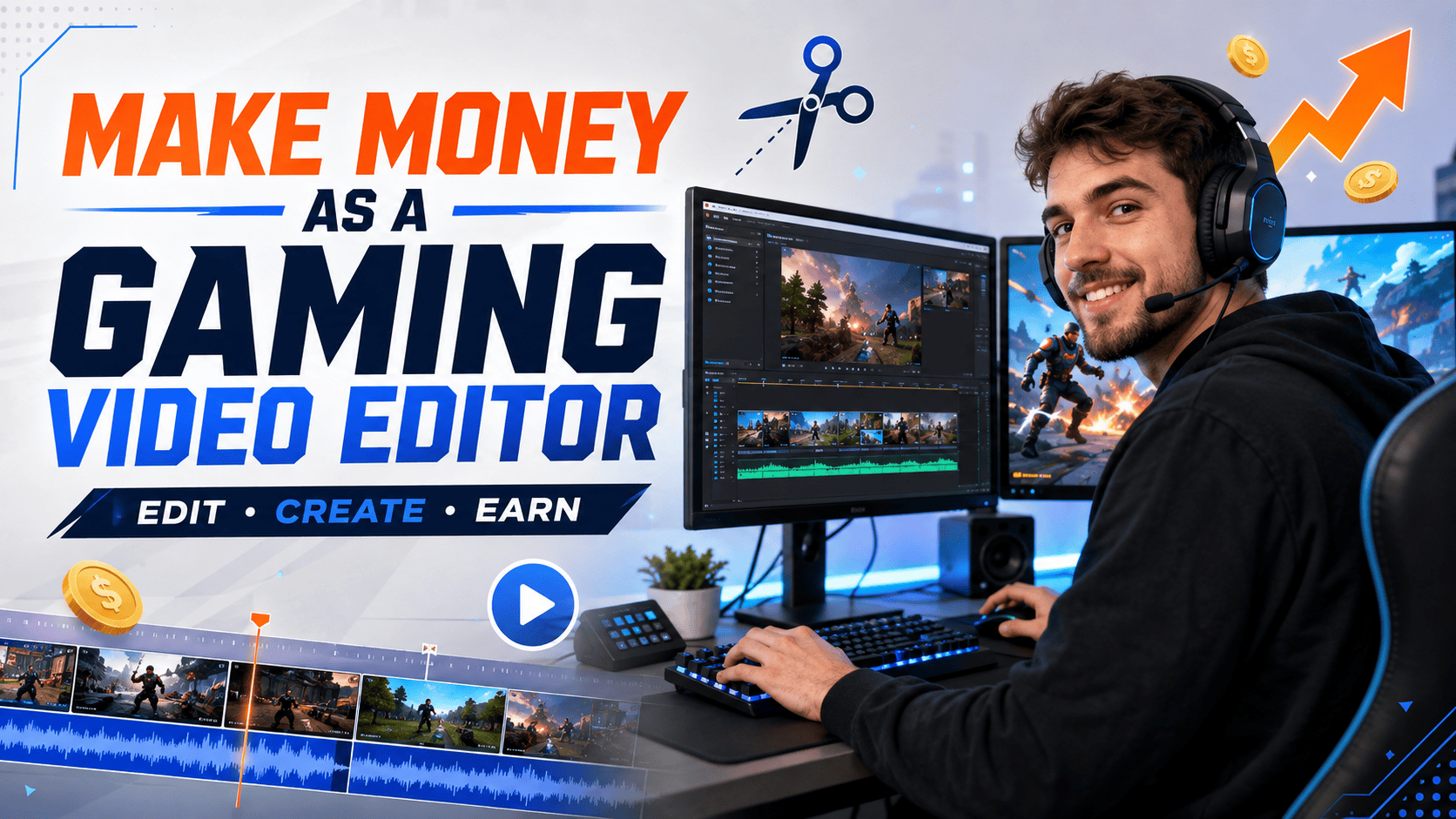
How to Make Money as a Gaming Video Editor
1. 🎬 How to Make Money as a Gaming Video Editor
Gaming creators are very good at producing footage.
A two-hour stream here. Six recorded matches there. A heroic folder containing 147 clips named things like good-one, use-this and final-final-actually-final.
Turning all that footage into something people want to watch is another job entirely.
That is where gaming video editors come in.
💡 The Quick Answer: How Do Gaming Video Editors Make Money?
Gaming video editors make money by transforming raw gameplay, streams, commentary and webcam recordings into finished content for YouTubers, streamers, esports teams, gaming coaches, developers and gaming businesses.
An editor might produce:
- 🎥 Long-form YouTube videos
- 📱 TikToks, Reels and YouTube Shorts
- ✂️ Stream highlights
- 🎯 Competitive gaming montages
- 🧠 Tutorials and strategy videos
- 🏆 Esports highlights and tournament recaps
- 🚀 Game trailers and promotional videos
Editors can charge per video, by the hour, through a content package or under an ongoing monthly agreement.
Some work as independent freelancers. Others find part-time or full-time positions with creators, teams, studios and media businesses.
💰 Where Does the Money Come From?
Creators and gaming businesses pay editors because editing consumes time they could spend recording, streaming, competing or growing their audience.
A capable editor provides more than tidy cuts. They help clients:
- Publish more consistently
- Hold viewers’ attention
- Repurpose streams into shorter content
- Improve audio and presentation
- Build a recognisable content style
- Reach audiences across several platforms
- Spend less time staring at editing timelines at 2:00 AM
The client supplies the raw material. The editor turns it into a finished product with greater entertainment, educational or promotional value.
Raw Footage → Skilled Editing → Better Content → Client Value
🎮 Do You Need to Be a Professional Gamer?
No. You do not need professional gaming experience, an esports trophy or a reaction speed normally found in laboratory equipment.
You need a useful combination of:
- Video-editing ability
- Gaming knowledge
- Creative judgement
- Reliable communication
- An understanding of online gaming content
Knowing games gives you an advantage because you can recognise the moments that matter. Knowing how to edit allows you to present those moments properly.
That combination makes gaming video editing a practical option for anyone exploring how to make money from their gaming skills.
You do not have to become the person in front of the camera.
You can build a valuable role behind it.
2. What Does a Gaming Video Editor Do?
A gaming video editor takes recorded gameplay, commentary, webcam footage, music and other assets and assembles them into a finished video.
Removing mistakes is part of the work, but it is only the beginning. An editor also decides which moments deserve attention, how quickly the video should move and what the audience needs to see or hear.
The goal depends on the project. A montage should feel exciting. A tutorial should be easy to follow. A funny stream compilation should contain more comedy than loading screens—which is a surprisingly demanding standard after a six-hour broadcast.
🔎 1. Review the Raw Footage
The editor begins by reviewing the material supplied by the client.
This could include:
- Gameplay recordings
- Complete livestreams
- Webcam footage
- Separate voice recordings
- Music and sound effects
- Logos and brand graphics
- Screenshots or promotional assets
- Notes identifying important moments
Some clients provide timestamps and organised files. Others deliver a digital attic and wish you luck.
The amount and condition of the source material directly affect the workload. Finding ten useful minutes inside a clearly labelled hour is very different from searching three streams for one specific reaction.
✂️ 2. Remove Dead Time and Weak Footage
Most raw gameplay contains moments that do not belong in the finished video.
An editor may remove:
- Loading screens
- Matchmaking delays
- Repeated explanations
- Long pauses
- Failed recordings
- Technical problems
- Unnecessary menu navigation
- Matches where nothing particularly interesting happened
Cutting weak footage helps the final video feel faster and more deliberate.
That does not mean every second needs flashing captions and frantic camera movement. Good pacing gives important moments room to land while removing the parts that make viewers wonder why they are still watching.
🎯 3. Find the Best Moments
A gaming editor identifies the clips with the most entertainment, educational or competitive value.
These might include:
🎯 Skill moments – Difficult shots, clever plays and close victories
😂 Funny moments – Mistakes, reactions and unexpected chaos
🧠 Teaching moments – Useful explanations, builds and strategies
😮 Surprising moments – Rare events, sudden reversals and unusual encounters
🏆 Story moments – Setbacks, breakthroughs and final outcomes
The best moment is not always the loudest one.
A quiet decision before a fight may explain why the player wins thirty seconds later. Cutting that setup could leave viewers watching an impressive result without understanding what made it impressive.
🧩 4. Build a Clear Story
Even a casual gaming video benefits from structure.
Suppose a creator records two hours while attempting a difficult challenge. The finished video does not need to show every attempt in the order it happened. The editor can select the moments that establish:
- The objective
- The initial strategy
- The first failures
- The change in approach
- The final attempt
- The result
That creates a story rather than a chronological storage archive.
Challenge → Attempts → Setback → Adjustment → Final Result
Good editing does not invent events. It arranges genuine events so viewers can understand and enjoy them.
🔊 5. Improve the Presentation
The editor may improve the finished video with:
- Captions
- Music
- Sound effects
- Zooms and camera movement
- Visual jokes
- Gameplay overlays
- Motion graphics
- Colour correction
- Audio cleanup
- Intros and end screens
These elements should support the content.
If an ordinary elimination triggers an explosion, screen shake, air horn, spinning skull and five lines of animated text, the edit may have quietly become the main character.
📱 6. Prepare Videos for Different Platforms
Gaming videos often need different versions for YouTube, TikTok, Instagram and other platforms.
An editor may turn one recording into:
- A horizontal YouTube video
- Several vertical Shorts
- A brief channel trailer
- A stream highlight compilation
- Individual clips for social media
Each format needs suitable framing, pacing, captions and length. A horizontal video cannot always be cropped vertically without hiding the gameplay, cutting off the webcam or placing captions directly over something useful.
One Recording → Multiple Formats → More Content
Editors who can adapt footage across platforms become more valuable because they help clients get more from every recording session.
3. Why Gaming Knowledge Gives You an Advantage
A general video editor may understand cutting, audio and colour. A gaming video editor understands why a particular play, mistake or reaction matters to the audience.
That difference can shape the entire video.
A technically clean edit can still feel wrong if it cuts away before the payoff, hides important interface information or treats a routine action like a historic esports achievement.
🎮 You Understand What Is Happening
Games contain information that may not be obvious to someone unfamiliar with them.
A gaming editor may recognise:
- A clever use of an ability
- A rare item or encounter
- A risky tactical decision
- A difficult movement technique
- A meaningful change in equipment
- A strong team rotation
- A joke based on a game mechanic
- The moment a promising match begins to collapse
This helps the editor preserve useful context and avoid cutting important setup.
For example, a general editor may see twenty seconds of a player collecting resources and remove it. An editor familiar with the game may understand that those resources enable the strategy used later.
🎯 You Know Which Details the Audience Needs
Different gaming audiences watch for different reasons.
Competitive players may care about:
- Positioning
- Mechanics
- Loadouts
- Decision-making
- Team communication
Minecraft viewers may be more interested in:
- Build progression
- Transformations
- Resource collection
- Design choices
- Before-and-after reveals
Viewers watching a funny multiplayer video may care less about optimal strategy and more about the group’s reactions.
The editor’s job is not merely to understand the game. It is to understand what this particular audience finds valuable.
😂 You Understand Gaming Humour
Gaming humour often depends on timing, shared knowledge and the difference between what a player expected and what actually happened.
A good editor knows when to:
- Hold on a reaction
- Replay a mistake
- Cut suddenly
- Add a well-timed caption
- Leave an awkward silence untouched
- Show another player’s perspective
- Let the gameplay provide the joke
Not every funny moment needs a meme inserted on top of it.
Sometimes the player walking confidently into an obvious trap has already done enough.
🔤 You Can Caption Gaming Terms Correctly
Automated captions are useful, but their confidence greatly exceeds their knowledge of character names, maps, weapons and abilities.
Gaming knowledge helps editors spot errors involving:
- Game titles
- Character names
- Locations
- Weapons
- Items
- Abilities
- Ranks
- Gaming terminology
Correct captions make the content look more professional and prevent a serious tactical explanation from becoming accidental nonsense.
💬 You Communicate More Easily With Clients
Gaming clients often describe their requirements through specific games, creators and content styles.
They may ask an editor to:
- Highlight particular rounds
- Show build progression
- Focus on ranked matches
- Preserve team communications
- Feature a specific character or class
- Match the pacing of another gaming channel
Understanding those references reduces confusion and makes feedback easier to apply.
Gaming knowledge does not replace editing skill. It makes editing skill more relevant.
You do not need to understand every game ever released. Knowledge of one genre, platform or group of games can become the foundation of a clear editing niche.
4. Who Pays Gaming Video Editors?
Potential clients range from individual creators recording in spare bedrooms to organised esports teams and established game studios.
Each client type purchases a slightly different result.
A streamer may want someone to rescue memorable clips from hours of broadcasts. A YouTuber may need complete weekly videos. A game developer may require a polished trailer that communicates the value of a new release before the viewer’s thumb scrolls elsewhere.
🎥 YouTube Gaming Creators
YouTube creators are natural clients because long-form content requires substantial editing.
They may need help producing:
- Let’s Play videos
- Challenges
- Reviews
- Tutorials
- Video essays
- Funny-moment compilations
- Game news
- Ranked progression series
- Update and patch summaries
A creator with a regular publishing schedule can provide recurring work.
Once an editor understands the channel’s humour, pacing, graphics and audience, each new project becomes easier to manage. The client also benefits from a consistent style across their videos.
🟣 Twitch and Livestream Creators
Streamers can produce dozens of hours of footage each month. Most do not have time to review every broadcast after already spending several hours performing live.
An editor can transform streams into:
- Weekly highlights
- Funny-moment compilations
- YouTube recaps
- TikTok clips
- YouTube Shorts
- Channel trailers
- Promotional videos
This allows the streamer to reach viewers who missed the broadcast or prefer shorter content.
It also creates a repeatable service:
Weekly Streams → Highlight Video → Short Clips → Regular Content
🏆 Esports Players and Teams
Competitive players and organisations may hire editors to showcase performance, promote matches and maintain their social channels.
Possible projects include:
- Player montages
- Team announcements
- Match highlights
- Tournament recaps
- Sponsor videos
- Recruitment reels
- Training breakdowns
- Social media clips
Esports content often requires accurate names, consistent branding and quick turnaround.
A recap released while people are still discussing the tournament has value. A recap released three weeks later is mostly a historical document.
🧠 Gaming Coaches and Educational Creators
Gaming coaches use video to analyse matches, explain strategy and demonstrate improvement.
An editor may add:
- Freeze frames
- Arrows and circles
- Slow-motion replays
- Map annotations
- Side-by-side comparisons
- On-screen summaries
- Chapter headings
The priority is clarity rather than spectacle.
The viewer should immediately understand what the coach is explaining. If the graphics cover the gameplay, the editor has technically decorated the lesson out of existence.
🚀 Game Developers and Gaming Businesses
Independent developers, studios and other gaming businesses may need:
- Game trailers
- Feature demonstrations
- Update announcements
- Developer diaries
- Marketplace videos
- Social advertisements
- Community updates
- Launch content
Commercial projects may offer larger budgets, but they often involve stricter deadlines, brand requirements, additional video formats and more stakeholders.
The person approving your edit may not be the person who requested it. Corporate multiplayer is a genre of its own.
📊 Gaming Video Editing Clients Compared
| Client Type | Typical Content | Repeat Potential |
|---|---|---|
| YouTube creator | Long-form videos and Shorts | High |
| Streamer | Highlights and social clips | High |
| Esports player or team | Montages and match content | Medium to high |
| Gaming coach | Tutorials and gameplay analysis | Medium |
| Game developer | Trailers and update videos | Project-based |
| Gaming business | Promotional and social content | Medium |
The best first client is not automatically the one with the largest audience.
A smaller creator who communicates clearly, publishes consistently and respects the editor’s time may provide better experience—and considerably fewer messages marked “tiny change.”
5. 🎮 Gaming Video Editing Services You Can Sell
“Gaming video editing” describes an industry. It does not yet describe a clear service.
Clients need to know what you will edit, what they will receive and what is included in the price.
A specific service is easier to advertise, price and deliver. It also makes building a relevant portfolio much simpler.
Content Type + Defined Deliverable + Clear Limits = Sellable Service
🎥 Long-Form YouTube Editing
This service transforms raw gameplay and commentary into a complete YouTube video.
It may include:
- Reviewing and selecting footage
- Removing dead time
- Improving the story
- Synchronising gameplay and commentary
- Adding captions and effects
- Cleaning audio
- Adding music
- Inserting supplementary clips
- Creating an intro and ending
Long-form projects can command higher prices because they require more editing time and creative involvement.
The finished length does not tell the whole story. Producing ten polished minutes from six hours of footage can resemble a small archaeological dig, except the ancient ruins keep asking for revisions.
✂️ Stream Highlight Editing
A stream-highlight editor reviews a completed broadcast and extracts the strongest moments.
Good highlights might include:
- Funny reactions
- Competitive plays
- Conversations with a payoff
- Audience interactions
- Unexpected events
- Memorable failures
- Important announcements
This service suits recurring packages because streamers create fresh footage every week.
The editor gradually learns which jokes, community members and moments matter to the channel. That knowledge improves both speed and consistency.
📱 Shorts, Reels and TikTok Editing
Short-form editing is accessible for beginners, but short videos are not automatically easy videos.
A strong gaming clip usually needs:
🎯 A fast hook – Give viewers an immediate reason to stop scrolling
📱 Vertical framing – Keep the important gameplay and reactions visible
💬 Readable captions – Make the clip understandable without sound
⚡ Focused pacing – Remove anything that delays the main moment
🏆 A clear payoff – Finish with the joke, result or useful insight
Short-form content can also become an add-on to a larger project.
For example:
One YouTube Edit + Three Shorts + One Promotional Clip
That gives the client several pieces of content from one recording while increasing the value of the editor’s package.
🎯 Gaming Montages
Gaming montages showcase mechanical skill, competitive moments, impressive builds or memorable achievements.
They often use:
- Music synchronisation
- Speed changes
- Transitions
- Motion effects
- Colour treatment
- Sound design
- Replay angles
- Impactful text
Montages make strong portfolio samples because they display technical editing ability.
However, effects should strengthen the gameplay. If viewers can no longer identify the game through the particles, screen shake and lens flares, things may have become a little enthusiastic.
🧠 Tutorials, Reviews and Gaming Guides
Educational content needs a different editing style.
The editor must support the explanation with appropriate footage, graphics and on-screen information. This may involve:
- Matching gameplay to narration
- Adding chapter headings
- Highlighting interface elements
- Displaying builds or loadouts
- Comparing strategies
- Showing before-and-after results
- Keeping important text readable
This service suits editors who prefer structure, storytelling and clarity over constant effects.
It can also lead to work with coaches, guide creators and gaming businesses.
🔎 Coaching and Gameplay Analysis
Gaming coaches may need help producing VOD reviews, strategy breakdowns and training content.
An editor can make analysis easier to follow using:
- Freeze frames
- Zoomed details
- Map markings
- Arrows
- Slow-motion replays
- Comparison clips
- On-screen recommendations
The graphics should guide the viewer’s attention rather than compete for it.
🎨 Graphics and Creative Add-Ons
Editors may also offer related visual services such as:
- Thumbnails
- Animated logos
- Lower-thirds
- End screens
- Stream overlays
- Intro sequences
- Branded captions
- Social media graphics
Editors with design skills can eventually explore making money by creating gaming graphics.
These extras should be clearly priced. A thumbnail, animated intro and custom overlay are separate pieces of work, even if the client introduces them with the harmless phrase, “While you’re there…”
📊 Gaming Video Editing Services Compared
| Editing Service | Suitable Clients | Repeat Potential | Beginner-Friendly |
|---|---|---|---|
| Long-form YouTube videos | YouTubers and gaming businesses | High | Medium |
| Stream highlights | Twitch and livestream creators | High | Medium |
| Shorts and vertical clips | Creators, teams and businesses | High | High |
| Gaming montages | Players and esports teams | Medium | Medium |
| Tutorials and guides | Coaches and educational creators | High | Medium |
| Trailers and promotions | Developers and gaming businesses | Project-based | Lower |
You do not need to offer every option.
Choose one or two services, create strong samples and learn how to deliver them reliably. A focused editor with a clear offer is easier to hire than someone whose service description promises every creative task known to humanity.
6. 💰 How Much Can Gaming Video Editors Make?
Gaming video editing does not have a single standard rate.
Two editors may both deliver a ten-minute YouTube video, yet one spends three hours trimming organised footage while the other spends twelve hours reviewing livestreams, repairing audio and animating graphics.
The finished length is only one piece of the pricing puzzle.
💡 The Quick Answer: How Much Do Gaming Video Editors Earn?
A gaming video editor’s earnings depend on their experience, service, editing complexity, client type, location and ability to secure repeat work.
Editors may be paid:
- By the hour
- For each finished video
- For each minute of completed content
- Through weekly content packages
- Through monthly retainers
- As part-time or full-time employees
General freelance editing benchmarks vary considerably. Upwork currently places typical freelance video-editing rates around US$10–$60 per hour, with experienced editors potentially charging more for advanced work. These figures are broad platform estimates rather than guaranteed gaming-editor rates.
A beginner may initially charge less while building a portfolio. An established editor with a recognisable style, strong results and several recurring clients can charge substantially more.
🎬 Example Gaming Video Editing Prices
The figures below are illustrative examples rather than fixed market rates.
| Service | Example Beginner Range | What Changes the Price? |
|---|---|---|
| Short vertical clip | US$15–$50 | Captions, effects and source-footage length |
| Basic gaming montage | US$30–$100 | Clip count, music syncing and effects |
| Stream highlight video | US$50–$200+ | Stream length and highlight selection |
| Long-form YouTube video | US$75–$300+ | Complexity, footage volume and graphics |
| Advanced promotional video | US$200–$1,000+ | Animation, branding and commercial use |
These ranges should not be treated as instructions to charge a particular amount. A heavily edited short can require more work than a straightforward long-form video.
Price the workload—not merely the number beside the video duration.
🕐 Hourly Earnings vs Project Earnings
An hourly rate tells you what you earn for each working hour. A project price tells the client what the finished result will cost.
Suppose an editor charges US$100 for a YouTube video.
If the project takes four hours, the effective rate is:
US$100 ÷ 4 hours = US$25 per hour
If the same project takes ten hours after several revisions:
US$100 ÷ 10 hours = US$10 per hour
This is why editors should track their time even when they charge a fixed project fee. Without tracking, a project that looks profitable may quietly consume an entire weekend.
📈 What Helps an Editor Earn More?
Higher earnings usually follow greater value, stronger demand or more efficient delivery.
Factors that can improve earning potential include:
🎯 Specialisation – Becoming known for a valuable format or gaming niche
🎥 Portfolio quality – Showing finished work relevant to target clients
⚡ Efficient workflows – Delivering faster without reducing quality
💬 Reliable communication – Making projects easier for clients to manage
📊 Demonstrated results – Showing stronger retention, engagement or publishing consistency
📦 Service packages – Selling several related deliverables together
🔄 Recurring clients – Reducing the time spent constantly finding new work
Clients do not pay more simply because an editor has spent years using the same software. They pay more when those years produce better judgement, smoother projects and stronger videos.
🔄 Why Recurring Clients Matter
A freelancer completing four unrelated projects must repeatedly find clients, discuss requirements, learn new styles and organise unfamiliar files.
An editor working with one recurring creator already understands:
- The channel’s audience
- The creator’s humour
- Preferred fonts and graphics
- Editing pace
- File-delivery process
- Common revision requests
- Publishing schedule
That familiarity makes the work more efficient.
A monthly client paying a moderate rate may be more valuable than a larger one-off project followed by three weeks of searching for another customer.
One-Off Jobs → Repeat Projects → Monthly Package → Predictable Income
7. Ways to Price Your Gaming Video Editing Services
Pricing is partly mathematics and partly boundary defence.
The client needs a clear cost. The editor needs enough income to cover their time, software, equipment, administration and revisions. A vague price may appear flexible, but it usually means both sides are imagining different projects.
🕐 Hourly Pricing
With hourly pricing, the client pays for the amount of time spent completing the work.
For example:
Editing Time × Hourly Rate = Project Cost
Hourly pricing works well when:
- The workload is difficult to predict
- The project is experimental
- The client expects frequent changes
- The editor is providing ongoing assistance
- The source footage has not been fully reviewed
The main drawback is uncertainty. Clients may not know the final price before the project begins.
Editors should provide a time estimate or agreed maximum where possible. That prevents the client from imagining a five-hour invoice while the editor is halfway through hour fourteen.
🎥 Fixed Per-Video Pricing
A fixed project price is agreed before work begins.
For example:
One edited YouTube gaming video, up to ten finished minutes, created from no more than two hours of raw footage.
This model is easy for clients to understand. It also rewards efficient editors because completing the project faster does not automatically reduce the payment.
Fixed pricing works best when the service has clear limits covering:
- Maximum raw-footage length
- Expected finished length
- Editing style
- Included graphics
- Captions
- Delivery date
- Number of revisions
- Export formats
Without those limits, “one video” can expand from a simple gameplay edit into a feature-length film with subtitles, animation and a surprise trailer attached.
⏱️ Pricing Per Finished Minute
Some editors charge according to the final video length.
For example:
Finished Minutes × Per-Minute Rate = Project Price
This model may suit repeatable content where each finished minute requires a similar amount of work.
It becomes less reliable when projects vary significantly. One minute of lightly edited gameplay may take twenty minutes to produce. One minute of animation, captions and sound design could take several hours.
Per-minute pricing should therefore be combined with clear assumptions about editing complexity and source footage.
📦 Package Pricing
Packages combine several defined deliverables into one price.
A creator package might include:
- One long-form YouTube video
- Three vertical clips
- Basic animated captions
- One thumbnail
- Two revision rounds
- Delivery within seven days
Packages help clients understand the complete value they receive. They can also increase the editor’s average project value by combining related services.
| Package | Example Deliverables | Suitable Client |
|---|---|---|
| Starter Clip | One vertical gaming clip | New or occasional creator |
| YouTube Edit | One complete long-form video | Regular YouTuber |
| Stream Package | One highlight video and three Shorts | Livestream creator |
| Channel Package | Weekly videos and social clips | Established creator |
Packages should simplify choices rather than present clients with a restaurant menu containing forty-seven editing combinations.
🔄 Monthly Retainers
A retainer reserves a defined amount of the editor’s time or production capacity each month.
For example:
Four YouTube videos and eight Shorts per month, with two revisions per video and agreed weekly delivery dates.
Retainers benefit both sides.
The editor gains more predictable income. The client gains reliable access to someone who already understands their content.
Retainers should still have boundaries. Specify:
- Number of videos
- Maximum footage per project
- Included services
- Revision limits
- Delivery schedule
- Payment dates
- Rules for unused work
- Additional-work rates
“Available throughout the month” should not accidentally mean “available whenever the client remembers something at 11:47 PM.”
📊 Which Pricing Model Should You Choose?
| Pricing Model | Best For | Main Advantage | Main Risk |
|---|---|---|---|
| Hourly | Uncertain or changing work | Every working hour is paid | Final cost is less predictable |
| Fixed project | Clearly defined videos | Simple for clients | Scope may expand |
| Finished minute | Consistent video formats | Easy calculation | Ignores editing complexity |
| Package | Related deliverables | Higher perceived value | Limits must be clear |
| Retainer | Recurring content | More predictable income | Capacity can be overbooked |
Beginners often start with fixed project prices because they are easy to explain. Time tracking can then reveal whether those prices are sustainable.
As experience grows, packages and retainers can turn isolated editing jobs into a more dependable service business.
8. What Determines the Cost of a Gaming Edit?
A quote should reflect the work required to deliver the finished result.
This sounds obvious. Yet editors regularly price a project after hearing only, “It’s just a ten-minute video.”
The next sentence is often, “I’ve uploaded the nine-hour stream.”
🎥 Raw-Footage Length
The more footage an editor must review, the longer the project is likely to take.
Two projects can both produce ten-minute videos:
- Project A begins with 45 minutes of organised footage
- Project B begins with three separate four-hour livestreams
Project B requires far more searching, downloading, storage and decision-making before serious editing even begins.
Set a raw-footage allowance within fixed-price services. Additional footage can then be charged separately.
✂️ Editing Complexity
Basic editing might involve:
- Removing pauses
- Trimming mistakes
- Rearranging clips
- Balancing audio
- Adding simple text
- Exporting the final video
Advanced editing may add:
- Animated captions
- Motion graphics
- Visual effects
- Advanced sound design
- Multi-camera footage
- Green-screen work
- Detailed colour correction
- Masking and tracking
- Custom animation
A simple gaming commentary video and an effect-heavy competitive montage may have the same finished length but entirely different workloads.
🔤 Captions and On-Screen Text
Captions improve accessibility and help short-form content work without sound.
They also take time.
The cost may depend on whether the client needs:
- Basic subtitles
- Corrected automatic captions
- Animated word-by-word captions
- Colour-coded speakers
- Translated captions
- Gaming terminology checked manually
- Captions repositioned around gameplay elements
Automated transcription can speed up the first draft, but it still requires review. It has not yet developed a reliable respect for unusual gamer tags.
🎨 Graphics and Animation
Custom graphics increase the production value—and the workload.
Examples include:
- Animated intros
- Lower-thirds
- Scoreboards
- Player cards
- Maps and tactical diagrams
- Custom transitions
- Logo animation
- Branded caption templates
- End screens
If the client wants original graphics rather than supplied assets, the project may involve both editing and design.
Editors who develop this skill can create additional services or explore how to make money creating gaming graphics. The two services complement each other, but they should not be bundled together for free.
🔊 Audio Quality
Clean audio makes a video easier to watch. Repairing poor audio makes an editor question several of life’s earlier decisions.
Extra work may be needed for:
- Background noise
- Uneven volume
- Microphone distortion
- Separate commentary tracks
- Game audio overpowering speech
- Multiple speakers
- Music balancing
- Missing or damaged recordings
Some audio problems can be improved. Others cannot be completely repaired.
Editors should review sample footage before promising pristine sound from a microphone that appears to have been recorded inside a washing machine.
🔄 Revisions
A revision is a requested change after the client reviews the first edit.
Reasonable revisions are normal. Endless revisions are a business model, but unfortunately not a profitable one.
A service should specify:
- How many revision rounds are included
- What counts as a revision
- How feedback should be supplied
- When additional charges apply
- Whether major direction changes require a new quote
A client requesting a spelling correction is asking for a revision.
A client deciding that the energetic montage should become a calm twenty-minute documentary is requesting a different project.
⚡ Turnaround Time
Urgent projects may require the editor to rearrange other work, edit outside normal hours or dedicate their full attention to one client.
Rush pricing may be appropriate when:
- A tournament recap is needed immediately
- A game update has just launched
- A sponsor deadline is approaching
- A creator needs next-day delivery
- The client submits footage later than agreed
Faster delivery should cost more when it creates genuine scheduling pressure.
📁 File Management and Delivery
Large gaming recordings take time and storage space to download, organise, process, back up and deliver.
A project may also require:
- Proxy-file creation
- Multiple export versions
- Separate platform formats
- Archived project files
- Cloud-storage fees
- Organising badly labelled assets
- Re-uploading replaced footage
These tasks are easy to overlook because they happen around the edit. They still consume time.
🧮 A Practical Pricing Formula
A useful quote can be built from:
Estimated Editing Time + Revisions + Additional Services + Expenses + Profit Margin
Editors should learn to estimate each component rather than copying another freelancer’s price.
Someone else may work faster, use different software, live in another country or define their service very differently. Their price tells you what they charge. It does not tell you what your project costs to deliver.
9. Choosing a Profitable Gaming Video Editing Niche
A niche is the combination of clients, games and content formats an editor chooses to focus on.
It does not permanently trap you inside one corner of the internet. It simply helps potential clients understand why your work is relevant to them.
“I edit videos” is broad.
“I turn Minecraft building footage into fast, story-led YouTube videos” is memorable.
🎯 Why Specialising Can Help
A focused editor can build:
- More relevant portfolio samples
- A recognisable editing style
- Faster workflows
- Better knowledge of the audience
- Clearer services
- Stronger client referrals
Specialisation also reduces the time spent relearning each client’s content.
An editor who regularly works with competitive shooters will become familiar with common montage structures, interface layouts, replay techniques and audience expectations.
🎮 Choose a Game or Genre
One option is to specialise in particular games or genres.
Examples include:
- Minecraft and sandbox games
- Roblox content
- Competitive shooters
- MOBAs
- Fighting games
- Racing games
- Sports games
- MMORPGs
- Horror games
- Strategy games
- Indie games
Game-specific knowledge can be especially valuable when the content relies on technical details, community jokes or recognisable milestones.
An editor familiar with Minecraft, for example, may understand how to turn a lengthy building project into a satisfying progression story. That specialist knowledge overlaps naturally with other opportunities such as making money from Minecraft building skills.
🎥 Choose a Content Format
You can also specialise by video type:
- Long-form YouTube videos
- Short vertical clips
- Stream highlights
- Competitive montages
- Tutorials
- Reviews and video essays
- Coaching breakdowns
- Esports content
- Game trailers
A short-form specialist may work across many games while maintaining a narrow, repeatable service.
A video-essay editor may focus more on research, storytelling and supplementary footage than on fast effects.
👥 Choose a Client Type
Another approach is to focus on a particular customer.
Potential niches include:
- New YouTubers
- Established creators
- Twitch streamers
- Gaming coaches
- Esports players
- Competitive teams
- Tournament organisers
- Independent developers
- Gaming marketplaces
- Gaming communities
Each group has different problems.
Streamers need hours of footage condensed. Coaches need explanations clarified. Developers need game features presented quickly. Teams need consistent branding and timely match content.
🧩 Combine the Three Elements
The clearest niches often combine:
Gaming Knowledge + Content Format + Client Type
For example:
- Minecraft YouTube editor for building creators
- Short-form editor for competitive FPS streamers
- VOD-analysis editor for gaming coaches
- Montage editor for esports players
- Trailer editor for independent game developers
- Stream-highlight editor for variety creators
This makes the service easier to describe without becoming absurdly narrow.
“Vertical Fortnite highlight editor for left-handed Australian streamers who broadcast on alternate Thursdays” may have crossed the line.
💰 Look for Repeat Demand
A profitable niche needs clients who publish or promote content regularly.
Before committing, consider:
- How often do these clients produce footage?
- Do they already hire editors?
- Is the content difficult enough to justify help?
- Can clients afford recurring editing?
- Does the format support add-on services?
- Are you interested enough to edit it repeatedly?
Content creation can lead to several connected gaming income opportunities. As this cluster grows, readers interested in the wider process can also explore how to make money creating gaming content.
The most exciting niche is not always the most sustainable. Editing the same game every week can become monotonous if you no longer enjoy watching it.
🔄 Start Focused, Then Expand
Your first niche does not need to become your permanent identity.
Start with the area where you can produce credible work. Once you have clients, experience and a stronger portfolio, you can expand into related games or formats.
For example:
Gaming Shorts → Stream Highlights → Long-Form Videos → Complete Channel Packages
A niche gives you a starting position.
It is not a prison sentence.
10. 🧠 Skills You Need to Become a Gaming Video Editor
Software knowledge matters, but successful gaming editors need more than the ability to cut clips and add transitions.
The role combines technical production, creative judgement, gaming awareness and client management.
You may be brilliant at effects, but clients will not remain impressed if every file arrives late and named Untitled Sequence 01.
✂️ Cutting and Pacing
Editors need to recognise where a clip should begin and end.
Strong pacing removes unnecessary footage while preserving:
- Context
- Comedy
- Suspense
- Explanations
- Emotional reactions
- Important gameplay
Fast editing is not automatically good editing. A tutorial may need breathing room. A competitive montage may need intensity. A funny reaction may become weaker if it is cut too quickly.
The pace should suit the content rather than whichever editing trend is currently shouting the loudest.
📖 Storytelling
A gaming video often needs a beginning, progression and payoff.
Editors should understand how to:
- Establish the objective
- Introduce a problem
- Build anticipation
- Show setbacks
- Present progress
- Deliver the result
This applies even when the creator did not record the footage in a neat story order.
The editor identifies the narrative hidden inside the recording.
🔊 Audio Editing
Viewers may tolerate imperfect visuals. Poor audio drives them away quickly.
Useful audio skills include:
- Balancing gameplay and commentary
- Reducing background noise
- Smoothing volume changes
- Cutting unwanted sounds
- Synchronising separate recordings
- Mixing music beneath speech
- Using sound effects with restraint
A well-timed sound effect can improve a joke.
Twenty sound effects in eight seconds can make the viewer feel they have accidentally opened five mobile games at once.
🔤 Captions and Graphics
Gaming editors should know how to create readable on-screen information.
This may include:
- Subtitles
- Animated captions
- Player names
- Scores
- Chapter titles
- Build information
- Tactical markers
- Calls to action
- End screens
Text must remain readable on the intended device. A caption that looks elegant on a large editing monitor may become decorative dust on a phone.
🎮 Gaming and Platform Awareness
Editors should understand both the game and the platform where the finished content will appear.
Gaming awareness helps identify important moments. Platform awareness helps present them correctly.
A useful editor understands differences involving:
- Horizontal and vertical video
- Short-form and long-form pacing
- Caption placement
- Opening hooks
- Thumbnail expectations
- Safe areas for mobile interfaces
- Export resolution
- Audience behaviour
📁 Organisation and File Management
Video projects create large numbers of files.
Editors should develop a consistent system for:
- Footage
- Audio
- Music
- Graphics
- Project files
- Drafts
- Final exports
- Client feedback
- Backups
A simple folder structure might be:
Client → Project → Footage / Audio / Graphics / Drafts / Final
Organisation saves time and reduces the chance of losing important assets.
Backing up work is also essential. A failed drive should be an inconvenience, not the dramatic conclusion to the entire project.
💬 Client Communication
Editors must be able to ask useful questions, explain limitations and respond professionally to feedback.
Strong client communication includes:
- Confirming the brief
- Clarifying unclear instructions
- Setting realistic deadlines
- Providing progress updates
- Requesting consolidated feedback
- Explaining additional charges
- Confirming final delivery
This becomes especially important for editors who sell gaming skills and services online. The service is not only the final video. It is the complete experience of working with you.
⏱️ Time Management
Freelancers must balance editing, communication, revisions and client acquisition.
Useful habits include:
- Estimating projects before accepting them
- Scheduling revision time
- Setting delivery milestones
- Avoiding too many simultaneous projects
- Tracking time spent on each service
- Leaving room for technical problems
Reliable delivery is a commercial skill.
A slightly less advanced editor who communicates clearly and meets deadlines may keep clients longer than a creative genius who disappears for nine days.
🛠️ Problem-Solving
Footage will be missing. Audio will drift. Files will fail to open. A client will eventually send a font that appears to exist nowhere outside their imagination.
Editors need to investigate problems calmly and find workable alternatives.
The most valuable editors do not merely know which tools to use when everything works.
They know what to do when it doesn’t.
11. 🛠️ Best Gaming Video Editing Software
You do not need the most expensive editing software to start making money.
Clients care about the finished video, not the logo that appears while your project loads. A free editor producing sharp, well-paced content is more valuable than a premium subscription being used to add fourteen unnecessary transitions.
The best software depends on:
- Your computer
- Your budget
- The content you want to edit
- The tools your clients expect
- How far you want to develop your skills
🎬 DaVinci Resolve
DaVinci Resolve is a powerful option for beginners who want professional editing features without immediately paying for a subscription.
It combines:
- Video editing
- Colour correction
- Audio production
- Motion graphics
- Visual effects
- Export and delivery tools
The free version is capable enough for many gaming videos, including YouTube content, montages, tutorials and stream highlights. DaVinci Resolve Studio adds advanced features, but beginners do not need to purchase it before learning the fundamentals.
Resolve is a strong choice if you want software you can start with and continue using as your skills improve.
The main drawback is its learning curve. The interface can feel overwhelming when you first open it, particularly if your previous editing experience involved trimming a clip on your phone.
🟣 Adobe Premiere
Adobe Premiere is widely used by professional editors, content teams and online creators.
It can handle:
- Long-form YouTube videos
- Short-form content
- Multi-camera projects
- Captions
- Audio editing
- Colour correction
- Effects
- Professional delivery formats
Premiere works particularly well alongside other Adobe software. An editor can create motion graphics in After Effects, edit thumbnails in Photoshop and move assets between applications.
This makes it useful for clients who already use Adobe-based workflows.
The biggest consideration is cost. Premiere is subscription software, so beginners should decide whether the ongoing expense makes sense for their current workload.
Paying for professional software before you have professional income does not automatically make the income arrive faster. Adobe has yet to add that button.
🍎 Final Cut Pro
Final Cut Pro is Apple’s professional video editor for Mac and iPad.
It is known for:
- Fast performance on compatible Apple hardware
- A streamlined editing workflow
- Strong media organisation
- Effects and colour tools
- Efficient exporting
- Professional-quality output
Final Cut Pro can suit editors who already own a capable Mac and prefer Apple’s software environment.
It uses a magnetic timeline, which behaves differently from the more traditional track-based layout found in many other editors. Some people love this system. Others spend their first afternoon wondering why the clips appear to have developed free will.
📱 CapCut
CapCut is popular for short-form and social media editing.
It offers tools suited to:
- TikTok videos
- YouTube Shorts
- Instagram Reels
- Automated captions
- Vertical formatting
- Templates
- Quick effects
- Social media exports
CapCut can be a useful starting point for editors focusing on short gaming clips. Its interface is accessible, and versions are available across desktop, mobile and web.
However, editors should check which features, assets and export options are included in the current free and paid plans before building a commercial workflow around them.
It may become limiting for complex long-form projects, large productions or advanced collaborative work.
✨ After Effects
Adobe After Effects is primarily designed for motion graphics, compositing and visual effects rather than complete video editing.
Gaming editors may use it to create:
- Animated intros
- Logo animations
- Custom transitions
- Player cards
- Motion tracking
- Visual effects
- Animated captions
- Esports graphics
After Effects can add value to an editing service, but beginners do not need to learn it before they can earn money.
First learn to cut footage, control pacing and produce clean audio. A beautifully animated title cannot rescue a video where the interesting part begins seven minutes late.
🔊 Supporting Audio and Graphics Tools
Editors may also use separate tools for audio, graphics and thumbnails.
Useful categories include:
- Audio-cleaning software
- Image-editing software
- Thumbnail-design tools
- Screen-recording software
- File-compression tools
- Cloud-storage platforms
- Review and feedback tools
Choose supporting software because it solves a genuine production problem, not because another editor’s desktop screenshot contained seventeen applications.
📊 Gaming Video Editing Software Compared
| Software | Best For | Cost Model | Learning Curve |
|---|---|---|---|
| DaVinci Resolve | Beginners through advanced editors | Free and paid versions | Medium to high |
| Adobe Premiere | Professional and collaborative workflows | Subscription | Medium |
| Final Cut Pro | Mac-based editors | Purchase or subscription options | Medium |
| CapCut | Shorts and social gaming clips | Free and paid features | Low to medium |
| After Effects | Motion graphics and visual effects | Subscription | High |
💡 Which Editing Software Should a Beginner Choose?
For many beginners:
- Choose DaVinci Resolve for powerful free desktop editing
- Choose CapCut for accessible short-form editing
- Consider Premiere if you want an Adobe-based professional workflow
- Consider Final Cut Pro if you already use compatible Apple hardware
- Add After Effects later if motion graphics become part of your service
The best software is the one you can run reliably, learn properly and use to finish projects.
Completed videos build portfolios. Unopened software subscriptions build invoices.
12. Equipment You Need to Get Started
Gaming video editing can demand more from a computer than writing documents or browsing the web.
Gameplay recordings may have high resolutions, fast frame rates and large file sizes. Add webcam footage, separate audio, graphics and effects, and a modest project can begin consuming storage like an open-world game consumes free weekends.
You do not need a dream setup immediately, but your equipment must handle the work you plan to sell.
💻 A Suitable Editing Computer
The computer is the centre of the setup.
The required specifications depend on:
- Video resolution
- Frame rate
- Video format
- Project length
- Number of video tracks
- Effects and animation
- Editing software
- Export requirements
Editing basic 1080p clips requires less processing power than producing effect-heavy 4K videos.
Important components include:
🧠 Processor – Handles editing tasks, playback and exporting
🎮 Graphics processor – Helps with effects, playback and some exports
📚 Memory – Supports larger projects and several applications
💾 Storage – Holds footage, project files, caches and exports
🌡️ Cooling – Keeps the computer stable during long renders
Before choosing software, check its current system requirements against your computer.
A program technically opening is not the same as it running comfortably. If every cut requires a pause long enough to make tea, the workflow may need adjustment.
💾 Enough Storage
Video files are large, especially when clients send lengthy gameplay recordings or livestreams.
Editors may need space for:
- Original footage
- Proxy files
- Audio
- Graphics
- Project files
- Preview files
- Draft exports
- Final videos
- Backups
An external solid-state drive can provide fast additional storage. Larger conventional hard drives can be useful for archiving completed projects where maximum speed is less important.
Avoid keeping every client project on one drive with no backup.
If the project exists in only one place, it is already auditioning to become a disaster story.
🎧 Reliable Headphones
Good headphones help editors hear problems that laptop speakers may hide.
You need to detect:
- Background noise
- Volume changes
- Distortion
- Audio that is out of sync
- Music overpowering commentary
- Uneven voices
- Awkward cuts
- Sound effects that are far too loud
Expensive studio equipment is not essential at the beginning. Reliable, comfortable headphones with clear sound are enough to start.
Gaming headsets can work, although heavily boosted bass may make it harder to judge audio accurately.
🖥️ One or Two Monitors
A second monitor is useful but not essential.
Editors can use one screen for the timeline and another for:
- Video playback
- Client notes
- File management
- Reference videos
- Audio controls
- Communication
A single suitable monitor is enough for beginner work. Upgrade when your existing setup slows you down, not because professional editing desks look excellent in photographs.
🌐 Reliable Internet
Gaming projects often involve large files.
A stable internet connection helps with:
- Downloading source footage
- Uploading drafts
- Sending final exports
- Accessing cloud storage
- Communicating with clients
- Downloading licensed assets
- Updating software
Upload speed matters as much as download speed. A twenty-minute export is much less impressive when delivering it takes until next Thursday.
☁️ Backup and File-Transfer Tools
Clients need a practical way to send footage and receive finished videos.
Possible methods include:
- Cloud-storage folders
- Dedicated file-transfer services
- Shared project storage
- Client review platforms
- External drives for local work
Set clear rules covering:
- Folder organisation
- File names
- Upload deadlines
- Storage duration
- Who keeps the original footage
- When old project files may be deleted
Do not promise permanent storage unless the cost is included in your service.
🚀 A Practical Beginner Setup
A sensible starting setup could include:
- A computer capable of editing 1080p footage
- Free or affordable editing software
- Reliable headphones
- Sufficient internal or external storage
- Stable internet
- A simple backup system
- One properly calibrated display where possible
That is enough to learn, create portfolio pieces and complete straightforward client work.
Expensive equipment can improve speed and comfort, but it does not make editing decisions for you.
📈 What Should You Upgrade First?
Upgrade the component causing the largest bottleneck.
| Problem | Possible Upgrade |
|---|---|
| Projects constantly run out of space | Additional storage |
| Playback stutters badly | Computer components or proxy workflow |
| Exports take too long | Processor or graphics hardware |
| Audio problems are difficult to hear | Better headphones |
| Managing windows feels cramped | Second monitor |
| File delivery takes hours | Faster internet plan |
Starting with modest equipment can fit naturally into building a gaming side hustle with no money or a limited budget. Use the tools you already have where practical, then reinvest earnings into upgrades that save time or improve quality.
13. 🚀 How to Start With No Professional Experience
Every experienced editor once had an empty portfolio and no clients.
The solution is not waiting for someone to hire you so you can finally obtain experience. You create relevant experience through practice projects, personal work and sample edits.
Your first objective is simple:
Learn One Format → Create Three Samples → Package One Service → Find One Client
🎯 1. Choose One Editing Service
Do not begin by offering every service from trailers to documentaries.
Choose one format that matches your interests and current equipment.
Beginner-friendly possibilities include:
- Short gaming clips
- Basic YouTube gameplay edits
- Stream highlights
- Simple montages
- Captioned tutorials
A narrow starting service gives you a clear skill to practise and a clear portfolio to build.
“Gaming Shorts editor” gives you direction.
“Creative digital multimedia solutions specialist” gives people concerns.
🛠️ 2. Learn the Essential Editing Skills
You do not need to master every feature in your software.
Begin with the skills required to finish a clean gaming video:
- Import and organise footage
- Cut and rearrange clips
- Adjust audio
- Add basic text
- Create captions
- Add music
- Use simple transitions
- Export in the correct format
Complete small projects rather than watching tutorials indefinitely.
A twelve-minute tutorial followed by actual practice teaches more than six hours of passively watching someone else edit perfectly.
🎮 3. Practise With Your Own Gameplay
Recording your own gameplay gives you footage you can use without depending on a client.
Create a small project such as:
- A sixty-second highlight
- A funny-moment compilation
- A short tutorial
- A challenge recap
- A basic montage
- A vertical clip
Using your own footage also teaches you what clients experience while recording. You begin to understand how file organisation, audio quality and recording decisions affect the edit.
👥 4. Offer a Sample Edit Carefully
You could create a free or discounted sample for a friend, small creator or gaming community.
Set limits before beginning:
- Maximum raw-footage length
- Maximum finished length
- Included editing features
- Delivery date
- Number of revisions
- Permission to show the work in your portfolio
A free sample should have a clear purpose. It may help you gain experience, obtain a testimonial or demonstrate a new format.
It should not become an indefinite arrangement where you produce weekly videos in exchange for “exposure”—the internet’s least dependable currency.
📂 5. Build Three Strong Portfolio Pieces
Create three samples that represent the work you want clients to purchase.
For example, a short-form editor might produce:
- A funny vertical clip
- A competitive highlight
- A caption-led gaming tip
A YouTube editor might create:
- A challenge video
- A tutorial
- A stream-highlight edit
Three relevant samples are more useful than fifteen unrelated experiments.
📦 6. Turn the Skill Into a Clear Service
Once you can deliver the format reliably, define the offer.
Include:
- What you edit
- What the client receives
- Maximum footage length
- Finished-video length
- Included captions or graphics
- Turnaround time
- Revision allowance
- Delivery format
- Starting price
A clear offer allows clients to compare your service with their needs.
🔎 7. Look for a Small First Project
Your first client does not need a giant channel.
Smaller creators may offer:
- More accessible communication
- Simpler projects
- Opportunities to test workflows
- Faster portfolio development
- Potential recurring work
Look for someone whose content genuinely matches your editing style.
Avoid sending the same generic message to hundreds of creators. A smaller number of relevant pitches usually produces better conversations.
📈 8. Improve After Every Project
After completing a project, ask:
- Which task took the longest?
- Where did instructions become unclear?
- Did the price reflect the workload?
- Which revisions could have been prevented?
- What should be added to the service description?
- Which technique needs more practice?
- Can any part of the workflow be templated?
Each project should improve both your editing and your business process.
That is how a beginner gradually becomes someone clients trust with recurring content.
14. How to Build a Gaming Video Editing Portfolio
A portfolio proves that you can deliver the kind of work you are offering.
Clients rarely need to see every edit you have ever completed. They need enough evidence to believe you can handle their project.
A good portfolio answers three questions:
- Can this person edit?
- Do they understand my type of content?
- Can they produce the style I need?
🎯 Show the Work You Want to Sell
Your portfolio should match your target service.
If you want to edit YouTube gaming videos, show structured YouTube gaming edits.
If you want montage clients, show montages.
If every sample is a cinematic game trailer, a streamer may not know whether you can turn a five-hour broadcast into an entertaining highlight video.
Your portfolio should resemble the work you want next—not merely the work you completed last.
🎥 Include Three to Six Strong Samples
A beginner portfolio does not need dozens of videos.
Start with three strong pieces. Expand to five or six as your skills and services develop.
Possible samples include:
- Long-form YouTube edit
- Stream highlight
- Vertical gaming clip
- Montage
- Tutorial
- Promotional video
Remove older samples when they no longer represent your current standard.
Clients will assume anything displayed in your portfolio is something you consider good. Be selective.
✂️ Create a Short Showreel
A showreel is a short compilation of your strongest work.
It can demonstrate:
- Pacing
- Captions
- Sound design
- Transitions
- Visual effects
- Motion graphics
- Storytelling
- Variety of games
Keep it focused. Lead with one of your strongest moments rather than saving everything impressive for the ending.
A potential client may not wait through forty seconds of animated logos to discover that you can edit.
📝 Explain Your Contribution
Do not simply post a finished video with no context.
Briefly explain:
- The client or project type
- The content goal
- The footage supplied
- What you edited
- Which tools or techniques you used
- Any problems you solved
For example:
Edited a six-minute Apex Legends highlight from two hours of gameplay. Selected the strongest matches, synchronised separate commentary, added animated captions and created two vertical social clips.
This helps clients understand the work behind the result.
🔄 Use Before-and-After Examples
A before-and-after comparison can show the value of editing clearly.
You might compare:
| Before | After |
|---|---|
| Long pause before the action | Immediate opening hook |
| Uneven commentary volume | Balanced voice and gameplay |
| Unedited widescreen clip | Reframed vertical Short |
| Lengthy explanation | Clear, concise sequence |
| Raw gameplay | Captions, sound design and graphics |
Keep the original example brief. Nobody needs to experience all forty seconds of silence to accept that removing it was wise.
📊 Show Range Without Becoming Random
Some variety is useful. Randomness is not.
A short-form editor could show:
- A funny gaming clip
- A competitive highlight
- An educational tip
These are different examples of the same service.
A portfolio containing a wedding video, property advertisement, cooking tutorial and one gaming clip may show broad experience, but it does not position you clearly as a gaming editor.
⚠️ Label Practice Projects Honestly
If a sample was not created for a paying client, describe it as:
- Personal project
- Portfolio sample
- Practice edit
- Speculative concept
Do not invent a client relationship or claim results the video never achieved.
A strong practice project is legitimate evidence of skill. It does not need a fictional origin story.
🔒 Get Permission Before Displaying Client Work
Some clients may not want raw footage, private projects or unreleased content displayed publicly.
Before adding paid work to your portfolio:
- Ask for permission
- Confirm which version may be shown
- Remove confidential material
- Respect release dates
- Follow music and asset licences
- Credit the creator where agreed
Include portfolio permission within your service terms where practical.
🌐 Make the Portfolio Easy to View
Your portfolio can be hosted through:
- A personal website
- A dedicated portfolio platform
- A public video channel
- A cloud-based presentation
- A marketplace profile
- A professional social account
The format matters less than accessibility.
Clients should not need to request access, download enormous files or navigate six folders labelled “new.” One clear page or playlist is usually enough.
15. Where to Find Gaming Video Editing Clients
Learning to edit is only half the job.
The other half is finding people who have footage, need help and are willing to pay. Fortunately, gaming creators are not difficult to locate. Many publish their email address, social accounts, Discord community and complete weekly schedule in one convenient online bundle.
The challenge is approaching the right people with a relevant offer.
🛒 Gaming Marketplaces
Gaming-focused marketplaces can help editors present services directly to an audience already interested in gaming.
A clear listing might offer:
- YouTube gaming edits
- Twitch highlights
- Gaming Shorts
- Montages
- Coaching-video edits
- Game trailers
- Custom content packages
The advantage is relevance. Buyers are already looking for gaming-related products, skills or services.
Editors should create a focused listing rather than one enormous offer covering every possible format. As your skills expand, you may be able to sell several custom gaming services separately instead of squeezing them into one confusing package.
💻 Freelance Platforms
General freelance platforms allow editors to:
- Create a service profile
- Apply for advertised projects
- Display portfolio work
- Collect reviews
- Communicate with clients
- Process payments
Competition can be high, particularly for entry-level editing jobs.
A specialised profile can help. “Gaming video editor for YouTube and Twitch” is more relevant to a gaming creator than a profile listing video editing somewhere between data entry and logo design.
Before joining, review the platform’s current:
- Seller fees
- Payment process
- Withdrawal rules
- Dispute procedures
- Communication policies
- Content restrictions
🎥 YouTube Creators
YouTube itself is a large directory of potential clients.
Look for creators who:
- Publish regularly
- Produce useful or entertaining content
- Have inconsistent editing
- Are beginning to grow
- Mention needing help
- Already repurpose content
- Have contact information available
Focus on creators whose videos match your service.
A highly polished channel with an established editing team may not need a beginner. A growing creator producing regular footage but struggling with consistency may be a better opportunity.
🟣 Twitch and Livestream Communities
Streamers regularly generate content that can be repurposed into highlights and short clips.
Potential clients can be found through:
- Twitch channels
- Streamer Discord communities
- Social media
- Creator networking groups
- Gaming forums
- Livestreaming subcommunities
Do not enter someone’s stream and immediately advertise your service in chat. That is less a sales strategy and more a fast route towards the moderation tools.
Engage appropriately, use published contact methods and keep outreach private.
💬 Discord Communities
Discord servers may contain:
- Content creators
- Esports teams
- Gaming coaches
- Tournament organisers
- Community managers
- Other editors
- Job and collaboration channels
Read the rules before posting.
Some communities allow service listings. Others prohibit self-promotion or restrict it to dedicated channels.
Participating genuinely can help people recognise your skills over time. Appearing once, dropping a portfolio link and vanishing into the mist rarely builds trust.
🏆 Esports Teams and Tournament Organisers
Smaller teams and community tournaments may need:
- Match highlights
- Player introductions
- Schedule announcements
- Result graphics
- Sponsor videos
- Event recaps
- Short social clips
Look for organisations with active events but inconsistent video coverage.
A targeted pitch could explain how one tournament recording might become:
One Event Recap → Three Player Highlights → Five Social Clips
This is more persuasive than simply announcing that you are an editor.
🎮 Gaming Coaches and Guide Creators
Coaches and educational creators may need editing for:
- Tutorials
- VOD reviews
- Strategy breakdowns
- Course material
- Promotional clips
- Client examples
- Social media tips
This work suits editors who understand clear visual explanation.
Knowing how to highlight map positions, abilities and tactical decisions can become more valuable than advanced cinematic effects.
🚀 Independent Game Developers
Independent developers often need video content for:
- Store pages
- Trailers
- Crowdfunding campaigns
- Social media
- Update announcements
- Development diaries
- Community posts
Potential clients may be found through game-development communities, indie-game events, public project pages and professional networking platforms.
Before pitching, learn what stage the project has reached. A developer showing an early prototype may not yet need a launch trailer, but they might need short progress clips for social media.
🤝 Referrals and Other Editors
Other editors are potential collaborators, not merely competitors.
An established editor may:
- Receive more work than they can accept
- Need help with short-form clips
- Require a specialist in gaming content
- Want assistance with captions
- Need someone to cover an absence
Build relationships by being reliable and specific about your skills.
Referrals become more common when people know exactly what to refer you for.
🔎 Choosing the Right Client-Finding Channel
| Channel | Best Feature | Main Challenge |
|---|---|---|
| Gaming marketplace | Relevant gaming audience | Profile must stand out |
| Freelance platform | Existing project listings | Strong competition |
| Direct creator outreach | Highly targeted | Requires research |
| Discord communities | Relationship building | Promotion rules vary |
| Esports organisations | Specialised projects | Fast turnaround |
| Game developers | Higher-value promotional work | Strong portfolio expected |
| Referrals | Greater trust | Takes time to develop |
Do not attempt to dominate every channel at once.
Choose two:
- One place where clients actively advertise work
- One place where you can build direct relationships
For example:
Gaming Marketplace + Creator Outreach
or:
Freelance Platform + Discord Community
Track which channel produces replies, paid projects and repeat clients. Attention is useful. Revenue is slightly more useful.
16. How to Pitch Gaming Creators
A strong pitch explains why your editing service is relevant to one specific creator.
A weak pitch announces that you are a passionate editor, promises exceptional quality and finishes with several fire emojis. It may be sincere, but it gives the creator no clear reason to respond.
Creators receive plenty of generic messages. Your advantage is showing that you have looked at their content and identified a genuine way to help.
🔎 1. Research the Creator
Before sending a message, review enough of the creator’s content to understand:
- Which games they play
- Where they publish
- How often they post
- Their usual video length
- Their editing style
- Whether they already use Shorts
- Which parts of their content could be repurposed
- Whether they appear to work with an editor
You do not need to study their entire upload history like an investigator assembling evidence.
Watch enough to make your message specific and accurate.
🎯 2. Identify a Real Opportunity
A useful pitch is built around a problem or opportunity.
For example:
- Their streams contain strong moments that never reach YouTube
- Their long videos could produce several Shorts
- Their tutorials need clearer captions and visual markers
- Their uploads are inconsistent
- Their introductions take too long to reach the main idea
- Their competitive highlights could become a recurring series
- Their channel lacks a consistent editing style
Avoid insulting the creator’s existing content.
“You clearly have no idea how to edit” may identify a problem, but it does not open many doors.
A better approach is:
Your recent stream had several strong moments that could work well as vertical clips. I edit gaming Shorts and could turn each broadcast into a small weekly clip package.
💬 3. Keep the Opening Message Short
A first message should begin a conversation, not provide your autobiography.
Include:
- A personalised observation
- A relevant editing service
- One clear benefit
- A suitable portfolio example
- A simple next step
The creator should understand your offer without scrolling through a message longer than one of their videos.
✉️ Example Pitch to a Gaming Creator
Hi Alex, I watched your recent ranked stream and thought the final two matches contained several moments that would work well as Shorts.
I’m a gaming video editor specialising in stream highlights and vertical clips. I can turn longer streams into captioned Shorts while keeping the gameplay and webcam clearly framed.
Here’s a relevant example: [portfolio URL]
If you’re looking to publish more short-form content, I’d be happy to discuss a small trial project.
The message is specific, easy to understand and does not corner the creator into an immediate sales call.
🎥 Should You Create a Free Sample?
A short sample can help when:
- You are building your first portfolio
- The creator’s content closely matches your niche
- The source footage is publicly available
- You can complete the sample quickly
- The sample demonstrates a clear improvement
Keep speculative samples brief. Do not edit a complete video without an agreement and hope the creator feels morally obligated to pay.
A fifteen-to-thirty-second example may be enough to demonstrate:
- Caption style
- Pacing
- Framing
- Sound design
- Clip selection
Clearly label the work as a sample and avoid publishing it publicly without permission.
🧠 Show That You Understand Their Audience
A useful pitch refers to the result the creator wants—not merely the task you perform.
Instead of:
I can add captions, transitions and effects.
Try:
I can turn each stream into three short clips that preserve the important gameplay while making the reactions easy to follow on mobile.
The first describes tools.
The second describes value.
Editing Feature → Content Benefit → Creator Value
📌 Include One Relevant Portfolio Link
Do not send every piece of work you have ever completed.
Choose the sample most closely related to the client:
- Send a Short to someone looking for Shorts
- Send a stream highlight to a streamer
- Send a tutorial to a gaming coach
- Send a montage to an esports player
- Send a trailer to a game developer
Relevance is more persuasive than quantity.
🔄 Follow Up Without Becoming a Side Quest
Creators may overlook messages or intend to reply later.
One polite follow-up after several days is reasonable.
For example:
Hi Alex, just following up on my earlier message about turning your streams into short-form clips. No problem if the timing isn’t right—I wanted to make sure the message didn’t disappear into the inbox void.
If there is still no response, move on.
Repeated messages do not transform silence into interest. They transform your username into something the creator recognises for unfortunate reasons.
⚠️ Avoid These Pitching Mistakes
Do not:
- Send identical messages to hundreds of creators
- Open by criticising their current editor
- Promise guaranteed views
- Claim expertise you cannot demonstrate
- Attach large files without permission
- Write an enormous first message
- Offer unlimited free work
- Pressure creators for an immediate reply
- Contact someone through channels they reserve for personal use
A good pitch feels helpful, informed and easy to answer.
17. Creating a Gaming Video Editing Service That Sells
A service listing should remove uncertainty.
The client needs to know what you edit, what they receive, how long it takes and what the price includes. If the offer is vague, the client must contact you simply to discover what is being sold.
Some will ask.
Most will keep scrolling.
🎮 Choose One Main Service
Begin with a clear headline describing the result.
Examples include:
- I will edit your gaming YouTube video
- I will turn your Twitch stream into a highlight video
- I will create captioned gaming Shorts
- I will edit a competitive gaming montage
- I will edit your gaming tutorial or VOD review
- I will create a trailer for your indie game
Avoid broad headlines such as:
I will do amazing professional video editing for anything.
That sounds flexible, but it does not help a gaming client identify the right service.
🎯 Define the Ideal Customer
Explain who the service is designed for.
For example:
This service is suitable for gaming YouTubers, Twitch streamers and creators who want to turn raw gameplay into a fast, entertaining video.
A more specialised listing might say:
I edit Minecraft building videos with clear progression, clean cuts and satisfying before-and-after reveals.
The second version will attract fewer irrelevant enquiries and more suitable ones.
📦 Explain Exactly What Is Included
A useful listing defines:
- Maximum raw-footage length
- Maximum finished-video length
- Editing style
- Audio cleanup
- Captions
- Music
- Sound effects
- Graphics
- Export resolution
- Turnaround time
- Revision allowance
- Final file format
Do not assume the client understands what “standard editing” means.
To one person, standard editing means clean cuts and balanced audio. To another, it apparently means an animated dragon introducing every chapter.
🧱 Set Clear Service Limits
Limits protect both the editor and the client.
A clearly defined service might include:
Up to 60 minutes of raw gameplay edited into a video of up to eight finished minutes, including basic captions, music, sound effects and two revision rounds.
The client knows what they will receive. The editor can estimate the workload.
Additional footage, extra finished minutes and advanced effects can be offered separately.
💰 Create Simple Package Tiers
Packages help buyers choose a suitable level without building a custom quote from scratch.
| Package | Example Deliverables | Suitable For |
|---|---|---|
| Starter | One short vertical clip | New creators and trial projects |
| Creator | One edited YouTube gaming video | Regular gaming channels |
| Channel | Long-form video plus several Shorts | Creators publishing across platforms |
A more detailed package structure could be:
🟢 Starter Clip
- One vertical gaming video
- Up to 60 seconds
- Basic captions
- Music and sound effects
- One revision
- Standard delivery
🔵 Creator Edit
- One long-form gaming video
- Defined raw-footage allowance
- Clean cuts and pacing
- Basic captions and graphics
- Audio balancing
- Two revisions
🟠 Content Package
- One long-form video
- Three vertical clips
- Branded captions
- Audio cleanup
- Custom end screen
- Two revision rounds
Packages should represent meaningful differences in workload.
Do not create three tiers where the only distinction is that one is called Basic, one Pro and one has a crown emoji.
➕ Offer Useful Extras
Optional extras can increase the order value while allowing clients to customise the service.
Possible additions include:
- Extra raw footage
- Additional finished minutes
- Full animated captions
- Thumbnail creation
- Extra social clips
- Advanced motion graphics
- Source project files
- Additional revisions
- Rush delivery
- Multiple platform formats
Extras need clear prices and limits.
A custom request that significantly changes the project should receive a separate quote rather than being squeezed into an add-on designed for small adjustments.
🎥 Use Relevant Portfolio Examples
Show clients what the service can produce.
Include samples that match the offer’s:
- Video format
- Game or genre
- Pacing
- Caption style
- Effects
- Intended platform
If you sell stream-highlight editing, lead with a stream-highlight example. Do not make clients inspect a cinematic trailer and infer that you might also be good at comedy clips.
📝 Tell Clients What You Need From Them
Create a simple requirements list.
The client may need to provide:
- Raw footage
- Voice and webcam recordings
- Timestamps
- Logo and brand assets
- Music preferences
- Reference videos
- Correct names and terminology
- Desired video length
- Export requirements
- Delivery deadline
You can also ask what the finished video should achieve.
A creator seeking fast entertainment needs a different edit from a coach teaching a complex strategy.
🔄 Explain the Workflow
A visible process builds confidence:
Order → Submit Footage → Confirm Brief → First Edit → Feedback → Final Delivery
Explain when the client will see the first draft and how feedback should be submitted.
The service should feel organised before the client places an order.
💡 Write for the Buyer
Describe outcomes before technical details.
Instead of:
I use advanced keyframing, masking, dynamic transitions and professional colour tools.
Try:
I’ll turn your raw gameplay into a clean, engaging video with tighter pacing, balanced audio and graphics that match your channel.
The technical skills still matter. The buyer simply needs to understand why they matter.
🛒 Connect the Service to a Real Need
A strong listing follows this sequence:
Client Problem → Editing Solution → Clear Deliverables → Trust → Purchase
This approach applies broadly to selling custom gaming services online. Buyers are more likely to purchase when the offer solves a recognisable problem and removes uncertainty.
A service listing should not ask the buyer to imagine what you might deliver.
Show them.
18. Working With Your First Gaming Video Editing Client
Landing the first client is exciting.
It is also the moment when editing stops being a personal experiment and becomes a commitment involving another person’s content, money and deadline.
A clear process helps both sides avoid confusion.
📋 1. Confirm the Project Brief
Before downloading several hours of footage, confirm:
- What content is being created
- Where it will be published
- Target finished length
- Editing style
- Required graphics
- Caption requirements
- Music preferences
- Delivery deadline
- Number of revisions
- Final file format
Ask for reference videos where useful.
A client saying “make it engaging” may be imagining fast meme-heavy editing. You may be imagining clean storytelling. Both are forms of engagement, and neither party discovers the difference at a convenient time.
💬 2. Ask About the Audience and Goal
Understanding the purpose improves the edit.
Ask:
- Who watches the content?
- What should viewers feel or learn?
- Is the video meant to entertain, teach or promote?
- Which moments must be included?
- Is there a call to action?
- Does the client have an established style?
A montage designed to impress competitive players requires different decisions from a promotional clip intended to introduce a game to new audiences.
📁 3. Collect and Organise the Files
Ask the client to supply everything before editing begins where possible.
Create a consistent folder structure:
- Footage
- Webcam
- Voice
- Music
- Graphics
- Project files
- Drafts
- Final exports
Check the files early.
Confirm that:
- Videos open correctly
- Audio is present
- Separate tracks synchronise
- All required clips are included
- Graphics have suitable quality
- File names are understandable
Discovering that half the commentary is missing after completing the first edit is an unnecessarily cinematic plot twist.
✅ 4. Confirm Scope and Payment
Both parties should agree on:
- Price
- Payment timing
- Deliverables
- Deadline
- Revision allowance
- Additional-work rates
- Cancellation terms
- Portfolio permission
- Project-file delivery
Keep important details in writing.
The agreement does not need to read like a treaty between rival nations. It needs to establish what each person has agreed to do.
✂️ 5. Create the First Edit
Follow the approved brief and references.
During the edit:
- Save regularly
- Maintain backups
- Keep assets organised
- Track time
- Record questions
- Avoid building sections around missing information
- Use consistent fonts, captions and effects
If a major problem appears, contact the client early.
Do not silently improvise for two days and reveal the surprise during delivery.
👀 6. Send a Review Draft
Provide the client with a clear draft for review.
You may use:
- A private video link
- A review platform
- A watermarked preview
- A compressed draft
- A cloud-storage link
State what kind of feedback you need.
For example:
Please review the clip selection, pacing, captions and graphics. If possible, combine your feedback into one message with timestamps.
Timestamped feedback is much easier to apply than:
Something feels weird around the middle.
🔄 7. Manage Revisions
Read all feedback before making changes.
Group revisions into:
- Text corrections
- Timing adjustments
- Clip changes
- Audio changes
- Graphic changes
- Requests outside the original scope
Ask questions if instructions are unclear.
Do not guess what “make it pop more” means. Depending on the client, it could mean stronger colours, faster pacing, larger captions or the return of the animated dragon.
📤 8. Deliver the Final Video
Before delivery, check:
- Spelling
- Captions
- Audio levels
- Missing clips
- Visual glitches
- Export resolution
- Aspect ratio
- Frame rate
- File name
- Beginning and ending
- Overall playback
Watch the exported file rather than assuming that a successful export is a correct export.
Then provide:
- The final video
- Any agreed alternative versions
- Thumbnail or additional assets
- Project files if included
- A brief delivery message
⭐ 9. Request Feedback or a Review
Once the client confirms that the work is complete, ask politely for a review or testimonial.
You might say:
I’m glad the video is ready to publish. If you were happy with the edit and the process, a short review would be greatly appreciated.
Do not pressure the client or write the praise for them.
A genuine review builds more trust than a suspicious paragraph declaring you the greatest editor since the invention of moving pictures.
🔁 10. Suggest the Next Logical Project
If the client publishes regularly, identify a useful next step.
For example:
- Edit next week’s YouTube video
- Turn the completed video into Shorts
- Create a monthly stream-highlight package
- Develop consistent caption templates
- Build a recurring upload workflow
Make the suggestion relevant rather than launching into another sales pitch immediately after delivery.
Good First Project → Trust → Repeat Work
19. ⚠️ Common Gaming Video Editor Mistakes
Editing mistakes affect quality. Business mistakes affect whether the work is profitable.
Beginners often focus entirely on software while overlooking scope, communication and file management. Unfortunately, a perfect transition does not compensate for a missed deadline or twelve unpaid revisions.
💸 Charging Without Estimating the Work
A low project price may still be reasonable for a small, simple edit.
It becomes a problem when the editor agrees before asking:
- How much raw footage is there?
- How complex is the style?
- Are captions required?
- How many graphics are needed?
- When is it due?
- How many revisions are included?
Always understand the workload before confirming the price.
♾️ Offering Unlimited Revisions
Unlimited revisions sound reassuring to clients and dangerous to anyone who understands the word “unlimited.”
Without boundaries, a project may continue through:
- Small corrections
- Repeated preference changes
- New footage
- New graphics
- Rewritten sections
- Complete changes in direction
Include a defined number of revision rounds. Charge separately when the client requests changes beyond the agreed scope.
🎆 Using Too Many Effects
New editors often want to demonstrate every feature they have learned.
The result may include constant zooms, transitions, animated captions, screen shake and sound effects competing for attention.
Effects should serve one of four purposes:
- Direct attention
- Improve understanding
- Strengthen emotion
- Support humour
If an effect does none of these, it may not need to be there.
🔊 Neglecting Audio
Poor audio can make an otherwise strong video difficult to watch.
Common problems include:
- Commentary that is too quiet
- Gameplay overpowering speech
- Sudden volume jumps
- Distortion
- Music competing with dialogue
- Sound effects much louder than everything else
Listen on more than one device if possible.
A mix that sounds balanced through headphones may behave differently through phone or laptop speakers.
🐌 Confusing Fast Editing With Good Pacing
Cutting every pause does not automatically improve a video.
Some moments need space:
- A reaction landing
- Suspense building
- A tutorial step being understood
- A result being revealed
- A joke settling before the next line
Pacing should feel deliberate rather than permanently accelerated.
Viewers should be entertained, not medically assessed afterwards.
📁 Poor File Organisation
Disorganised projects waste time and increase the risk of mistakes.
Avoid:
- Saving everything in one folder
- Using unclear file names
- Overwriting drafts
- Keeping no backup
- Moving source files halfway through a project
- Deleting files before approval
Use version names such as:
Client_Project_V1Client_Project_V2Client_Project_FinalClient_Project_Final_Approved
Yes, “final” may appear more than once. Editors are only human.
⏰ Promising Unrealistic Deadlines
Quick delivery can attract clients, but missing an ambitious deadline damages trust.
Estimate time for:
- Downloading footage
- Reviewing files
- Editing
- Rendering
- Uploading
- Revisions
- Unexpected problems
Tell the client early if something threatens the deadline.
Silence does not make a delayed project feel faster.
📝 Beginning Without a Clear Brief
Starting quickly feels productive until the client explains that they wanted a completely different style.
Confirm the key decisions first:
Goal → Audience → Format → Style → Deliverables → Deadline
A ten-minute conversation before editing can prevent hours of unnecessary revisions.
📉 Ignoring the Effective Hourly Rate
Track how long projects take.
A US$150 project sounds better than a US$75 project. But if the first takes fifteen hours and the second takes three, the smaller project produces the better hourly return.
Review:
- Editing time
- Communication
- File handling
- Revisions
- Delivery
- Administration
These all form part of the workload.
👤 Depending on One Client
One recurring client can provide welcome stability.
Relying on one client for nearly all your income creates risk. If they pause content, change direction or hire someone else, your workload can disappear immediately.
Continue maintaining:
- Your portfolio
- Professional relationships
- Marketplace listings
- Referral sources
- More than one active client where practical
Loyal clients are valuable.
A diversified client base is safer.
20. 📈 How to Build Recurring Editing Income
One-off projects help editors gain experience and testimonials. Recurring work creates a more stable business.
Gaming creators publish continuously. Streams happen every week, YouTube channels need regular uploads and social platforms always require another clip.
An editor who becomes part of that production cycle can move from repeatedly searching for work to managing a dependable schedule.
🔄 Identify Clients With Repeat Content
Recurring editing works best for clients who produce footage consistently.
Look for:
- Weekly YouTube creators
- Regular streamers
- Gaming coaches publishing educational videos
- Esports teams with ongoing competitions
- Tournament organisers
- Developers posting frequent updates
- Gaming businesses maintaining social channels
A creator publishing once every six months may be an enjoyable client, but they are unlikely to form the foundation of regular income.
📦 Turn Individual Videos Into Packages
After completing a successful project, offer a package that matches the client’s publishing schedule.
For example:
Four long-form gaming videos per month, each created from up to two hours of raw footage, with two revision rounds and weekly delivery.
Or:
Weekly stream package containing one highlight video and three vertical clips.
Packages make future work easier to plan.
The client knows what content they will receive. The editor knows how much time to reserve.
♻️ Repurpose Every Recording
A single recording can often produce several deliverables.
Livestream → Highlight Video → Shorts → Promotional Clip
or:
Tutorial → Full Video → Quick Tip → Social Preview
Repurposing creates more value without requiring the client to record again.
It also gives editors a natural way to increase project value:
- Long-form video
- Short-form clips
- Alternate aspect ratios
- Captioned versions
- Teasers
- Platform-specific exports
🎨 Build Reusable Templates
Recurring clients benefit from a consistent style.
Create reusable assets such as:
- Caption presets
- Intro sequences
- End screens
- Lower-thirds
- Sound-effect libraries
- Music collections
- Colour settings
- Export presets
- Folder structures
Templates improve efficiency without making every video identical.
The editor still makes creative decisions. They simply stop rebuilding the same caption style from scratch every Tuesday.
📅 Establish a Predictable Schedule
Agree on:
- Footage-submission dates
- First-draft dates
- Feedback deadlines
- Final-delivery dates
- Publishing schedules
- Payment dates
A weekly process might look like:
| Day | Activity |
|---|---|
| Monday | Client submits footage |
| Tuesday–Wednesday | Editor produces first cut |
| Thursday | Client provides feedback |
| Friday | Final video delivered |
Predictability reduces rushed work and last-minute messages.
It also allows the editor to manage several clients without accidentally promising all of them Friday afternoon.
💬 Make Yourself Easy to Work With
Editing quality earns attention. Reliability earns repeat work.
Clients are more likely to return when an editor:
- Replies clearly
- Meets deadlines
- Follows the brief
- Remembers preferences
- Organises files
- Accepts feedback professionally
- Warns about problems early
- Delivers consistent quality
A client should not need to explain the same caption style, intro length and export format during every project.
Keep useful notes for recurring clients.
💰 Review Prices as the Service Develops
Recurring work should be sustainable.
Review the arrangement when:
- The content becomes more complex
- Raw-footage volume increases
- Videos become longer
- Turnaround becomes faster
- Extra formats are added
- Revision demands increase
- Your skills and demand improve
Do not surprise a client with unexplained price changes. Give notice and explain what has changed.
Reliable long-term clients may receive package value, but that does not mean the editor’s rate must remain frozen forever.
🤝 Ask for Referrals
Satisfied clients may know other creators who need editing.
After a successful working relationship has developed, you can say:
If you know another gaming creator who needs similar editing, I’d appreciate an introduction.
Referrals arrive with more trust than cold outreach because someone else has already vouched for your work.
🧩 Add Related Services Carefully
Once the core editing service works well, consider useful additions:
- Thumbnails
- Shorts
- Captions
- Channel trailers
- Gaming graphics
- Upload preparation
- Multiple platform versions
- Content organisation
Add services because clients need them and you can deliver them well.
Do not add a dozen extras simply to make the package look impressive. A profitable service is focused, repeatable and manageable.
🎮 Turn the Side Hustle Into a System
Gaming video editing can begin as one of several gaming side hustles that actually work. It becomes more dependable when the editor builds a repeatable system rather than relying on occasional luck.
That system looks like:
Clear Service → Suitable Client → Reliable Delivery → Repeat Package → Referral
Recurring income rarely comes from discovering one secret platform or sending one brilliant message.
It comes from doing useful work well enough that clients want the process to happen again.
21. A 30-Day Plan to Find Your First Gaming Video Editing Client
Learning video editing becomes much easier when the work has a deadline and a clear outcome.
Without a plan, beginners can spend three months comparing software, downloading transition packs and watching tutorials about techniques they have never actually used.
This 30-day plan focuses on one practical objective:
Choose a Service → Build Three Samples → Publish Your Offer → Contact Suitable Clients
The goal is to become ready for paid work and begin genuine client conversations. Securing a client within exactly 30 days cannot be guaranteed, but completing the process gives you something far more useful than another folder of bookmarked tutorials.
🎯 Week 1: Choose Your Service and Learn the Basics
The first week is about focus.
Choose:
- One editing service
- One content format
- One target client
- One primary editing program
A sensible beginner offer might be:
I edit short vertical gaming clips for streamers and gaming creators.
That is clearer than attempting to offer YouTube documentaries, cinematic trailers, esports montages, tutorials and animated graphics before completing your first portfolio piece.
📅 Day 1: Choose Your Editing Niche
Decide what kind of content you want to edit.
Possible starting niches include:
- Gaming Shorts
- Stream highlights
- YouTube gameplay videos
- Competitive montages
- Tutorials
- Minecraft content
- Gaming coaching videos
Use this formula:
Game or Genre + Video Format + Client Type
Examples:
- Minecraft YouTube editor for building creators
- Gaming Shorts editor for Twitch streamers
- Montage editor for competitive FPS players
- Tutorial editor for gaming coaches
Your niche can expand later. For now, it gives the next thirty days a direction.
🛠️ Day 2: Choose Your Editing Software
Select one editing application that works reliably on your computer.
Do not spend the day installing five programs and comparing their colour schemes.
Choose the tool best suited to your intended service:
- DaVinci Resolve for capable free desktop editing
- CapCut for accessible short-form production
- Adobe Premiere for an Adobe-based workflow
- Final Cut Pro for compatible Apple systems
Check the current system requirements and confirm that you can import, edit and export test footage.
✂️ Days 3–4: Learn the Essential Tools
Focus on the skills needed for your chosen service.
Practise:
- Importing and organising footage
- Cutting and rearranging clips
- Adjusting audio
- Adding music
- Creating captions
- Adding simple graphics
- Changing aspect ratios
- Exporting the finished video
Ignore advanced features that do not help you complete the first project.
You do not need to learn particle simulation to remove three minutes of loading screens.
🎮 Days 5–7: Complete a Practice Edit
Record or obtain footage you have permission to use.
Create one complete practice video. It could be:
- A sixty-second vertical highlight
- A three-minute stream compilation
- A short gaming tutorial
- A basic competitive montage
- A condensed challenge video
Finish the project even if the result is imperfect.
Completing an edit teaches you about pacing, file organisation, exporting and problem-solving. Starting twelve edits teaches you that hard drives contain folders.
🎥 Week 2: Build Your Portfolio
The second week turns practice into evidence.
Your aim is to create three strong samples showing the service you want clients to purchase.
📅 Days 8–10: Create Portfolio Sample One
Your first sample should demonstrate the core version of your service.
For a short-form editor, that might be:
- Vertical framing
- Animated captions
- Clean pacing
- Music
- A clear payoff
For a YouTube editor, it might demonstrate:
- A strong opening
- Clear story progression
- Balanced audio
- Purposeful graphics
- A satisfying ending
Keep the scope manageable. A finished sixty-second Short is more useful than the first four minutes of an unfinished twenty-minute epic.
🎯 Days 11–12: Create Portfolio Sample Two
Use the same core service in a different situation.
A gaming Shorts editor might create:
- A funny reaction clip
- A competitive highlight
A montage editor might create:
- A fast mechanical showcase
- A more cinematic player introduction
This demonstrates some range without making the portfolio look random.
🧠 Days 13–14: Create Portfolio Sample Three
Use the third project to strengthen an area missing from the first two.
That might involve:
- Cleaner audio
- More readable captions
- Better storytelling
- A different game
- More controlled effects
- A stronger opening hook
- Improved mobile framing
Compare all three pieces and remove anything that does not represent the standard you want to sell.
Three Strong Samples > Ten Unfinished Experiments
📦 Week 3: Build and Publish Your Service
The third week turns editing ability into a purchasable offer.
A client should be able to find your service and understand it without conducting a lengthy interview.
📅 Day 15: Define the Deliverable
Write down exactly what the client receives.
For example:
One vertical gaming clip of up to sixty seconds, edited from up to thirty minutes of supplied footage, including captions, music, sound effects and one revision.
Define:
- Raw-footage allowance
- Finished length
- Included editing
- Captions
- Graphics
- Revisions
- Turnaround time
- Delivery format
💰 Day 16: Set a Starting Price
Estimate the time required to complete the service.
Include:
- Reviewing footage
- Editing
- Captions
- Audio
- Exporting
- Communication
- Revisions
- File delivery
Set a starting price that reflects the total workload.
You can adjust it once real projects reveal how long the service takes. This is considerably more sensible than selecting a price because it “feels about right” and discovering that you now earn less per hour than your computer’s cooling fan.
📝 Day 17: Write the Service Description
Create a clear description covering:
- Who the service is for
- The problem it solves
- What is included
- What the client must provide
- How the process works
- What is not included
- How revisions are handled
Lead with the result.
For example:
Turn raw gameplay or stream footage into a fast, captioned gaming Short ready for TikTok, Reels or YouTube Shorts.
🖼️ Day 18: Prepare the Service Images
Create a thumbnail or service image that is:
- Easy to understand
- Clearly gaming-related
- Legible at a small size
- Consistent with your editing style
- Focused on one main service
Avoid squeezing the entire service description into the image. If the buyer needs magnification equipment, the design may have become ambitious.
🌐 Day 19: Publish Your Portfolio
Put the best samples somewhere clients can view easily.
Possible locations include:
- Marketplace profile
- Portfolio website
- Public video playlist
- Professional social account
- Freelance profile
- Shareable portfolio page
Test every link from another device or private browser window.
A portfolio locked behind an access request is an excellent way to prove that you understand suspense, but not client acquisition.
✅ Days 20–21: Review the Complete Offer
Read the service as though you were the buyer.
Check:
- Is the headline specific?
- Is the target customer obvious?
- Are the deliverables clear?
- Are the limits visible?
- Does the portfolio match the service?
- Is the price understandable?
- Is there a simple next step?
- Are spelling and grammar correct?
Ask another person to review it if possible. If they cannot explain what you sell after reading the listing, revise it.
🔎 Week 4: Find and Contact Potential Clients
The final week is about targeted action.
Do not wait for the perfect client to discover a newly published portfolio through an act of algorithmic destiny.
Go and find suitable people.
📅 Day 22: Build a Client List
Identify ten to twenty potential clients who match your service.
Record:
- Creator or business name
- Main platform
- Game or niche
- Contact method
- Relevant content
- Editing opportunity
- Date contacted
- Follow-up date
- Response
A simple spreadsheet prevents duplicate messages and forgotten conversations.
🎥 Days 23–24: Study Their Content
Review each potential client before writing.
Look for specific opportunities:
- Streams that could become highlight videos
- Long videos that could produce Shorts
- Tutorials needing clearer graphics
- Inconsistent upload schedules
- Strong content with basic editing
- Events without video recaps
Do not invent a problem where none exists. Some creators already have excellent editors and are perfectly happy with them.
💬 Days 25–27: Send Personalised Pitches
Send a small number of relevant messages each day.
Each pitch should contain:
- A genuine observation
- A specific editing offer
- One clear benefit
- One relevant portfolio example
- An easy next step
Quality matters more than volume.
Five researched messages are likely to create better conversations than fifty copies of:
Hello respected creator, I have observed your amazing channel and can make viral edit for best quality.
The internet has endured enough.
🤝 Day 28: Join Relevant Communities
Participate in places where potential clients and other editors gather.
These could include:
- Gaming Discord servers
- Creator communities
- Esports groups
- Game-development communities
- Editing forums
- Marketplace communities
- Professional social networks
Follow community rules and contribute normally.
Relationship-building takes longer than direct outreach, but it can lead to referrals, collaborations and future projects.
🔄 Day 29: Follow Up
Send one short, polite follow-up to people who have not responded.
For example:
Hi Alex, just following up on my earlier message about turning your streams into short-form clips. No problem if the timing isn’t right—I wanted to make sure it didn’t get lost in your inbox.
Do not send repeated reminders.
A follow-up is professional. A daily countdown is not.
📊 Day 30: Review and Improve
At the end of the month, record:
- Portfolio pieces completed
- Services published
- Pitches sent
- Replies received
- Calls or conversations started
- Trial projects offered
- Paid work secured
- Common objections
- Areas needing improvement
If you have not secured a client, do not restart everything immediately.
Identify the most likely bottleneck:
| Result | Possible Problem | Next Action |
|---|---|---|
| Few profile views | Weak visibility | Publish and promote the service in more relevant places |
| Views but no enquiries | Unclear offer or weak portfolio | Improve positioning and samples |
| Pitches ignored | Generic targeting or messaging | Make outreach more specific |
| Replies but no sales | Pricing, trust or scope issue | Clarify the offer and reduce client risk |
| One-off work only | No recurring option | Introduce a repeat package |
The purpose of the plan is not merely to produce activity.
It is to discover what moves you closer to paid work.
✅ 30-Day Gaming Video Editor Checklist
By the end of the month, aim to have:
- Chosen one editing niche
- Selected one primary editing program
- Completed one practice project
- Created three portfolio samples
- Defined one editing service
- Set clear limits and a starting price
- Published the service
- Built a list of suitable clients
- Sent personalised pitches
- Followed up once
- Reviewed the results
- Planned the next improvement
You may secure a client before completing every step. You may need longer than thirty days.
Either outcome is normal.
The important result is that you finish the month with proof of your ability, a clear service and a repeatable method for finding work.
22. 🏆 Start Turning Gaming Footage Into Income
Making money as a gaming video editor does not begin with expensive software, an enormous audience or professional studio equipment.
It begins with one useful skill applied to one clear problem.
Creators have footage they do not have time to edit. Streamers have hours of broadcasts waiting to become highlights. Coaches need gameplay explained clearly. Esports teams, developers and gaming businesses need content that attracts attention and communicates value.
A gaming editor helps turn that raw material into something worth publishing.
The simplest path is:
Choose One Format → Learn the Essentials → Create Three Samples → Package the Service → Contact Suitable Clients
Start small enough to finish.
A clean gaming Short, focused stream highlight or well-paced YouTube edit can become your first portfolio piece. Three relevant examples can become a credible service. One satisfied client can become recurring work, a testimonial or a referral.
Your first project will not be perfect. It may take longer than expected. You may spend an unreasonable amount of time correcting one caption or trying to understand why the audio has moved half a second out of sync.
That is part of learning the craft.
Track your time, improve the workflow and make each project easier to deliver than the last.
Gaming Knowledge + Editing Skill + Reliable Service = A Marketable Opportunity
Once you are ready, package your strongest editing service with clear deliverables, sensible limits and relevant examples. You can then present it to gaming creators, communities and buyers through StackedGame or other suitable channels.
Do not wait until you can edit every type of gaming content.
Choose one.
Finish one.
Show someone.
That is how the timeline starts moving—and, with a little persistence, how it starts paying.