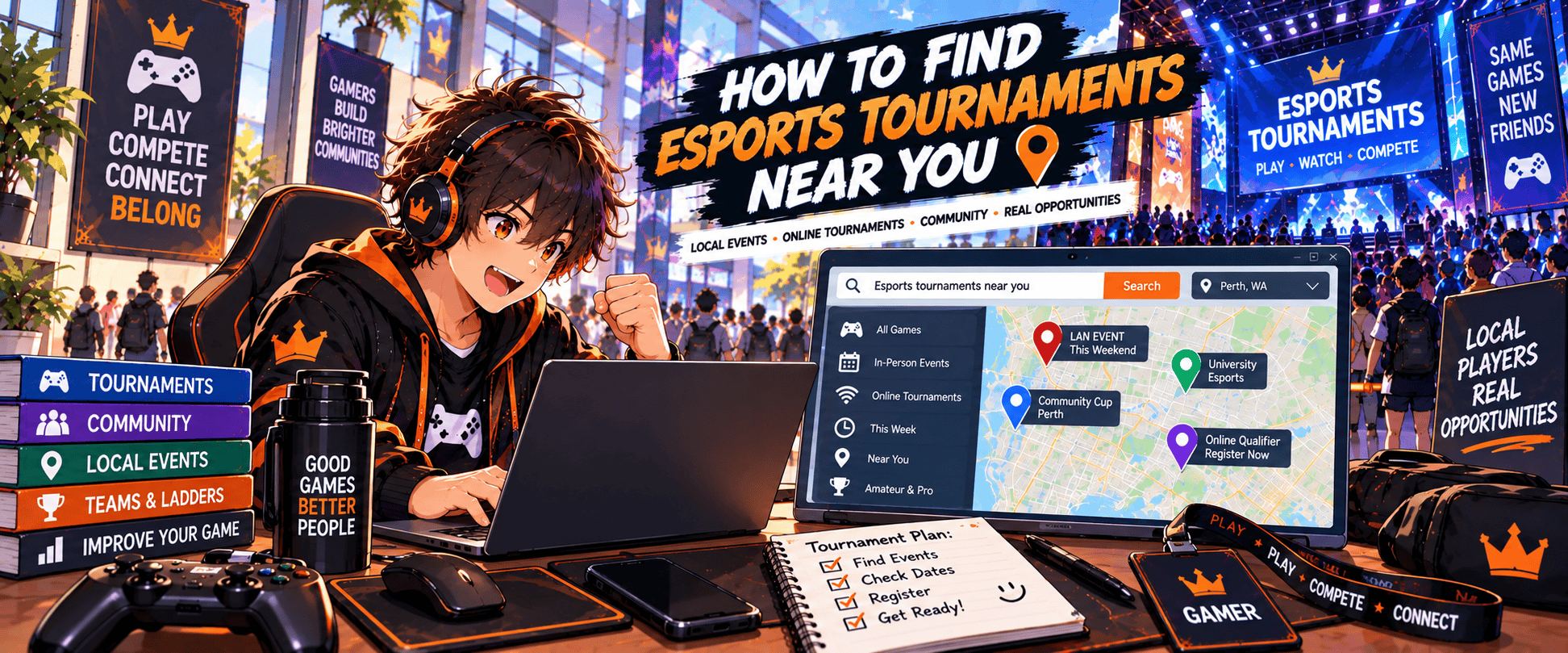
Finding esports tournaments near you can take a little more digging than finding a major gaming convention.
Local tournaments aren’t always promoted through big event websites or highly visible Google results. Some are announced through tournament platforms, gaming venues, Discord servers, university clubs, esports organisations and game-specific communities instead.
The best approach is to search for your game + your location + the type of tournament you want to enter or attend.
For example:
Valorant tournaments PerthStreet Fighter tournaments near meRocket League tournaments Australialocal Counter-Strike tournamentsTekken tournaments PerthLeague of Legends amateur tournaments Australia
Then expand beyond Google into the communities where players for that particular game actually organise competitions.
This guide will show you where to look, how to uncover smaller tournaments that don’t rank well in search results and how to check whether an event is actually suitable before signing up.
If you’re looking for conventions, LANs, expos and other events as well, start with our broader guide to finding gaming events near you.
🎯 1. Start With the Game You Actually Want to Compete In
Searching for esports tournaments near me is a reasonable starting point, but it’s often too broad to uncover the best opportunities.
Esports communities tend to organise themselves around individual games.
Someone looking for a local Tekken tournament is entering a completely different ecosystem from someone trying to find a League of Legends competition.
Start with the game.
Search Game + Location
Try combinations such as:
[Game] + tournament + [City]
or:
[Game] + esports + [Region]
For example:
Tekken tournament MelbourneValorant tournament SydneyRocket League tournament PerthCounter-Strike tournament AustraliaSuper Smash Bros tournament Brisbane
You can then experiment with related terms such as:
- Competition
- Championship
- Cup
- League
- Open
- LAN
- Weekly
- Local
- Amateur
- Community
A local organiser might call its event the Perth Fighting Game Weekly, for example, rather than optimising a page around the phrase esports tournament near me.
Searching the language organisers actually use can uncover events that broader searches miss.
Search Your Region as Well as Your City
Don’t limit yourself to one location term.
If you’re in Perth, try searches using:
- Perth
- Western Australia
- WA
- Nearby suburbs
- Australia
Some competitions are promoted regionally even when the actual tournament takes place in your city.
The same applies elsewhere. A tournament may be advertised as a California, Texas, Queensland or Midlands event rather than being heavily associated with its nearest city.
Decide How Far You’re Willing to Travel
“Near me” means different things to different players.
For one gamer, it means 20 minutes away.
For someone living in a region with a smaller esports scene, apparently it means there’s a tournament three hours away and that’s close enough.
Set a realistic search radius before you start. You might consider:
Local → Nearby city → State/region → National
This makes it easier to separate genuinely accessible tournaments from events you’d need to turn into a larger trip.
🔎 2. Use Google Search More Effectively
Google is still one of the easiest places to begin, but don’t stop after one search.
The problem with local esports is that many tournament pages aren’t particularly well optimised for search. Smaller organisers may have basic websites, old event pages or most of their current information sitting somewhere else entirely.
You sometimes need to search around the obvious results.
Try Several Search Variations
Instead of repeatedly searching esports tournaments near me, change the wording.
For example:
[game] tournaments near me[game] tournaments [city][game] competitive events [city]esports competitions [city]gaming tournaments [city]amateur esports [region][game] weekly tournament [city][game] LAN [city]
If you’re willing to travel, repeat those searches for nearby cities.
Add the Current Year
Tournament pages from previous years can remain indexed long after the event has finished.
Adding the year can surface newer results:
Valorant tournaments Perth 2026
or:
fighting game tournaments Australia 2026
This doesn’t guarantee every result is current, but it helps reduce the number of ancient tournament pages appearing in your search.
Search for Venues and Organisers
If you find an old tournament, don’t immediately dismiss it.
Look at who organised it and where it was held.
An expired event page might lead you to an organiser that still runs monthly tournaments or a gaming venue with an active competition calendar.
This is an important trick when searching local esports:
Old tournament → organiser → current events
The event you found may be finished, but the community behind it may still be active.
Check More Than the First Few Results
Local tournament organisers aren’t necessarily SEO experts.
A small community tournament with 60 passionate players may have a website that Google considers considerably less exciting than a giant esports news article explaining what competitive gaming is.
Dig a little deeper than you would for a normal search.
The best local event may not be result number one.
🏆 3. Search Esports Tournament Platforms
Dedicated tournament platforms are one of the most useful places to look because they’re built specifically around competitions.
Depending on the game and region, organisers may use platforms to handle:
- Tournament registration
- Brackets
- Player check-in
- Match results
- Rules
- Team information
- Schedules
- Prize details
This makes them particularly useful when you’re looking for tournaments you can actually enter, rather than simply esports events to watch.
Start.gg
Start.gg is especially useful for competitive gaming communities, including fighting games and Super Smash Bros., although you’ll find other games and event types there too.
Search by:
- Game
- Location
- Date
- Event name
Local fighting game communities often use tournament platforms as part of their regular event organisation, so this can uncover weekly and monthly competitions that aren’t heavily promoted elsewhere.
FACEIT
FACEIT is strongly associated with competitive online gaming and is particularly well known within Counter-Strike.
Depending on your game and region, you may find:
- Tournaments
- Leagues
- Hubs
- Competitive communities
- Qualifiers
Not everything you find will be a physical tournament near you, but online competitions can also lead towards local competitive communities and larger events.
Battlefy and Other Platforms
Other tournament platforms may be useful depending on the game.
The important thing isn’t to create accounts on every tournament website you can find. Work out which platforms your game’s competitive community actually uses.
Search:
[game] tournament platform
or look at recent competitions for that game and see where registration is being handled.
Don’t Assume Every Tournament Is Local
Tournament platforms mix online and offline competition.
Before getting excited about an event, check:
- Location
- Online or in-person format
- Region restrictions
- Entry requirements
- Registration deadline
- Competition dates
- Skill restrictions
An Australian player finding the perfect amateur tournament only to discover it’s restricted to North America has technically found a tournament.
Just not a particularly useful one.
🎮 4. Check Local Gaming Venues and Esports Centres
Some of the best local tournaments happen at venues that run gaming events throughout the year.
These can include:
- Gaming cafes
- Esports arenas
- LAN centres
- Arcades
- Universities
- Community centres
- Gaming bars
- Hobby stores
- Dedicated tournament venues
If you find an active venue near you, don’t only look at its next event.
Check whether it runs recurring competitions.
Search for Gaming Venues Near You
Try searches such as:
esports venue near megaming cafe [city]esports arena [city]LAN centre [city]gaming tournaments [city]fighting game venue [city]
Once you find a venue, look at its website, event calendar and social channels.
A venue might run:
Weekly → Monthly → Seasonal → Major tournament
Finding the weekly event can be much more useful for a new competitor than discovering one huge championship.
Ask the Venue
If a gaming venue looks active but its website doesn’t show much tournament information, contact them.
Ask something simple:
“Do you run any regular tournaments for [game]?”
They may point you towards an upcoming event, organiser or local community.
This can work particularly well for fighting games, racing games, sports games, card games and other communities that regularly use physical venues.
Look at Posters and In-Venue Promotion
Not every tournament has a sophisticated digital marketing campaign.
Gaming venues may promote upcoming events through posters, screens, community boards or their own Discord.
If you already visit a gaming cafe, arcade or LAN venue, pay attention to what’s being advertised there.
Sometimes finding local esports really does involve looking up from Google.
💬 5. Join Discord Servers and Local Gaming Communities
Discord can be one of the best places to discover smaller esports tournaments.
It’s also one of the hardest places to search from the outside.
Many local gaming communities organise through private or semi-public servers where tournament announcements, registrations and casual competitive events are shared directly with members.
Find the Right Discord Servers
Look for servers connected to:
- Your game
- Your city
- Your state or region
- Local esports organisations
- Gaming venues
- Tournament organisers
- University gaming clubs
- Fighting game communities
- LAN communities
Search Google and social media for combinations such as:
Perth fighting game Discord
Australia Valorant Discord
Melbourne Smash community
Sydney esports Discord
You can also find server invitations through tournament pages and organiser profiles.
Look for Tournament Channels
Once you’re inside a relevant server, check for channels such as:
#tournaments#events#announcements#competitive#looking-for-team#local-events
You don’t need to become the server’s most active member.
Joining a few genuinely relevant communities and checking their event channels can expose you to tournaments that never appear prominently in Google results.
Ask the Community
If you’re new, it’s completely reasonable to ask:
“Are there any regular [game] tournaments around [location]?”
Competitive communities usually know what’s happening locally, including smaller weeklies and upcoming events that haven’t been widely promoted yet.
You may also discover that several apparently separate tournaments are run by the same small group of organisers.
Local esports scenes can be surprisingly interconnected.
Follow the Organisers You Discover
Once you find a good organiser, venue or community, follow it.
Finding your first local tournament is usually the hardest part.
After that, one event tends to lead to another:
Tournament → organiser → Discord → community → more tournaments
Eventually you stop searching the entire internet every time you want to compete.
You just know where your scene hangs out.
📱 6. Follow Esports Organisers and Communities on Social Media
Social media is particularly useful for local esports because organisers can announce a tournament without needing to build or update a dedicated website.
Once you’ve identified a few relevant organisers, venues or competitive communities, follow them rather than starting your search from scratch every few weeks.
Where Should You Look?
Depending on the game and community, tournament announcements may appear on:
- X
- TikTok
- YouTube
- Discord
Facebook Groups can still be surprisingly useful for location-specific gaming communities, while Reddit can help you find the organisations and Discord servers operating around a particular game.
X and Instagram are often useful for following organisers directly and seeing tournament announcements as they’re published.
Search the Game and Location Together
Try searches such as:
Valorant Perth tournamentTekken Melbourne communityRocket League Australia esportsSmash Brisbane tournamentsCounter-Strike Sydney LAN
You’re not necessarily looking for one perfect tournament post.
You’re looking for accounts worth following.
If an organiser has promoted six tournaments over the past year, there’s a good chance another one is coming.
Follow Players Too
Local competitive players can be useful sources of tournament information.
They may share:
- Tournament announcements
- Registration links
- Results
- Community events
- Qualifiers
- Team recruitment
- Upcoming LANs
You don’t need to follow every player in the region. A few active competitors can help you understand which events the community actually cares about.
Check When the Account Was Last Active
This matters.
Esports organisations, tournament series and community pages sometimes disappear while their profiles remain online.
Before relying on one, check whether it has posted recently.
A Facebook page proudly advertising its next tournament from 2021 probably isn’t your strongest lead.
🎓 7. Check Universities, Schools and Community Esports
Not every esports tournament comes from a professional organiser.
Universities, schools and community groups can have active competitive gaming scenes, sometimes with tournaments specifically designed for amateur or developing players.
University Esports Clubs
If you’re a university student, check whether your campus has:
- Gaming club
- Esports club
- Competitive gaming society
- LAN club
- Game-specific community
These groups may organise internal competitions or compete against other universities.
Search:
[University] esports
[University] gaming club
or check your university’s clubs and societies directory.
Even if the club doesn’t run the game you play, its members may know where the local competitive community meets.
Inter-University Competitions
University esports can extend well beyond individual campuses.
Depending on your country and game, there may be organised leagues, championships or qualification pathways involving multiple universities.
These can be a good bridge between casual competitive play and more serious tournament environments.
Check eligibility carefully, as university competitions may require you to be a current student or represent a particular institution.
Schools and Youth Esports
Younger players may have access to school esports programmes or competitions.
Eligibility can depend on age, school enrolment, location and game rating, so these events are more restricted than open community tournaments.
If you’re looking for opportunities for a younger player, start with their school and relevant regional esports organisations rather than assuming an adult open tournament is appropriate.
Community Competitions
Libraries, youth centres, councils, gaming clubs and community organisations sometimes run smaller gaming competitions.
These may not look like major esports events, but they can be excellent places to experience tournament play without immediately walking into a room full of highly experienced competitors.
Small doesn’t mean pointless.
Everyone’s first tournament has to happen somewhere.
🕹️ 8. Search Differently Depending on the Game You Play
There isn’t one universal esports tournament ecosystem.
Different games develop different competitive communities, preferred platforms and event formats. The best place to find a Tekken tournament may be completely different from the best place to find a Valorant tournament.
This is why game-specific searching is so important.
Fighting Games
Games such as:
- Street Fighter
- Tekken
- Mortal Kombat
- Guilty Gear
- Super Smash Bros.
often have strong local tournament communities.
Look for:
- Weekly tournaments
- Monthly events
- Fighting game communities
- Arcades
- Gaming bars
- Start.gg events
- Local Discord servers
- Regional fighting game associations
Searching FGC + [city] can also be useful because fighting game communities commonly use FGC – Fighting Game Community as shorthand.
For example:
Perth FGC
may uncover more useful results than:
esports tournaments Perth
VALORANT and Counter-Strike
Team-based shooters often have a stronger mix of online competition, leagues, qualifiers and LAN events.
Look at:
- Tournament platforms
- Esports organisations
- Gaming venues
- LAN events
- Discord communities
- Team recruitment channels
- Official competitive ecosystems
Because these games require teams, you may need to solve two problems:
Find tournament + find teammates
Community Discord servers and looking-for-team channels become especially useful here.
League of Legends
League of Legends competition can range from organised amateur leagues to university esports and community tournaments.
Search for:
- Amateur leagues
- University competitions
- Regional communities
- Gaming cafes
- Online tournaments
- Riot-related competitive programmes available in your region
Again, team requirements can make community involvement just as important as finding the tournament itself.
Rocket League
Rocket League has a strong online competitive structure, which means you may encounter more online tournaments than physical events.
Search tournament platforms, regional Discord communities and esports organisations, then keep an eye out for LANs and gaming events featuring Rocket League competitions.
Online events can be particularly useful if your local physical scene is small.
Sports Games
Games such as EA Sports FC and NBA 2K can appear at:
- Gaming venues
- Community competitions
- University events
- Sports clubs
- Esports organisations
- Gaming expos
- Online tournaments
Local businesses and sporting organisations may occasionally run competitions that don’t appear prominently on traditional esports websites.
The Search Strategy Changes With the Scene
The lesson isn’t that one game is easier to find tournaments for than another.
It’s that you should learn how your game’s community organises.
For one game, Start.gg might be essential. For another, the competitive scene might live primarily on Discord. Another might revolve around official leagues and online qualifiers.
Find the community first and tournament discovery becomes much easier.
🌐 9. Use Online Tournaments to Get Into Competitive Play
If there aren’t many physical esports tournaments near you, online competition gives you another route in.
You don’t need to wait for a LAN to experience tournament play.
Online events can help you learn:
- Registration
- Check-in procedures
- Tournament rules
- Bracket formats
- Match reporting
- Competitive communication
- Playing under pressure
Those skills transfer well when you eventually attend an in-person event.
Look for Regional Online Tournaments
Not every online tournament is truly global.
Organisers may restrict competition by:
- Country
- Region
- Server
- Rank
- Age
- Platform
- Skill level
Regional restrictions can actually be useful because they help keep connection quality reasonable and may introduce you to players from your broader competitive community.
Search:
[game] online tournament Australia
or:
[game] amateur tournament Oceania
rather than only searching for tournaments worldwide.
Online Tournaments Can Lead to Local Communities
Suppose you enter an Australian online competition and discover that several players live in your city.
That can lead to:
- Local Discord servers
- LAN events
- Teams
- Practice groups
- Future physical tournaments
Online and offline esports aren’t completely separate worlds.
One can lead directly into the other.
Don’t Ignore Small Online Events
Your first tournament doesn’t need a huge prize pool or thousands of viewers.
A small community competition can teach you more about tournament play than another month of saying you’re probably going to enter one eventually.
If your goal is experience, participation matters more than prestige.
📋 10. Check Whether the Tournament Is Actually Right for You
Finding a tournament is only half the job.
Before registering, make sure you’re eligible and that the event matches what you’re looking for.
A tournament can be nearby, run your favourite game and still be completely unsuitable.
Check the Skill Level
Look for terms such as:
- Beginner
- Amateur
- Open
- Ranked
- Invitational
- Qualifier
- Championship
- Pro-am
An open tournament generally means eligible players can enter regardless of professional status, but that doesn’t mean the field will be easy.
You could be a first-time competitor standing next to someone who’s been attending tournaments for ten years.
That’s not necessarily a reason to avoid it. Just know what you’re signing up for.
Check Eligibility Requirements
Tournament rules may restrict entry based on:
- Age
- Country or region
- Rank
- Platform
- School or university
- Team status
- Previous competitive results
- Qualification
- Account standing
Read the rules before paying an entry fee.
Check Whether You Need a Team
For games such as Valorant, Counter-Strike and League of Legends, tournaments may require a complete team.
Others may allow:
- Solo registration
- Free-agent registration
- Substitute players
- Team-finding channels
If you don’t have teammates, check the organiser’s Discord or community channels. Some tournaments actively help solo players find teams.
Check the Format
Make sure you understand how the competition works.
Common formats include:
- Single elimination
- Double elimination
- Round robin
- Swiss
- Group stage
- League play
- Qualifier into finals
You don’t need to become a tournament-format scholar before entering your first event, but you should understand when you play and what happens if you lose.
Check the Full Cost
Some tournaments are free.
Others may involve:
- Entry fee
- Venue admission
- Convention ticket
- Travel
- Parking
- Food
- Accommodation
A $20 tournament can become a much more expensive weekend if it’s attached to a convention in another city.
If you’re travelling for an event, our guide to how much it costs to attend a gaming convention can help you account for the wider trip costs.
Check the Date, Time and Registration Deadline
Finally, make sure the event is actually upcoming.
Look for:
Event date → registration deadline → check-in time → tournament start
For online tournaments, check the time zone as well.
Nothing says competitive readiness quite like discovering your tournament started three hours ago.
🔍 11. Make Sure the Tournament Is Legitimate and Current
Finding a tournament announcement doesn’t automatically mean you should register.
Smaller esports events can change dates, move venues or be cancelled. Old tournament pages also have a habit of hanging around search results long after everyone involved has moved on.
Before paying anything or making travel plans, verify the event.
Check the Official Source
Try to trace the tournament back to its organiser.
Look for an official:
- Website
- Tournament platform page
- Social media account
- Discord server
- Venue page
- Registration page
Ideally, several of these should tell the same story.
If a tournament platform says the event is happening on Saturday but the organiser’s latest social post says it has moved to Sunday, you want to know that before arriving at the venue.
Look for Recent Activity
Check when the organiser last posted.
An active tournament should normally have recent information about registration, schedules, players, rules, venue details or event updates.
Be more cautious if you find:
- An old event page with no recent updates
- Broken registration links
- No clear organiser
- Conflicting dates
- No venue information
- Social accounts that haven’t posted in years
- Requests for payment with little explanation
That doesn’t automatically mean something is wrong, but it’s a reason to investigate further.
Check Previous Events
If the organiser has run tournaments before, look at them.
Previous brackets, photos, results and community posts can help establish that you’re dealing with an active competitive organisation.
They also give you a useful idea of what to expect.
Was the last event a 12-player local weekly?
A 200-player regional tournament?
A packed LAN with multiple games?
Knowing the scale helps you decide whether the next event suits you.
Be Careful With Entry Fees
Entry fees are normal for many tournaments, but make sure you understand what you’re paying for.
Check:
- Entry price
- Payment method
- Refund policy
- Prize information
- Venue admission
- Additional fees
- Cancellation policy
Don’t send money to an unknown account simply because somebody posted “$5,000 PRIZE POOL – REGISTER NOW” underneath a gaming logo.
A little verification is worth the extra five minutes.
Confirm Before Travelling
If you’re travelling any meaningful distance, check the tournament again shortly before leaving.
Dates, schedules and venues can change.
For a larger trip, confirm everything before booking non-refundable transport or accommodation.
Finding the tournament is exciting.
Finding the empty venue where the tournament was originally supposed to happen is less so.
🧭 12. Build a Tournament-Finding Routine
Once you know where your game’s competitive community operates, finding tournaments becomes much easier.
You shouldn’t need to search the entire internet from scratch every time you want to compete.
Build a small network of reliable sources instead.
Follow Three Types of Sources
A useful tournament discovery setup might include:
1. Tournament platforms
Follow or regularly search the platforms your game uses.
2. Local communities
Join one or two active Discord servers, Facebook Groups or other communities relevant to your game and region.
3. Organisers and venues
Follow the people actually running tournaments near you.
Together, those sources will catch a large percentage of the competitions you’re realistically able to attend.
Check Regularly
Tournament registration can open weeks or months before an event.
You don’t need to check every day, but looking periodically helps you avoid discovering something interesting after registration has closed.
For an active competitive player, a simple routine might be:
Every few weeks → check tournament platform → scan Discord announcements → check favourite organisers
That takes considerably less time than repeatedly running dozens of broad searches.
Save Events You’re Interested In
When you find something promising, save the important details immediately.
Record:
- Tournament name
- Game
- Date
- Location
- Registration deadline
- Entry fee
- Registration link
- Organiser
- Team requirements
A calendar reminder for the registration deadline can be particularly useful.
“I’ll remember” has ended many tournament plans.
Follow One Tournament Into the Next
After attending an event, don’t disappear immediately afterwards.
Follow the organiser, join the community and see what else is coming.
Regular local scenes often have a natural progression:
Weekly → monthly → regional → major event
You don’t have to follow that path competitively, but it’s an excellent way to discover more opportunities.
The best result from your first tournament may not even be your final placement.
It may be finding the community that gets you into the next ten.
❓ 13. Frequently Asked Questions About Finding Esports Tournaments
Where Can I Find Esports Tournaments Near Me?
Start by searching for your game + tournament + your city or region.
Then check tournament platforms, local gaming venues, esports organisations, Discord communities, social media, universities and game-specific competitive groups.
Once you identify an active local organiser, follow them for future events rather than relying entirely on Google.
How Do I Find Local Gaming Tournaments?
Search beyond the word esports.
Smaller events may describe themselves as:
- Gaming tournaments
- Weeklies
- Locals
- LANs
- Cups
- Opens
- Community tournaments
- Championships
For fighting games in particular, searching for your local FGC can uncover regular tournaments that broader esports searches miss.
Where Can I Find Amateur Esports Tournaments?
Look for events described as:
- Amateur
- Community
- Beginner
- Open
- Grassroots
- University
- Local
Tournament platforms and Discord communities can be especially useful.
Remember that open doesn’t necessarily mean beginner-only. It generally means eligible players can enter, which may include experienced competitors.
Can Anyone Enter an Esports Tournament?
It depends on the tournament.
Some events are open to almost anyone, while others have restrictions based on age, region, rank, qualification, platform or membership.
Team games may also require you to register a complete roster.
Always read the eligibility and tournament rules before entering.
Do You Need to Be a Professional Gamer to Enter Tournaments?
No.
There are competitive events at many different levels, from casual local weeklies and university tournaments to major open competitions.
Your first event doesn’t need to be prestigious.
A smaller tournament can be a much more comfortable way to learn how competitive events work.
How Do I Find Tournaments for a Specific Game?
Search using the game’s name rather than relying on general esports searches.
For example:
Tekken tournaments Perth
Valorant tournaments Australia
Rocket League tournaments near me
Then identify the platforms, organisers and communities used by that game’s competitive scene.
Different games organise in different places, so learning where your particular community operates is one of the most useful things you can do.
Can I Enter Esports Tournaments Online?
Yes.
Many games have online tournaments ranging from small community competitions to official qualifiers and organised leagues.
Check region, server, platform, rank and team requirements before registering.
Online tournaments can also be a good first step if there aren’t many physical competitions near you.
How Much Does It Cost to Enter an Esports Tournament?
Some tournaments are completely free, while others charge an entry fee.
Physical events may also require venue admission, convention tickets, travel or accommodation.
Look at the total cost of participating, not only the tournament entry fee.
What if There Aren’t Any Esports Tournaments Near Me?
Expand your search gradually.
Try nearby cities, your wider region and online competitions. You can also join regional communities because organisers may announce new events there before they’re widely promoted.
If your local scene is small, you may need to travel occasionally for larger tournaments while using online competitions for more regular play.
🚀 14. Found a Tournament? Get Ready to Enter
Finding an esports tournament near you is much easier once you stop treating esports as one giant competitive community.
Start with your game.
Search your location, identify the tournament platforms your scene uses, find local organisers and join the communities where players actually talk to each other.
Your basic discovery process can be:
Game + location → tournament platform → organiser → community → upcoming events
From there, check the tournament’s eligibility, format, cost, date and registration deadline before committing.
If you haven’t found anything locally, expand into regional and online competitions rather than assuming there simply aren’t any opportunities.
You can also browse gaming events on StackedGame Events to see what’s coming up and discover events worth attending.
Once you’ve found a competition you want to play in, the next question changes completely.
How do you actually enter?
Our next guide, How to Enter Your First Gaming Tournament, covers choosing the right event, registering, understanding the rules, preparing for tournament day and what to expect when you finally sit down for your first competitive match.
Finding the tournament gets you to the starting line.
Entering it is where things get interesting.