1. 🧱 How to Make Money From Minecraft Building Skills
If you can transform an empty Minecraft world into a medieval city, competitive arena or server hub that players can navigate, you have more than an impressive collection of blocks. You have a skill that players, creators and server owners may pay to use.
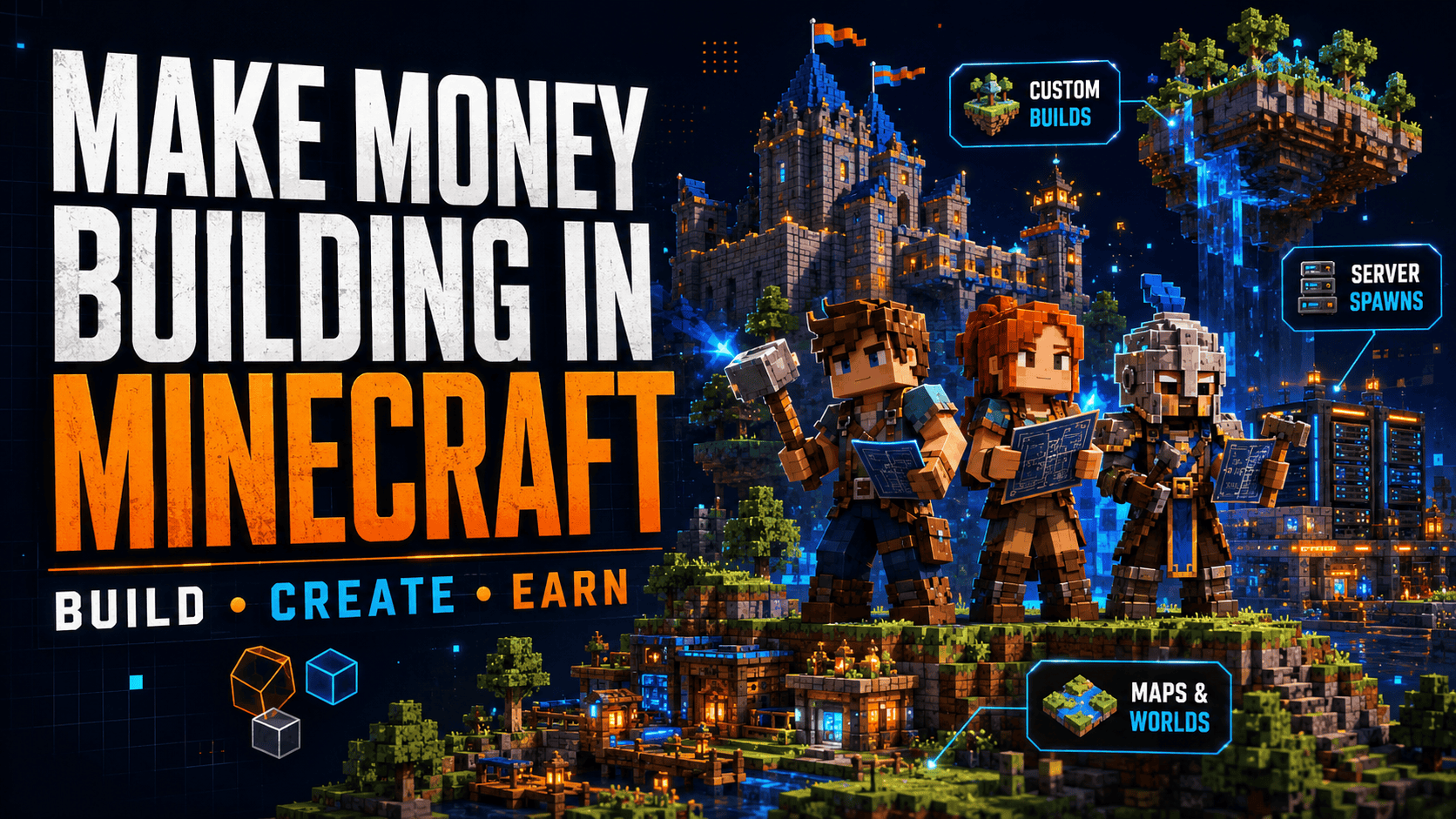
Minecraft builders can earn through custom commissions, server projects, build teams and downloadable products.
Quick answer: The most direct starting route is to choose one type of build, create several strong examples and package it as a clearly defined service.
🎮 Ways to Make Money Building in Minecraft
| Income route | What you could sell | Possible customer |
|---|---|---|
| Custom commissions | Houses, bases and themed structures | Individual players |
| Server building | Spawns, hubs, shops and social areas | Server owners |
| Gameplay maps | Arenas, parkour and minigames | Communities and developers |
| Creator projects | Challenge maps and video environments | YouTubers and streamers |
| Build teams | Specialist work within larger projects | Studios and server teams |
| Digital products | Worlds, schematics and build packs | Players and server owners |
| Terrain services | Islands, mountains and landscapes | Map creators and servers |
You do not need to offer every option. A focused service is easier to practise, explain and sell.
Turn Your Building Ability Into a Service
Customers do not usually pay someone merely for being “good at Minecraft.” They pay for a result they need.
Use this formula:
Building skill → Customer problem → Paid solution
For example:
- Fantasy architecture → Server needs a memorable entrance → Custom fantasy spawn
- Terraforming → Adventure map feels empty → Purpose-built landscape
- Competitive map design → Community needs an event arena → Balanced PvP map
- Interior design → Large build feels unfinished → Interior upgrade service
- Survival building → Players need inspiration → Downloadable house pack
This is the same basic principle behind other ways to make money from your gaming skills: connect something you do well to a problem another gamer wants solved.
🏗️ Do You Need to Be an Expert Builder?
You do not need to reconstruct an entire continent before accepting your first order. You do need enough ability to deliver what your service promises.
Ready-to-sell checklist
- ✅ You can complete the advertised type of build
- ✅ You understand scale, composition and block palettes
- ✅ You can follow a brief
- ✅ You can estimate a realistic delivery time
- ✅ You know how to save and transfer the project
- ✅ You can make reasonable revisions
- ✅ You create original work
- ✅ You communicate reliably
Start with projects suited to your current level. A polished starter house delivered on time is more valuable than a promised kingdom consisting of three walls and an optimistic moat.
Choose Your Income Model
There are two main routes:
Custom service: Build for one customer’s requirements
Digital product: Create once and sell the original product repeatedly
| If you prefer… | Consider starting with… |
|---|---|
| Working directly with customers | Custom commissions |
| Creative control | Downloadable worlds |
| Larger individual projects | Server builds |
| Repeat sales | Schematics and build packs |
| Collaborative work | Build teams |
| Regular updates | Ongoing server work |
Many builders combine several routes over time. Client work produces direct income and reveals what customers need. Digital products can create additional sales without requiring a completely new build for every order.
Your Starting Path
Choose one niche → Create three to six examples → Define the service → Publish the offer → Deliver a small project → Improve
Keep the first offer manageable. Minecraft already contains enough grinding without turning your business plan into another one.
2. What Is a Professional Minecraft Builder?
A professional Minecraft builder creates structures, environments or playable spaces for a customer, team or organisation in exchange for payment.
“Professional” does not necessarily mean full-time employment or millions of followers. It means treating building as a service with clear requirements, reliable communication and a finished result.
Professional Minecraft building = Creative ability + Technical competence + Reliable delivery
🛠️ What Does a Paid Builder Actually Do?
A typical project may follow this workflow:
1. Receive brief → 2. Plan layout → 3. Select style → 4. Build → 5. Test → 6. Revise → 7. Deliver
Each stage matters.
| Project stage | Builder’s responsibility |
|---|---|
| Brief | Understand what the customer needs |
| Planning | Set dimensions, layout and major features |
| Visual direction | Choose appropriate materials and references |
| Production | Construct the agreed environment |
| Testing | Check navigation, compatibility and gameplay |
| Revision | Make the agreed adjustments |
| Delivery | Provide clean, organised and usable files |
Large projects may involve developers, artists, command specialists and several builders. Your role could cover the complete environment or one carefully defined part of it.
Personal Building vs Paid Building
Building for yourself provides complete creative freedom. Client work must serve somebody else’s objective.
| Personal project | Paid project |
|---|---|
| You choose the style | The brief guides the style |
| You can change direction freely | Major changes may affect the scope |
| Deadlines are optional | Delivery dates matter |
| Functionality is your choice | The build must suit its intended use |
| Unfinished areas can wait | Agreed areas must be completed |
| Files only need to work for you | The customer must be able to use them |
A client may admire your fantasy portfolio but still request a futuristic lobby. Professionalism means working within the brief without quietly adding another castle because you had an excellent turret idea.
🧱 Common Minecraft Building Specialities
Architectural builder
Creates houses, castles, towns, monuments and other structures.
Environmental builder
Designs forests, roads, ruins and surrounding decorative areas.
Terraformer
Creates mountains, islands, valleys, coastlines and custom biomes.
Interior builder
Plans rooms, furnishings, storage areas and internal details.
Level designer
Builds around gameplay, player routes, objectives and difficulty.
Redstone or technical builder
Adds mechanical, interactive or automated systems.
Build-team lead
Coordinates builders, divides tasks and maintains a consistent style.
You can combine specialities, but having one recognisable strength makes your portfolio easier to understand.
🎯 What Are Customers Really Paying For?
The visible build is only part of the service.
Customers are also paying for:
- Accurate interpretation of the brief
- Sensible planning
- Reliable progress
- Technical compatibility
- Original work
- Organised files
- Clear communication
- Delivery by the agreed date
A spectacular builder who disappears for three weeks may be less useful than a strong builder who communicates, solves problems and completes the work.
Professional Builder Check
Before offering a paid service, ask:
- Can I explain exactly what I sell?
- Can I show relevant examples?
- Can I estimate how long it will take?
- Can I work within another person’s direction?
- Can I handle feedback without rebuilding everything?
- Can I deliver the files safely?
- Can I complete this service consistently?
If most answers are yes, you may already have the foundations of a professional building service.
3. Who Pays Minecraft Builders?
Minecraft building customers range from individual players to server owners, creators and development teams.
Each buyer wants something different. Understanding that difference helps you build the right portfolio and present a service they immediately recognise as useful.
👀 Minecraft Building Buyers at a Glance
| Buyer | What they commonly need | Repeat-work potential |
|---|---|---|
| Server owners | Spawns, hubs, shops and event areas | High |
| Content creators | Video sets, challenges and cinematic locations | Medium to high |
| Development teams | Environments, terrain and specialist builds | Project dependent |
| Individual players | Bases, houses and personal-world projects | Low to medium |
| Event organisers | Arenas, stages and temporary maps | Medium |
| Build teams | Support on large or ongoing projects | High when active |
The buyer with the largest project is not automatically the best starting customer. Look for projects that match your abilities and can be completed reliably.
🌐 Server Owners
Servers need environments that establish their identity and help players navigate.
Common server commissions include:
- Spawn areas
- Main hubs
- Shopping districts
- Minigame lobbies
- PvP arenas
- Tutorial zones
- Portal rooms
- Event spaces
- Seasonal environments
- Map expansions
Server owners can become valuable repeat clients because active communities need updates, new game modes and event builds.
🎥 YouTubers and Streamers
Creators use custom Minecraft environments to make videos and streams more distinctive.
They may commission:
- Challenge maps
- Survival-series locations
- Hide-and-seek environments
- Competition arenas
- Cinematic backgrounds
- Story and role-playing sets
- Livestream event worlds
- Thumbnail scenes
These projects may have strict deadlines because recording schedules depend on the map being ready. “Almost finished” is a difficult environment in which to film twelve waiting players.
🧑💻 Development Teams and Map Creators
Teams creating commercial maps, server experiences or downloadable projects may need builders with particular specialities.
You could contribute:
- Structures
- Interiors
- Terrain
- Decorative assets
- Quest locations
- Environmental storytelling
- Gameplay environments
- Build improvements
- Quality checks
Collaborative projects require consistency. You may need to follow an established palette, scale and naming system rather than declaring your district an independent architectural republic.
👤 Individual Players
Players may pay for personal projects such as:
- Survival bases
- Mansions
- Villages
- Storage systems
- Decorative farms
- Memorials
- Real-world recreations
- Unfinished-build upgrades
These commissions can suit newer freelancers because they are often smaller than complete commercial servers.
🏆 Communities and Event Organisers
Gaming groups may need builds for:
- Tournaments
- Community celebrations
- Building competitions
- Treasure hunts
- Seasonal events
- Parkour challenges
- Social meetups
- Promotional activities
Event work can also create demand for related services such as promotional graphics, trailers and social-media content.
Match Your Skill to the Buyer
Use this quick pairing guide:
- Fast architectural builder → Individual commissions or server structures
- Strong team collaborator → Build teams and development projects
- Creative level designer → Minigames and creator challenges
- Detailed fantasy builder → Role-playing servers and adventure maps
- Skilled terraformer → Custom worlds and server environments
- Reliable all-rounder → Recurring server support
Choose the audience whose problems match your strongest work. Marketing becomes easier when your portfolio already looks like the solution.
4. Minecraft Building Services You Can Sell
Minecraft building covers a huge range of work. A sellable service turns that broad ability into a specific promise.
“I build things in Minecraft” describes a hobby. “I will create a custom medieval server spawn for Java Edition” describes something a customer can order.
Clear service formula:
What you build + Who it is for + What the buyer receives
🧱 Minecraft Building Service Menu
| Service category | Examples |
|---|---|
| Buildings | Houses, castles, shops, towers and bases |
| Server environments | Spawns, hubs, lobbies and portal areas |
| Gameplay maps | Arenas, parkour, races and challenges |
| Terrain | Mountains, islands, rivers and forests |
| Interiors | Rooms, storage areas and decoration |
| Adventure environments | Dungeons, quest locations and story worlds |
| Build improvements | Repairs, expansions and visual upgrades |
| Digital products | Schematics, worlds and structure packs |
You do not need to offer all eight. Two or three well-presented services provide a stronger starting point than a giant menu of things you have attempted once.
🏠 Houses, Bases and Structures
Possible commissions include:
- Starter houses
- Survival bases
- Mansions
- Castles
- Fortresses
- Shops
- Towers
- Temples
- Farms
- Science-fiction structures
- Historical buildings
These projects can be sold as custom builds or developed into original downloadable products.
🌐 Server Spawns and Hubs
Server environments need both appearance and function.
A complete hub could include:
Arrival point → Information area → Paths → Portals → Social spaces
Common features include:
- Rules
- Signs
- Shops
- Rewards
- Rankings
- Portals
- Non-player character areas
- Seasonal decorations
- Expansion space
A visually impressive hub still needs to help players find things. Nobody wants to file a missing-person report every time they look for the game selector.
🎯 Arenas and Minigame Maps
Gameplay builds might include:
- PvP arenas
- Parkour courses
- Racing tracks
- Hide-and-seek maps
- Puzzle rooms
- Boss arenas
- Survival challenges
- Tournament stages
These environments require testing. Player movement, boundaries, spawn locations and visibility can matter as much as decoration.
⛰️ Terrain and Landscaping
Terraforming services can cover:
- Mountains
- Islands
- Valleys
- Rivers
- Forests
- Caves
- Coastlines
- Custom biomes
- Fantasy landscapes
- Improvements around existing builds
You can sell terrain independently or combine it with structures to create a complete environment.
🛋️ Interiors and Build Upgrades
Some customers already own an impressive building whose interior contains little beyond a crafting table and several torches positioned with great confidence.
You can offer:
- Interior layouts
- Furniture and decoration
- Storage-room design
- Lighting improvements
- Gardens and paths
- Exterior detailing
- Block-palette upgrades
- Expansions
- Repairs to unfinished builds
Upgrade services may be easier for new sellers to scope and complete than an entire city.
📦 Create a Focused Starter Menu
| Starter service | Defined deliverable |
|---|---|
| Custom Structure | One building within an agreed size |
| Interior Upgrade | Completed interior for a supplied structure |
| Small Server Lobby | Arrival area, navigation and basic decoration |
| Custom Terrain Area | One landscape within set dimensions |
| Build Improvement | Upgrade an existing structure or location |
| Original Schematic | Reusable structure supplied as an agreed file |
For each service, state:
- Build dimensions
- Minecraft edition and version
- Included features
- Number of revisions
- Delivery timeframe
- File format
- What the customer must provide
Specific services create fewer surprises and are easier to price.
5. Custom Builds vs Downloadable Minecraft Worlds
Minecraft builders can earn through custom client work, downloadable products or a combination of both.
The creative skills overlap, but the business models are different.
Custom build: Create for one buyer
Downloadable product: Create once and offer to many buyers
🤝 How Custom Builds Work
A buyer commissions a project based on their requirements.
They may specify:
- Theme
- Dimensions
- Minecraft edition
- Game version
- Structures
- Interiors
- Terrain
- Block palette
- Server features
- Delivery deadline
Custom work requires more communication, but it can provide greater value because the result is designed for a particular customer.
📥 How Downloadable Products Work
You create the product before anybody orders it.
Possible products include:
- Complete Minecraft worlds
- Schematic files
- House templates
- Terrain maps
- Server lobby templates
- Parkour courses
- Adventure maps
- Interior collections
- Structure packs
- Decorative assets
The same original product may be sold several times, depending on the licence you provide.
This makes Minecraft builds a natural option for creators exploring how to make money selling digital gaming products.
Custom Builds vs Digital Products
| Factor | Custom builds | Downloadable products |
|---|---|---|
| Customer | One specific buyer | Wider customer group |
| Communication | Frequent | Usually limited |
| Revisions | Common | Normally not included |
| Creative direction | Guided by the brief | Controlled by the creator |
| Income | Payment per project | Potential repeat sales |
| Work after ordering | Substantial | Usually minimal |
| Price per order | Often higher | Often lower |
| Scalability | Limited by your time | Less dependent on working hours |
| Support | Project updates | Installation and compatibility help |
Advantages and Trade-Offs
Custom commissions
Advantages
- Higher-value individual projects
- Direct customer feedback
- Opportunities for recurring work
- Experience with real briefs
- Strong portfolio case studies
Trade-offs
- More communication
- Deadlines and revisions
- Income tied to available time
- Greater risk of scope changes
Downloadable products
Advantages
- Products can sell repeatedly
- Less communication per order
- Greater creative freedom
- Catalogue can grow over time
- Orders can arrive outside your working hours
Trade-offs
- Sales are not guaranteed
- Strong presentation is required
- Compatibility support may be needed
- Licences must be clearly explained
- Products may require ongoing updates
🔄 Combine Both Routes
A hybrid approach can make good use of the same wider skill set:
Create commissions → Learn what customers request → Develop separate original products → Offer paid customisation
For example, you could sell an original fantasy-house pack and offer optional changes to its materials, interiors or layout.
This gives buyers three choices:
| Buyer need | Suitable option |
|---|---|
| Affordable ready-made build | Premade product |
| Small personal changes | Customised product |
| Unique project | Full commission |
Never resell a commissioned build unless the agreement clearly permits it. Instead, use what you learned to produce something genuinely separate and original.
Which Route Should Beginners Choose?
Use this quick guide:
- Choose custom work if you enjoy briefs and customer collaboration.
- Choose digital products if you prefer creative control.
- Choose small commissions if you want practical client experience.
- Choose schematics or templates if you want to develop a product catalogue.
- Choose a hybrid model if you want to test both.
🚀 Beginner Launch Plan
- Create three to six original portfolio builds
- Prepare one as a downloadable product
- Define one tightly scoped custom service
- Publish both offers
- Track which receives more interest
- Improve the stronger route
- Retain the second as an additional income option
The best model is not automatically the one with the grandest theoretical income. It is the one you can deliver well, price properly and sustain without turning Minecraft into unpaid overtime.
6. 🏰 Making Money From Custom Minecraft Builds
Custom commissions are one of the most direct ways to make money from Minecraft building. A customer describes what they need, you agree on the scope and create a build specifically for their world, server or project.
These commissions can range from a compact survival base to an enormous fantasy capital with enough towers to make the deadline nervous.
Custom-build formula:
Client idea → Defined brief → Agreed price → Milestone reviews → Finished build
🎮 Custom Builds You Can Sell
| Build category | Example projects | Potential buyer |
|---|---|---|
| Personal builds | Houses, bases and storage areas | Individual players |
| Server builds | Spawns, hubs and shops | Server owners |
| Gameplay builds | Arenas, parkour and minigames | Communities and developers |
| Creator builds | Video sets and challenge maps | YouTubers and streamers |
| Environmental builds | Cities, terrain and themed worlds | Servers and map creators |
| Improvement work | Interiors, repairs and upgrades | Players and server owners |
Start with projects that match your current ability. Bigger builds may command higher prices, but they also bring longer deadlines, more revisions and greater scope for confusion.
📝 Create a Proper Building Brief
Before placing the first block, collect the essential project details.
Project basics
- What needs to be built?
- How will the build be used?
- Who will play or interact with it?
- What Minecraft edition and version are required?
- What dimensions or approximate scale are expected?
Creative direction
- Which theme should the build follow?
- Are there reference images?
- Which colours or block palettes should be used?
- What does the buyer definitely not want?
- Must the build match an existing world or server?
Technical requirements
- Are interiors required?
- Is custom terrain included?
- Are redstone, commands or plugins involved?
- Are resource packs required?
- Should the build be delivered as a world or schematic?
A client asking for a “fantasy castle” could mean an elegant elven palace, a gloomy fortress or an alarming quantity of lava. Clarifying the direction early saves both sides from an architectural identity crisis.
📦 Turn Commissions Into Clear Packages
Packages make custom-building services easier to understand and compare.
| Package | Example scope | Suitable for |
|---|---|---|
| Starter Build | One small structure with exterior detailing | Players and new creators |
| Detailed Build | Larger structure with interiors and surroundings | Established players and servers |
| Complete Environment | Multiple structures, terrain and connected areas | Servers, events and content projects |
Define size ranges carefully. “Small,” “medium” and “large” are not reliable measurements when the customer considers a 200-block castle a modest weekend cottage.
Use Milestones for Larger Builds
Break substantial commissions into review stages:
1. Layout → 2. Main structure → 3. Details → 4. Interiors → 5. Landscaping → 6. Testing
Share screenshots or a walkthrough after important milestones. The customer can approve the direction before you invest hours detailing an area they never wanted.
Milestones also make larger payment arrangements easier to manage. Your agreement should explain what must be completed before each payment becomes due.
🚨 Revision or New Work?
A revision adjusts something already included in the brief. New work expands the project.
| Revision | Additional work |
|---|---|
| Changing several materials | Replacing the entire visual theme |
| Adjusting an entrance | Adding another major building |
| Moving decorative details | Expanding the map boundary |
| Refining an approved room | Adding interiors not included originally |
Be helpful with reasonable refinements, but quote additional work when the scope materially changes.
Custom-Build Delivery Checklist
Before sending the finished project, confirm:
- ✅ Correct Minecraft edition and version
- ✅ Agreed structures are complete
- ✅ Required interiors are included
- ✅ Paths and entrances work
- ✅ Temporary blocks are removed
- ✅ Plugins or resource packs are disclosed
- ✅ A clean backup exists
- ✅ Files are clearly named
- ✅ Installation instructions are included
- ✅ Final screenshots have been saved
A magnificent city delivered in a folder called newworld47-final-maybe loses a small amount of its royal authority.
7. Building Minecraft Server Spawns and Hubs
A server spawn is often the first place a new player sees. It introduces the server’s identity, explains its main features and helps players find where they need to go.
Server owners may therefore pay for spawns and hubs that are both impressive and functional.
The best server spawn answers three questions quickly:
Where am I? → What can I do? → Where do I go next?
🌐 Spawn, Lobby or Hub?
| Environment | Main purpose |
|---|---|
| Spawn | The place where players first enter a world or server |
| Lobby | A waiting or social area before joining an activity |
| Hub | A central location connecting different worlds or game modes |
One environment may perform all three roles. Confirm how the server intends to use it before planning the layout.
The Server Spawn Blueprint
A useful spawn can be designed in five layers:
- Arrival point – where new players enter
- Orientation area – rules, instructions and server information
- Navigation system – paths, signs, landmarks and portals
- Activity areas – shops, rewards, rankings and social spaces
- Expansion zones – room for future features and updates
This structure prevents the spawn from becoming an attractive collection of buildings with no obvious purpose.
🧭 Map the Player Journey
Plan the path players should take:
Player arrives → Notices the central landmark → Understands the server → Finds a game mode → Reaches the correct portal
Use visual design to guide that journey:
- Clear pathways
- Contrasting colours
- Consistent signs
- Lighting
- Visible landmarks
- Building orientation
- Height differences
- Framed views
- Recognisable portal designs
Important features should not be hidden behind decorative structures. A voting area offers limited value when locating it requires a survival expedition.
What Should a Server Spawn Include?
Essential elements
- Safe arrival point
- Rules and information
- Clear navigation
- Portals or game selectors
- Space for server announcements
Optional features
- Shops
- Reward areas
- Leaderboards
- Crates
- Social spaces
- Tutorial zones
- Non-player characters
- Seasonal decorations
- Photo locations
- Staff information
Not every spawn needs every feature. Include what supports the server rather than filling empty space with increasingly mysterious buildings.
🎨 Match the Server’s Identity
| Server theme | Possible visual direction |
|---|---|
| Fantasy | Castles, magical portals and dramatic landscapes |
| Futuristic | Metallic structures, neon lighting and transport hubs |
| Pirate | Islands, ships, docks and coastal settlements |
| Horror | Ruins, darkness and unsettling environmental details |
| Modern city | Towers, plazas, roads and transport systems |
| Ancient mythology | Temples, statues and monumental architecture |
Ask whether the server already has brand colours, logos or established locations. A consistent spawn makes the wider server feel more polished.
📦 Server-Build Packages
| Package | Main deliverables |
|---|---|
| Compact Spawn | Arrival point, landmark, rules and basic navigation |
| Server Lobby | Larger environment with portals and social space |
| Complete Hub | Multiple zones, interiors, terrain and custom features |
| Seasonal Refresh | Temporary decorations and event areas |
| Hub Expansion | New portals, buildings or gameplay connections |
State the approximate dimensions and number of features included in each package.
Server Spawn Quality Check
Ask these questions before delivery:
- Can a new player understand the space?
- Are the main routes easy to identify?
- Do portals and signs stand out?
- Are important interface elements accessible?
- Does the environment match the server theme?
- Can the server add features later?
- Have restricted areas been protected?
- Does the spawn perform well with multiple players?
A spawn should create a strong first impression without requiring an introductory map, compass and emergency rescue team.
8. Creating Minigame Maps, Arenas and Challenge Builds
Minigame maps must do more than look attractive. They need to support clear rules, fair gameplay and repeated use.
This adds another layer to the builder’s job: you are not only designing scenery. You are shaping how players move, compete and make decisions.
🎯 Minigame Builds You Can Sell
| Map type | Important design consideration |
|---|---|
| PvP arena | Balance, cover and sightlines |
| Parkour course | Jump difficulty and checkpoint spacing |
| Racing map | Route clarity, shortcuts and collision areas |
| Hide-and-seek map | Hiding options and fair search routes |
| Puzzle map | Clear clues and reliable solutions |
| Survival arena | Resources, hazards and player movement |
| Treasure hunt | Exploration and readable environmental clues |
| Team minigame | Balanced spawns and objectives |
You can sell the environment alone or collaborate with developers who handle commands, plugins and advanced mechanics.
Start With the Gameplay Loop
Before building, define what happens during a typical round.
Gameplay blueprint:
Players join → Round begins → Players pursue objective → Winner is decided → Map resets
Ask:
- How many people will play?
- Are they competing individually or in teams?
- Where do they spawn?
- What is the main objective?
- How long should a round last?
- How is victory determined?
- Can eliminated players spectate?
- Does the map reset automatically?
- Which systems require commands or plugins?
These answers influence the scale, routes and structure of the map.
🗺️ Block Out the Layout First
Build the functional skeleton using simple materials before adding decoration.
Blockout checklist
- Map boundaries
- Spawn points
- Objectives
- Main routes
- Alternative routes
- Elevation
- Cover
- Choke points
- Spectator areas
- Reset locations
Test this layout early. It is easier to move a plain wall than a fully detailed fortress containing banners, statues and your remaining enthusiasm.
Competitive Map Balance Scorecard
| Area to test | Key question |
|---|---|
| Travel distance | Can teams reach objectives in similar times? |
| Cover | Does one side receive stronger protection? |
| Elevation | Are powerful high positions counterable? |
| Sightlines | Can players attack spawns or objectives too easily? |
| Routes | Are there meaningful choices without obvious exploits? |
| Resources | Are useful items distributed fairly? |
| Boundaries | Can players escape the intended area? |
| Performance | Does the map run reliably during full matches? |
Competitive maps do not always need perfect symmetry. They do need fair opportunities.
🧪 Use a Three-Stage Testing Process
Stage 1: Builder test
- Check routes
- Confirm objectives
- Look for gaps
- Test checkpoints
- Review boundaries
Stage 2: Small player test
- Observe navigation
- Identify confusing areas
- Find unexpected shortcuts
- Test basic balance
Stage 3: Full match test
- Use the intended player count
- Record round length
- Review performance
- Collect structured feedback
- Make final balance changes
Do not explain every route before testing. If players cannot understand the map without a guided tour, the environment needs stronger visual direction.
Package Your Map-Building Service
| Service level | Included work |
|---|---|
| Visual Arena | Themed environment based on a supplied layout |
| Gameplay Map | Layout planning, environment and player-flow testing |
| Tested Minigame Map | Complete environment with multiple testing rounds |
| Map Variation | Alternative theme, season or visual treatment |
Clearly state whether commands, redstone, plugins and custom development are included. Minecraft builders are talented, but hiring one does not automatically summon an entire development studio.
9. 🌍 Creating Adventure Maps and Downloadable Worlds
Adventure maps turn Minecraft environments into complete experiences. Players explore locations, follow clues, solve challenges or survive conditions designed by the creator.
These worlds can be commissioned for one customer or packaged as downloadable products.
🧭 Choose a Clear Map Concept
| Map style | Core player experience |
|---|---|
| Fantasy adventure | Explore kingdoms, ruins and magical locations |
| Horror map | Build tension through atmosphere and uncertainty |
| Puzzle map | Solve environmental or logic-based challenges |
| Survival challenge | Manage limited resources and dangerous conditions |
| Role-playing world | Explore locations built around characters and stories |
| Escape room | Discover clues and unlock a route out |
| Educational map | Learn through places, systems or guided activities |
| Exploration world | Discover landmarks, secrets and environmental stories |
A focused concept is easier to explain and market. “Haunted mining town with environmental puzzles” promises an experience. “Large Minecraft world” promises that the download may take a while.
The Adventure-Map Production Blueprint
Concept → Route planning → World blockout → Building → Gameplay systems → Testing → Product packaging
Each stage solves a different problem:
- Concept: What experience are you creating?
- Route planning: Where should players go?
- Blockout: Does the world’s structure work?
- Building: Does the environment support the theme?
- Gameplay: Are objectives and interactions functional?
- Testing: Can players complete the experience?
- Packaging: Can customers install and understand it?
🎨 Guide Players Without Smothering Them in Arrows
Use environmental design to direct attention.
Useful guidance tools include:
- Lighting
- Paths
- Landmarks
- Colour changes
- Open views
- Building orientation
- Height
- Damage or ruins
- Sound and effects
- Visible objectives
For example, a brightly lit tower beyond a dark forest naturally attracts attention. A road leading towards it reinforces the intended route without placing a sign every six blocks.
Tell Stories Through the Environment
Environmental details can reveal what happened before the player arrived.
| Visual detail | Possible meaning |
|---|---|
| Abandoned camp | An expedition failed or fled |
| Barricaded entrance | Something dangerous is inside |
| Broken bridge | The normal route is unavailable |
| Empty village | Residents disappeared suddenly |
| Hidden room | Someone was protecting a secret |
| Damaged machinery | A system failed or was sabotaged |
Do not explain every detail. Giving players space to interpret the environment makes exploration more rewarding.
📦 Downloadable-World Checklist
A complete product should identify:
- ✅ Minecraft edition
- ✅ Supported version
- ✅ Installation steps
- ✅ Required resource packs
- ✅ Required mods or add-ons
- ✅ Recommended settings
- ✅ Intended player count
- ✅ Estimated playtime where relevant
- ✅ Known limitations
- ✅ Usage licence
- ✅ Support contact or instructions
Test the product from a clean installation when possible. Files that work only because your computer contains an ancient forgotten mod are not quite ready for customers.
Strengthen the Product Listing
Include:
- A strong cover image
- Several clear screenshots
- A map or location overview
- Short gameplay description
- Installation information
- Feature list
- Optional walkthrough video
- Multiplayer guidance
Show the most compelling locations. Customers cannot admire your enormous underground temple if the listing contains one shadowy screenshot of a tree.
10. Making Money From Minecraft Terrain and Landscaping
Terraforming involves creating or reshaping land to support buildings, gameplay or a specific atmosphere.
A skilled terraformer can transform a flat world into islands, mountains, forests, coastlines or fantasy environments designed around the customer’s project.
Terraforming value:
Empty world → Purpose-built landscape → More convincing environment
⛰️ Terrain Services You Can Offer
| Service | Possible deliverables |
|---|---|
| Custom landscape | Mountains, valleys, rivers and forests |
| Island design | Survival islands, event islands or server regions |
| Biome transformation | Convert an existing area into a new theme |
| Build surroundings | Terrain designed around a castle, city or spawn |
| Gameplay terrain | Landscapes shaped for PvP, exploration or challenges |
| Terrain repair | Smooth borders, improve generation or fix damaged areas |
Terrain can be sold alone or bundled with structures and complete map environments.
Terrain Should Have a Purpose
Before shaping the landscape, identify what it needs to support.
For visual projects
- Frame important landmarks
- Create dramatic views
- Establish scale
- Support the intended theme
- Hide unwanted boundaries
For playable environments
- Guide player movement
- Create useful routes
- Control sightlines
- Support objectives
- Provide balanced elevation
- Avoid inaccessible or confusing areas
An enormous mountain may look impressive, but it becomes less useful when placed directly where the server owner wanted the main road.
🎨 Terrain Styles and Buyers
| Terrain style | Likely customer | Main priority |
|---|---|---|
| Realistic landscape | Survival server | Natural shapes and believable transitions |
| Fantasy terrain | Role-playing server | Dramatic scale and atmosphere |
| Competitive terrain | Minigame developer | Fair routes and controlled elevation |
| Cinematic environment | Content creator | Strong views and memorable landmarks |
| Custom island | Challenge-map creator | Clear boundaries and resource placement |
| Biome redesign | Established server | Integration with the existing world |
Specialising in a recognisable terrain style can make your portfolio easier to market.
📦 Create Tiered Terrain Packages
| Package | Example scope |
|---|---|
| Terrain Foundation | One defined landscape with basic natural features |
| Detailed Environment | Custom terrain, vegetation and environmental detailing |
| Complete World Area | Multiple terrain zones designed around structures or gameplay |
| Existing-World Upgrade | Reshape and improve a supplied area |
State the approximate map dimensions, density of detail and included features. Terrain prices should reflect the scale and complexity rather than the number of visible trees.
Combine Terrain With Building Services
Terrain works naturally with:
- Server spawns
- Castles
- Cities
- Adventure maps
- Villages
- Arenas
- Roads
- Bridges
- Survival worlds
- Cinematic locations
You can present this as a simple upgrade path:
Structure only → Structure with landscaping → Complete themed environment
This gives buyers meaningful options and ensures the surrounding mountain range is not treated as a minor complimentary detail.
🛠️ Confirm Technical Requirements
Before beginning, collect:
- Minecraft edition
- Game version
- Map dimensions
- Existing world files
- Structures that must remain
- Required file format
- Approved building tools
- Server performance limits
- Intended player count
- Required resource packs or mods
Large terrain projects can create compatibility and performance issues. Testing is part of the service, not an activity reserved for after something catches fire.
Terrain Delivery Check
- ✅ Create an untouched backup
- ✅ Inspect world borders
- ✅ Check transitions into existing terrain
- ✅ Remove accidental holes and sharp cut-offs
- ✅ Test important routes
- ✅ Protect existing structures
- ✅ Review performance in detailed areas
- ✅ Open the world in the required version
- ✅ Organise the delivery files
- ✅ Include installation instructions
Terrain can take hours to create and seconds to damage. A clean backup is considerably cheaper than rebuilding a mountain while reflecting on the temporary nature of all things.
11. Working With Minecraft Servers and Build Teams
You do not have to find every client and complete every project alone. Minecraft servers and build teams often recruit builders to work on larger environments, seasonal updates and ongoing development.
This route can provide regular projects, shared tools and experience working alongside specialists.
Team-building formula:
Individual skill + Shared brief + Consistent style + Reliable teamwork = Finished world
🌐 Working Directly With Server Owners
Server owners may hire independent builders for:
- New spawns and hubs
- Map expansions
- Game-mode environments
- Seasonal events
- Shop and social areas
- Existing-world improvements
- Tournament arenas
- Regular maintenance
- Emergency repairs
- Complete visual redesigns
Independent work gives you more control over your prices and process. It also makes you responsible for managing the client, defining the scope and delivering the entire agreed project.
👥 Joining a Minecraft Build Team
A build team brings several creators together for projects that would be difficult for one person to complete.
| Team role | Typical responsibility |
|---|---|
| Lead builder | Plans the project and maintains creative direction |
| Architectural builder | Creates structures and major landmarks |
| Terraformer | Shapes terrain and surrounding landscapes |
| Interior builder | Completes rooms and internal spaces |
| Level designer | Builds around gameplay and player movement |
| Technical builder | Adds redstone, commands or related systems |
| Quality reviewer | Finds unfinished areas and consistency problems |
Smaller teams may combine these roles. A builder might create structures, furnish them and help test the completed environment.
What Build Teams Look For
A team application may ask for:
- Portfolio screenshots
- Walkthrough videos
- Minecraft edition and version experience
- Preferred building styles
- Specialist skills
- Availability
- Communication platform
- Experience with building tools
- Trial-build completion
- Previous team experience
Show work relevant to the team. A server developing a futuristic world learns little from twelve nearly identical medieval cottages, however charming their roofs may be.
🧪 Completing a Trial Build
A legitimate trial allows the team to evaluate your:
- Building ability
- Interpretation of a brief
- Speed
- Communication
- Attention to detail
- Ability to match an existing style
- Use of approved tools
Before completing unpaid test work, confirm:
- How large is the trial?
- How long should it take?
- Will the finished build be used commercially?
- Who owns the trial build?
- Is payment available if the work is used?
- What happens after the assessment?
A short evaluation is reasonable. Building an entire production-ready server hub “to see how you go” is less a trial and more a project wearing a fake moustache.
🤝 Collaborating on Shared Projects
Team projects need agreed systems.
Confirm before building
- World version
- Approved plugins and mods
- Block palette
- Scale
- Assigned region
- File and schematic naming
- Deadline
- Review process
- Backup procedure
- Who approves changes
While building
- Share progress
- Avoid editing another builder’s area without approval
- Follow the agreed style
- Report technical problems early
- Save versions at major milestones
- Ask before changing the shared plan
One brilliant but incompatible district can weaken the entire project. Consistency matters more than treating your assigned village as an opportunity to launch a personal architectural revolution.
💰 Understand the Payment Arrangement
Minecraft build teams may use different payment models.
| Payment model | How it works | What to clarify |
|---|---|---|
| Fixed project fee | Agreed amount for defined work | Scope and milestones |
| Hourly payment | Paid for recorded working time | Tracking and approval |
| Revenue share | Percentage of future project income | Reporting and payment terms |
| Per-build payment | Set amount for each completed asset | Size and quality requirements |
| Team salary or retainer | Regular payment for ongoing availability | Workload and schedule |
Do not assume a revenue share will produce meaningful income. Ask how revenue is calculated, when payments are issued and whether any minimum payment exists.
Builders wanting to offer their work independently should understand how to sell gaming skills and services online before accepting commissions.
🚩 Build-Team Warning Signs
Be cautious when a server or team:
- Refuses to discuss payment clearly
- Promises vague future exposure
- Demands a large unpaid trial
- Changes the agreed scope repeatedly
- Provides no project ownership terms
- Pressures you to share an account
- Requests payment before you can join
- Has no backup or approval process
- Uses other builders’ work without permission
A professional team should be able to explain what you will do, who owns the result and how you will be paid.
12. 🎥 Building for Minecraft YouTubers and Streamers
Minecraft creators need new settings, challenges and visual ideas to keep their content interesting. Skilled builders can provide the worlds where those videos and livestreams take place.
Creator projects can also become recurring work because active channels regularly need fresh concepts.
Creator-build formula:
Video idea → Playable environment → Memorable moments → Finished content
🎮 What Can You Build for Creators?
| Creator project | Possible build |
|---|---|
| Challenge video | Custom arena, obstacle course or survival environment |
| Role-play series | Towns, interiors and story locations |
| Competition video | Balanced map with spectator areas |
| Hide-and-seek content | Themed environment with varied hiding spaces |
| Cinematic video | Detailed sets and dramatic landscapes |
| Livestream event | Social hub, stage or multiplayer challenge |
| Thumbnail scene | Recognisable environment designed for a strong image |
| Long-running series | Expandable base, city or adventure world |
The environment should support the content rather than merely look attractive in screenshots.
Begin With the Video Concept
Ask the creator:
- What happens in the video?
- How many people will participate?
- What is the main challenge?
- Where will the most important moments happen?
- Does the creator need scripted events?
- How long should gameplay last?
- Are spectators involved?
- Which camera angles are likely to be used?
- When is the recording scheduled?
- Must the build remain confidential?
A creator may not arrive with a traditional construction brief. They may begin with, “I want twenty players to escape a collapsing castle.” Your job is to translate that chaos into a workable map.
📹 Build for the Camera
Creator maps should be designed around how they will appear in videos and streams.
Consider:
- Strong opening views
- Recognisable landmarks
- Clear player routes
- Areas large enough for multiple participants
- Backgrounds suitable for introductions
- Dramatic reveal points
- Good lighting
- Clean spectator angles
- Thumbnail-friendly locations
- Space for usernames and interfaces
A detailed build can still look flat from the wrong viewpoint. Ask where the creator plans to film important scenes.
Creator Project Workflow
1. Confirm concept → 2. Plan gameplay → 3. Block out map → 4. Review → 5. Add detail → 6. Test → 7. Deliver before recording
The review stage is vital. Creators may need changes after seeing how the idea works in an actual environment.
Build enough time into the schedule for testing and revisions. Delivering the map five minutes before recording is an exciting content strategy, though probably not the intended one.
🔒 Protect Unpublished Content
Creator builds may reveal:
- Future video concepts
- Challenge rules
- Participants
- Story details
- Channel rebranding
- Planned collaborations
- Unreleased server features
Do not publish screenshots, walkthroughs or progress clips without permission. Agree on when the work can appear in your portfolio.
A simple confidentiality arrangement should cover:
- What information must remain private
- Who can access the files
- When the project may be shown publicly
- Whether credit will be provided
- What happens to unused concepts
📦 Create Creator-Focused Packages
| Package | Possible deliverables |
|---|---|
| Video Set | One environment designed around a recording concept |
| Challenge Map | Playable map with routes, boundaries and basic testing |
| Creator Event World | Multiplayer environment with stage and social areas |
| Series Build Pack | Several connected locations for recurring content |
| Monthly Build Support | Agreed number of builds or updates each month |
A monthly agreement may work well when a creator publishes Minecraft content regularly.
Turn One Project Into Recurring Work
After delivery, ask:
- Did the map work during recording?
- Were any areas confusing?
- Did performance remain stable?
- Would alternative versions be useful?
- Is another video planned?
- Does the creator need ongoing building support?
Learning how the creator records and communicates makes the next project easier for both sides.
13. Selling Minecraft Schematics, Templates and Build Packs
Minecraft builds can become downloadable products rather than one-off commissions. You create an original structure or collection, prepare the files and offer it to multiple customers.
This gives builders a way to earn without starting a new project for every purchase.
Digital build formula:
Original creation → Tested file → Clear listing → Repeatable delivery
📦 Minecraft Products You Can Sell
Possible products include:
- Individual house schematics
- Castle templates
- Village building packs
- Interior collections
- Tree and vegetation packs
- Decorative structure sets
- Server lobby templates
- Fantasy building packs
- Modern city assets
- Ruins and dungeon collections
- Bridges and roads
- Farm designs
- Adventure worlds
- Custom terrain maps
Focused packs are easier to market than random collections. Medieval Village Essentials communicates more value than Various Buildings I Found in a Folder.
Choose a Clear Product Theme
Use this formula:
Buyer → Project type → Useful building pack
For example:
- Server owner → Medieval role-playing server → Village structure pack
- Survival player → New long-term world → Base template collection
- Map creator → Fantasy adventure → Ruins and dungeon pack
- Content creator → Building challenge → Starter schematic bundle
- City builder → Modern environment → Shops and apartment collection
The buyer should understand where and why they would use the product.
🗂️ Decide What the Download Includes
A complete product may contain:
- Schematic or structure files
- Example world
- Preview images
- Installation instructions
- Supported Minecraft edition
- Compatible version
- Required tools or plugins
- Block list
- Usage licence
- Troubleshooting notes
Do not assume every customer knows how to import a schematic. Good instructions reduce support requests and disappointing one-star reviews written at 2:00 am.
Build-Pack Size Options
| Product level | Possible contents |
|---|---|
| Single Build | One original structure |
| Mini Pack | Three to five related builds |
| Complete Pack | Larger themed collection |
| World Bundle | Builds arranged inside a ready-to-use world |
| Customised Pack | Premade collection adjusted for one buyer |
The customised option combines product sales with service income. A buyer receives something more personal while you avoid beginning from an empty world.
🧪 Test Every Product
Before listing a schematic or world:
- Import it into a clean test environment
- Confirm orientation and placement
- Check the supported game version
- Look for missing blocks
- Test required tools
- Inspect interiors
- Verify world spawn location
- Check that instructions are accurate
- Scan the download for unnecessary files
- Create a backup of the final package
Test the product as though you were a customer seeing it for the first time.
Explain the Usage Licence
Your listing should state whether the customer may:
| Usage | Allowed? |
|---|---|
| Use the build in a personal world | Define clearly |
| Use it on a public server | Define clearly |
| Use it in monetised content | Define clearly |
| Modify it | Define clearly |
| Use it in a commercial project | Define clearly |
| Redistribute or resell it | Usually prohibited unless licensed |
You retain whatever rights are established by the applicable agreement and law, but vague licence language creates unnecessary disputes. Explain usage in plain terms and obtain professional advice if your licensing needs are complex.
🖼️ Present the Product Properly
Strong listing media may include:
- Main cover image
- Front and rear views
- Interior screenshots
- Aerial view
- Size comparison
- Short walkthrough video
- List of included files
- Compatibility information
Customers cannot climb through the screen to inspect the build. Your images and description must do the work.
14. 💰 How Much Can Minecraft Builders Make?
Minecraft building income varies widely. There is no universal rate for a house, server spawn or complete adventure map.
A beginner completing compact commissions operates in a different market from an established team producing a large commercial world. Both are Minecraft builders, but comparing their income directly is about as helpful as pricing every real-world building by counting the doors.
What Affects Minecraft Building Income?
| Factor | Why it matters |
|---|---|
| Project size | Larger environments require more work |
| Complexity | Gameplay, interiors and terrain add production time |
| Build quality | Stronger work can attract larger projects |
| Specialisation | Rare or technical skills may carry more value |
| Reputation | Reviews and proven delivery reduce buyer risk |
| Turnaround | Urgent work can disrupt your schedule |
| Usage rights | Commercial projects may require broader rights |
| Team involvement | Revenue may be divided between contributors |
| Repeatability | Products can potentially sell more than once |
| Client type | Individual players and commercial teams have different budgets |
Your income depends on how these factors combine—not simply how many blocks appear in the finished build.
Four Common Income Models
| Income model | How it works | Main advantage |
|---|---|---|
| One-off commission | Customer pays for a defined project | Direct route to initial income |
| Ongoing server work | Regular payment for updates and builds | More predictable workload |
| Build-team projects | Payment for your role in a larger project | Access to more substantial work |
| Digital products | Schematics or worlds are sold repeatedly | Less dependent on billable hours |
A balanced approach could use commissions for immediate income while gradually building a catalogue of original products.
Revenue Is Not Profit
A paid project may involve costs such as:
- Marketplace or payment fees
- Software
- Server hosting
- Licensed assets
- Hardware
- Storage
- Advertising
- Taxes
- Payments to collaborators
- Unpaid communication and revisions
Use this calculation:
Project revenue − Costs − Value of time = Practical return
A large order can still be poor business if it consumes several weeks, expands endlessly and requires a ceremonial goodbye to sleep.
⏱️ Track Your Effective Rate
After each project, record:
- Amount received
- Total hours worked
- Direct costs
- Revision time
- Communication time
- Marketplace fees
- Final profit estimate
Then calculate:
Remaining income ÷ Total hours = Effective hourly return
This helps reveal which services are genuinely worthwhile.
Ways to Increase Your Building Income
You can improve your earning potential by:
- Building a stronger portfolio
- Specialising in valuable projects
- Defining tighter scopes
- Creating clear service packages
- Reducing avoidable revisions
- Improving your building workflow
- Attracting recurring clients
- Selling related upgrades
- Creating original digital products
- Developing referral relationships
The goal is not to place blocks faster until your mouse requests annual leave. It is to create a more valuable and efficient service.
Keep Expectations Realistic
Minecraft building can generate side income and, for some skilled creators, larger commercial opportunities. Results are never guaranteed.
Demand, competition, platform rules and customer budgets can all change. Start with achievable projects, track real results and expand based on evidence rather than screenshots of somebody else’s best month.
15. How to Price Minecraft Building Services
Good pricing should reflect the work required, the value of the result and the conditions attached to the project.
Pricing too low may attract customers, but it can also leave you working for days on a build that barely covers the time spent discussing where the drawbridge should go.
Starting-price formula:
Estimated time × Target hourly return + Direct costs + Complexity allowance = Project price
🧮 Calculate the Real Workload
Include time spent on:
- Reviewing the brief
- Research and references
- Layout planning
- Building
- Terraforming
- Interiors
- Gameplay testing
- Revisions
- Screenshots and walkthroughs
- File preparation
- Client communication
- Delivery and support
Do not price only the time spent actively placing blocks. The work surrounding the build is still part of the project.
Choose a Pricing Method
| Method | Best suited to | Main risk |
|---|---|---|
| Fixed project price | Clearly defined commissions | Scope may expand |
| Hourly price | Uncertain or evolving work | Buyer may worry about final cost |
| Size-based price | Repeatable structures or terrain | Detail levels may differ |
| Package price | Marketplace services | Deliverables must be specific |
| Ongoing fee | Regular server work | Availability and limits need clarity |
| Revenue share | Collaborative commercial projects | Future income is uncertain |
Fixed prices and packages are often easiest for marketplace customers to understand. Hourly pricing can suit projects where the final workload cannot be predicted reliably.
📐 Size Alone Is Not Enough
Two builds with identical dimensions may require very different amounts of work.
Compare:
| Build | Complexity |
|---|---|
| Empty warehouse | Large but relatively simple |
| Detailed palace | Interiors, decoration and varied structure |
| Custom island | Extensive terrain work |
| PvP arena | Layout, balance and testing |
| Adventure dungeon | Building, navigation and gameplay integration |
Use size as one pricing factor—not the entire calculation.
Build Three Clear Packages
| Package | Example scope |
|---|---|
| Starter Build | One small exterior structure with basic detail |
| Detailed Build | Larger structure with interior and surroundings |
| Complete Environment | Several connected builds, terrain and added features |
For every package, state:
- Maximum dimensions
- Number of structures
- Interior inclusion
- Terrain inclusion
- Revision allowance
- Delivery format
- Turnaround time
- Supported edition and version
- Commercial-use conditions
Clear limits reduce uncertainty and make package comparisons meaningful.
💬 Define Revisions and Scope Changes
A revision adjusts the approved work. A scope change adds new requirements.
| Included revision | Additional work |
|---|---|
| Changing several blocks | Replacing the entire theme |
| Adjusting a doorway | Adding another building |
| Moving decorative features | Expanding the map |
| Refining an interior | Adding interiors not in the brief |
| Correcting agreed details | Redesigning an approved layout |
Explain how additional work will be quoted. Otherwise, the project can continue expanding until your compact castle develops suburbs.
Consider Pricing Extras
Optional upgrades might include:
- Faster delivery
- Additional revisions
- Interiors
- Custom terrain
- Nighttime lighting
- Alternative colour palette
- Extra structures
- Installation support
- Commercial usage
- Source or schematic files
- Continued server support
Extras should add genuine value. Avoid dividing essential parts of the service into so many upgrades that the base package contains little more than several decorative blocks and hope.
💳 Use Safe Payment Milestones
For larger projects, a milestone structure could be:
Initial payment → Layout approval → Main build payment → Final review → Delivery payment
Confirm:
- Amount due at each stage
- What must be completed
- When files are transferred
- Refund conditions
- What happens if the project is cancelled
- How additional work is approved
Use the payment protections offered by your chosen marketplace or service. Avoid giving full files to an unknown customer before the agreed payment conditions have been met.
Review Your Prices Regularly
Your pricing may need to increase when:
- Your portfolio improves
- Projects become more complex
- Your schedule stays full
- Customers return regularly
- You develop specialist skills
- Revision demands increase
- Costs rise
- Your effective hourly return is too low
Do not raise prices based on optimism alone. Use completed-project data to understand what the work actually requires.
The right price should support good work, clear communication and a sustainable service. If every order feels like a race against exhaustion, the number probably needs another look.
15. How to Price Minecraft Building Services
Good pricing should reflect the work required, the value of the result and the conditions attached to the project.
Pricing too low may attract customers, but it can also leave you working for days on a build that barely covers the time spent discussing where the drawbridge should go.
Starting-price formula:
Estimated time × Target hourly return + Direct costs + Complexity allowance = Project price
🧮 Calculate the Real Workload
Include time spent on:
- Reviewing the brief
- Research and references
- Layout planning
- Building
- Terraforming
- Interiors
- Gameplay testing
- Revisions
- Screenshots and walkthroughs
- File preparation
- Client communication
- Delivery and support
Do not price only the time spent actively placing blocks. The work surrounding the build is still part of the project.
Choose a Pricing Method
| Method | Best suited to | Main risk |
|---|---|---|
| Fixed project price | Clearly defined commissions | Scope may expand |
| Hourly price | Uncertain or evolving work | Buyer may worry about final cost |
| Size-based price | Repeatable structures or terrain | Detail levels may differ |
| Package price | Marketplace services | Deliverables must be specific |
| Ongoing fee | Regular server work | Availability and limits need clarity |
| Revenue share | Collaborative commercial projects | Future income is uncertain |
Fixed prices and packages are often easiest for marketplace customers to understand. Hourly pricing can suit projects where the final workload cannot be predicted reliably.
📐 Size Alone Is Not Enough
Two builds with identical dimensions may require very different amounts of work.
Compare:
| Build | Complexity |
|---|---|
| Empty warehouse | Large but relatively simple |
| Detailed palace | Interiors, decoration and varied structure |
| Custom island | Extensive terrain work |
| PvP arena | Layout, balance and testing |
| Adventure dungeon | Building, navigation and gameplay integration |
Use size as one pricing factor—not the entire calculation.
Build Three Clear Packages
| Package | Example scope |
|---|---|
| Starter Build | One small exterior structure with basic detail |
| Detailed Build | Larger structure with interior and surroundings |
| Complete Environment | Several connected builds, terrain and added features |
For every package, state:
- Maximum dimensions
- Number of structures
- Interior inclusion
- Terrain inclusion
- Revision allowance
- Delivery format
- Turnaround time
- Supported edition and version
- Commercial-use conditions
Clear limits reduce uncertainty and make package comparisons meaningful.
💬 Define Revisions and Scope Changes
A revision adjusts the approved work. A scope change adds new requirements.
| Included revision | Additional work |
|---|---|
| Changing several blocks | Replacing the entire theme |
| Adjusting a doorway | Adding another building |
| Moving decorative features | Expanding the map |
| Refining an interior | Adding interiors not in the brief |
| Correcting agreed details | Redesigning an approved layout |
Explain how additional work will be quoted. Otherwise, the project can continue expanding until your compact castle develops suburbs.
Consider Pricing Extras
Optional upgrades might include:
- Faster delivery
- Additional revisions
- Interiors
- Custom terrain
- Nighttime lighting
- Alternative colour palette
- Extra structures
- Installation support
- Commercial usage
- Source or schematic files
- Continued server support
Extras should add genuine value. Avoid dividing essential parts of the service into so many upgrades that the base package contains little more than several decorative blocks and hope.
💳 Use Safe Payment Milestones
For larger projects, a milestone structure could be:
Initial payment → Layout approval → Main build payment → Final review → Delivery payment
Confirm:
- Amount due at each stage
- What must be completed
- When files are transferred
- Refund conditions
- What happens if the project is cancelled
- How additional work is approved
Use the payment protections offered by your chosen marketplace or service. Avoid giving full files to an unknown customer before the agreed payment conditions have been met.
Review Your Prices Regularly
Your pricing may need to increase when:
- Your portfolio improves
- Projects become more complex
- Your schedule stays full
- Customers return regularly
- You develop specialist skills
- Revision demands increase
- Costs rise
- Your effective hourly return is too low
Do not raise prices based on optimism alone. Use completed-project data to understand what the work actually requires.
The right price should support good work, clear communication and a sustainable service. If every order feels like a race against exhaustion, the number probably needs another look.
16. Choosing a Profitable Minecraft Building Niche
A niche tells customers what kind of Minecraft builder you are and which projects you handle best.
You can still accept varied work, but a focused offer makes your portfolio easier to understand. “Minecraft builder” is broad. “Fantasy server-spawn builder” gives potential clients a much clearer reason to keep looking.
Niche formula:
Strong building skill → Specific customer → Repeatable service
🎯 Ways to Specialise
| Niche type | Examples |
|---|---|
| Build type | Houses, castles, spawns or arenas |
| Visual style | Medieval, futuristic, modern or fantasy |
| Customer | Players, servers, creators or build teams |
| Gameplay purpose | PvP, parkour, adventure or role-playing |
| Technical skill | Terraforming, interiors or redstone |
| Product format | Commissions, schematics or downloadable worlds |
Combining two or three elements can make your offer more distinctive.
For example:
- Medieval spawn builder for role-playing servers
- PvP arena designer for gaming communities
- Survival-base builder for individual players
- Adventure-map creator for Minecraft YouTubers
- Fantasy terraformer for server worlds
- Interior specialist for large custom builds
Compare Potential Building Niches
| Niche | Likely buyer | Repeat-work potential | Main challenge |
|---|---|---|---|
| Server spawns | Server owners | High | Functionality and scale |
| Fantasy architecture | Servers and map creators | Medium to high | Competitive market |
| Modern houses | Individual players | Medium | Standing out visually |
| PvP arenas | Servers and communities | High | Balance and testing |
| Adventure maps | Creators and map buyers | Medium | Longer production time |
| Terraforming | Servers and build teams | High | Tools and large file sizes |
| Interiors | Players and builders | Medium | Detailed, time-heavy work |
| Build packs | Players and creators | Scalable | Marketing and compatibility |
This is not a guarantee of demand. It is a way to compare how each niche might fit your skills and preferred workload.
🧠 Find the Intersection
A useful niche sits between four things:
What you enjoy → What you do well → What buyers need → What they will pay for
Ask:
- Which projects do I finish to the highest standard?
- Which builds do I enjoy creating repeatedly?
- Who needs this type of work?
- Can I find those customers online?
- Do they commission related builds regularly?
- Can I demonstrate the skill through a portfolio?
- Can I complete the service profitably?
- What makes my version different?
A niche based only on your interests may have limited demand. A niche chosen only for money can become miserable work surprisingly quickly.
Look for Repeatable Problems
Profitable niches often solve needs that return.
Server owners may repeatedly need:
- Seasonal builds
- New game-mode lobbies
- Map expansions
- Event environments
- Spawn improvements
Content creators may repeatedly need:
- Challenge maps
- Recording sets
- Competition arenas
- Story locations
- Thumbnail scenes
Individual players may repeatedly need:
- Base expansions
- Interiors
- Landscaping
- New structures
- World improvements
A customer who needs related work every month can be more valuable than a larger one-off project.
🧪 Test Several Niches
You do not need to commit permanently before receiving your first order.
Use this test:
- Choose three possible niches
- Create two strong samples for each
- Present each as a defined service
- Share them with the relevant audience
- Track enquiries and responses
- Compare production time
- Focus on the strongest opportunity
Record more than popularity. A service attracting plenty of interest may still be poor if customers expect enormous builds for tiny budgets.
Niche Scorecard
Rate each possible niche from one to five:
| Question | Score |
|---|---|
| Do I enjoy this work? | /5 |
| Can I produce strong results? | /5 |
| Can I find potential customers? | /5 |
| Is there repeat demand? | /5 |
| Can I price it sustainably? | /5 |
| Can I build a distinctive portfolio? | /5 |
| Total | /30 |
The highest score is not an order from the Minecraft gods. It is a useful starting point for further testing.
17. 🧠 Skills You Need to Become a Paid Minecraft Builder
Paid Minecraft building requires more than placing attractive blocks. You need creative judgement, technical knowledge and enough business discipline to complete the project as promised.
Professional builder skill set:
Creative design + Minecraft knowledge + Technical workflow + Client communication
You do not need to master every skill before starting. You should be competent in the areas your service claims to provide.
🎨 Creative Building Skills
Composition and scale
Large builds need readable shapes and believable proportions.
Learn how to use:
- Primary and secondary structures
- Repeated shapes
- Height variation
- Negative space
- Strong silhouettes
- Visual focal points
- Proportion between buildings
Adding more detail will not rescue a structure whose basic shape resembles an enormous decorated shoebox.
Block palettes
A good palette creates consistency without making every surface identical.
Consider:
- Main structural blocks
- Secondary materials
- Accent colours
- Texture variation
- Weathering
- Lighting
- The surrounding biome
- Compatibility with the required version
Limit the initial palette, then add variation with purpose.
Depth and detailing
Flat walls can be improved using:
- Recessed sections
- Supporting beams
- Windows
- Roof overhangs
- Columns
- Balconies
- Decorative blocks
- Material variation
- Landscaping
Detail should reinforce the design. Random trapdoors applied to every available surface eventually stop looking like architecture and begin looking like an infestation.
🗺️ Environmental and Gameplay Skills
Builders creating maps, hubs or arenas should understand:
| Skill | Why it matters |
|---|---|
| Player flow | Helps players navigate naturally |
| Sightlines | Controls what players see and where they can attack |
| Landmarks | Makes areas easier to recognise |
| Route planning | Creates clear and meaningful movement choices |
| Gameplay balance | Prevents unfair competitive advantages |
| Environmental storytelling | Makes worlds feel intentional |
| Performance awareness | Reduces problems in large or busy environments |
A beautiful environment may still fail if players cannot find the portal, complete the objective or run the map smoothly.
🛠️ Technical Minecraft Skills
Depending on your niche, you may need to understand:
- Java Edition and Bedrock Edition differences
- Game-version compatibility
- World files
- Schematics
- Structure files
- World-editing tools
- Building plugins
- Resource packs
- Commands
- Redstone
- Multiplayer permissions
- Server backups
- File transfer and compression
Only advertise technical features you can test and deliver reliably.
🤝 Client Skills
Professional building also involves working with people.
You should be able to:
- Ask clear briefing questions
- Explain what your service includes
- Estimate project time
- Share useful progress updates
- Receive feedback calmly
- Separate revisions from new work
- Protect client files
- Meet agreed milestones
- Organise final delivery
- Admit problems early
Clients do not need to understand your building process. You need to translate their idea into a workable project.
Communication Upgrade
Instead of asking:
“What do you want?”
Ask:
“What will the build be used for, which Minecraft version must it support and can you share two examples of the style you want?”
Specific questions produce useful answers.
📊 Builder Skills Self-Check
| Skill area | Beginner | Ready to sell | Advanced |
|---|---|---|---|
| Architecture | Can follow examples | Creates original complete builds | Handles complex environments |
| Terrain | Makes basic changes | Produces intentional landscapes | Creates large custom worlds |
| Gameplay | Understands basic routes | Designs usable play spaces | Balances complex maps |
| Technical | Saves and transfers worlds | Uses relevant building tools | Manages advanced workflows |
| Communication | Discusses ideas | Manages briefs and revisions | Leads clients and teams |
You do not need “advanced” in every row. Match the service to the level you can genuinely deliver.
18. Best Minecraft Building Tools and Setup
The right tools can speed up repetitive work, improve accuracy and make large projects manageable. They do not replace building judgement.
A powerful editing tool can create a mountain in seconds. Whether it looks like a mountain or a geological accident remains your responsibility.
🎮 Java Edition vs Bedrock Edition
Your required tools and delivery files depend partly on the Minecraft edition.
| Consideration | Java Edition | Bedrock Edition |
|---|---|---|
| Building tools | Broad community tool ecosystem | Different add-ons and editing options |
| File types | Java-compatible worlds and schematics | Bedrock-compatible worlds and structures |
| Server environment | Common for custom servers | Widely used across supported devices |
| Testing | Test in the requested Java version | Test on the buyer’s target Bedrock platform |
| Customer reach | Strong PC server market | Broad console, mobile and PC audience |
Do not promise that a file will work across both editions unless you have converted and tested it properly.
🛠️ Types of Building Tools
| Tool category | What it can help with |
|---|---|
| World-editing tools | Copying, shaping and replacing large areas |
| Terrain tools | Generating or sculpting landscapes |
| Planning tools | Layouts, measurements and reference boards |
| Schematic tools | Saving, transferring and placing builds |
| Screenshot tools | Portfolio images and progress updates |
| Video tools | Walkthroughs and build timelapses |
| Server tools | Permissions, collaboration and backups |
| File tools | Compression, organisation and delivery |
Choose tools supported by your Minecraft edition, game version and project environment.
Tool Selection Checklist
Before using a building tool, ask:
- Does it support the required Minecraft version?
- Is it permitted on the client’s server?
- Will the customer need it to use the finished files?
- Can it damage existing world areas?
- Does it change unsupported blocks or entities?
- Is a backup available?
- Have I tested the workflow?
- Do I understand its licence and usage conditions?
Do not experiment with unfamiliar mass-replacement commands inside the client’s only copy of a world. That is less “learning on the job” and more “villain origin story.”
💻 Practical Equipment
A beginner setup may include:
- Dependable computer
- Stable internet connection
- Comfortable mouse and keyboard
- Adequate storage
- Backup drive or cloud storage
- Screenshot software
- Optional second monitor
- Optional private test server
A second monitor is useful for keeping references, plans and client messages visible while building. It is convenient rather than essential.
📁 Organise Every Project
Use a predictable folder structure:
Client → Project → Brief → References → Backups → Screenshots → Delivery
A project folder might contain:
| Folder | Purpose |
|---|---|
| Brief | Approved scope and client instructions |
| References | Images, palettes and layouts |
| Backups | Dated world copies |
| Progress | Review screenshots and walkthroughs |
| Source | Working world or schematic files |
| Delivery | Clean final files and instructions |
Use filenames such as:
FantasyHub_Java_1-XX_Revision02
Replace the example version with the actual supported release. Clear names are more useful than FINAL-final2-use-this-one.
🔐 Back Up Before Major Changes
Use the three-copy mindset for important work:
Working file → Local backup → Separate backup location
Create a new backup before:
- Large terrain edits
- Mass block replacement
- Plugin changes
- Version upgrades
- World conversion
- Importing schematics
- Merging work from another builder
- Final delivery
A backup does not need to be elegant. It needs to exist before the problem does.
Test in the Customer’s Environment
Before delivery, confirm:
- Correct edition
- Correct game version
- Required add-ons
- Required resource packs
- Server compatibility
- Multiplayer performance
- Spawn position
- File integrity
- Installation process
If possible, test the final package from a clean copy rather than your active working environment.
19. 🚀 How to Start With No Professional Experience
Every paid Minecraft builder began with no clients, no reviews and a portfolio containing whatever they happened to build first.
You do not need to pretend you have professional experience. You need to create credible evidence that you can complete the service you want to sell.
Beginner path:
Pick one service → Practise deliberately → Create proof → Complete a small project → Improve
Step 1: Choose One Starter Service
Good beginner options may include:
- Small custom houses
- Survival-base exteriors
- Interior upgrades
- Compact server lobbies
- Small terrain areas
- Decorative structure packs
- Basic parkour maps
- Original schematics
Choose something you can finish consistently.
“I create detailed survival-base interiors” is a workable starting offer. “I build everything from flowerpots to fully scripted continental empires” may be slightly ambitious.
Step 2: Practise With a Realistic Brief
Do not simply wander around placing blocks until something happens.
Create a fictional brief:
Customer: New survival server
Need: Compact medieval spawn
Size: Defined building area
Features: Arrival point, rules, two portals and surrounding landscape
Deadline: Seven days
Delivery: Clean world file and screenshots
Working from a brief develops commercial skills as well as building ability.
Step 3: Build Three to Six Portfolio Samples
Create samples that demonstrate the service you want to sell.
| If you want to sell… | Build these samples |
|---|---|
| Server spawns | Several compact hubs with different themes |
| Custom houses | Exterior, interior and upgraded variations |
| PvP arenas | Balanced maps with clear routes |
| Terraforming | Before-and-after landscapes |
| Adventure maps | One polished short experience |
| Build packs | Coordinated structures with consistent styling |
Quality matters more than quantity. Six carefully selected projects beat 40 screenshots of every structure you have built since discovering fences.
Step 4: Complete a Small Trial Project
Look for a manageable project through:
- A friend’s server
- A community you participate in
- An amateur creator
- A new gaming group
- A collaborative build
- Your own fictional server concept
Before doing free or discounted work, agree on:
- Deliverables
- Deadline
- Revision allowance
- Ownership
- Permission to use the work in your portfolio
- Whether the project will be used commercially
Free work should create experience, evidence or a useful relationship. It should not become somebody else’s unlimited building subscription.
Step 5: Create a Simple Service Package
Your starter package should state:
- Build type
- Maximum size
- Included features
- Minecraft edition
- Supported version
- Number of revisions
- Delivery method
- Turnaround time
- Customer requirements
- Price
Keep the first service narrow enough to estimate reliably.
🎯 30-Day Starter Plan
| Week | Main objective |
|---|---|
| Week 1 | Choose a niche and study the required skills |
| Week 2 | Create two focused portfolio builds |
| Week 3 | Create another sample and prepare your service |
| Week 4 | Publish the offer and contact relevant prospects |
Progress matters more than producing an immaculate business on day one.
Know When You Are Ready
You may be ready to accept a small paid project when:
- ✅ Your portfolio matches the service
- ✅ You can complete the work without copying
- ✅ You understand the technical requirements
- ✅ You can estimate the workload
- ✅ You have a backup process
- ✅ You can explain the deliverables
- ✅ You can handle basic revisions
- ✅ You are prepared to communicate reliably
You do not need complete confidence. Confidence has an inconvenient habit of arriving after the experience that requires it.
20. How to Build a Minecraft Building Portfolio
Your portfolio shows customers what you can build, how you present your work and whether your style fits their project.
It does not need to include everything. It needs to include the right things.
Portfolio purpose:
Show the work you want to be hired to create again.
🖼️ What Should Your Portfolio Include?
Aim for five to eight strong projects featuring:
- Complete builds
- Clear exterior views
- Interior views where relevant
- Aerial screenshots
- Close-up details
- Different lighting conditions
- Before-and-after comparisons
- Walkthrough videos
- Short project descriptions
- Your role in collaborative builds
If you want server-spawn clients, lead with server spawns. Do not make buyers search through 70 unrelated survival screenshots to find one suitable example.
Build a Balanced Project Gallery
| Portfolio image | What it demonstrates |
|---|---|
| Wide establishing view | Overall scale and composition |
| Front view | Main architectural design |
| Aerial view | Layout and navigation |
| Interior image | Detail and functional use |
| Close-up | Block palette and building technique |
| Night view | Lighting and atmosphere |
| Before-and-after image | Improvement or terraforming skill |
| Gameplay screenshot | How players use the environment |
Each image should reveal something different.
📖 Use Mini Case Studies
For important projects, explain the work using this format:
Brief → Challenge → Building approach → Final deliverables
| Case-study element | What to include |
|---|---|
| Brief | What the customer or fictional project required |
| Audience | Who would use the environment |
| Challenge | The main design or technical difficulty |
| Solution | How the build addressed the problem |
| Tools | Relevant editing or planning tools |
| Deliverables | World, schematic, screenshots or other files |
| Your role | Exactly what you created |
If the work is fictional, label it as a concept. A self-directed project still demonstrates ability without inventing a mysterious international server client.
🎥 Add Walkthrough Videos
Videos can show:
- Player movement
- Interior connections
- Building scale
- Terrain transitions
- Gameplay spaces
- Lighting
- Hidden details
- Completed environments
Keep walkthroughs concise and steady. Potential clients want to inspect the build, not experience three minutes of experimental flying followed by an accidental collision with a wall.
Present Screenshots Professionally
Before taking portfolio images:
- Remove unnecessary interface elements where appropriate
- Choose useful camera angles
- Set suitable lighting and weather
- Check the render distance
- Avoid distracting unfinished areas
- Use consistent image dimensions
- Capture the build at an appropriate scale
- Include people or characters only when they clarify scale or gameplay
Do not edit screenshots so heavily that they no longer represent what the buyer will receive.
Collaborative Work Requires Clear Credit
If several builders contributed, identify:
- Your assigned area
- Structures you created
- Terrain you completed
- Other contributors
- Whether you led the project
- Which screenshots show your work
Never present an entire team project as a solo creation. Clear attribution makes your portfolio more credible.
🧹 Curate, Don’t Archive
Before including a project, ask:
- Does it represent my current ability?
- Does it support the service I want to sell?
- Is it original?
- Is the build complete?
- Are the screenshots clear?
- Does it add something new?
- Would I be pleased to receive more work like it?
Remove weaker projects as your skills improve. Your portfolio is a shop window, not a museum devoted to every roof you have ever constructed.
Finish With a Clear Next Step
Your portfolio should direct interested buyers towards an action:
- View my building packages
- Request a custom-build quote
- Ask about server projects
- Order a starter build
- Discuss an ongoing project
- Review available build packs
Make the next step obvious. Minecraft players enjoy exploration, but hiring you should not require locating a hidden button behind a waterfall.
21. Where to Find Minecraft Building Clients
Finding Minecraft building clients becomes much easier when you know who needs your work and where those people already gather.
You do not need to promote yourself everywhere. Choose a few relevant channels, present a focused portfolio and look for buyers whose projects match your skills.
Client-finding formula:
Right service + Relevant portfolio + Active buyer + Professional approach
🔎 Where Can Minecraft Builders Find Work?
| Channel | Potential customers | Best suited to |
|---|---|---|
| Gaming marketplaces | Players, servers and creators | Defined services and build packages |
| Freelance platforms | Businesses and individual buyers | Custom project applications |
| Minecraft communities | Players and server owners | Relationships and smaller projects |
| Discord servers | Communities, teams and creators | Networking and active opportunities |
| Build teams | Studios and server projects | Collaborative or recurring work |
| Social platforms | Creators, players and communities | Portfolio promotion |
| Gaming forums | Server owners and enthusiasts | Specialist discussions and commissions |
| Direct outreach | Servers and content creators | Personalised service proposals |
| Referrals | Previous clients and collaborators | Higher-trust opportunities |
Each channel has different rules. Read them before promoting your service.
🛒 Gaming and Freelance Marketplaces
Marketplaces allow you to publish a defined service that customers can discover and order.
A strong listing should include:
- Specific service title
- Relevant portfolio images
- Clear package options
- Supported Minecraft edition
- Supported game version
- Included features
- Delivery time
- Revision allowance
- Customer requirements
- Usage conditions
Marketplaces work best when buyers can understand the service without starting a lengthy conversation.
“Custom Minecraft Builds” is broad. “Custom Medieval Minecraft House With Interior” gives the customer a clearer picture of what they can order.
🌐 Minecraft Servers and Communities
Active servers may need builders for:
- New spawns
- Map expansions
- Minigame environments
- Seasonal events
- Build repairs
- Social areas
- Server relaunches
- New game modes
Participate in relevant communities before promoting your work.
A sensible approach is:
Join → Read rules → Participate → Share useful work → Respond to genuine opportunities
Entering a server and immediately announcing your premium building packages in every channel tends to create one highly efficient result: removal from the server.
👀 Look for Buying Signals
Potential clients often reveal their needs publicly.
Watch for:
- A server announcing an expansion
- A community preparing an event
- A creator planning a Minecraft series
- A team recruiting specialist builders
- A server redesigning its spawn
- A player requesting help with a large project
- A developer looking for environmental support
- An organiser planning a tournament or challenge
Prioritise active projects with clear goals. A server whose latest announcement is several years old may not urgently require your seasonal lobby services.
💬 Write Personalised Outreach
Direct outreach should be brief, relevant and respectful.
A useful message contains:
- The person or project’s name
- Something specific about their content or server
- The building problem you can help solve
- A relevant portfolio example
- A simple next step
For example:
Hi, I saw that your server is preparing a new fantasy survival world. I specialise in medieval spawns and recently completed a compact hub with portals, shops and custom terrain. Here is a relevant example. If you are still looking for building support, I would be happy to discuss the project and provide a clear quote.
Avoid generic claims about being the “best Minecraft builder.” Evidence is more convincing than adjectives doing unpaid heavy lifting.
🤝 Build Referral Relationships
Other gaming specialists may encounter clients who need Minecraft builds.
Potential referral partners include:
- Server developers
- Plugin developers
- Graphic designers
- Video editors
- Community managers
- Content creators
- Tournament organisers
- Minecraft builders with different specialities
A developer may need a builder for a new server. A builder may meet a client who needs plugins or promotional graphics. Referrals let each person remain focused on their strongest work.
Track Your Client Search
Use a basic tracker:
| Prospect | Project need | Contact date | Response | Follow-up | Outcome |
|---|---|---|---|---|---|
| Server or creator | Spawn, map or terrain | Date | Interested, declined or none | Date | Won, lost or pending |
Tracking helps you identify which services and channels produce genuine enquiries.
🚩 Client Warning Signs
Be cautious when a potential client:
- Refuses to define the project
- Promises payment only after future success
- Requests large unpaid samples
- Pressures you to begin immediately
- Avoids discussing ownership
- Wants unlimited revisions
- Requests account access unnecessarily
- Insists on unsafe payment methods
- Changes the agreement repeatedly
- Has no evidence that the project exists
A large project is not automatically a good opportunity. Sometimes it is simply a large future problem wearing an exciting server logo.
22. Creating a Minecraft Building Service That Sells
A strong Minecraft building service tells buyers what you create, who it is for and exactly what they will receive.
The customer should not need to exchange 15 messages with you merely to discover whether interiors are included.
Service-listing formula:
Specific build + Defined scope + Relevant proof + Clear delivery
🎯 Write a Specific Service Title
Compare these examples:
| Weak title | Stronger title |
|---|---|
| I Will Build in Minecraft | Custom Minecraft Survival House With Interior |
| Professional Minecraft Builder | Medieval Server Spawn and Lobby Design |
| I Can Make Any Map | Custom Minecraft PvP Arena for Your Server |
| Minecraft Expert Service | Custom Minecraft Terrain and Island Creation |
A clear title helps attract suitable customers while discouraging requests unrelated to your service.
Open With the Buyer’s Need
Your introduction should answer:
- What do you build?
- Who is it for?
- What problem does it solve?
- Which edition do you support?
- What makes your service useful?
For example:
Need a memorable arrival area for your Minecraft server? I will create a custom medieval spawn designed around your server’s theme, navigation and required features.
This is more useful than opening with a biography of every world you have created since discovering Creative mode.
📦 Create Easy-to-Compare Packages
| Package | Example deliverables |
|---|---|
| Starter Build | One small exterior structure |
| Detailed Build | Larger structure with interior and landscaping |
| Complete Environment | Several structures, custom terrain and added features |
Each package should explain:
- Maximum dimensions
- Number of structures
- Exterior detail
- Interior inclusion
- Terrain inclusion
- Number of revisions
- Delivery time
- File format
- Usage rights
Package differences should be meaningful. Three options containing almost the same build with increasingly dramatic names merely create a purchasing puzzle.
🖼️ Use Strong Listing Images
A useful image gallery might contain:
- Main service cover
- Wide portfolio view
- Interior example
- Aerial layout
- Before-and-after image
- Package comparison
- Ordering requirements
- Delivery example
Show projects similar to the service being sold. A beautiful modern mansion will not necessarily convince a buyer that you can create a balanced tournament arena.
Tell Buyers What You Need
Create a project-requirements checklist.
Required information
- Minecraft edition
- Game version
- Build type
- Dimensions
- Intended use
- Theme
- Required features
- Interior requirements
- Terrain requirements
- Delivery format
- Deadline
- Reference images
Supplied files
- Existing world
- Server logo
- Approved palette
- Resource pack
- Plugin list
- Layout plans
- Previous build examples
Tell customers not to send login credentials unless direct account access is genuinely necessary and handled through an appropriate, secure arrangement.
🛠️ Show the Ordering Process
Use a simple visual process:
Order → Brief confirmation → Layout → Progress review → Detailing → Final check → Delivery
Explain when feedback is collected. Scheduled reviews are easier to manage than receiving unrelated change requests every few hours.
Offer Useful Extras
Possible upgrades include:
- Interiors
- Custom terrain
- Additional structures
- Extra revisions
- Faster delivery
- Alternative colour palette
- Nighttime lighting
- Installation support
- Schematic export
- Commercial usage
- Ongoing server updates
An extra should add something beyond the standard package. Essential features should not be separated purely to make the advertised starting price look suspiciously low.
Service Listing Quality Check
Before publishing, confirm:
- ✅ Title names the service
- ✅ Description identifies the buyer
- ✅ Packages have defined limits
- ✅ Portfolio matches the offer
- ✅ Minecraft compatibility is stated
- ✅ Revisions are explained
- ✅ Delivery files are listed
- ✅ Customer requirements are clear
- ✅ Optional extras are relevant
- ✅ Claims are realistic
A service sells more confidently when buyers know what will happen after they order.
23. ⚠️ Minecraft Rules, Copyright and Common Risks
Minecraft building can involve game assets, community tools, commissioned work and commercial projects. Before selling anything, understand what you created, what the buyer receives and which rules apply.
Do not assume that owning Minecraft gives you unrestricted permission to sell anything connected to it.
Safety rule: Check current platform rules, licences and commercial-use guidelines before publishing or delivering paid Minecraft content.
🧾 Check the Current Minecraft Guidelines
Before selling Minecraft-related services or files, review the current rules published by Minecraft’s owner and relevant platform providers.
Pay attention to:
- Commercial-use conditions
- Brand and naming restrictions
- Logo usage
- Server monetisation
- Marketplace requirements
- Community-content rules
- Advertising
- Reselling
- Game-file distribution
These rules can change. Check the official guidance relevant to your project rather than relying on a forum answer written several game versions ago.
Create Original Work
Do not copy another builder’s:
- Structure
- World
- Schematic
- Terrain
- Map layout
- Decorative pack
- Adventure concept
- Promotional images
Taking inspiration from broad architectural styles is different from duplicating somebody else’s build block for block.
If you recreate a real building or fictional location, consider whether names, logos, artwork or other protected elements are involved.
📦 Check Third-Party Assets
A Minecraft project may include:
- Texture packs
- Resource packs
- Custom models
- Skins
- Plugins
- Mods
- Schematics
- Sounds
- Fonts
- Promotional artwork
Confirm whether these assets may be used in commercial work or redistributed with your product.
A resource pack being free to download does not automatically mean you can include it inside a paid world.
Define Ownership and Usage
Agree on what the customer may do with the completed build.
| Usage question | Clarify before starting |
|---|---|
| Can the buyer modify the build? | State clearly |
| Can it be used on a public server? | State clearly |
| Can it appear in monetised videos? | State clearly |
| Can the buyer resell the project? | Usually restricted unless agreed |
| Can you show it in your portfolio? | Obtain permission |
| Can you sell variations later? | Define in the agreement |
| Is exclusivity included? | Price and document it |
Avoid vague promises such as “full rights” unless you understand precisely which rights are being transferred.
🔐 Avoid Unnecessary Account Sharing
Building directly on a server may require access, but it rarely requires the owner’s personal Minecraft account.
Safer options include:
- A separate server account or role
- Limited permissions
- Access only to the required world
- Temporary credentials
- Permission logs
- Removal of access after completion
- World backups before work begins
Never ask customers to send passwords through ordinary messages.
Common Project Risks
Scope creep
The client gradually adds structures, terrain and features without increasing the price or deadline.
Protection: Use a written scope and quote additions separately.
Payment disputes
The client and builder disagree over whether the project is complete.
Protection: Define acceptance criteria, milestones and revisions.
World damage
Editing tools, version changes or mistakes damage the existing world.
Protection: Create untouched backups before beginning.
File incompatibility
The customer cannot open or import the delivered project.
Protection: Confirm the edition, version and required tools before building.
Unauthorised resale
A buyer redistributes your build or sells it as their own.
Protection: Provide clear licence terms and retain project records.
Fake clients and scams
A supposed client requests extensive work, unsafe payment methods or unnecessary access.
Protection: Verify the project, use secure payment systems and avoid surrendering full files before agreed payment conditions are met.
🚨 Pre-Project Safety Checklist
- ✅ Buyer and project appear genuine
- ✅ Deliverables are documented
- ✅ Price and payment stages are agreed
- ✅ Usage rights are clear
- ✅ Client-supplied assets are approved
- ✅ Edition and version are confirmed
- ✅ Server permissions are limited
- ✅ Original world backup exists
- ✅ Revision limits are defined
- ✅ Cancellation terms are understood
Clear agreements are less exciting than building. So are seatbelts. Both become considerably more interesting when something goes wrong.
24. How to Turn One Minecraft Build Into More Income
A completed Minecraft build can create more value than its original payment. With the correct permissions, it can support your portfolio, content, referrals and future services.
The important phrase is with the correct permissions. A private commission is not automatically yours to publish, reuse or transform into a product.
Project-value formula:
Completed build → Proof of skill → Related offer → Repeat opportunity
📸 Turn the Build Into Portfolio Material
With approval, capture:
- Wide screenshots
- Interior views
- Aerial images
- Before-and-after comparisons
- Short walkthroughs
- Build timelapses
- Development stages
- Gameplay footage
One strong project can produce several portfolio assets.
| Portfolio content | What it demonstrates |
|---|---|
| Final screenshots | Visual building quality |
| Before-and-after images | Improvement and transformation |
| Walkthrough | Scale, layout and interiors |
| Timelapse | Process and technical skill |
| Case study | Problem-solving and professionalism |
| Client feedback | Credibility and service quality |
Do not reveal private server details, unreleased content or hidden areas without permission.
Offer Related Upgrades
A customer who ordered one build may also need:
- Interiors
- Landscaping
- Additional structures
- Seasonal variations
- Server expansions
- Lighting improvements
- Portal areas
- Matching arenas
- Performance improvements
- Ongoing maintenance
Suggest extras based on genuine project needs. Do not behave as though every completed cottage clearly requires an accompanying capital city.
🔄 Create a Repeat-Service Path
You can structure future work as:
Initial build → Expansion → Seasonal update → Ongoing support
For a server client, that might mean:
- Create the main spawn
- Add a shopping district
- Build a seasonal event area
- Update portals for a new game mode
- Provide monthly building support
Recurring work reduces the time spent continually searching for new clients.
Build Separate Original Products
Client projects can reveal broader customer needs.
For example:
- Frequent requests for small fantasy houses may inspire an original village pack.
- Several server-lobby commissions may reveal demand for premade portal structures.
- Repeated interior requests may inspire a decorative-room collection.
- Creator challenge maps may reveal demand for reusable arena templates.
Create new products from scratch. Do not remove the client’s logo from a commissioned build and declare it a fresh design.
🎥 Create Gaming Content From Your Process
With the necessary permission, your building work could become:
- Tutorials
- Timelapses
- Portfolio reels
- Build breakdowns
- Design tips
- Before-and-after videos
- Tool demonstrations
- Behind-the-scenes posts
Content can showcase your skills and help potential customers discover your services.
Do not allow content production to interfere with the paid project. The customer hired you to finish the build, not spend six hours arranging the perfect cinematic camera sweep around an unfinished roof.
Ask for Reviews and Referrals
After successful delivery, ask the customer for:
- Honest feedback
- Permission to quote their review
- Portfolio approval
- A referral to other server owners or creators
- Information about future projects
Keep the request simple and optional.
Satisfied clients are more likely to recommend a builder who communicated clearly, delivered on time and did not accidentally replace the server spawn with an ocean.
One-Build Expansion Map
| Original project | Logical next offer |
|---|---|
| Survival house | Interior or surrounding landscape |
| Server spawn | Portals, shops or seasonal update |
| PvP arena | Alternative arena or tournament stage |
| Adventure map | Expansion, sequel or additional quest |
| Custom terrain | Structures, roads or biome extension |
| Schematic pack | Matching structures or customised version |
The best next offer should feel like a useful continuation—not an unrelated sale attached to the invoice.
25. 🏆 Start Turning Minecraft Building Skills Into Income
You do not need to be Minecraft’s most famous builder to earn from your skills. You need to create something useful, show that you can deliver it and present the service to the right buyers.
Start with one focused offer. Complete it well. Then use real customer feedback to improve your portfolio, process and pricing.
Your path from builder to seller:
Choose a niche → Create proof → Package the service → Find buyers → Deliver professionally → Build your reputation
Choose Your Starting Route
| If you enjoy… | Consider starting with… |
|---|---|
| Working directly with players | Custom houses and bases |
| Large collaborative projects | Server teams and build studios |
| Gameplay design | Arenas and minigame maps |
| Creative independence | Downloadable worlds |
| Reusable products | Schematics and build packs |
| Natural environments | Terraforming services |
| YouTube and streaming | Creator maps and recording sets |
There is no single correct route. Choose the one that best matches your abilities and preferred way of working.
🎮 Your First Seven Actions
- Select one building niche
- Create three to six relevant examples
- Organise them into a focused portfolio
- Define one service with clear limits
- Set a price based on the real workload
- Publish the offer where suitable buyers gather
- Complete the first project professionally
Do not wait until you can build everything. Customers are not buying everything. They are buying one result.
What Your First Service Needs
Before publishing, confirm that you have:
- ✅ A specific service title
- ✅ Relevant portfolio examples
- ✅ Defined build dimensions
- ✅ Supported edition and version
- ✅ Clear deliverables
- ✅ Realistic turnaround time
- ✅ Revision limits
- ✅ Customer requirements
- ✅ Safe payment method
- ✅ Reliable backup process
A simple service delivered well creates a stronger foundation than an elaborate offering you cannot estimate or finish.
Improve After Every Project
Review:
- Which part took the longest?
- Was the brief clear?
- Did the customer request unexpected changes?
- Did the pricing cover your time?
- Were the files easy to deliver?
- Which portfolio images can you use?
- Could the client need related work?
- What should change before the next order?
Use the results to create this progression:
Project → Feedback → Better workflow → Stronger portfolio → Better opportunities
Keep Building Skills and Business Skills Together
Creative ability earns attention. Professional delivery earns trust.
The most valuable Minecraft builders combine:
- Original building skills
- Technical knowledge
- Clear communication
- Reliable time management
- Realistic pricing
- Organised delivery
- Respect for customer files
- Understanding of licences and rules
Minecraft building can become one of several realistic gaming side hustles that actually work when it solves a genuine need and is treated as a proper service.
Build Something Worth Paying For
A customer does not care how many total blocks you have placed across your Minecraft career. They care whether you can create the spawn, arena, world or structure they need.
Choose a clear problem. Build a strong solution. Present it professionally.
Your first paid project may be small. That is fine. Every enormous Minecraft city begins with one block—followed, usually, by several hours arguing with the roof.
For more ways to turn gaming knowledge, creativity and practical skills into income, explore the Make Money Gaming guides.